

Setting Up Baota on Linux
This document introduces how to "install Baota in Linux system BCC" on Baidu AI Cloud (including an operation guidance video). You can refer to the key step guidance in the following video, use intelligent cloud products, or solve problems independently. Please click here to watch the video How to Install Baota on Linux System BCC
Description:
If the interface elements or operation methods shown in the video guidance are updated, please rely on the AI Cloud console interface for the most accurate information. The video aims to demonstrate the functional operation process, and minor interface changes will not affect the overall functionality or presentation.
This tutorial uses the Baidu AI Cloud public image CentOS 7.6 64-bit OS as an example to explain how to install the Baota application on a Linux instance.
Step 1: Sign in to the server
You can remotely connect to the server via SSH. If a remote connection is not possible, use VNC to log in to the server.
Step 2: Install the Baota system using yum
Run the command yum install -y wget && wget -O install.sh http://download.bt.cn/install/install_6.0.sh && sh install.sh to install the Baota system.
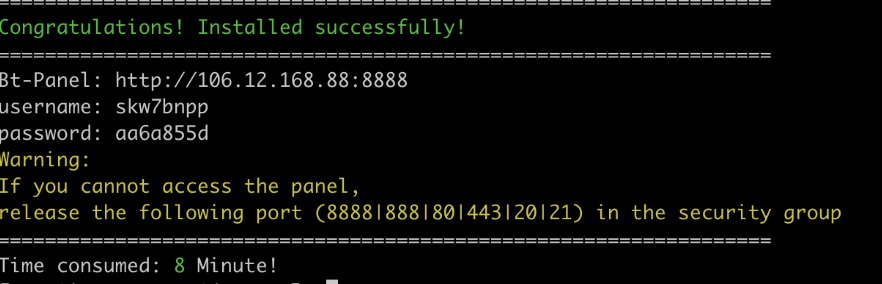
Step 3: View login information
Bt-Panel: Baota panel login address
Username: Baota panel login account
Password: Baota panel login password
Step 4: Access and verification
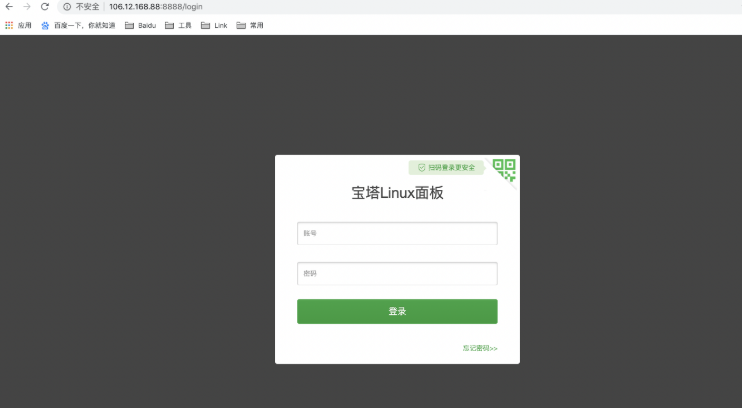
Enter your username and password to complete the login process.