

Deploy SSL Certificate on Baidu Cloud Compute - Apache
Based on the Apache environment set up in [deploying LAMP environment on CentOS7.2](BCC/Website Building Tutorial/Deploy LAMP Environment on CentOS-7.2.md), configure an SSL certificate for the Web service (you need to prepare the domain name in advance). The following steps are the complete process of configuring and deploying the certificate.
1. Download and unzip the certificate
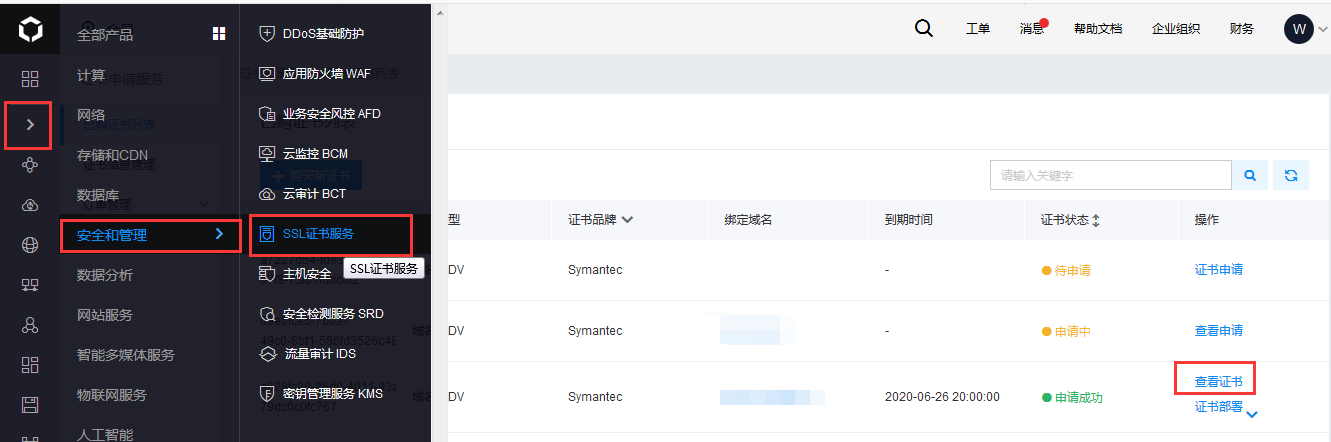
Navigate to Baidu AI Cloud Console - Security and Management - SSL Certificate Service - List of Purchased Certificates. Click on the certificate associated with the domain name of this server, then select "View Certificate.\
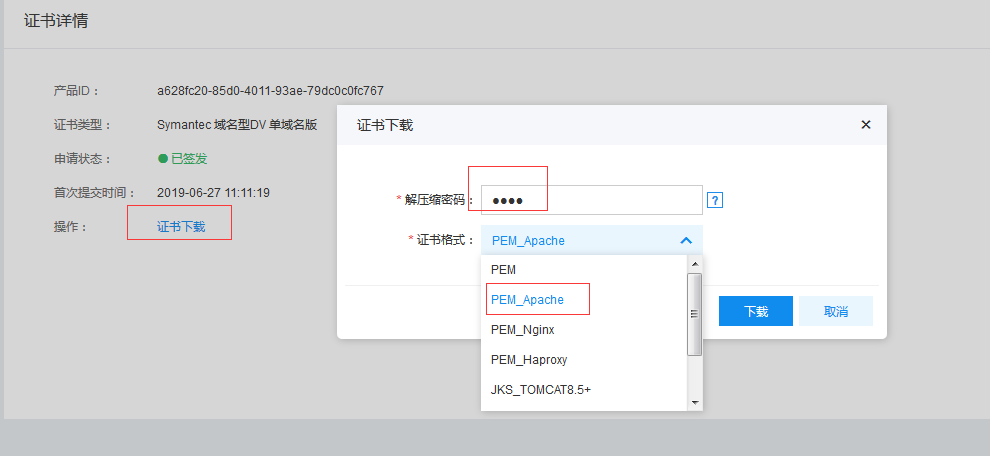
Click "Download Certificate," select the PEM_Apache format, and configure a four-digit unzip password.
After downloading, double-click to open it. You will see three files: cer, crt, and key. Choose the "Unzip To" option, set the destination path, and enter the four-digit password configured earlier in the console.

2. Upload the certificate file to the server
Use FTP or other tools to upload the cer, crt, and key files retrieved from unzipping in the previous step to the apache configuration directory /etc/httpd/conf on the server

3. Install mod_ssl and configure the certificate
When installing Apache via yum, the ssl module isn’t compiled and added by default. It needs to be installed separately.
yum install mod_ssl openssl
After installation, an ssl.conf file is added under /etc/httpd/conf.d.
vim /etc/httpd/conf.d/ssl.conf
Locate the ServerName directive, remove the comments on this line, and update the domain name to match the certificate’s domain name.
Enter correct position paths for the three certificate files
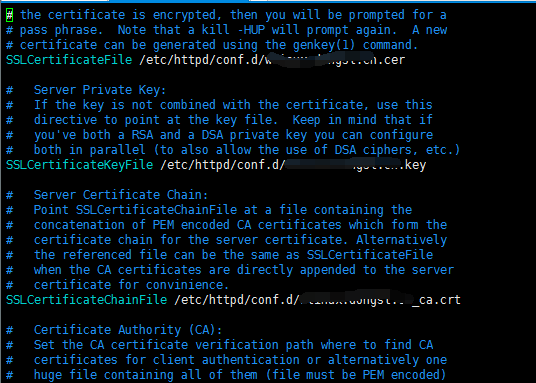
After restarting httpd, you can open the website through https:// domain name
4. Force http to redirect to https
Since it was installed using yum, the paths for ssl.so and httpd-ssl.conf modules are not present in the Apache configuration file. You can manually add rewrite rules to achieve this functionality.
vim vim /etc/httpd/conf/httpd.conf
In <Directory>
1......
2</Directory>
Add:
1RewriteEngine on
2RewriteCond %{SERVER_PORT} !^443$
3RewriteRule ^(.*)?$ https://%{SERVER_NAME}/$1 [L,R]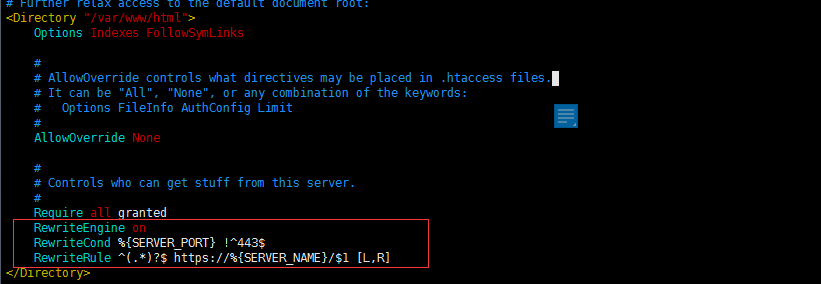
After restarting Apache, HTTP will be automatically redirected to HTTPS when the website is accessed.