CentOS 7 Enter Single User
Updated at:2025-10-20
This document introduces the method of "How to enter single-user mode on CentOS 7" (including an operational guidance video). You can refer to the key step guidance in the following video to use AI Cloud products or troubleshoot issues yourself. Click here to watch the video "How to Enter Single-User Mode and Reset Password on CentOS 7.
Description:
If the interface elements or operation methods shown in the video guidance are updated, please rely on the AI Cloud console interface for the most accurate information. The video aims to demonstrate the functional operation process, and minor interface changes will not affect the overall functionality or presentation.
- Click the "Send Ctrl+Alt+Del" button in the upper-right corner to reboot the server. Once the reboot starts, quickly press Esc when the displayed screen appears.
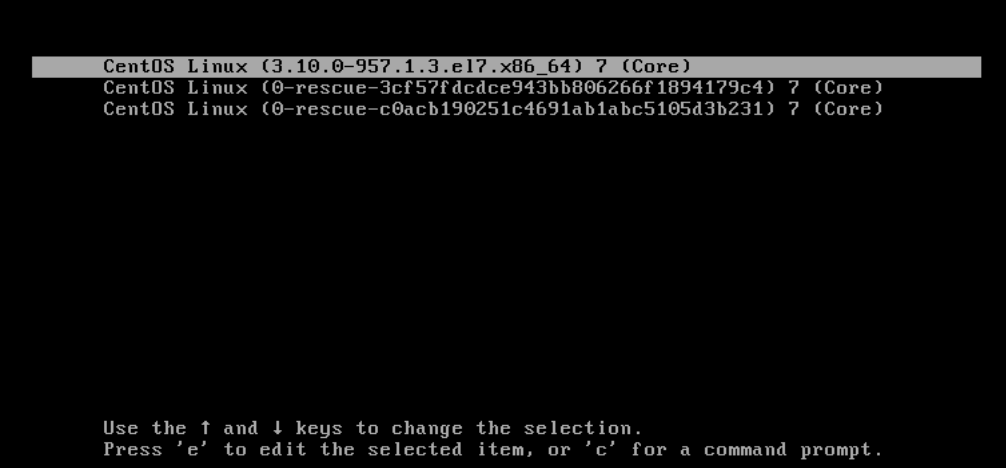
This page is displayed:
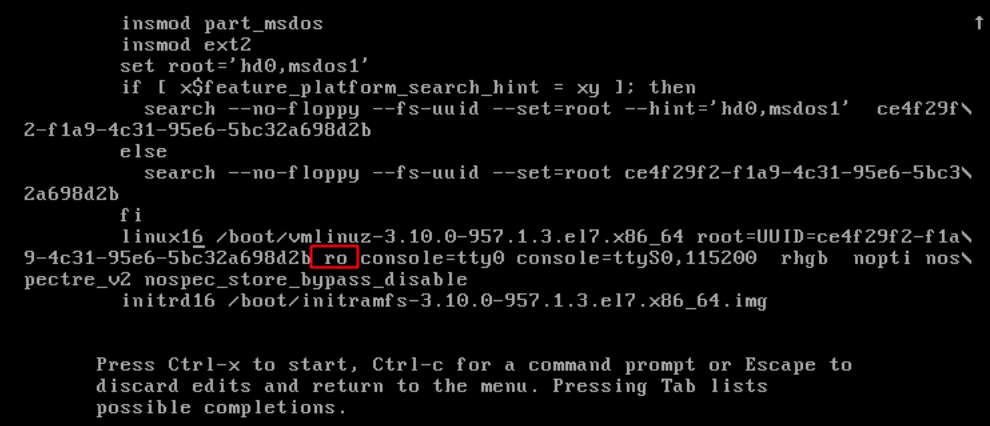
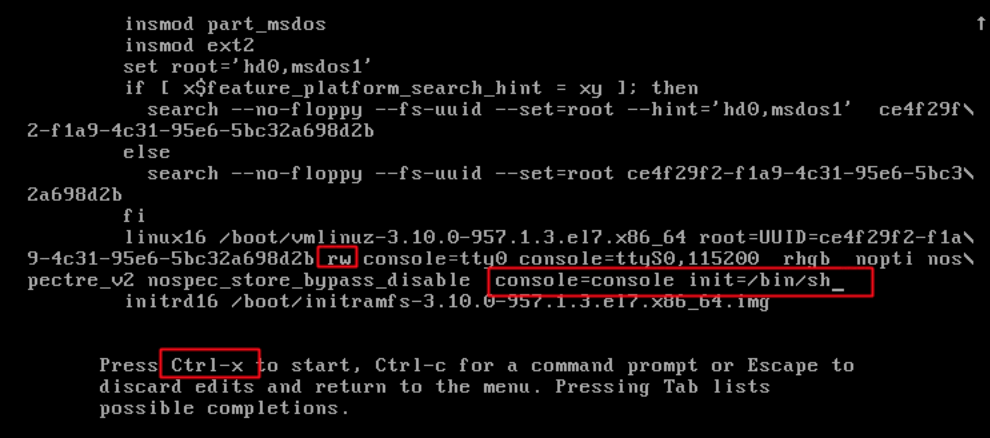
- Locate the first Linux 16 section, change ro to rw, and add
console=console init=/bin/shat the end.
Press Ctrl+X to restart and access single-user mode.