

Batch Sequential Naming
Operation scenarios
When creating multiple instances, Baidu Cloud Compute (BCC) supports automatically incrementing suffix numbers for batch-created instances and naming them following set rules.
When you need to purchase n instances and want to generate instance names/hostnames similar to "BCC+serial number" (i.e., instance names/hostnames such as BCC0001, BCC0002 and BCC0003), you can achieve this through automatic incrementing of suffix numbers.
When creating n instances and requiring instance names/hostnames to have serial numbers starting from x and incrementing, you can achieve this via Name According to Rules.
Applicable scenarios
Configuration options for instance names/hostnames when creating multiple instances.
Automatic incrementing of suffix numbers
The operation of enabling sequential suffixes can be used to set batch-purchased instances to have the same prefix and instance names with only incrementing serial numbers.
The default serial numbers for successfully created instances increment starting from 0001, and the starting serial number cannot be customized.
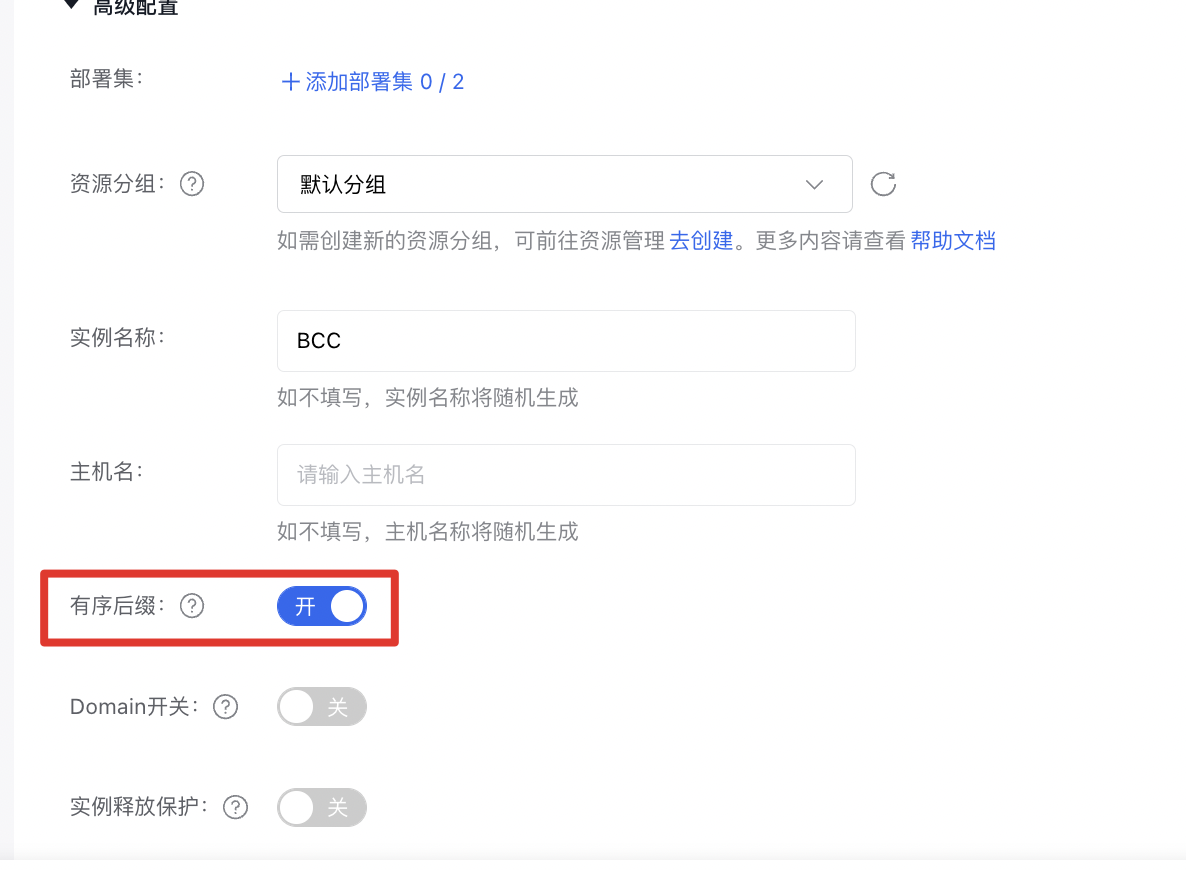
If sequential suffixes are not enabled, the system will increment sequentially based on the magnitude of the serial numbers for the quantity created in this instance. If the creation count is less than 10, the serial numbers will increment from 1~ to 9. If 10 ≤ creation count < 100, they will increment from 01~ to 100.
Name according to rules
According to the naming format of name prefix[, starting number, number of digits] and name suffix , the instance names or hostnames are uniformly set for multiple cloud server instances. The name prefix is required, while the name suffix is optional.
[Starting number, number of digits]: Specify the starting value of the numbers in the instance name or hostname, which increments sequentially and serves as the distinguishing part of the instance names or hostnames for multiple cloud server instances.
The [starting number, number of digits] field cannot contain spaces, and []the commas shall be English characters.
Starting number: Specify the starting number of the instance name, with supported values ranging from [0 to 999,999] and a default value of 0.
Number of digits: Specify the number of digits occupied by the number in the instance name, with supported values ranging from [1 to 6] and a default value of 6.
If the name is specified as [] or [,], the starting number defaults to 0, and the number of digits defaults to 6.
If the name is specified as [99] or [99,], the starting number defaults to 99, and the number of digits defaults to 6.
If the specified number of digits for the starting number in the name exceeds the supported range, it will automatically default to 6 digits.
If the sum of the starting number specified in the name and the total count of new cloud server instances surpasses the maximum of 999,999, all instances beyond that limit will use the number 999,999.
Example I:
For example, if you want to create 100 instances starting at 101 with the number in the middle of the name, the instance names will be: BCC-101, BCC-102, ... BCC-200, following the naming rules.

Example II:
For instance, if you aim to create 10 instances starting at 21 with the number in the middle of the name, the resulting names will be: BCC21.baidu.cc, BCC22.baidu.cc, ... BCC30.baidu.cc, adhering to the rules.

Enabling sequential suffixes and naming according to rules are independent functions. If both are used simultaneously, both will take effect. For example, if the instance name is entered as: bcc[21,10]baidu, and sequential suffixes are also enabled, the instance names will start with bcc21baidu0001.