

Tutorial on Disabling IE Enhanced Security Configuration on Windows Server 2008
Updated at:2025-10-20
After installing Windows Server 2008, when opening a website in a browser, the system always displays: "Internet Explorer Enhanced Security Configuration is blocking the content from the following website." Although adding every website to the trusted list allows access, it is inconvenient. How can this issue be resolved?
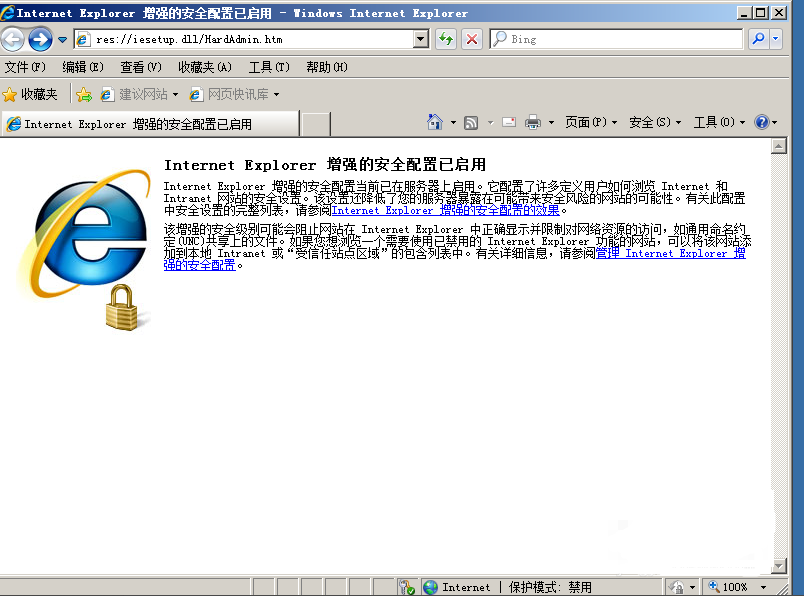
First, open Internet Explorer to view the notification message caused by the enhanced security settings in IE.
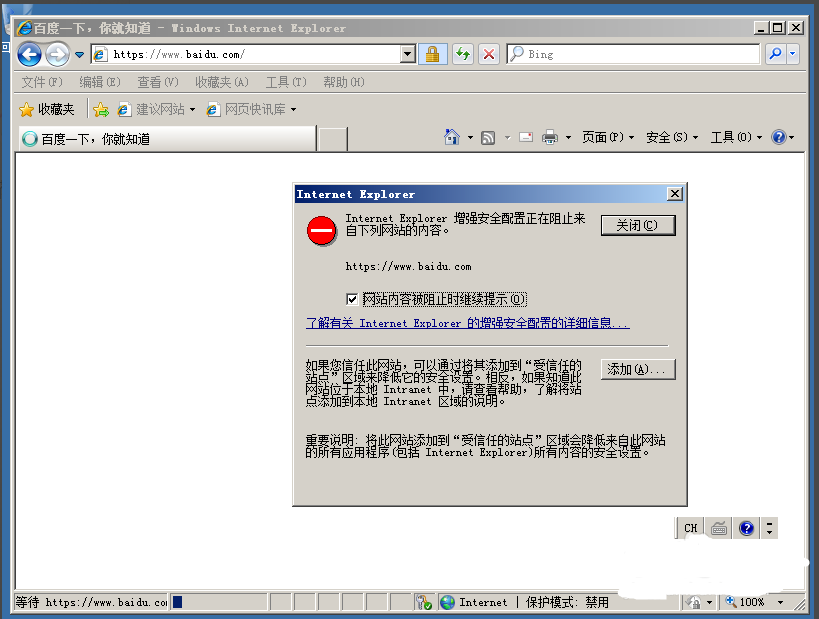
Solution:
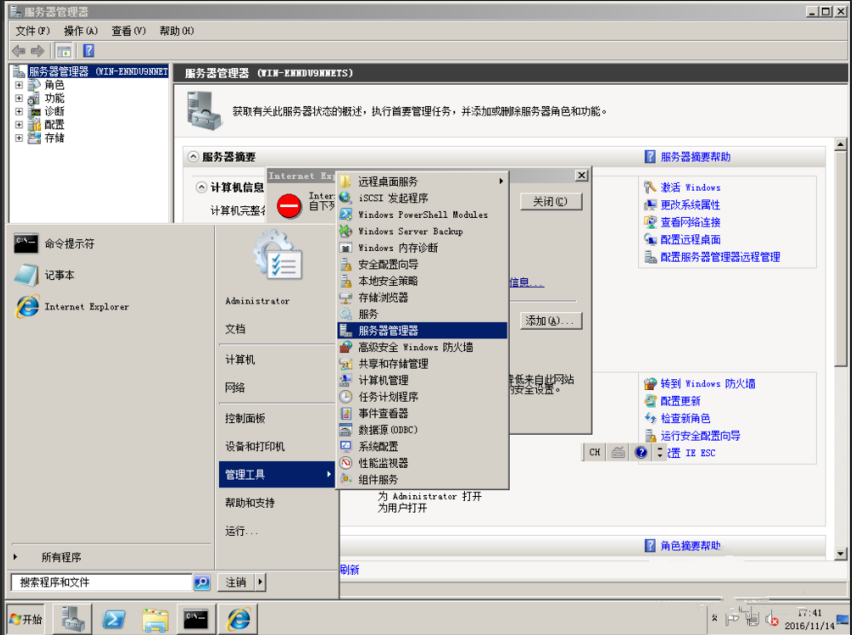
- Click WIN to open Management Tool and find Server Manager:
- Find Configure IEESC in Server Manager
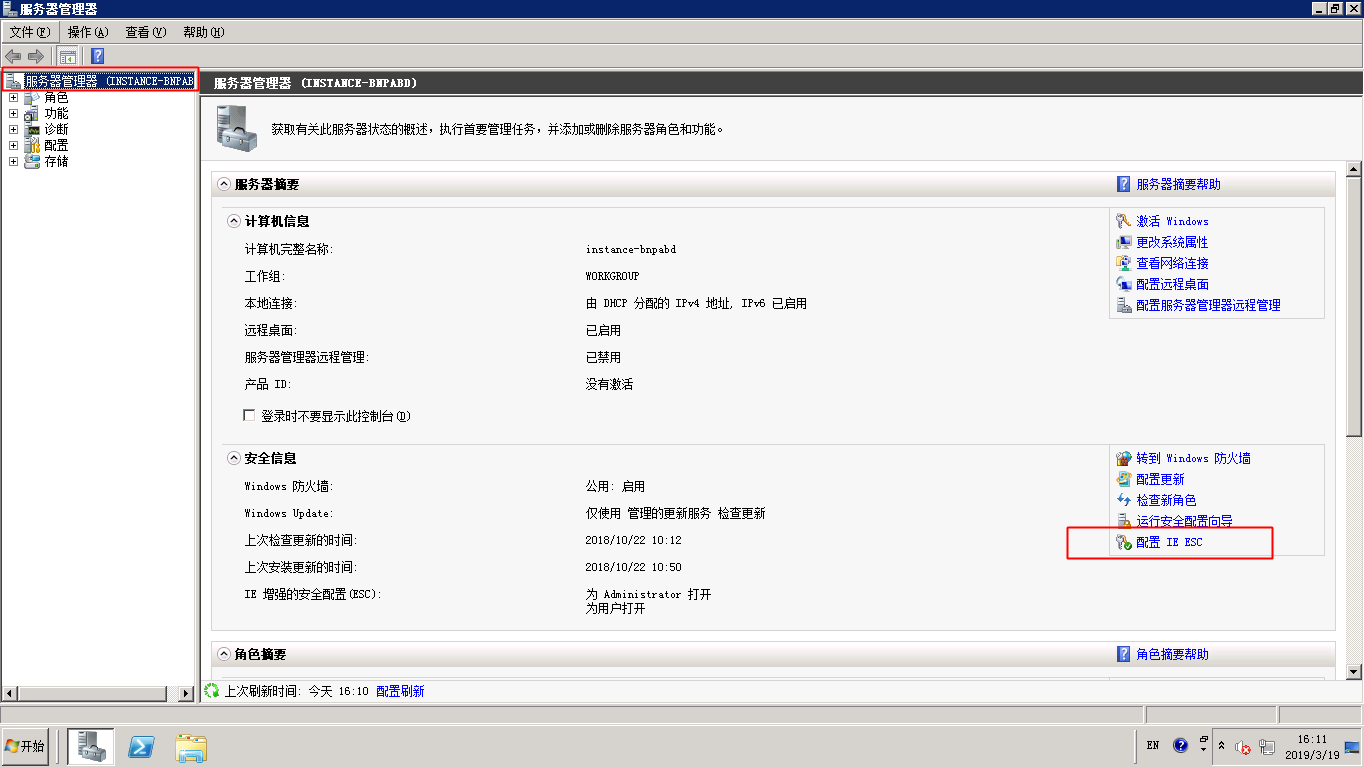
- Click "Disable."
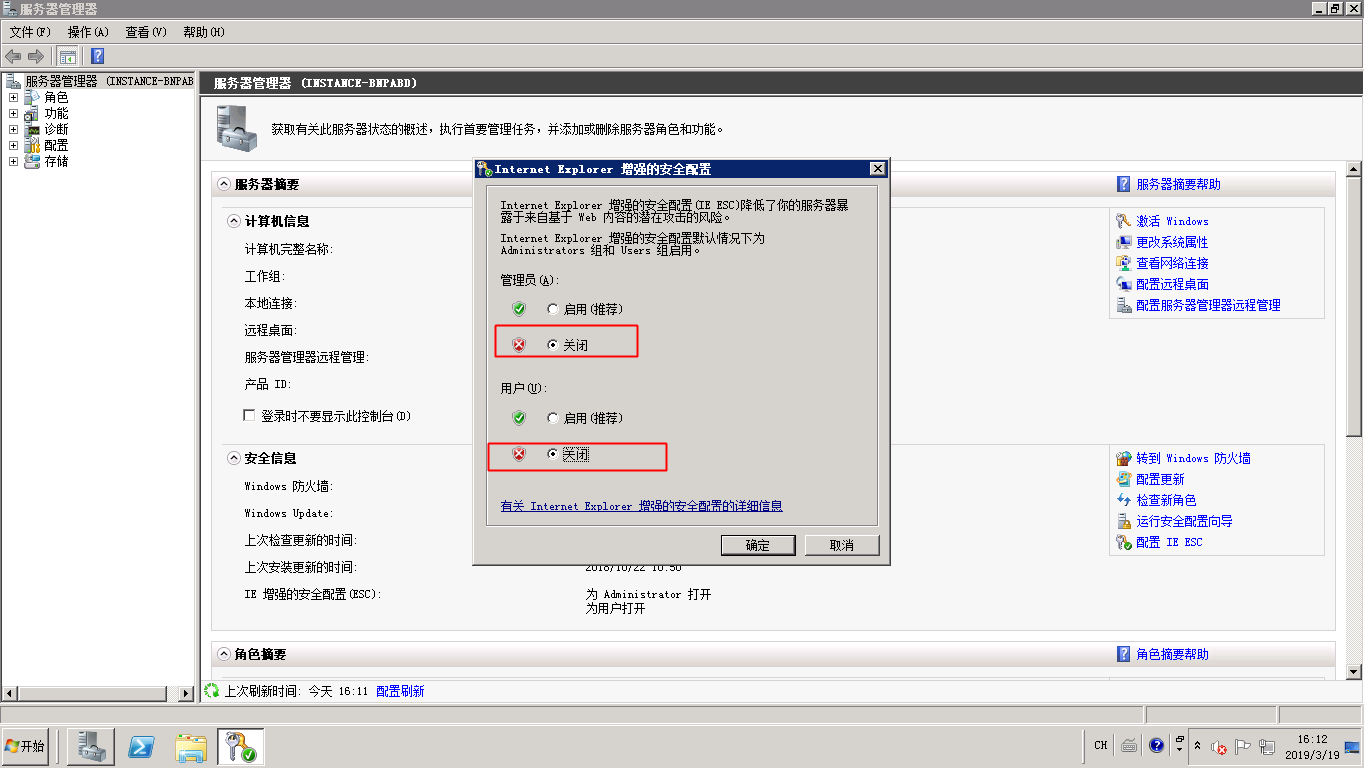
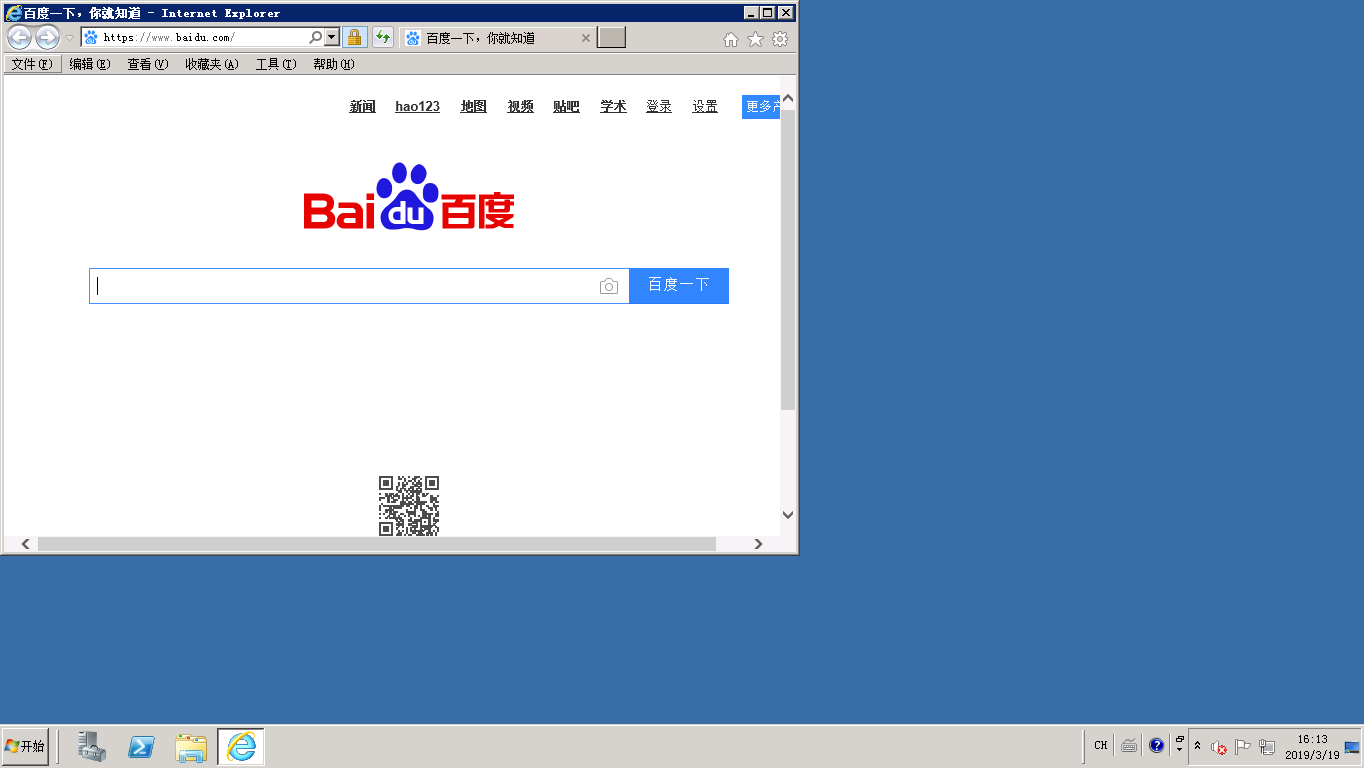
- You can now browse websites normally using Internet Explorer.
This concludes the tutorial. Thank you for your support of Baidu AI Cloud!