

Share a custom image
Baidu AI Cloud BCC users can flexibly share Custom Image with other users who can use the shared images to create BCC instances and reinstall OS.
Applicable scenarios
- Baidu AI Cloud users can share Baidu Cloud Compute (BCC) instance images containing custom business content with others, aiding in system development, improving efficiency, and accelerating scaling.
- Baidu AI Cloud's IT teams can create BCC instance images based on company requirements and share them across departments for swift business system deployment.
Usage impact
Since sharing images may involve data privacy and security risks, users should understand and take responsibility for these risks. It is recommended to sign in to the BCC Instance and check for potential data leakage risks before sharing any images.
Background
| Item | Description |
|---|---|
| Sharing type | Custom image |
| Quota | • Users sharing images with other users: Each user can create up to 20 images in a single region simultaneously, and each custom image can be shared with up to 50 other users.• Users receiving shared images: Each user receiving the shared images can own up to 20 shared images; the shared images do not occupy the quota for creating their own images. |
| Usage region | Custom images can only be shared within the same region. |
| Delete image | Custom images shared with other users cannot be deleted unless they are first unshared. |
| Share with other users | Images cannot be repeatedly shared with others, nor can they be shared with oneself. Once shared, recipients can use the images but are not allowed to unshare or delete them. |
| Operation management | Management through console operations is supported. |
Enable sharing
The process for sharing custom images across users is as follows:

- Sign in to the BCC Console.
- Click Image in the left navigation bar to enter the Image List page.
- Select the image to be shared. The image type must be Custom Image.
-
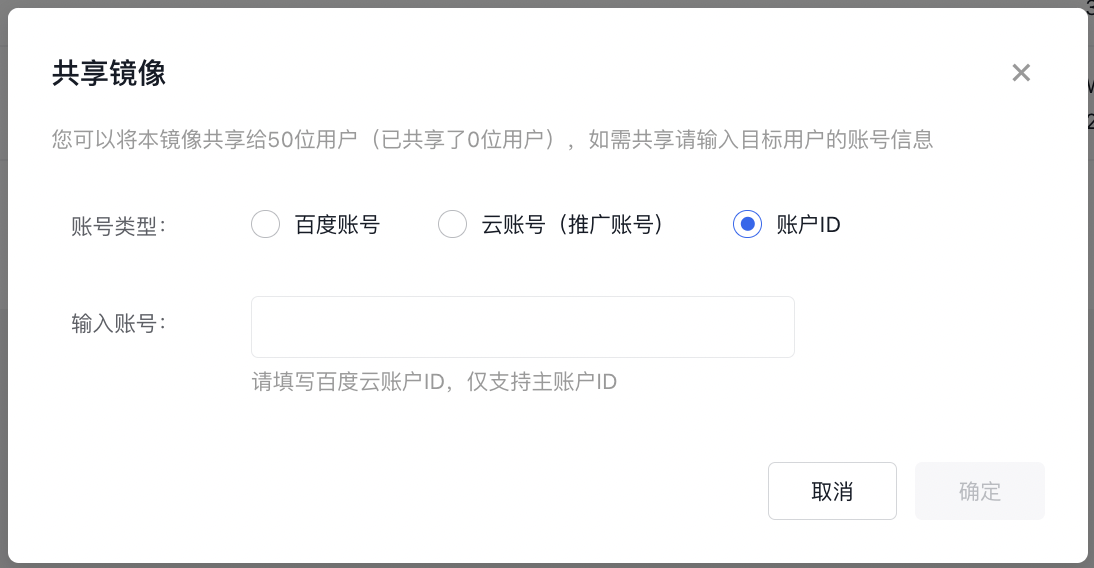
Click Share Image, and enter the Baidu account, cloud account or user ID of the user who will share image.
Description:
An image can be shared with a maximum of 50 users. Please provide the account details of the target user for sharing.
Once an image is shared, the recipient can use it to create or reset instances.
- Click OK to complete the image sharing operation.
Unshare
After completing the following steps, unshare your Custom Image with other users.
Description:
After unsharing, other users will no longer be able to view or use the image to create instances.
- Sign in to the BCC Console.
- Click Image in the left navigation bar to enter the Image List page.
- Select the image to be unshared. Ensure that the image type is "Custom Image."
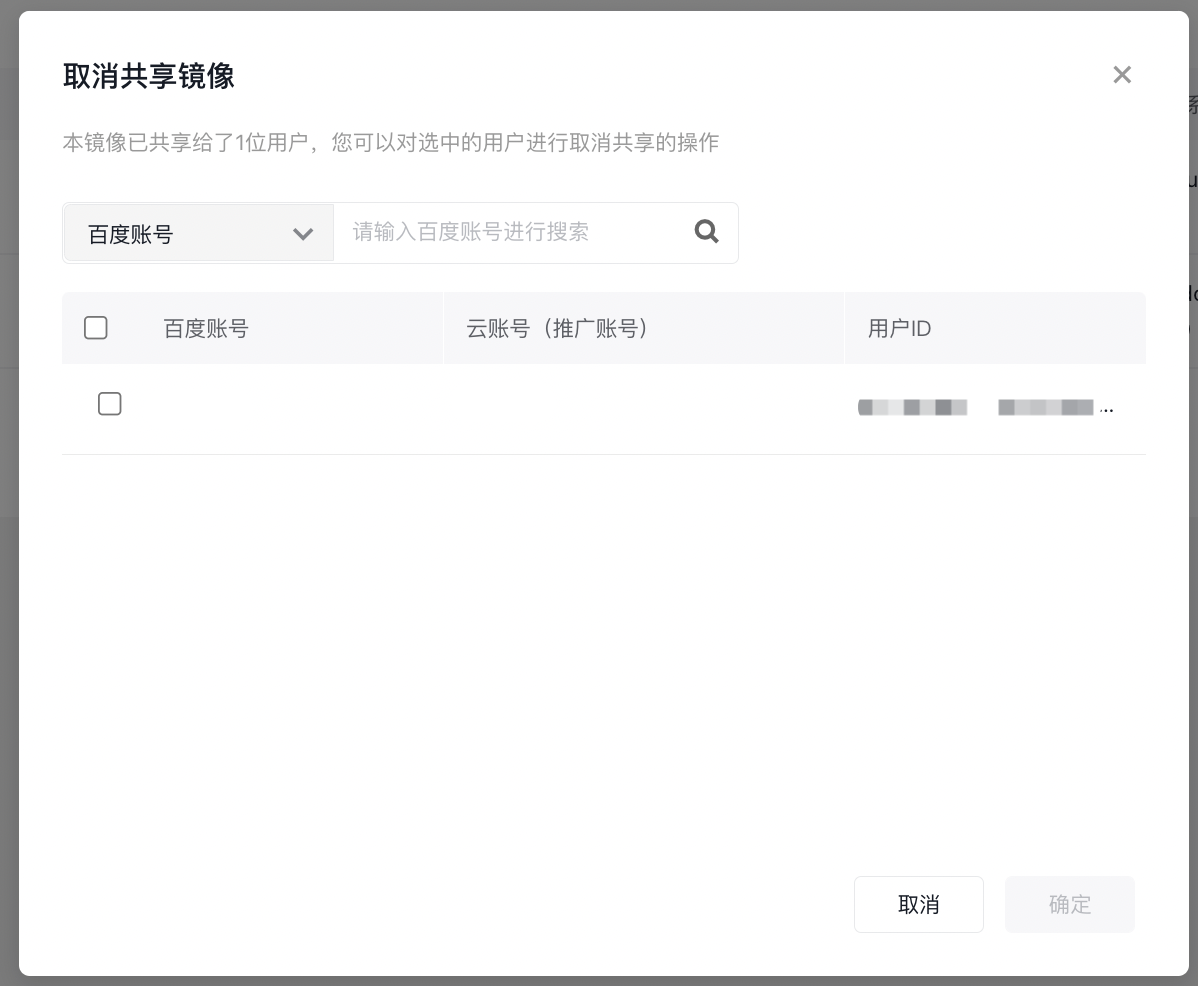
- Click Unshare to display the list of users with whom the image is shared.
- Choose the Baidu account, cloud account, or user ID to unshare with, and click "OK" to complete the unsharing process.
Common APIs
You can use API
- Share custom image. For API, please refer to [Share Custom Image](BCC/API Reference/Image Related Interfaces/Share a custom image.md).
- Unshare custom image. For API, please refer to [Unshare Custom Image](BCC/API Reference/Image Related Interfaces/Unshare a custom image.md).