

Create spot instances
Updated at:2025-10-20
Prerequisites
Once permission is enabled, spot instances can be created via the console.
Note
To use a spot instance, you should consider the following:
- Optimal Bidding Price: To ensure successful spot requests and avoid deletion due to pricing, set a competitive bidding price, considering market fluctuations. The price should also align with your business expectations.
- Ensure the chosen image includes all needed software configurations so the instance can be activated immediately.
- It's recommended to use storage media that remain unaffected when spot instances are released to safeguard your critical data. For instance, you can store data on cloud disks (which cannot be set to release along with the instance), BOS, or independently created media.
- Ensure your application is tested to demonstrate its ability to handle instances being unexpectedly released. You can execute the application on a postpaid instance and manually release it afterward. This method helps verify if the application can manage instances that are automatically released.
Operation steps
- Log in to the Baidu AI Cloud Management Console, go to Product Service > Baidu Cloud Compute (BCC), and access the Instance List page.
- Choose the Region and click on Create Instance to proceed to the Create Instance page.
-
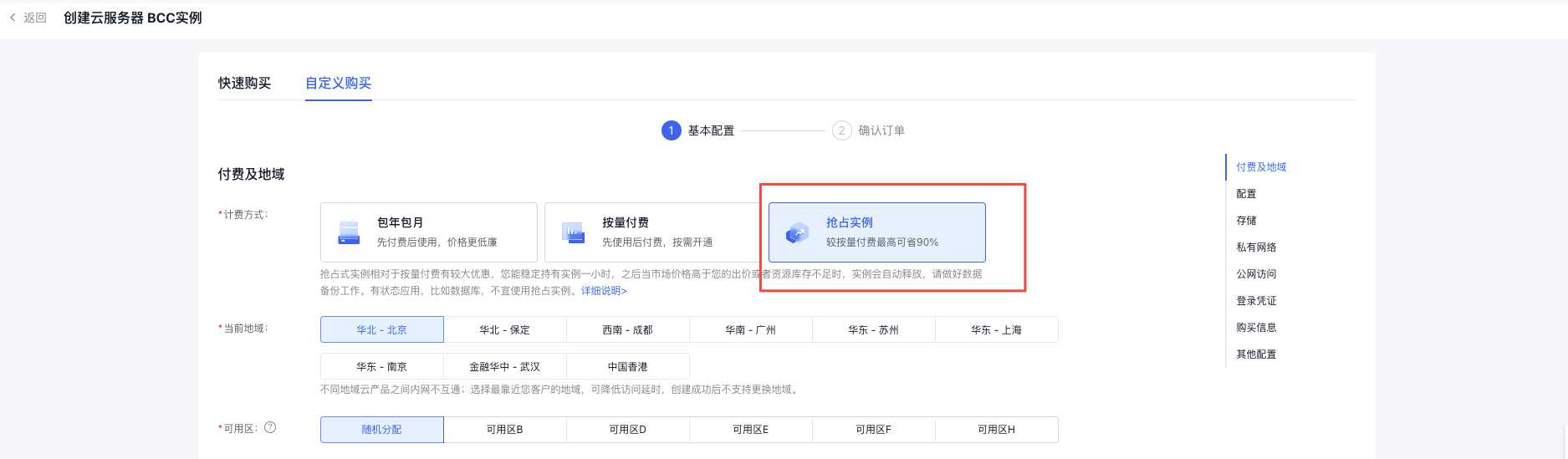
Select Spot Instance for the purchase method.
-
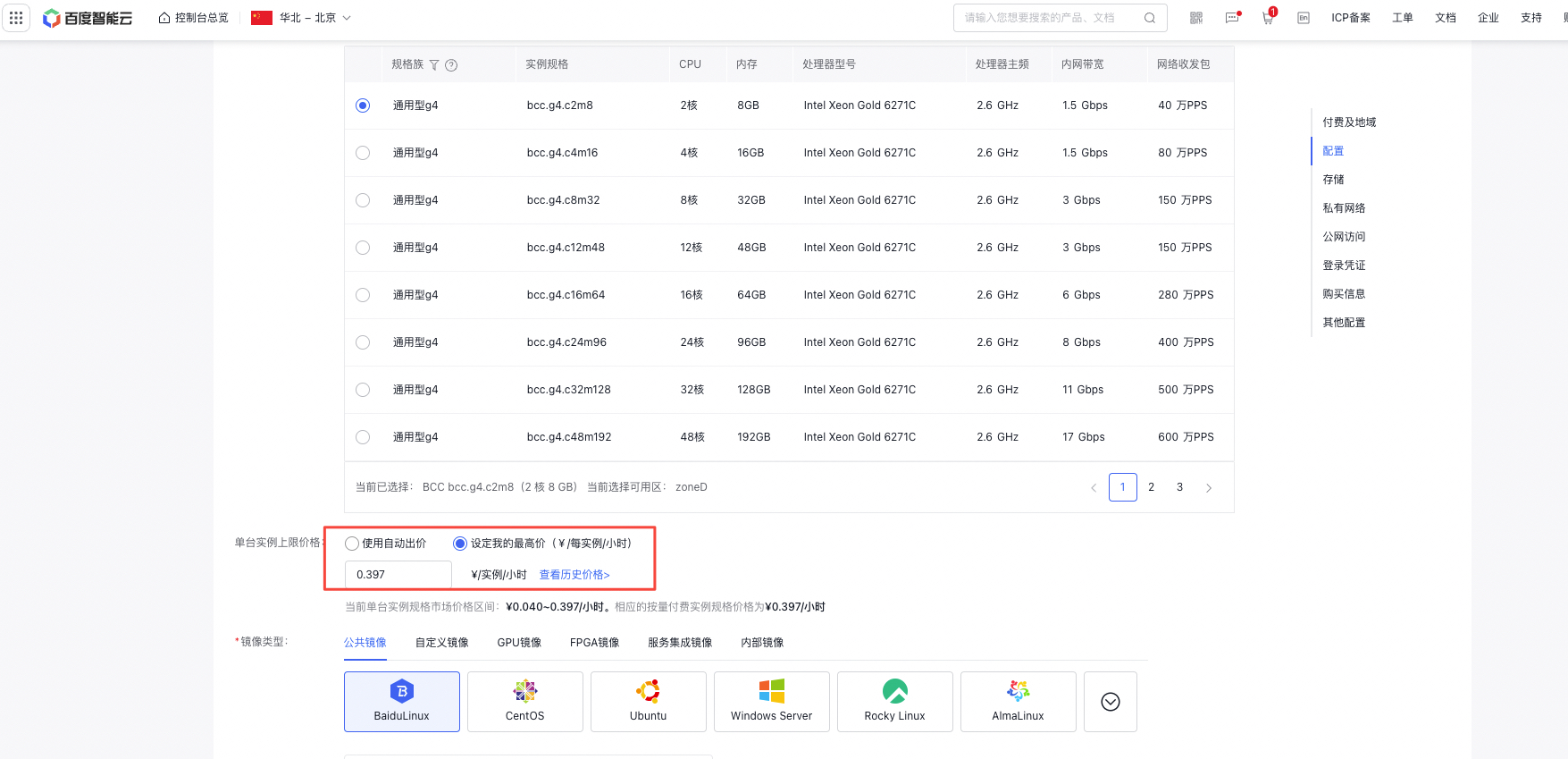
Set the price for a single instance in the Bidding module.
- Use automatic bidding: Opt for the mode that bases the billing price on the real-time market price, indicating that you accept pricing aligned with the market rate for the instance.
- Set a maximum price: Specify the highest price you're willing to pay for the designated instance by setting a price cap.
- Choose your desired OS type, network, and other resource configurations you wish to utilize.
- After confirming the Configuration information, click Next to enter the Order Confirmation page, then click Make Payment to begin creating a Spot Instance.