Windows PIP Configuration with Baidu Source
Updated at:2025-10-20
Overview
pip is a versatile Python package management tool that allows you to search for, download, install, uninstall, and update Python packages. This guide uses Windows Server 2022 as an example to demonstrate how to configure the pip Baidu repository for an online Windows instance on Baidu AI Cloud.
Install python pip
- You can download the installer from the python official website, reference link: https://www.python.org/;
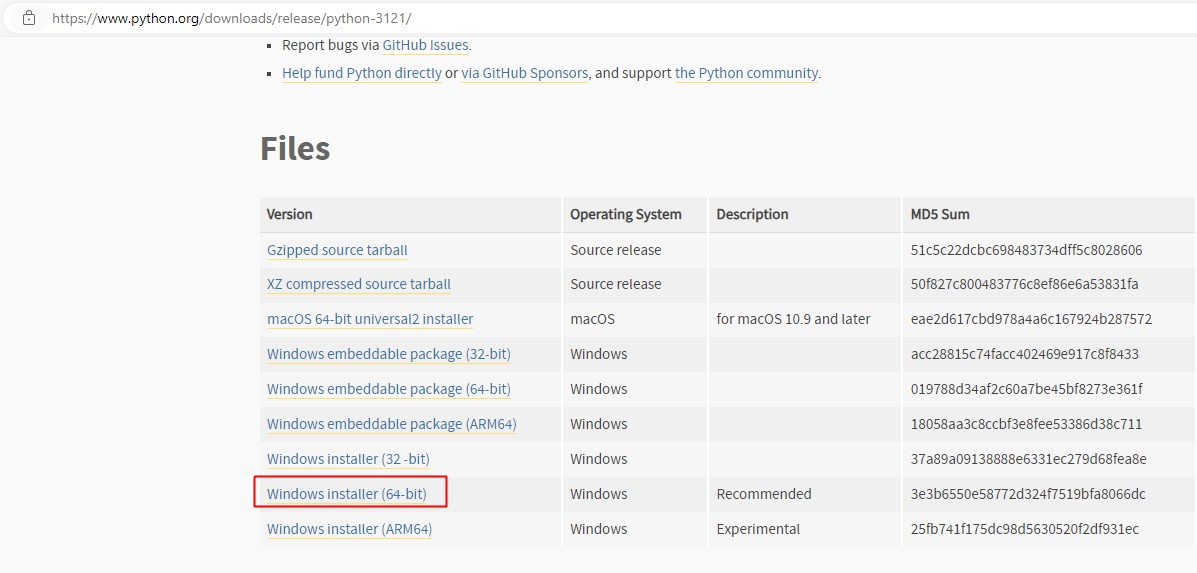
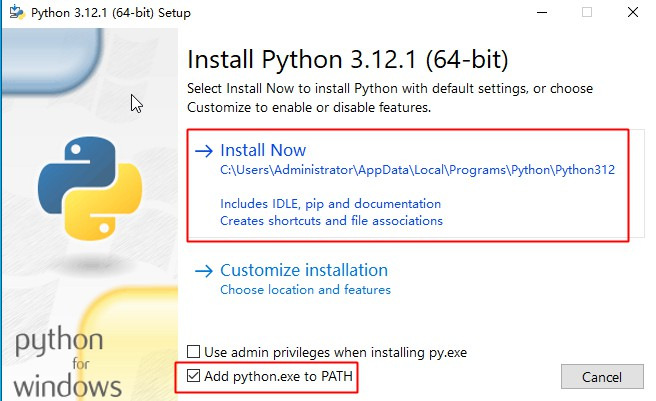
- After downloading the installer, double-click the exe file to install, select Add python.exe to PATH, and then click Install Now.
- Open the cmd command window, enter the commands
python --versionandpip --version, and the displayed python and pip versions indicate a successful installation.

Configure python pip Baidu repository
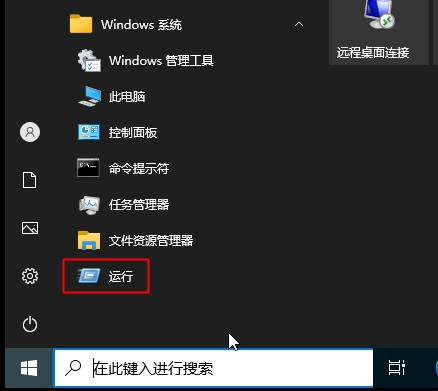
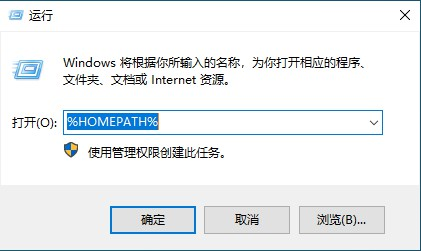
Open the run window, enter %HOMEPATH%, and open the %HOMEPATH% directory
Create a pip folder in this directory, and then create a pip.ini file under the pip directory with the following content:
Plain Text
1[global]
2timeout = 6000
3index-url = http://mirrors.baidubce.com/pypi/simple/
4trusted-host = mirrors.baidubce.com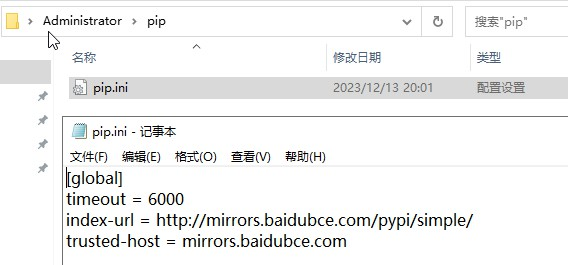
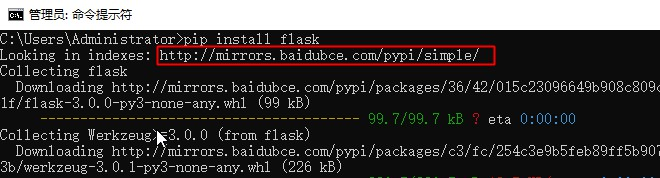
When installing a module using pip, the Baidu repository address will be used.