Tag Management Practice
Overview
The Tag Management feature allows cross-service and cross-region resource tagging based on criteria such as purpose, owner, or project, supporting efficient categorization and resource management.
Requirement scenarios
By adding tags with criteria like purpose, owner, or project, resources can be organized and identified efficiently, allowing customers managing large numbers of BCC instances to streamline instance management.
Solution overview
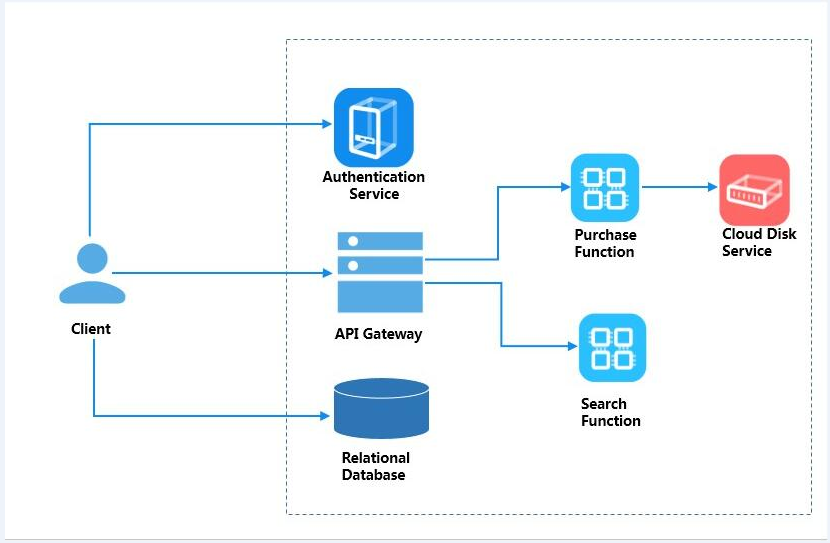
The website system shown above includes six instances (certification service, API gateway, purchase functionality, search functionality, and product database server) and a single disk attached to the purchase functionality. This system serves as an example for tag naming.
Configuration steps
- The API Gateway tag is named as Gateway 001 (button name: Gateway, value: 001). The steps are as follows:
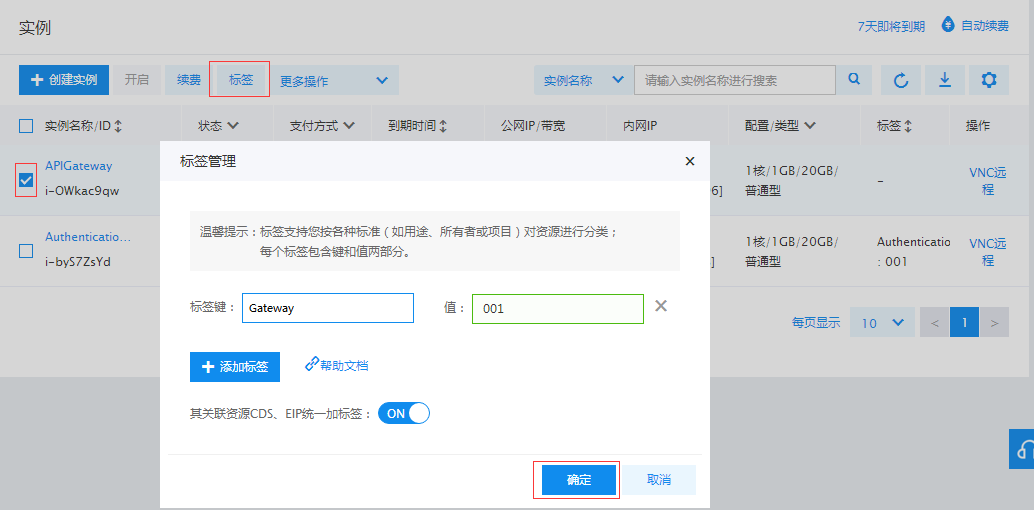
- Since the purchase and search functionalities belong to the same category, from a project management standpoint, they are assigned tags with the same name but different values for easier management.
The Purchase Function tag is named Function 002 (button name: Function, value: 002);
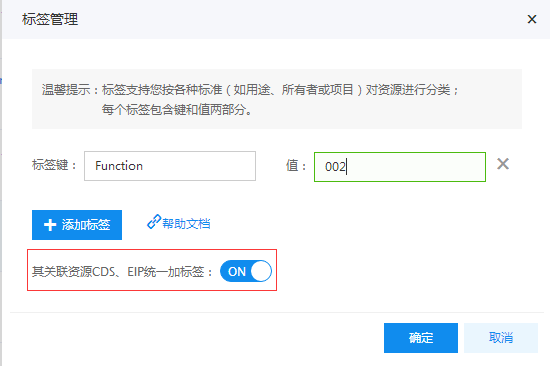
- Cloud Disk Service is the disk mounted on the Purchase Function. Simply click the Associate Resources CDS and EIP and Add Tags Uniformly button to automatically name it as Function 002;

- Add tags to other resources in sequence:
The Search Function tag is named Function 001 (button name: Function, value: 001);
The Authentication Service tag is named Authentication 001 (button name: Authentication, value: 001);
The Product Database tag is named Database 001 (button name: Database, value: 001);
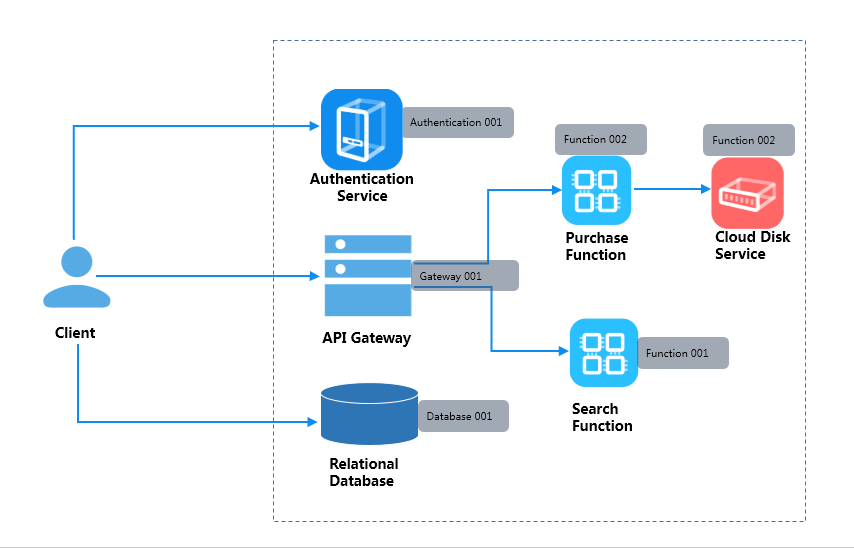
- After the system tags the names, the figure below shows the instance tag names in the dark text boxes: