Application Performance Diagnostic Tool Btune
Btune overview
Btune is a performance analysis and optimization tool developed by Baidu AI Cloud. It integrates years of application optimization expertise from within Baidu Group and covers the entire stack, from CPU microarchitecture, kernel, runtime, and foundational libraries to service applications. It enables comprehensive performance analysis and optimization, swiftly identifying and resolving performance bottlenecks to maximize business performance.
Btune supports the following functions:
- Metric collection, analysis and display: Collect multi-dimension metrics such as full-machine configuration, full-machine resources, process hotspots, and process resources for analysis and display to preliminarily identify anomalies
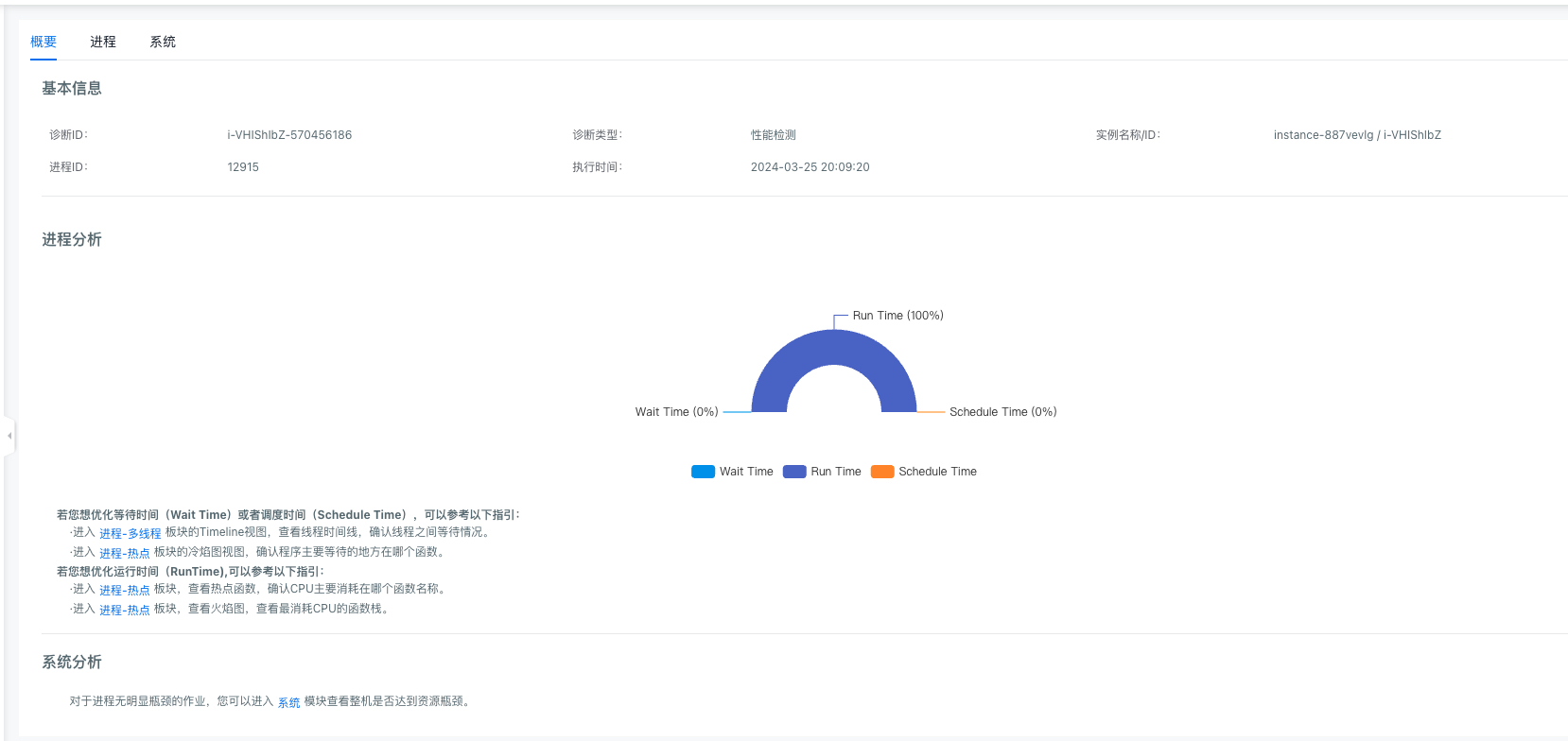
- Identifying performance bottlenecks and providing optimization recommendations: Btune generates diagnostic reports comprising two sections: a summary and a detailed report. The summary presents key service performance bottlenecks and corresponding optimization solutions, catering to most scenarios. The detailed report offers an in-depth performance analysis, highlighting operational characteristics like resource allocation, time consumption distribution, and thread relationships. These insights span multiple dimensions, including system configuration, performance, process-thread models, and function-level instruction hotspots, allowing users to fine-tune performance with greater precision.
Note
- Instances detected by Btune must be in the Running status.
- BCC instances to be detected require installation of Btune-agent
Btune-agent installation method
To use Btune's self-diagnosis functionality, you need to install Btune-agent on the target instance. Follow the listed steps for installing or uninstalling Btune-agent.
- Btune-agent installation:
Sign in to the target BCC instance, download and execute the installation script:
1## Download Installation Script
2wget http://download.bcm.baidubce.com/btune-agent/install.sh
3 ##  Execute Installation
4bash install.sh install- Uninstall Btune-agent:
Sign in to the BCC instance and execute the following command:
1## Stop Btune agent
2bash -x /home/work/btune/btune-agent/control stop
3 ## Clear Directory Files
4rm -rf /home/work/btune
Create Btune diagnostics
- Establish a remote connection to the BCC instance and run the application that needs diagnosis (e.g., running the test application in the background).
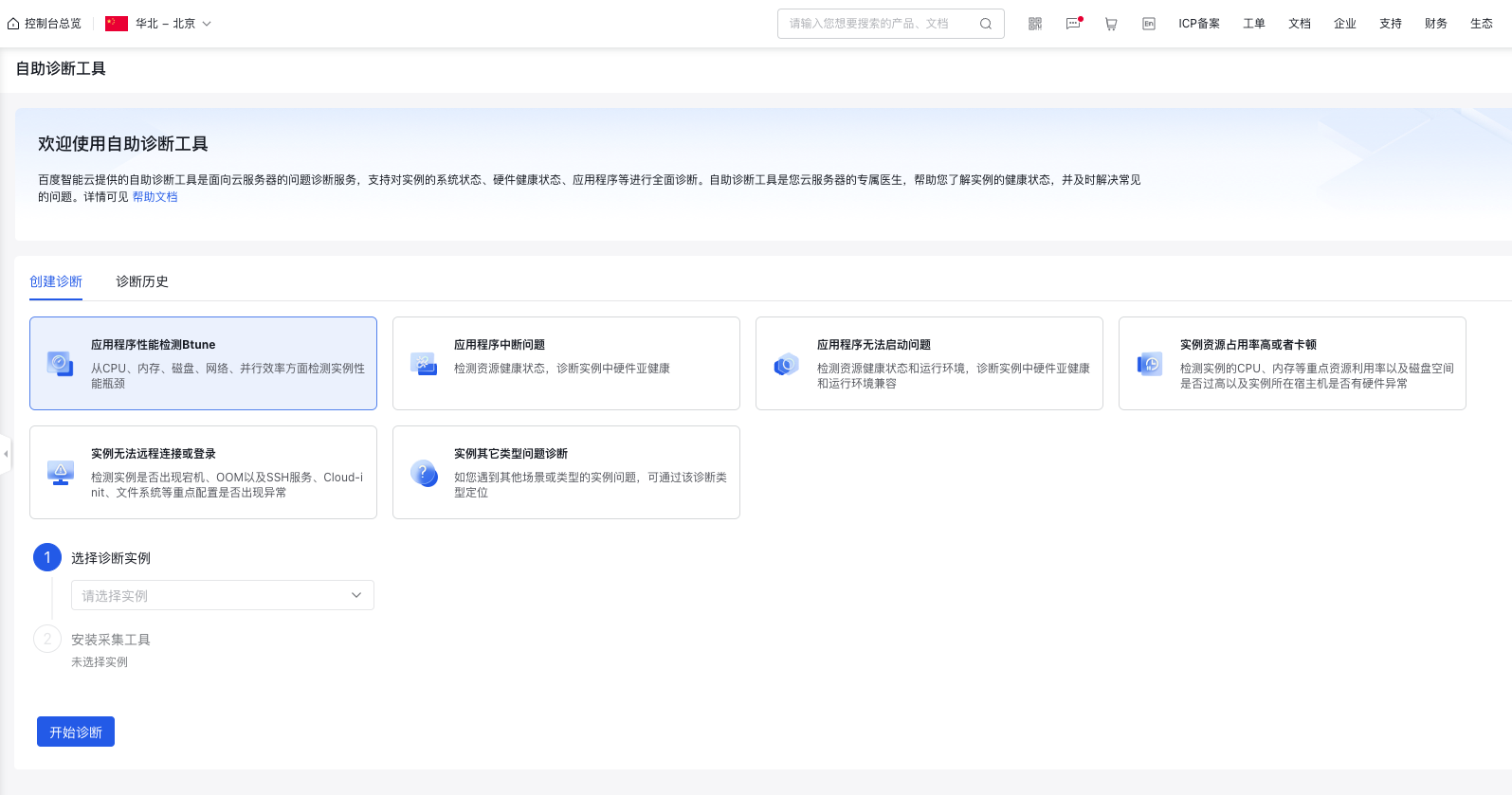
- Log in to the Baidu Cloud Compute (BCC) console, navigate to the self-service diagnostic tool in the left sidebar, choose performance detection, and follow the instructions to select instances and applications for diagnosis. You can search using a process PID or name, specify the collection time, and then initiate the diagnosis.
View Btune diagnostics
- Created diagnostics can be viewed in the diagnostic history of the self-service diagnostic tool.
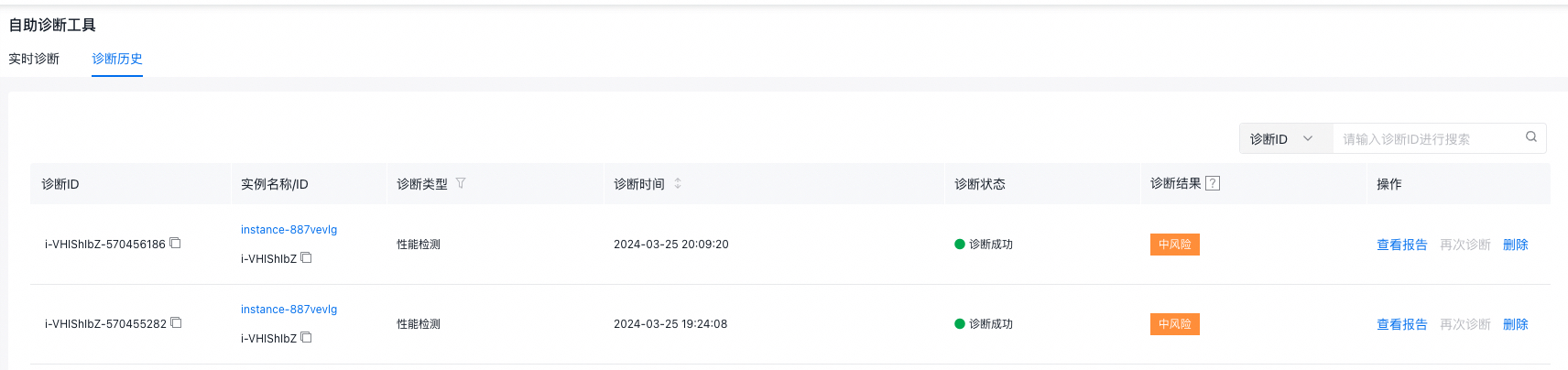
- Select View Report to view the diagnostic results and Btune analysis summary.
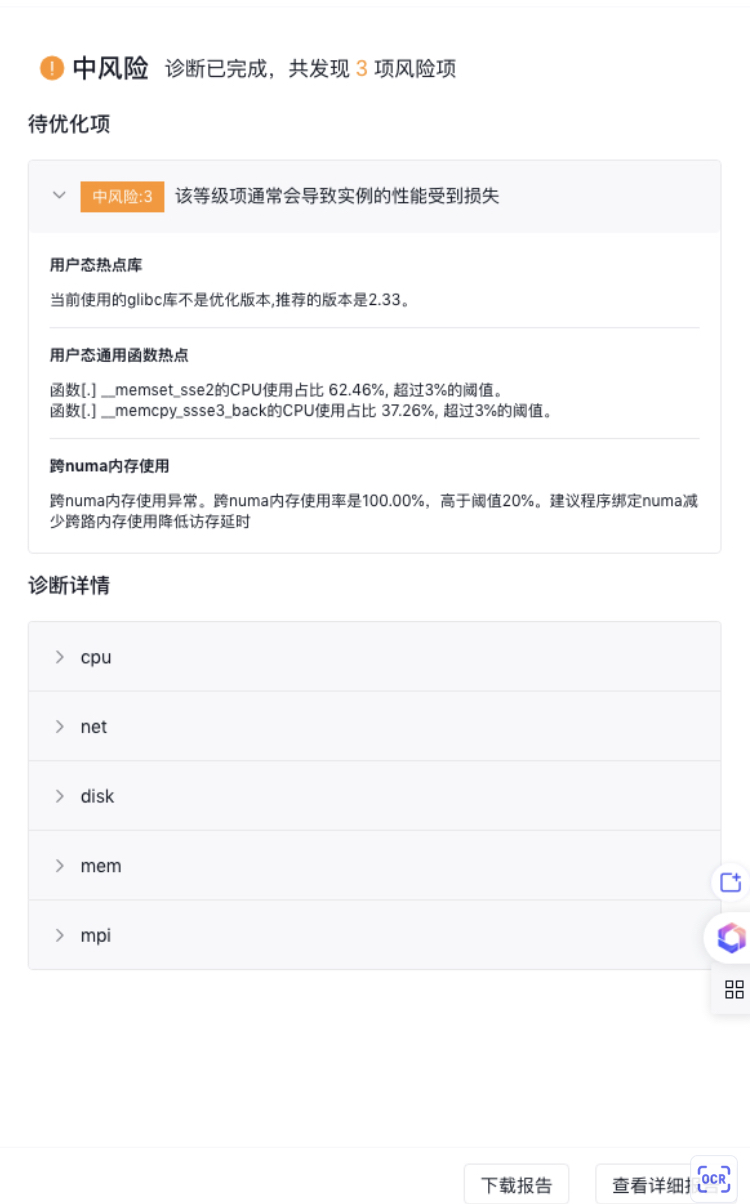
- At the bottom of the page, click "View Detailed Report" to access a comprehensive report, which provides performance optimization insights and solutions.
- System configuration analysis: This includes an analysis of machine hardware, system settings, and runtime configuration parameters.
- System performance analysis: USE analysis evaluated across CPU, memory, storage, network, and scheduling dimensions of the system.
- Process/thread model analysis: Analyzes CPU timeline breakdowns, process-thread concurrency efficiency, and TMA dimensions.
- Function/command hotspot analysis: Provides insights on function hotspots, command hotspots, function timelines, and TMA dimensions for functions.