Reserved Instance EHC Cluster Change
Updated at:2025-10-20
Overview
This document provides instructions for modifying the EHC cluster of a reserved instance.
Note
- Reserved instances can only offset charges for postpaid instances within the same EHC cluster and specifications. After the adjustment, instances from the original EHC cluster will no longer qualify for deductions.
- If the target EHC cluster is grayed out due to insufficient resources, please submit a ticket for assistance.
Operation steps
- Sign in to Cloud Management Console, and select Product Service > Compute > Baidu Cloud Compute (BCC).
- Select the region where Baidu Cloud Compute is located, then choose the elastic high-performance computing cluster from the sidebar.
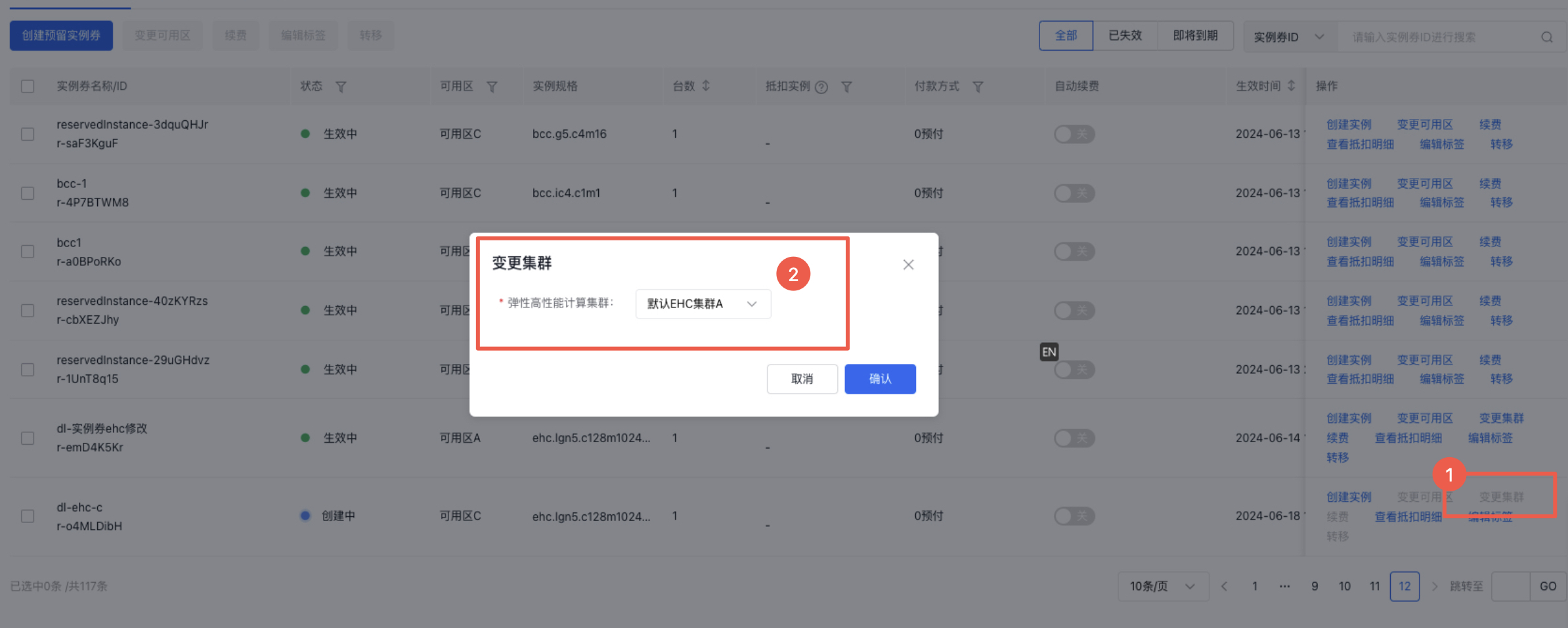
- On the EHC Cluster List page, select the reserved instance to be modified, click Change Cluster, and select the target EHC cluster