

Reinstall OS
Prerequisites
- Instances that are exempt from stop fees cannot have their OS reinstalled.
- OS reinstallation is not supported for system disks or data disks undergoing resizing or optimization.
Background
You can reinstall OS in the case of the following scenarios:
- Restore the instance to its initial status;
- The instance cannot reboot normally due to system failure;
- The operating system must be replaced with a new version.
The BCC supports the following two types of reinstallation:
- Switching between the same OS, for example, switching from a Linux system to a Linux system.
- Switching between the different OS, for example, switching from a Linux system to a Windows system.
Note
In case of reinstalling OS, the data in the system disk will be cleared and cannot be restored (the data in the cloud disk is not affected). It is recommended that you [create a snapshot ](BCC/Operation guide/Snapshot/Create disk snapshot.md) or[ create a custom image](BCC/Operation guide/Image/Create a custom image.md) for the system disk in advance for data backup. After reinstalling the system, the cloud server service will be interrupted for a few minutes. Please make necessary backups and switch services, and carefully choose to reinstall OS.
Operation steps
Reinstall OS for a single instance
- Sign in to Baidu Cloud Compute (BCC) Console and enter the Instance List page.
-
You can choose an instance to reinstall OS in the following methods:
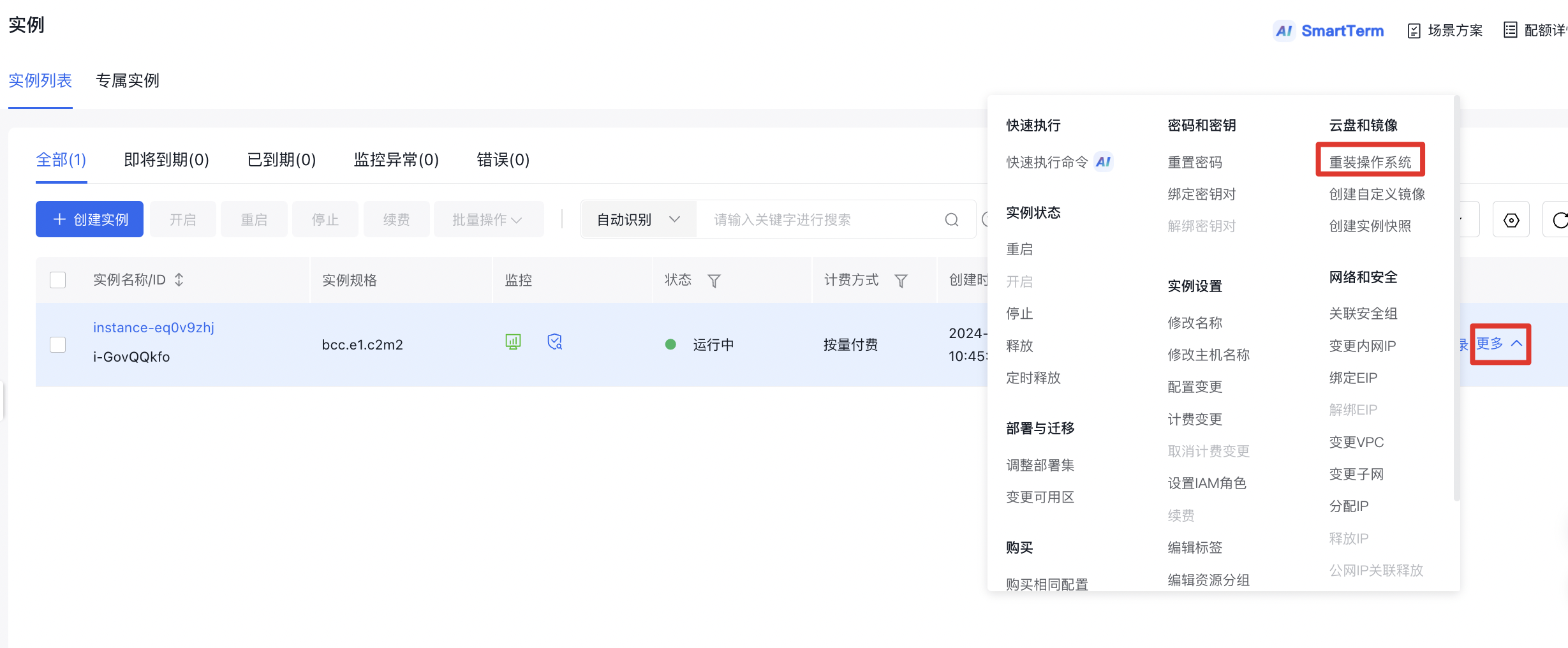
Method 1: On the List of Instances page, select the instance where you want to reinstall the system, then click More - Cloud Disk and Image - Reinstall OS in the operation toolbar, as shown in the image below.
1Method 2: In the Instance Name column, select the ID link of the cloud server to enter the Instance Details page. Click Reinstall OS on the page to reinstall the system, as shown in the image below. 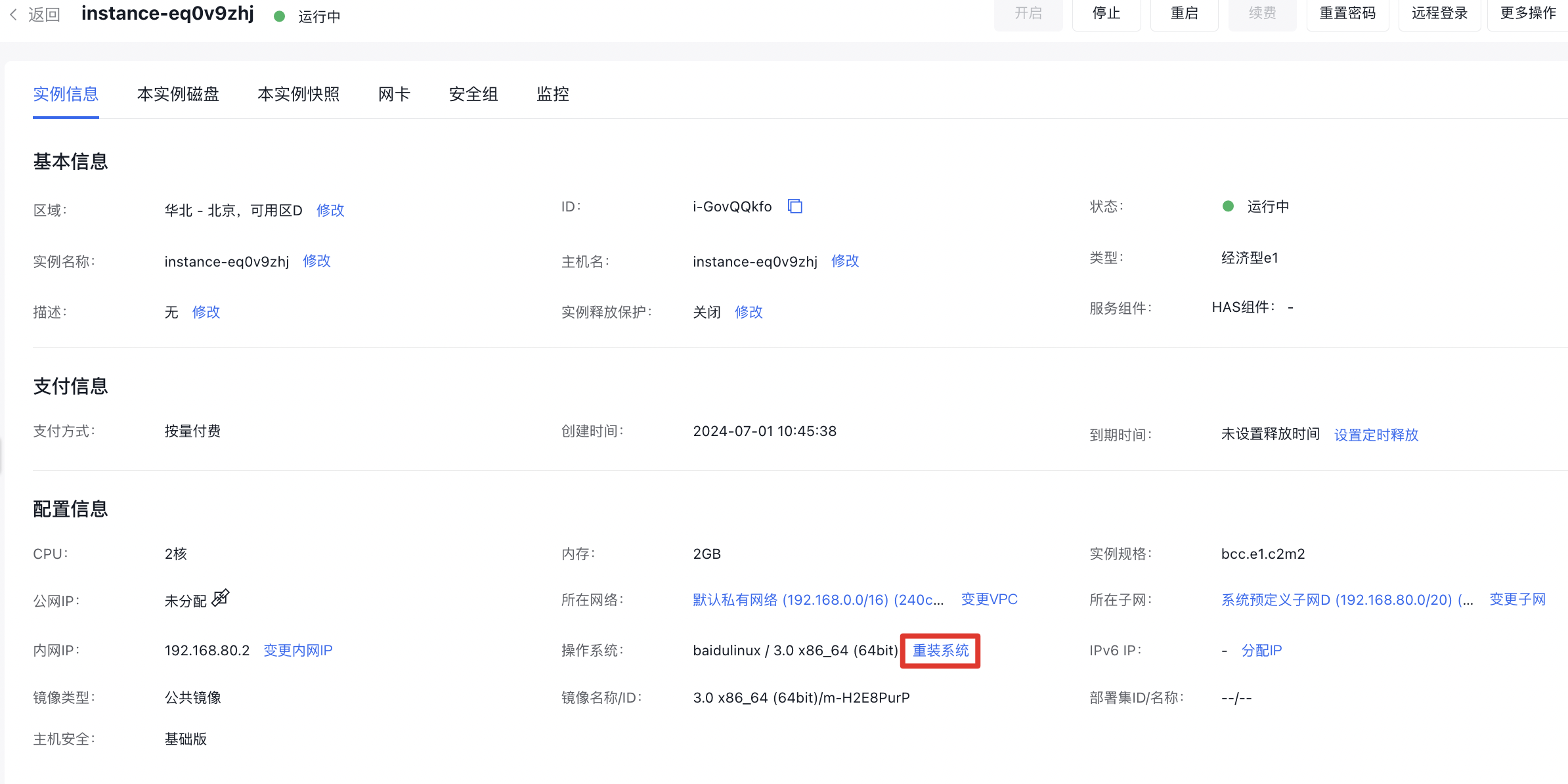
-
In the Reinstall OS pop-up window, select the image type and OS you want to use, set a password, and click OK.
Note:
- Three types of images are available for selection: public images, custom images, and service integration images.
- Windows Server systems only support password authentication, while Linux systems support both password authentication and SSH key pair authentication.
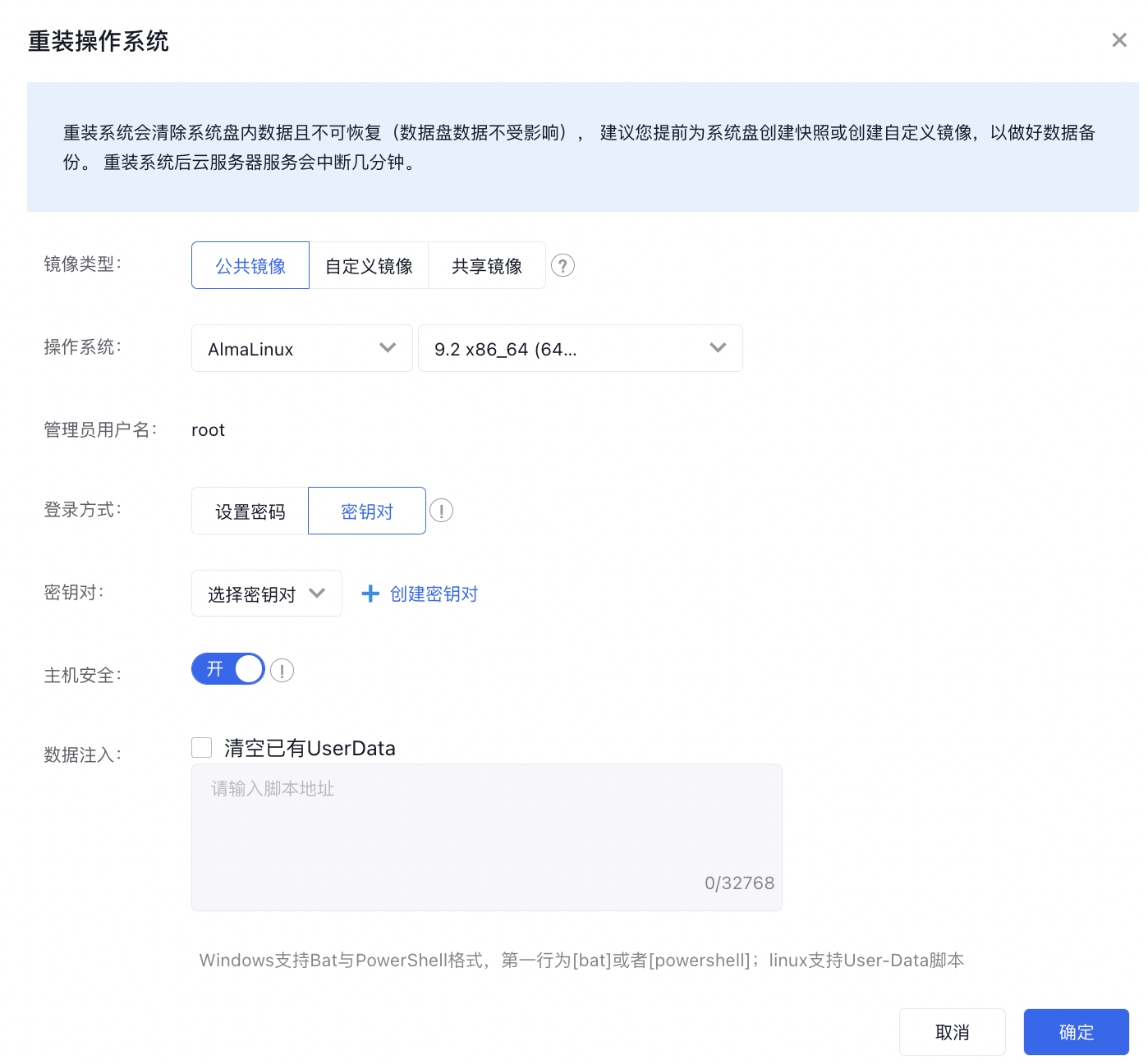
- Click OK, and then the instance status will change to rebuilding.
Reinstall OS for multiple instance
- Sign in to Baidu Cloud Compute (BCC) Console and enter the Instance List page.
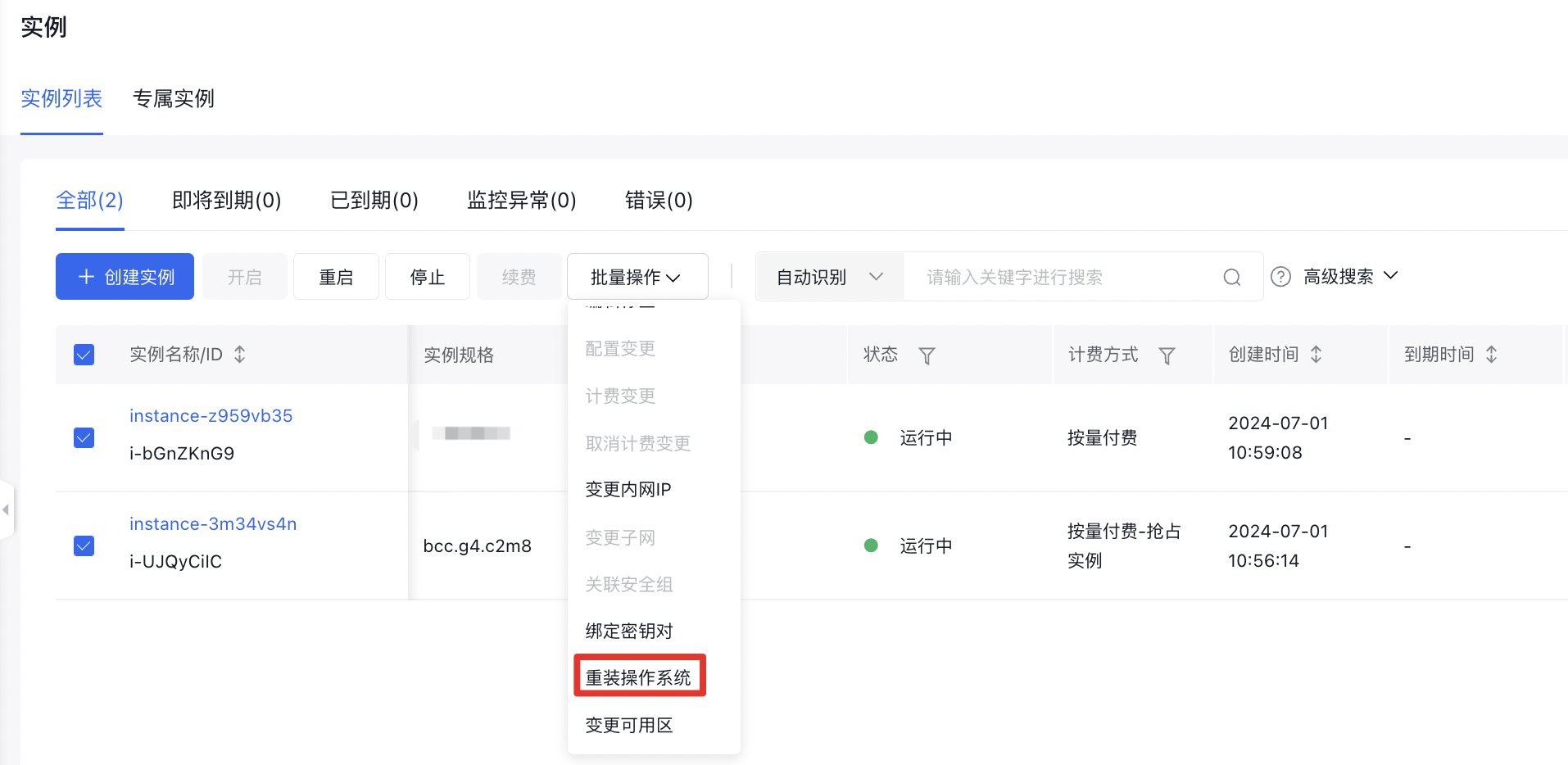
- On the List of Instances page, select the instance for OS reinstallation, and click Batch Operation - Reinstall OS, as shown in the image below.
-
In the Reinstall OS pop-up window, select the image type and OS you want to use, set a password, and click OK.
Note:
- Three types of images are available for selection: public images, custom images, and service integration images.
- Windows Server systems only support password authentication, while Linux systems support both password authentication and SSH key pair authentication.
- Click OK, and then the instance status will change to rebuilding.
Reinstall OS through API
You can reinstall OS for a specified instance by [reinstalling the instance interface](BCC/API Reference/Instance Related Interfaces/Reinstall an instance.md), or reinstall OS for multiple instances by [reinstalling the instance interface in batch](BCC/API Reference/Instance Related Interfaces/Reinstall OS for Instances (Batch Reinstallation).md).