

Change Internal IP
Updated at:2025-10-20
You can directly modify the internal IP address of a BCC instance within the Virtual Private Cloud. Refer to this section for detailed instructions.
Note
- Modifying the internal IP address will trigger a reboot of the Baidu Cloud Compute instance.
- The instance must be Running or Stopped status.
Operation steps
- Sign in to BCC Console and enter the Instance List page.
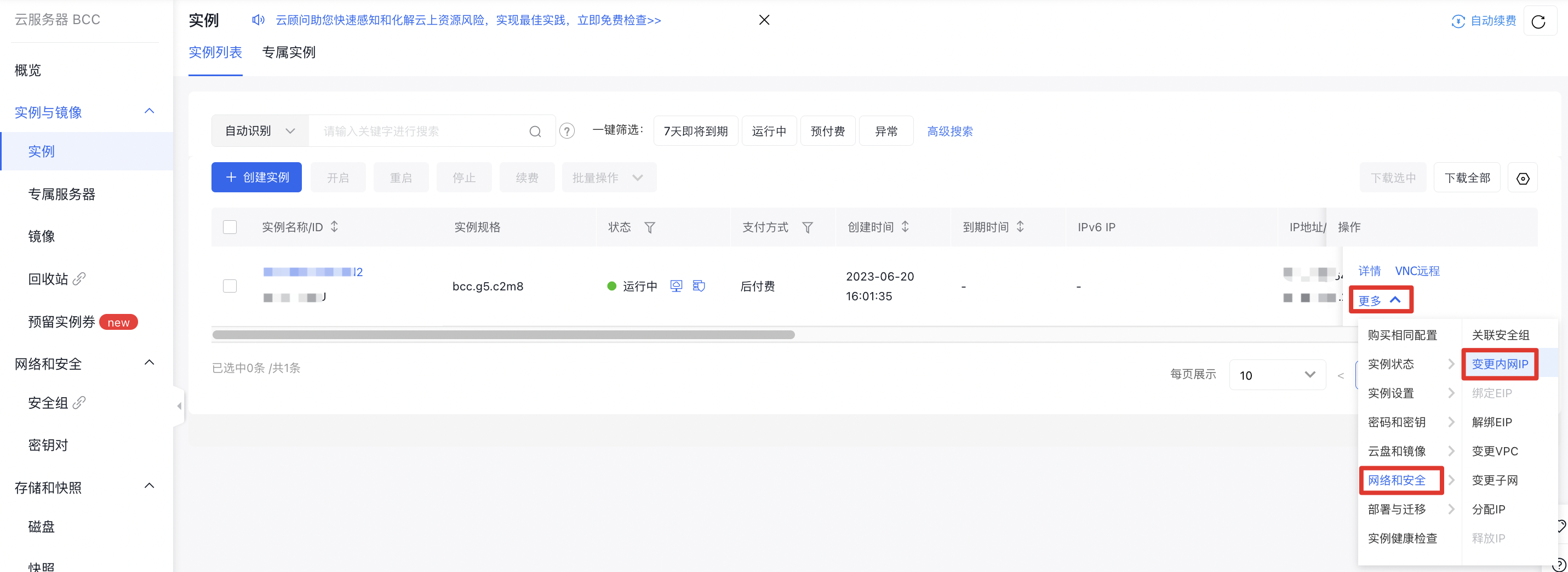
- Select the instance whose intranet IP you want to change, then click More > Network & Security > Change Intranet IP in the right operation bar.
- Select the Corresponding Configuration on the Operation page, then click OK. The instance status changes to Changing Intranet IP.