

Instance Health Check
Updated at:2025-10-20
Instance Health Check is a tool designed to monitor BCC instances for resource usage, network connectivity, EIP status, vulnerability scans, and more. It provides users with instance-specific checks and recommended solutions based on the findings.
Operation scenarios
Use Instance Health Check in the following scenarios:
- The server cannot be remotely connected;
- Server experiences noticeable lag;
- Unable to perform any execution after logging in to the server;
- Ping server experiences packet loss issues;
- Review server vulnerability information.
Operation steps
Entry I: Instance Health Check page
- Open the Instance Health Check page.
- Sign in to Baidu Cloud Compute (BCC) Console and enter the Instance List page. In the left operation bar, click Operation & Monitor > Instance Health Check.
- Choose a region and select servers to be scanned on the page.
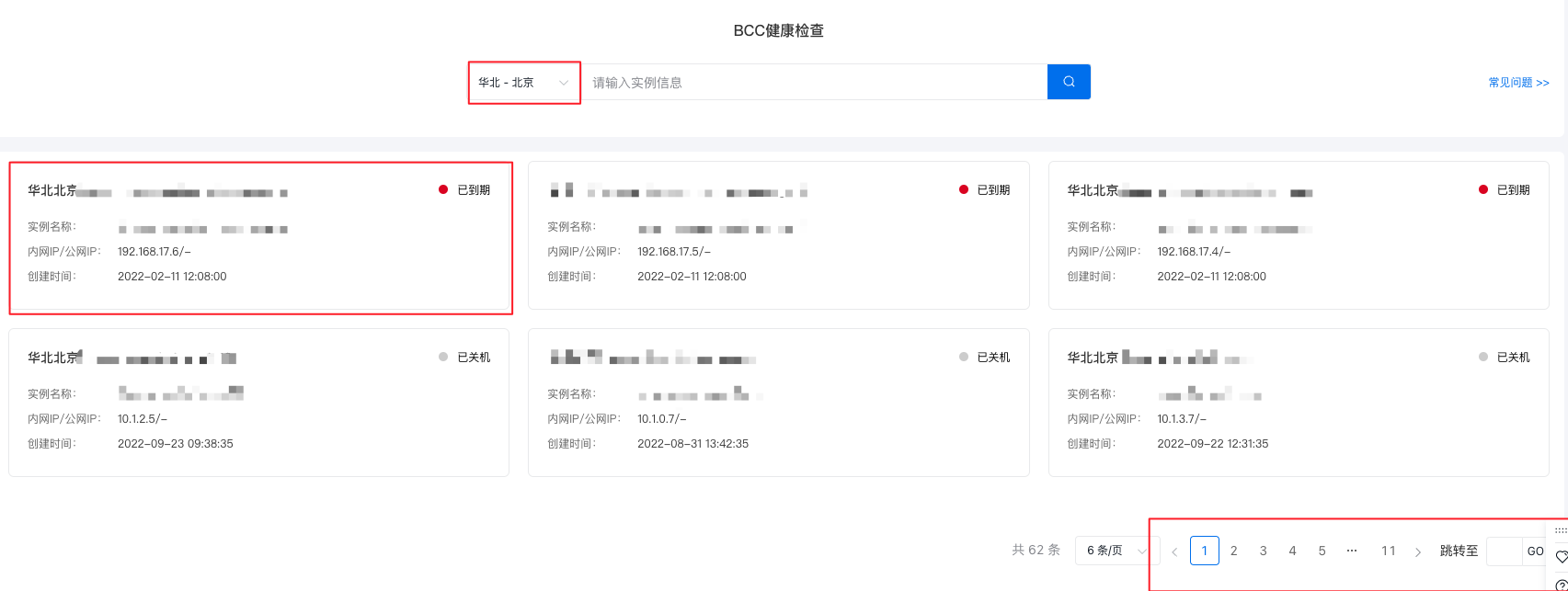
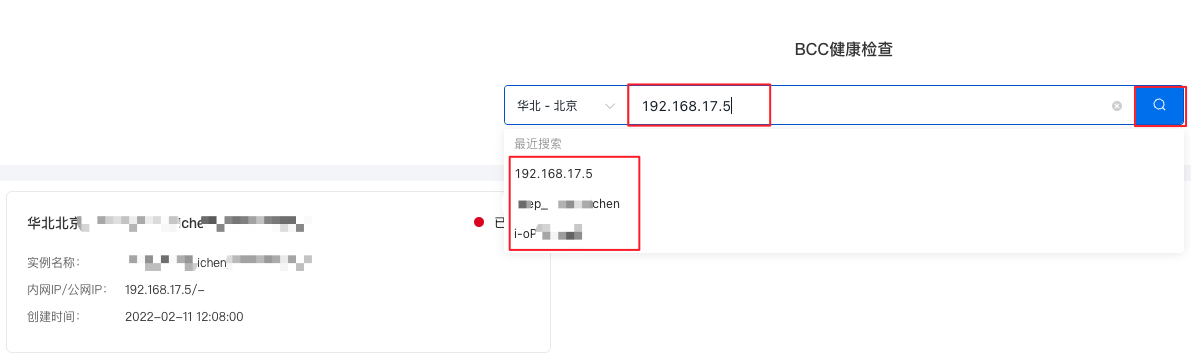
You can also locate a specific instance by searching for details like the instance ID, instance name, or server IP address.
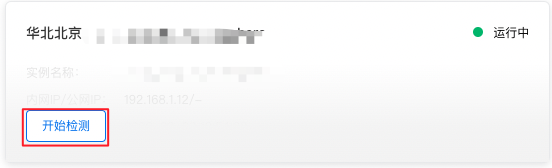
- Hover your cursor over the target instance, click Start Detection, and wait for the process to complete.
- Review the detection results.
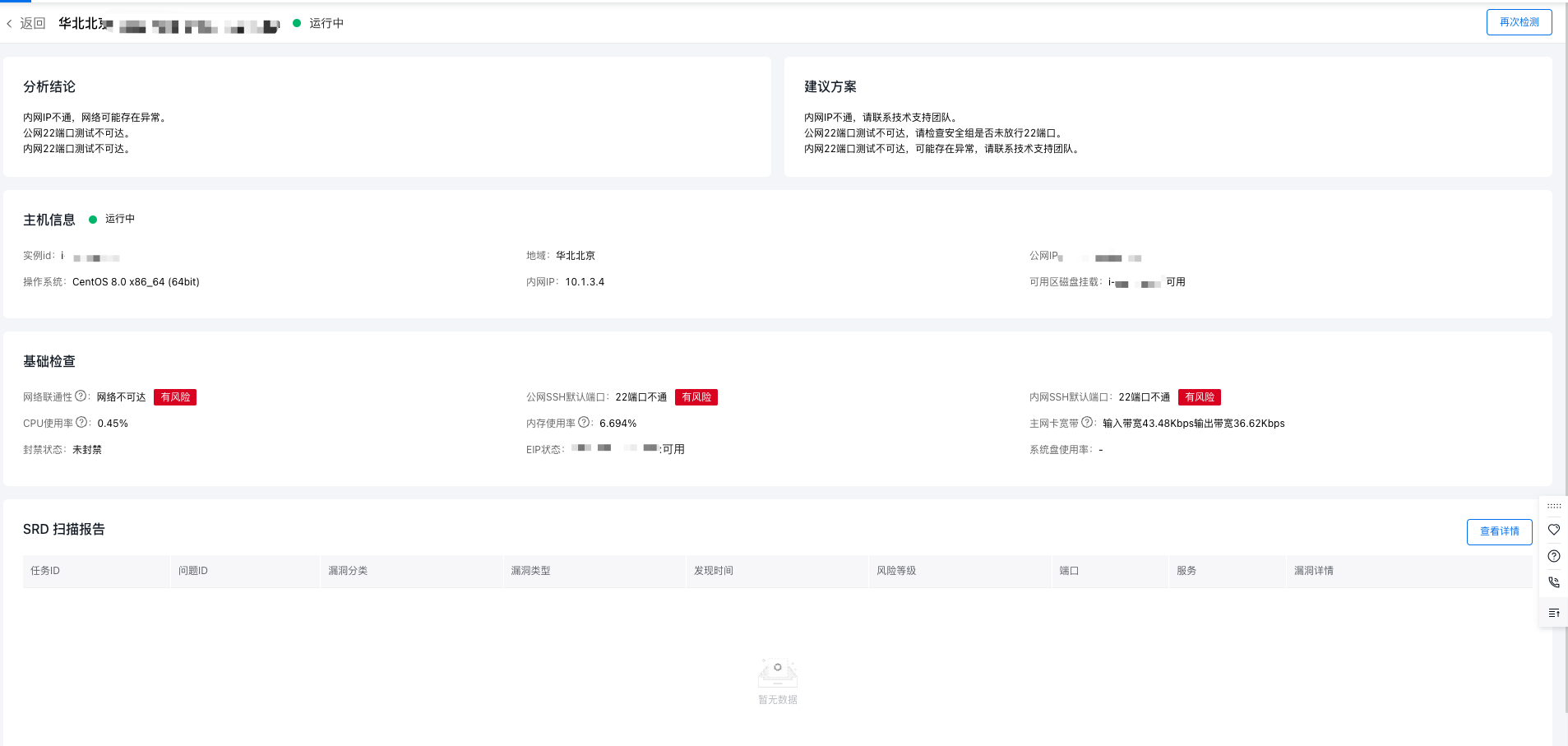
- (Optional) Review detailed information from the SRD scan report.

- (Optional) Re-run the detection process for the instance.

Entry II: Instance List page
- Sign in to BCC Console and enter the Instance List page.
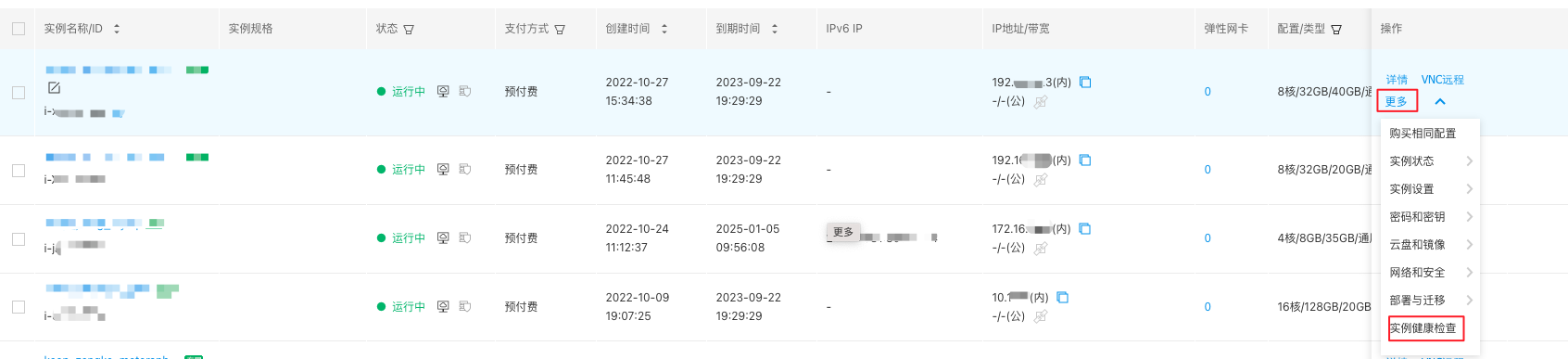
- Select the instance you want to check for health issues and click More > Instance Health Check in the right operation bar.
- Review the detection results.
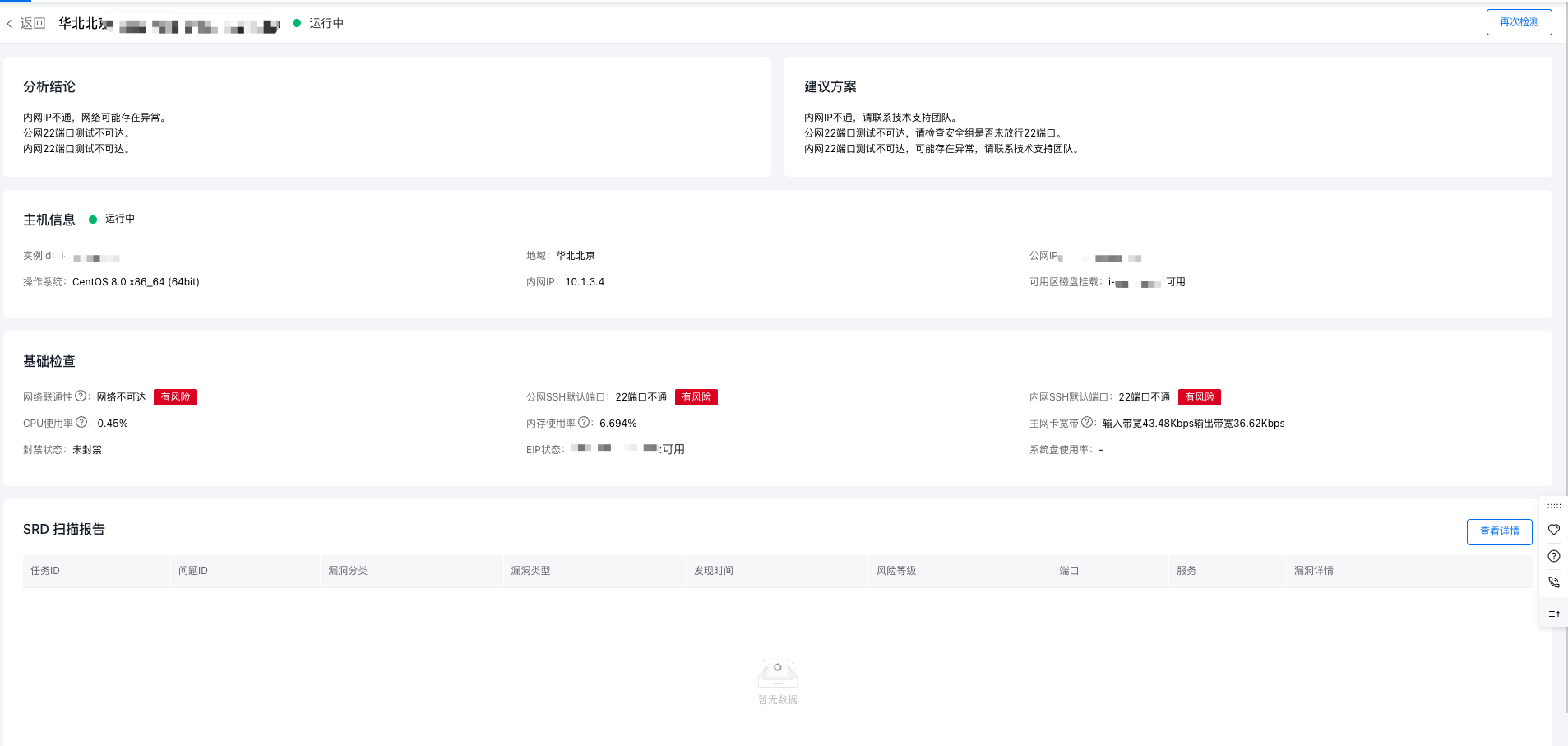
- (Optional) Examine the detailed information from the SRD scan report.
- (Optional) Re-run the detection process for the instance.
