

Renew an instance
Background
After expiration, subscribed cloud server instances will automatically stop. During the first seven days, the BCC will retain data while sending renewal reminders to users. Once renewed, services will resume as before. If renewal is not completed within seven days, the BCC data will be permanently deleted, requiring users to repurchase the service.
Baidu AI Cloud provides two renewal options: automatic renewal and manual renewal.
Auto-renewal
For users of subscribed instances, it is recommended to enable the [Automatic Renewal Service](Finance/Purchase Guide/Renew/Auto-renewal.md) to save your operation time and avoid service interruption due to forgotten renewal upon expiration. Automatic renewal periodically renews your cloud resources, automatically deducting fees 7 days before instance expiration. You will be reminded by SMS and email whether the renewal is successful or not.
Please note the following details that may be relevant to your applications:
- Ensure sufficient account balance to enable the automatic renewal service.
- If the automatic renewal fails due to insufficient balance 7 days before expiration, the system will retry the deduction 3 days before expiration. A successful deduction completes the automatic renewal; if it fails, another attempt will be made 1 day before expiration.
- After expiration, the service will stop automatically, and no automatic renewal will occur during the resource retention period. Users will need to manually renew the service.
- If resources are manually renewed within a period, automatic renewal will be disabled.
Manual renewal
- For prepaid cloud server instances, they will shut down automatically upon expiration. The system will retain the instances for 7 days without imposing fees, allowing users to manually renew during this period.
- For postpaid cloud server instances, no manual renewal is required as the system will deduct fees in real-time. You can refer to your consumption bills in Bill Management.
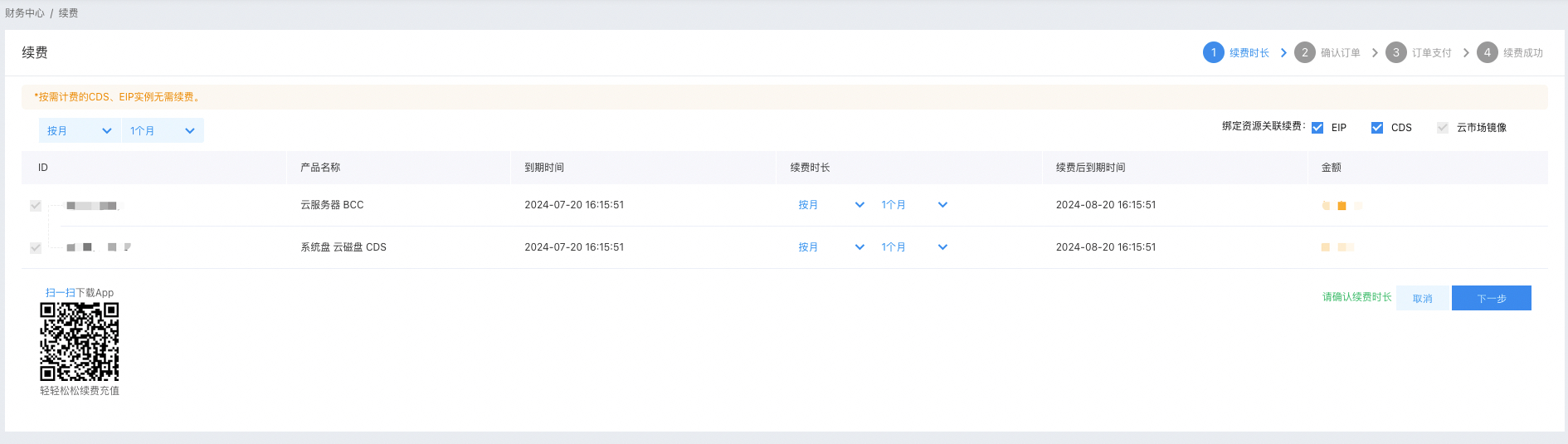
- When renewing an instance, its attached Cloud Disk Server (CDS) and associated EIP can be renewed simultaneously with the BCC instance.
Operation steps
Automatic renewal operation steps
For steps to set up automatic renewal, please refer to Automatic Renewal Operation.
Manual renewal operation steps
- Sign in to BCC Console and enter the Instance List page.
-
You can renew one or multiple instances based on your requirements.
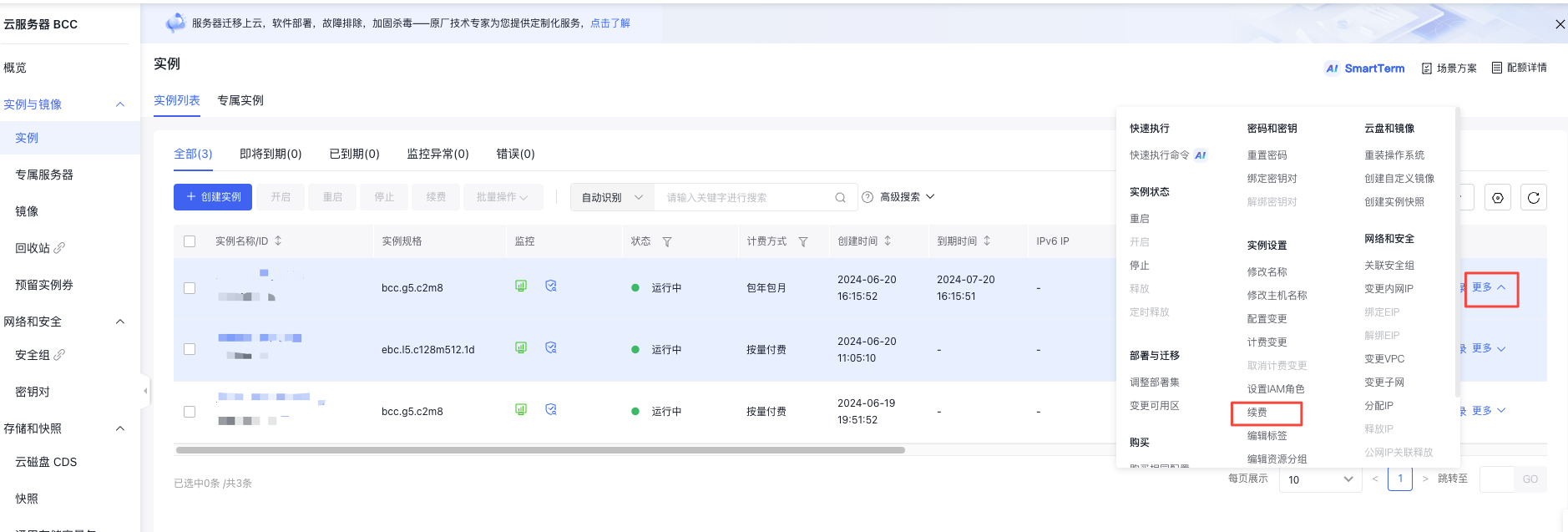
- Single instance renewal: Select the instance to be renewed, and in the right-hand operation bar, click More - Renew, as shown in the following figure.
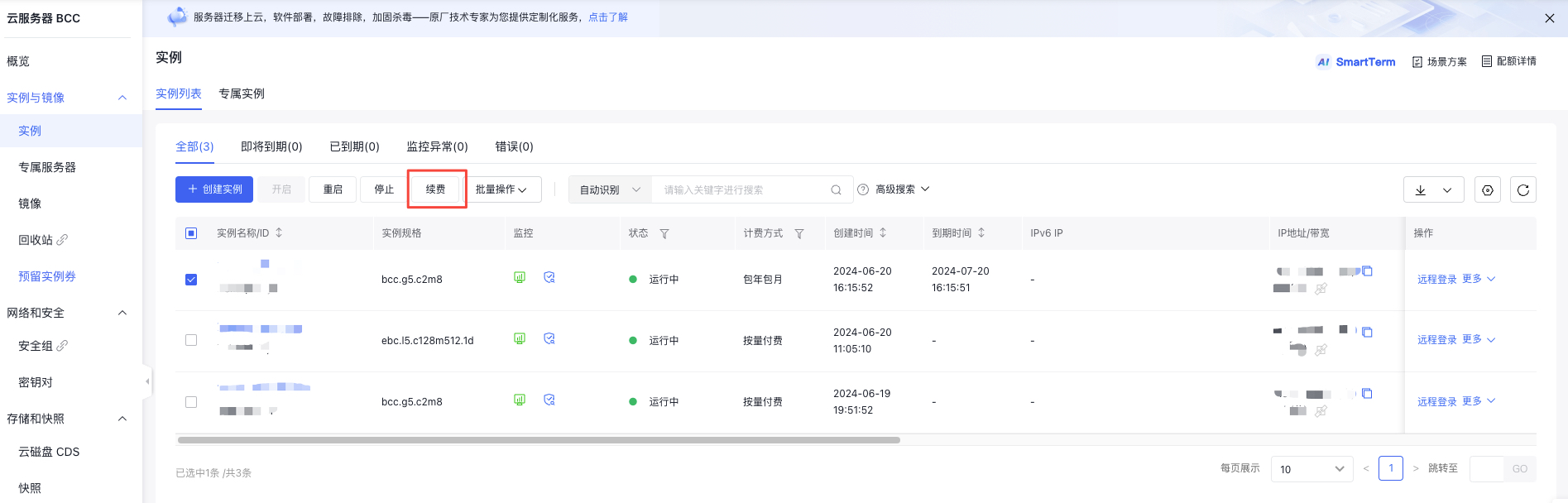
- Multiple instance renewal: Select the instances to be renewed and click the Renew button at the top.
- Choose the renewal duration for the instance, as well as the associated CDS and EIP, then click Next to proceed to the Confirm Order page.
- Complete the payment to successfully finish the renewal of the instance.
Other methods
Click the Instance Name in the Instance Name column to access the Instance Details. On the Instance Details page, click Renew to finalize the renewal operation.
Renew instances via API
You can renew specified prepaid instances via [Instance Renewal API](BCC/API Reference/Instance Related Interfaces/Renew an instance.md).