Ubunut16_04 Subscription Extended Security Maintenance (ESM)
Updated at:2025-10-20
In April 2021, Ubuntu 16.04 LTS (Xenial Xerus) will end its 5-year standard support maintenance, and Baidu AI Cloud will stop updating the Ubuntu 16.04 LTS Public Image.
Ubuntu 16.04 LTS will then transition to Extended Security Maintenance (ESM). Refer to this guidance document to get ESM update support for Ubuntu 16.04 instances through the Ubuntu Advantage for Infrastructure (UA-I) subscription service.
Subscribe to the UA-I Service on the Ubuntu official website
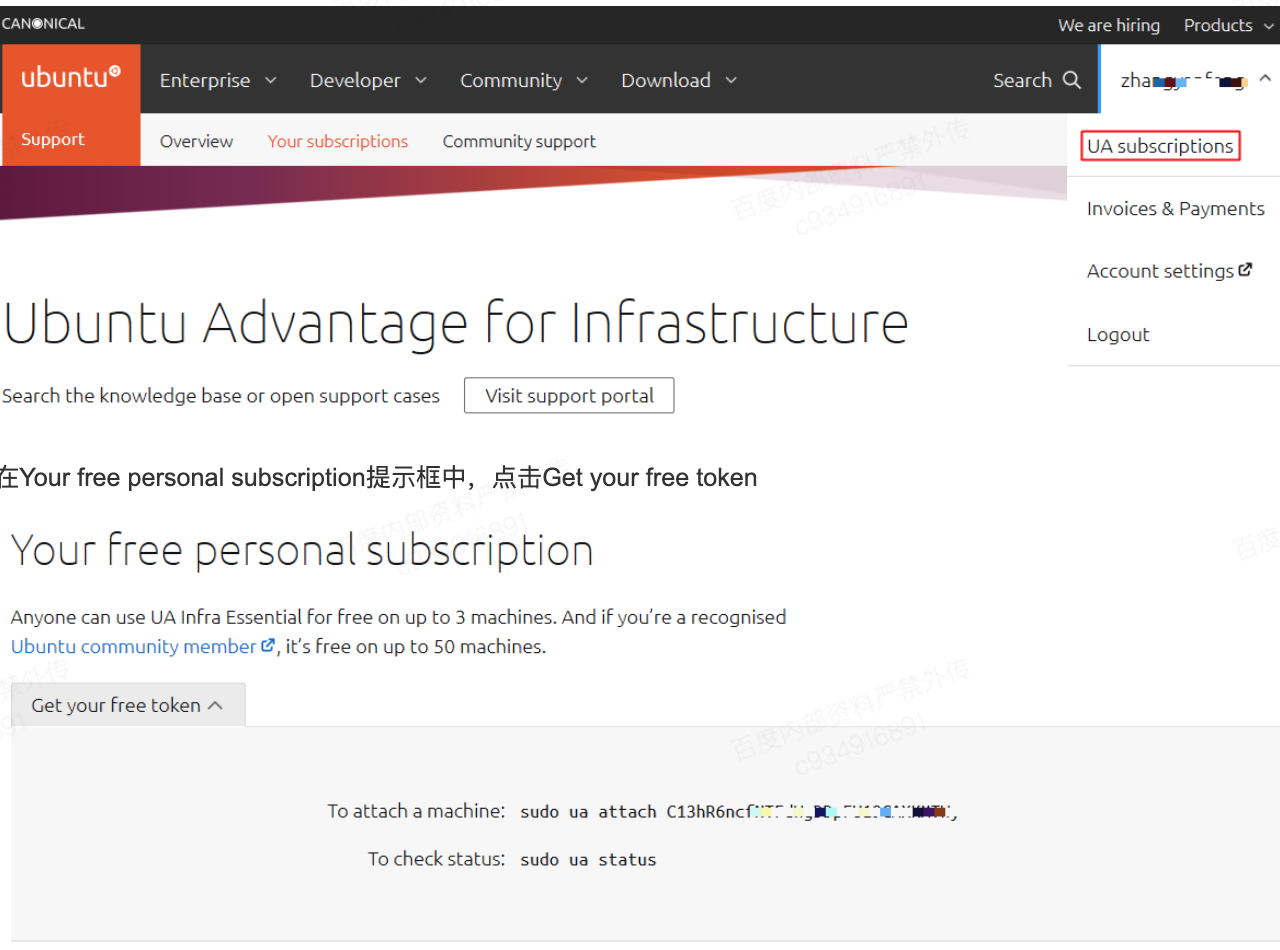
- Use a computer with internet access to visit the Ubuntu official website via a browser.
- In the top menu bar, click "Sign in" to log in with your Ubuntu account (if you don't have an account, register and log in via the Ubuntu website).
- Click your Ubuntu account username, then select "UA subscriptions.\
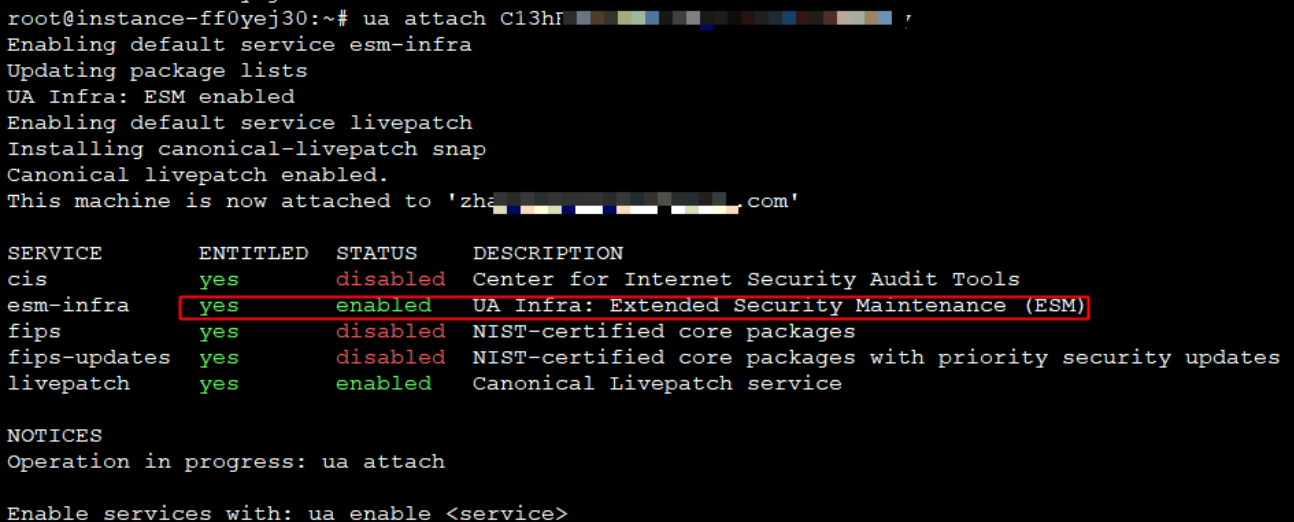
Add UA-I and perform security updates in a Ubuntu 16.04 instance
- Remotely connect to your Ubuntu 16.04 BCC instance and install the latest Ubuntu Advantage (UA) client.
- Update the software package.
3、apt-get update Install the UA client.
4、apt-get install ubuntu-advantage-tools Add UA token