

Starting Instances (Batch Start)
Updated at:2025-10-20
Prerequisites
After creating a BCC instance, the system starts the cloud server by default. You can only execute the start operation in the instance list after you have stopped the server.
Operation steps
Cloud servers can be started in two different ways.
- Method 1
- Sign in to BCC Console and enter the Instance List page.
-
Choose the appropriate method to start instances based on your specific needs.
- Start a single instance: Choose the instance you want to start, then click More - Instance Status - Enable in the right-hand operation bar, as shown in the diagram. Alternatively, select the instances and click Start at the top.
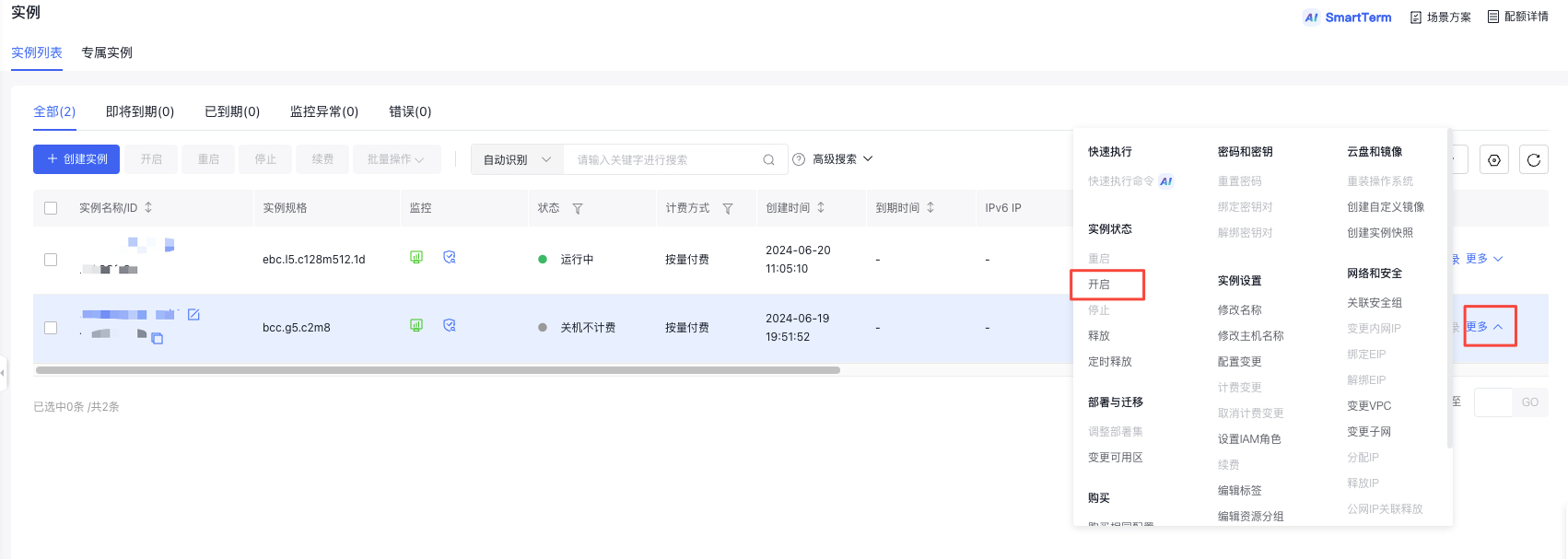
- Start multiple instances: Select the instances you want to start and click Start at the top, as shown in the diagram.

- Click the OK button in the pop-up Start dialog box to complete the instance start operation.
- At this point, the instance status changes to {-1-restarting, and after successful startup, the instance status changes to running.
- Method 2
- Sign in to Baidu Cloud Compute (BCC) Console and enter the Instance List page.
- In the Instance Name column, click the name of the cloud server you want to manage to access the Instance Details page.
- On the Instance Details page, click the Start button in the top-right corner.
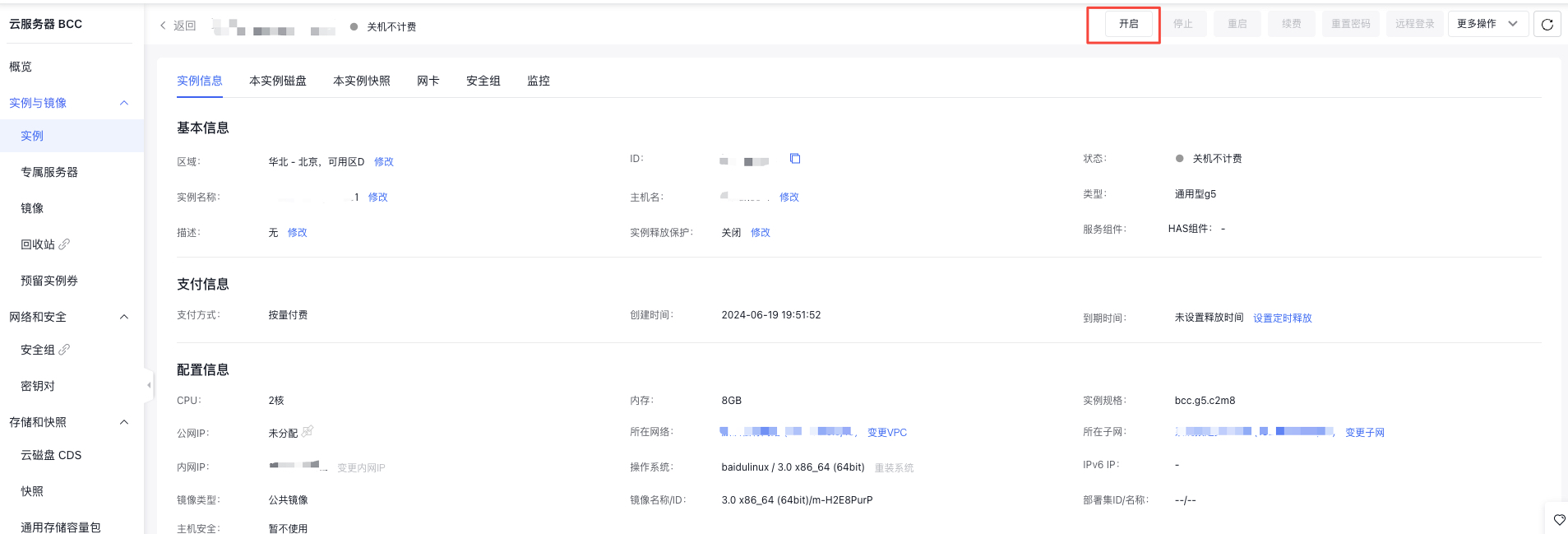
- Click the OK button in the pop-up Start dialog box to complete the instance start operation.
- At this point, the instance status changes to {-1-restarting, and after successful startup, the instance status changes to running.
Start instances via API
You can start specified instances through [Start Instance API](BCC/API Reference/Instance Related Interfaces/Start an instance.md).