Log in to Linux Instance Using SSH Key via SecureCRT
Updated at:2025-10-20
Prerequisites
Download and install the SecureCRT tool by clicking download SecureCRT
Operation steps
-
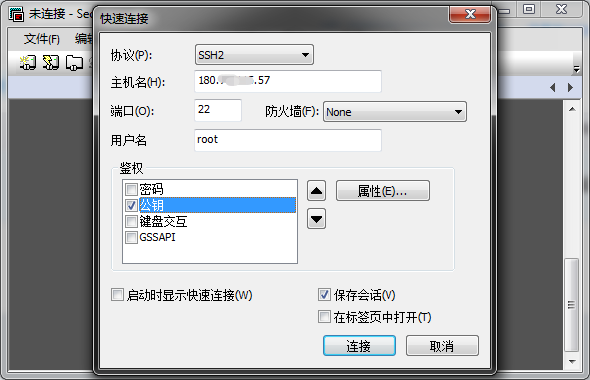
Open SecureCRT, open File > Quick Connect.
- In the Quick Connect interface, enter your Baidu Cloud Compute IP address in the hostname field and enter root as the user name
- Select Public Key in authentication field, and then click Attributes on the right
-
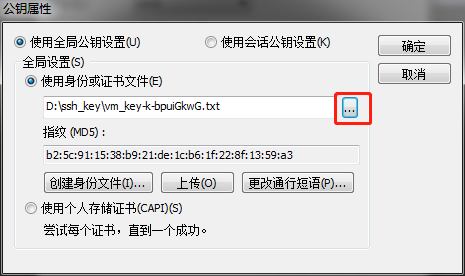
In Use Identity or Certificate File on the public key attributes interface, select your locally saved key pair txt file, and then click OK.
-
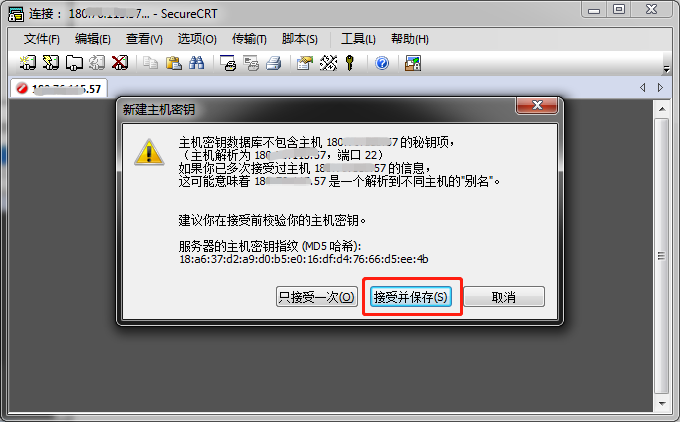
After saving, click Connect on the quick connection interface, then click Accept and Save on the new host key interface popped up.
-
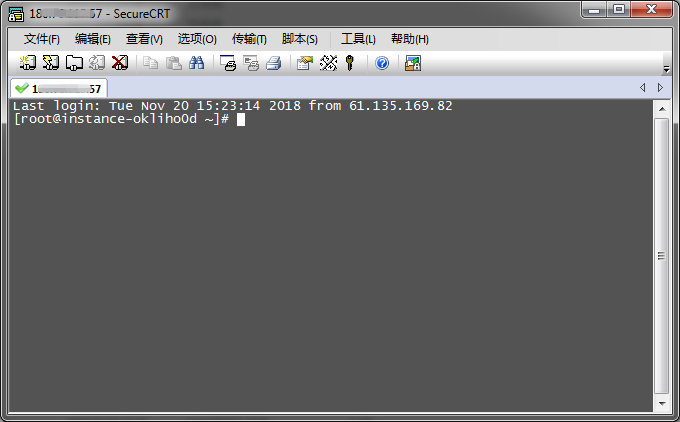
At this stage, you can log in to your Linux Baidu Cloud Compute.