

Remove BCC Instance from Deployment Group
Updated at:2025-10-20
Prerequisites
- You have created at least one BCC instance. For more details, please refer to Create Instance.
- You have created at least one deployment group. For more details, please refer to Create Deployment Group.
- The instance has been added to at least one deployment group. For more details, please refer to Adjust Deployment Group for Existing Instances.
Operation steps
- Sign in to BCC Console;
- Select deployment group in the left navigation bar, and select the target deployment group region in the upper left corner;
-
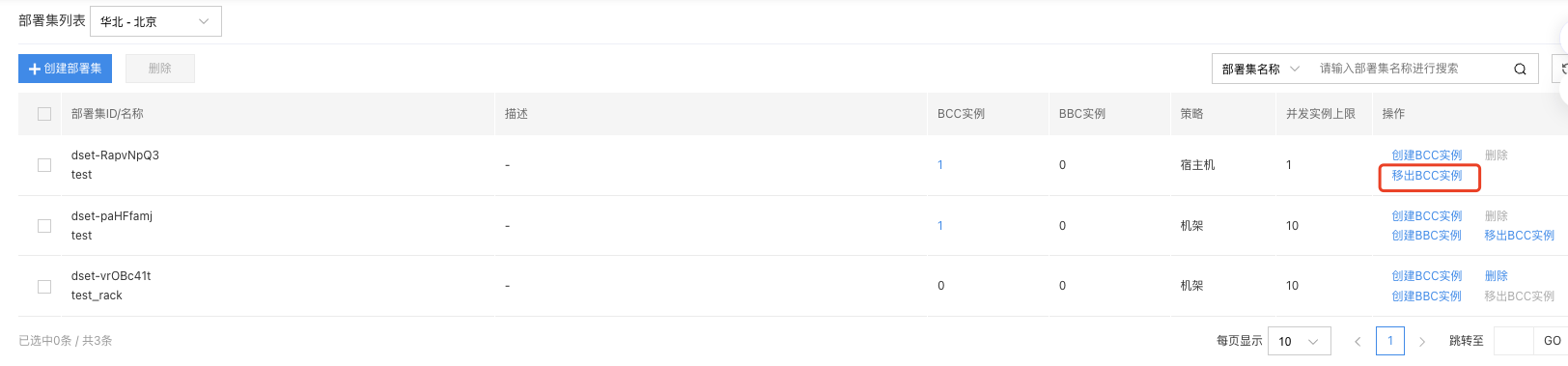
In the Deployment Group List, click Operation -> Remove BCC Instance of the target deployment group;
-
In the Remove Instance pop-up box, select the instance to be removed;
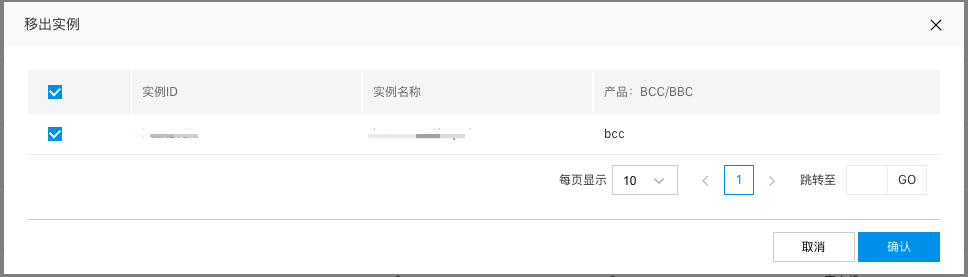
- Click "OK" to complete the process.