

Postpay to Subscription
Updated at:2025-10-20
Operation scenarios
After creating a postpaid instance, you can convert it into a long-term, stable prepaid instance to benefit from more favorable pricing.
Prerequisites
- The instance must be in the Running or Stopped status.
-
It does not support spot instances
When converting a postpaid instance to a prepaid instance, the instance's system disk and any postpaid data disks attached to the instance will also switch to a prepaid type. However, the billing method for EIP and public network bandwidth remains unchanged.
Operation steps
- Sign in to BCC Console and enter the Instance List page.
-
Choose different billing conversion operations based on your requirements.
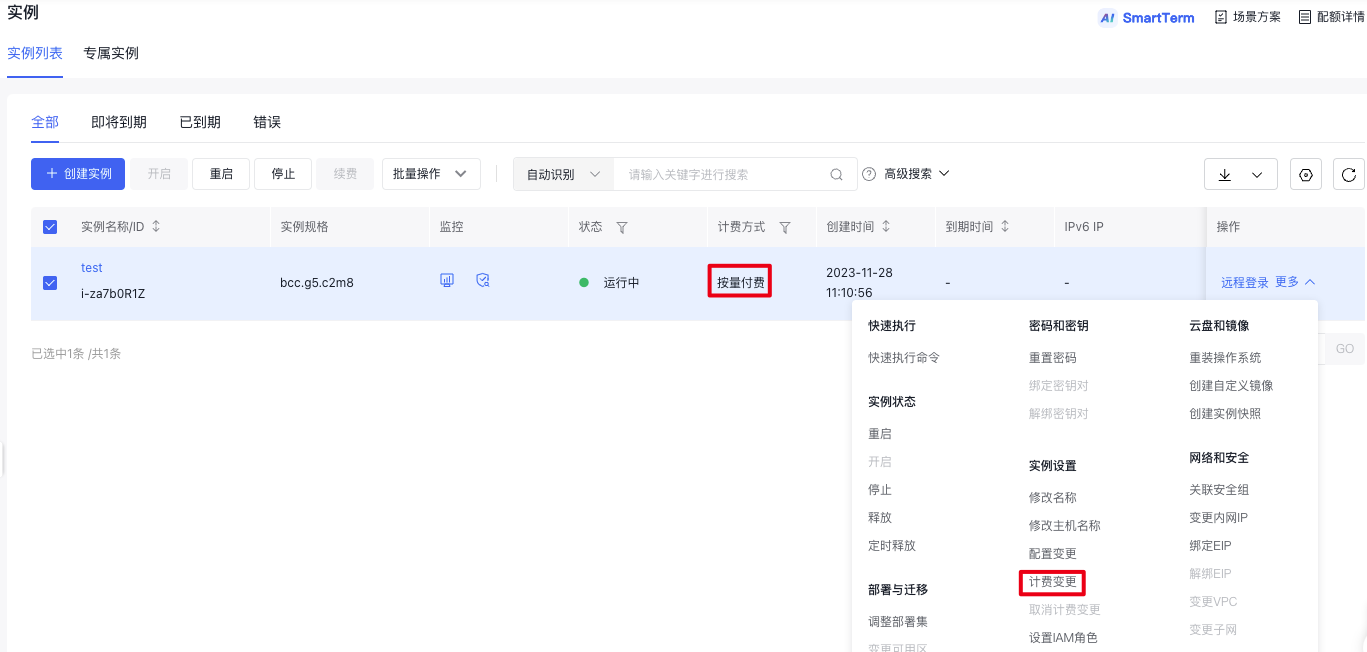
- For a single instance billing conversion: Select the postpaid instance you wish to convert, then click "More - Shift Charge" in the actions column, as shown below.
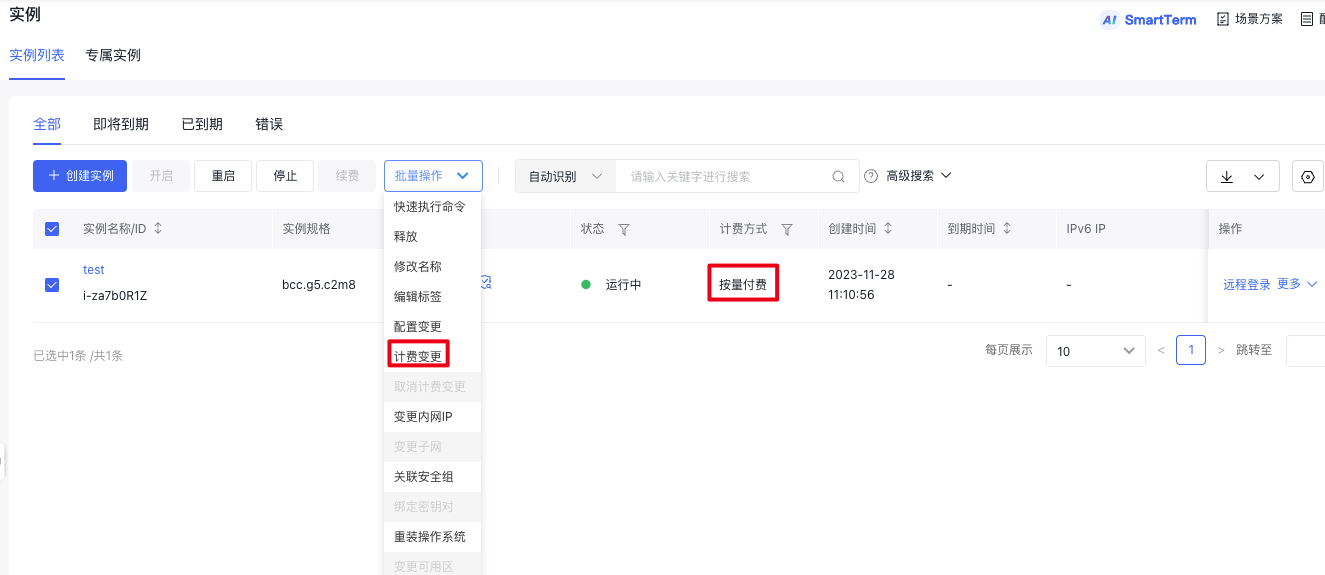
- For multiple instances billing conversion: Select the postpaid instances you wish to convert, and then click "Batch Operation - Shift Charge" at the top, as illustrated below.
-
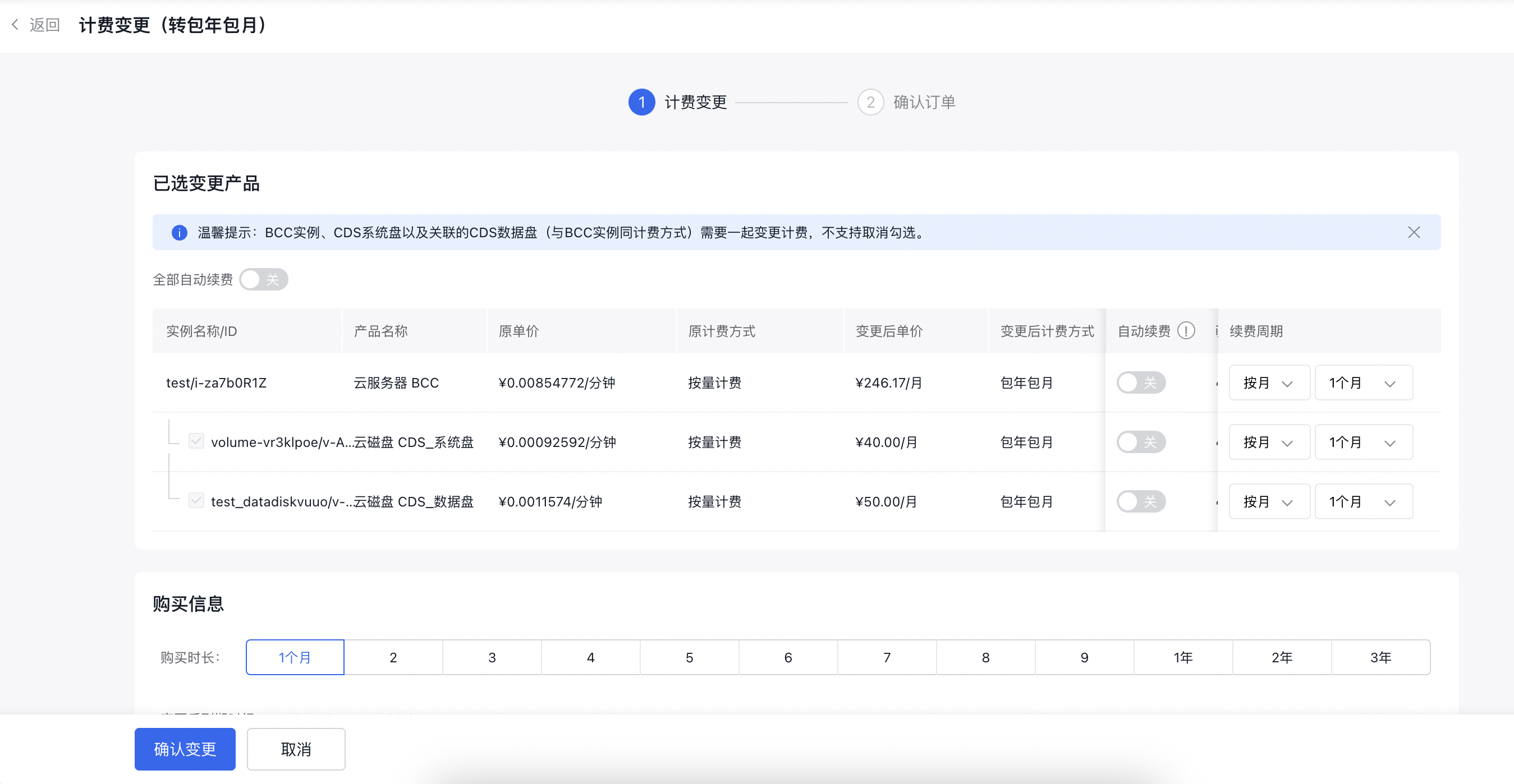
On the new page, select "Prepay to Purchase Period" and then click "Next," as shown below.
- Once the payment is successfully completed, the subscription mode will take effect immediately.
Shift from postpay to subscription via API
You can use the Batch Convert to Prepay API to change the instance charge type to subscribed instance.