Image format check
Before importing an image, ensure the format is either raw or qcow2 (v2).
Install qemu-img
- To install it on Ubuntu OS, run: apt-get install qemu-utils
- To install it on CentOS OS, run: yum install qemu-img
- To install qemu-img on Windows, please download: qemu-img for windows. Download a suitable version.
Steps to install and set qemu-img on Windows:
- Install qemu-img. The installation path in this example is: C:\Program Files\qemu
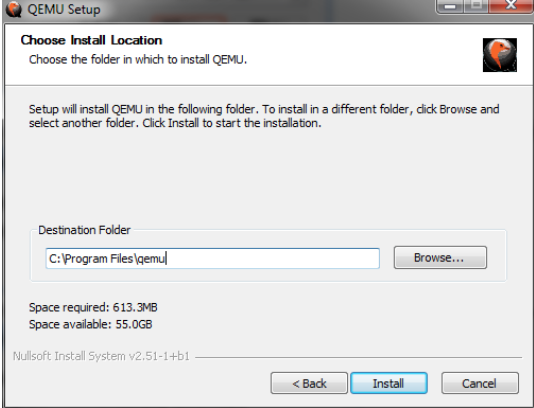
- Configure environment variables for qemu-img:
Select Start > Computer, and then right-click Attributes.
In the left-hand navigation bar, click on Advanced System Settings.
In the System Properties dialog box, switch to the Advanced tab and then click Environment Variables.
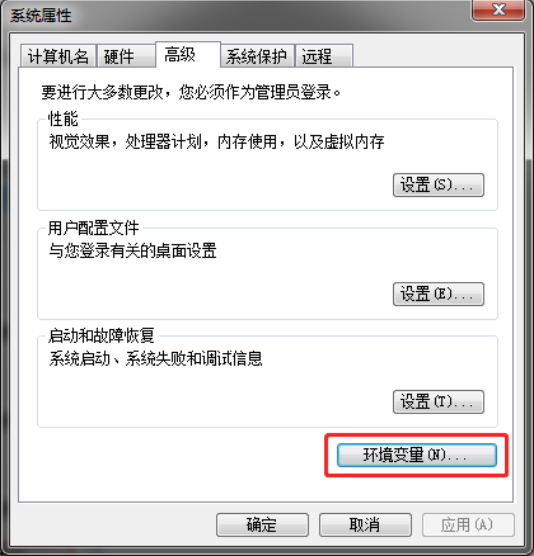
In the Environment Variables dialog box, find the Path option under System Variables and click Edit. If the Path variable is missing, click New to create it.
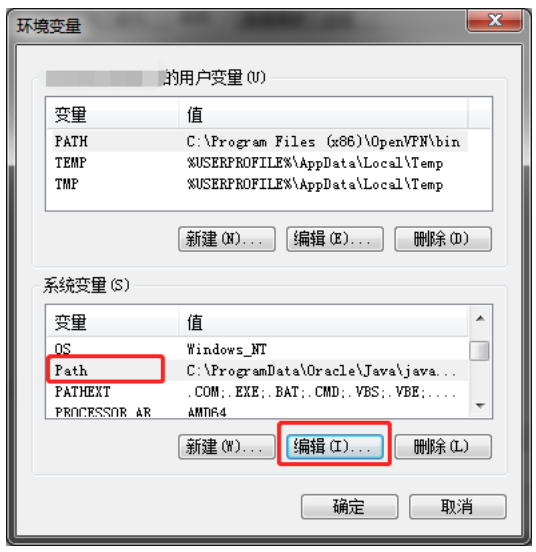
- Add system variable value
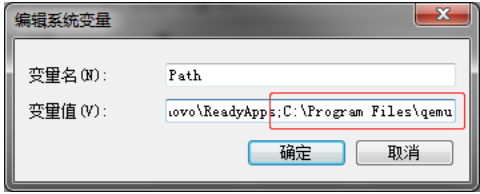
To edit system variables, add C:\Program Files\qemu to the variable value field, separated by semicolons (;)
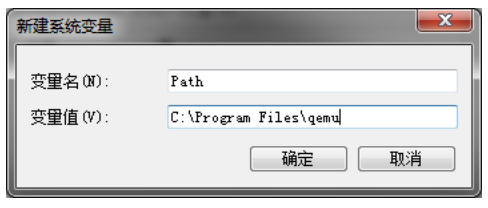
To add a new system variable, type "Path" in the variable name field and "C:\Program Files\qemu" in the variable value field.
- Once configured, type "qemu-img" in the command prompt to confirm the environment variable is correctly set up. If information about qemu-img is displayed, the setup is successful.
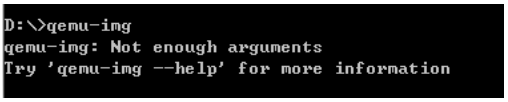
Image format check
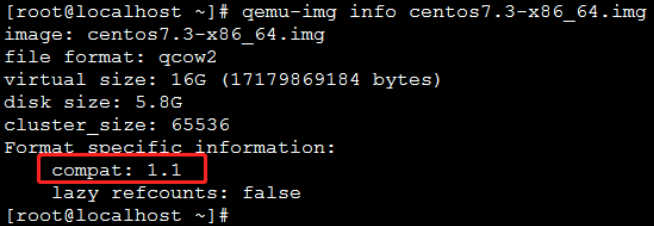
Run the "qemu-img info" command to check the image format and ensure the imported image file is either in raw or qcow2 format.
Command: qemu-img info image_name
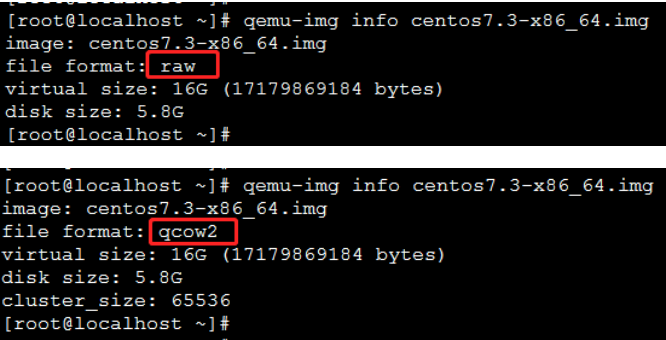
As shown in the example, if the response indicates the file format is raw or qcow2, it meets the requirements. If it is not in raw or qcow2 format, you need to convert it first.
Note: If the detected result is qcow2, further compatibility checks are necessary.
qcow2 image compatibility check
Replicate your image to the detection system. Take Linux detection system as an example:
If Linux OS is CentOS6:
Use the "qemu-img info" command to check the qcow2 version of the image. If the output shows the following, the qcow2 image file is version 2 and no conversion is needed.
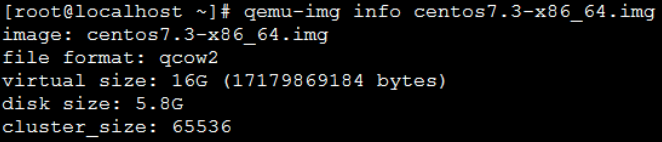
If the output indicates the qcow2 image file is a higher version (v3), it must be downgraded before importing to Baidu AI Cloud. Refer to the format conversion section for downgrade instructions.

When using qemu-img to view qcow2 Image information on CentOS7, Ubuntu14/16/18, or Debian8/9,
As shown below, if the compat value in the response is 0.10, the qcow2 file does not require conversion.
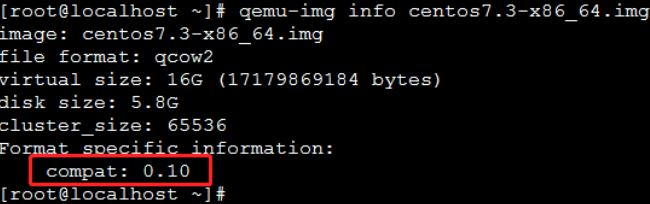
If the compat value in the response is 1.1, the qcow2 file must be downgraded.