Maintenance Platform Access Instructions
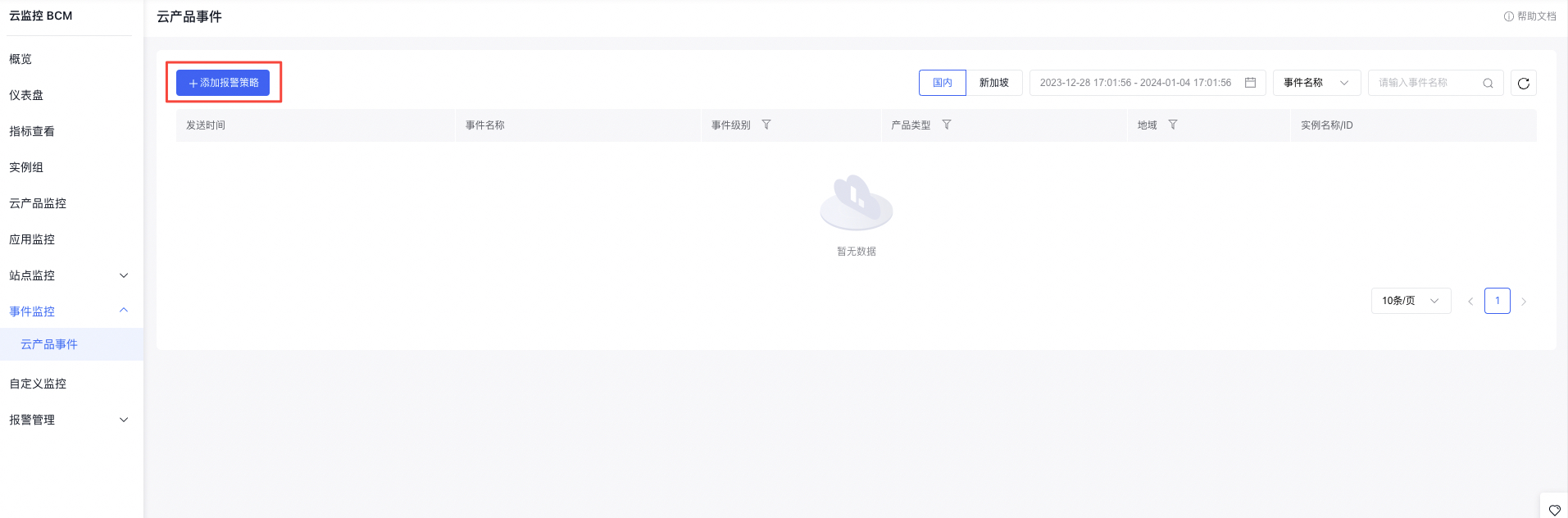
The repair platform is now available to all users of Baidu AI Cloud. Before use, ensure you have completed HAS component installation or dilatation and configured relevant Alarm Strategy for Cloud Product Event in BCM to guarantee timely fault detection and notification.
HAS component check
Hardware-Aware Service (HAS) is an online tool for monitoring hardware faults, repair, power consumption, and resource management. Its main features include fault awareness, power consumption awareness, resource awareness, and performance awareness. It provides various functions such as online hardware configuration/status monitoring, fault detection and repair, health alerts, power consumption management, erasure, and automated hardware management, along with a unified API for hardware resource status queries, notifications, and management.
Survival status check
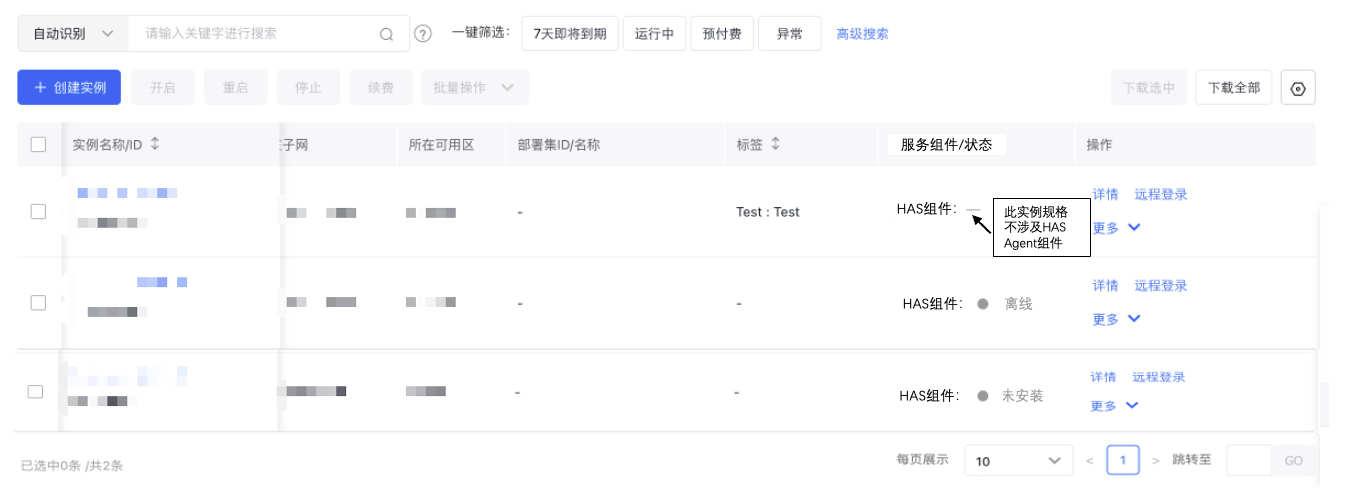
You can check the operational status of HAS components on the Instance List page and promptly install or update them to ensure timely detection and repair of hardware issues.
Note: HAS Agent is installed on the host. BCC currently does not involve this component, and Baidu AI Cloud ensures the HAS Agent on BCC hosts remains up-to-date.
Installation and dilatation
When installing or expanding HAS components, we recommend following the guidelines provided for reinstallation to fully leverage hardware awareness capabilities, enhance system availability, and maximize the potential of the repair platform.
Environment verification
- Before installation or expansion, verify if the current OS of the instance meets the requirements. At present, HAS-agent supports Linux distributions such as Redhat, CentOS, Ubuntu, Fedora, Debian, Slackware, and Euler.
- Check if the domain name has-master-a.sdns.baidu.com is reachable using the method: ping has-master-a.sdns.baidu.com
Component dilatation
- Execute in the /tmp directory:
1curl -sm10 http://has-master-a.sdns.baidu.com/download/qa_packages/bbc/has-agent-installer-first.sh Execution output shows: "ERROR: BIO_new_file ........" This alert can be ignored and does not affect dilatation
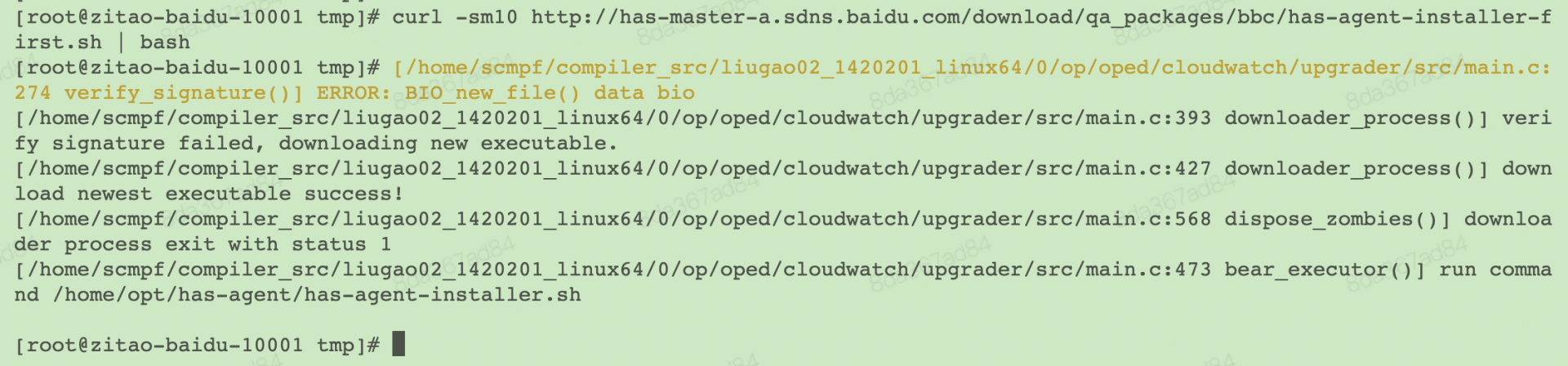
Result detection
- After deployment, allow 10 minutes for HAS to complete its setup. The current version is 1.1.3.92.
- Post-deployment, HAS will automatically update in subsequent expansions. Versions with a first or last digit higher than the current version number are considered updates and meet expectations.
- Check the self-dilatation process by executing the following command on a single machine:
1ps -ef|grep -v grep |grep "/opt/avalokita/bin/avalokita --update-url=http://has-master-a.sdns.baidu.com/download/qa"Keep-alive or self-dilatation processes appear:
/opt/avalokita/bin/avalokita --update-url=http://has-master-a.sdns.baidu.com/download/qa_packages/bbc//has-agent-installer.sh --signature-url=http://has-master-a.sdns.baidu.com/download/qa_packages/bbc//has-agent-installer.sh.sig --certificate=/home/opt/has-agent/cert.pem --update-interval=3600 --max-executable-size=1000000000 /home/opt/has-agent/has-agent-installer.sh

- Check the HAS version and main process:
1curl -s 127.0.0.1:428/self/basic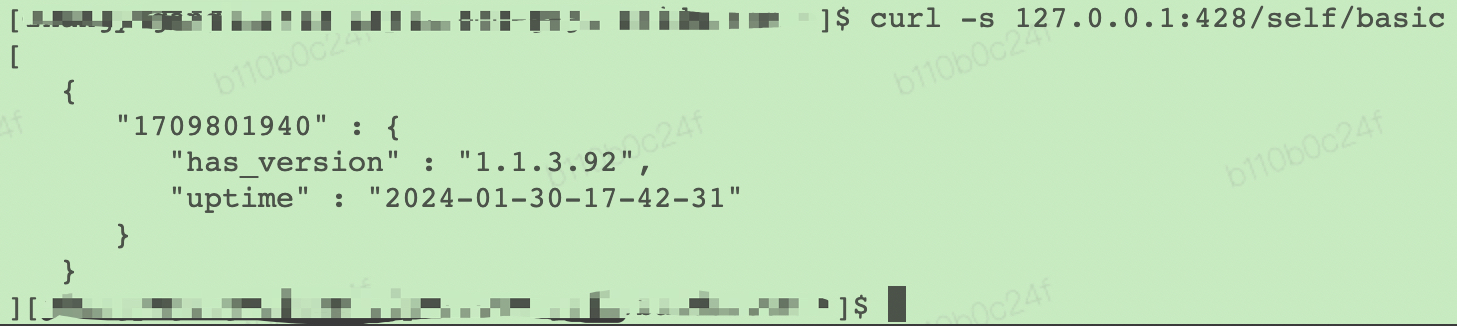
1ps -ef|grep has_client
- View resource version:
- After deployment, the directories /home/opt will contain both has and has-agent.
- View the post-deployment packet version as follows:
1Use cat /home/opt/has/VERSION |head -1
Alarm strategy configuration
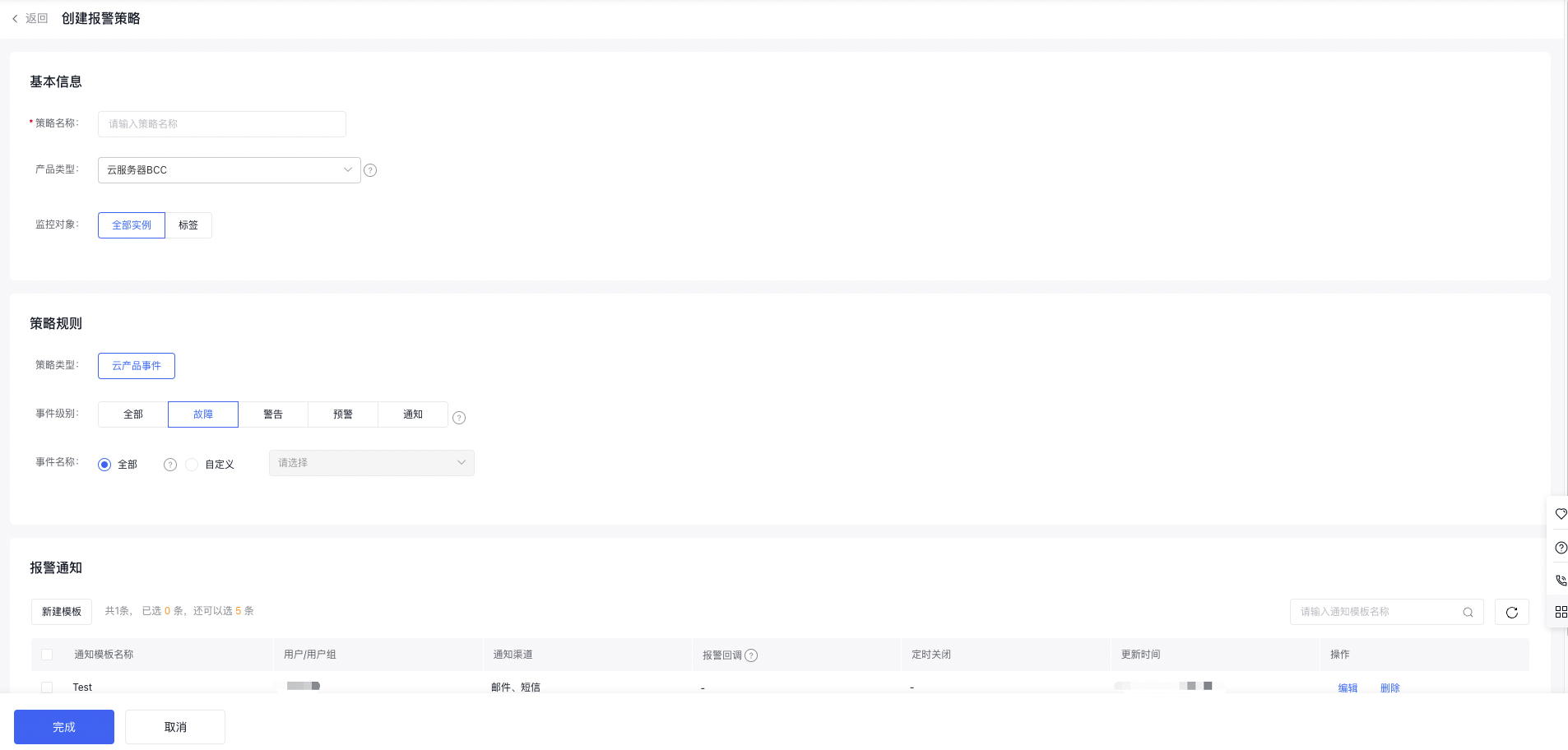
Baidu AI Cloud will notify you through BCM when repair tasks are created or completed, prompting you to "certify" the repair of faulty instances or verify the status of repaired instances. You can configure alert policies for "Cloud Product Events" related to Baidu Cloud Compute and Elastic Baremetal Compute in BCM to successfully receive notifications for the respective instances.
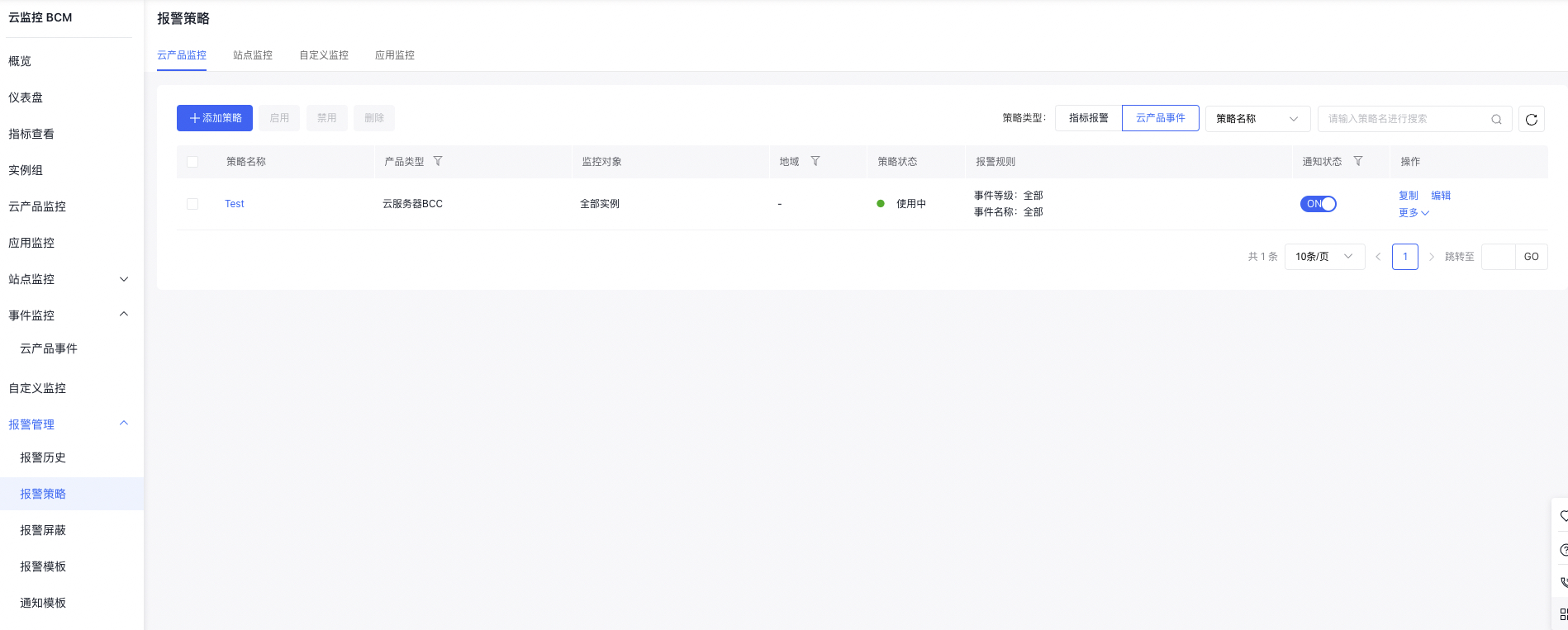
- Unless specified otherwise, configure alert policies to monitor all fault events for all instances.
- In the "Cloud Product Events" of "Alarm Strategy", you can view configured alert policies. Multiple distinct alert policies can be created for actual alert requirements, with options to modify or delete policies at any time.