

Delete a custom image
Updated at:2025-10-20
Note
- A custom image cannot be deleted if it is being shared.
- After deleting a custom image, it cannot be used to create or reset any instances.
-
After a custom image is deleted, the instances created by the image:
- Resources will continue to function normally and incur charges.
- The cloud disk cannot be initialized again.
Delete a custom image
- Select Image in the left navigation bar to enter the Image List page.
- Choose one or more images from the image list.
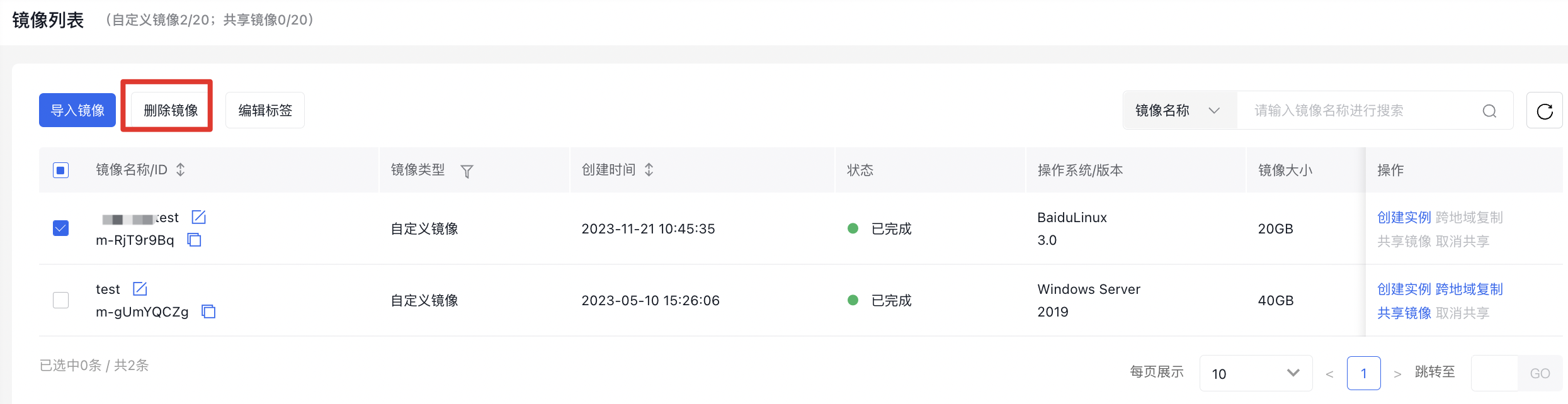
- Click Delete Image. The system will pop up the Delete Image dialog.
- Click Send Verification Code. The system will send a verification code to your mobile phone number. Please enter the received verification code.
- Click OK to complete the snapshot deletion operation.
Delete custom image via API
You can use API to delete custom images. For API, please refer to [Custom Image Deletion Interface](BCC/API Reference/Image Related Interfaces/Delete a custom image.md).