

Associate with security group
Background
After creating a security group, associate and bind it to the corresponding cloud server instance, enabling the instance to implement network access control based on the security group rule settings.
Depending on your business needs, you can associate a cloud server instance with one or multiple security groups.
Prerequisites
Before associating a cloud server instance with a security group, verify the following information:
- You must have successfully created a cloud server instance. For specific operation, please refer to [Create Instance via Purchase Page](BCC/Operation guide/Instance/Create instance/Create Instance via Purchase Page.md).
- When associating a cloud server instance with a security group, ensure the target security group's network type matches that of the instance.
Operation steps
- Sign in to BCC Console and enter the Instance List page.
-
Choose different methods to associate security groups based on your specific requirements.
-
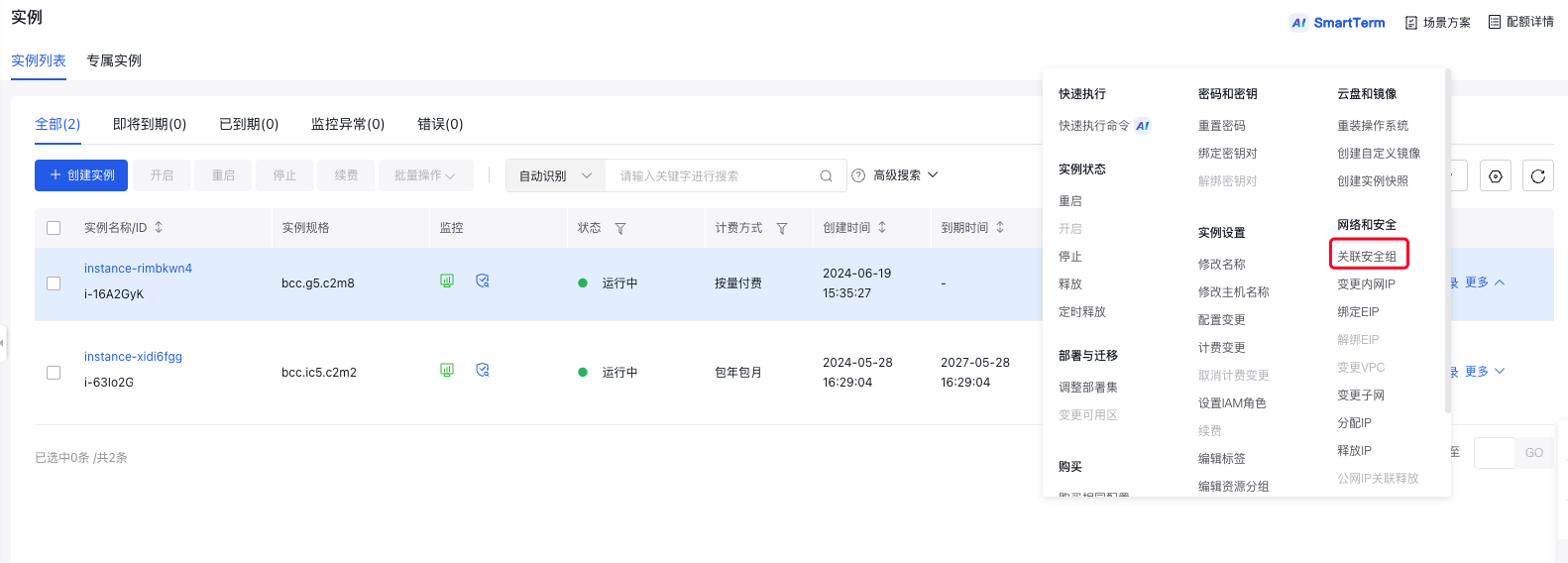
For a single instance: Select the instance to associate with the security group, and click More - Instance Settings - Associate Security Group in the right operation column, as illustrated below.
-
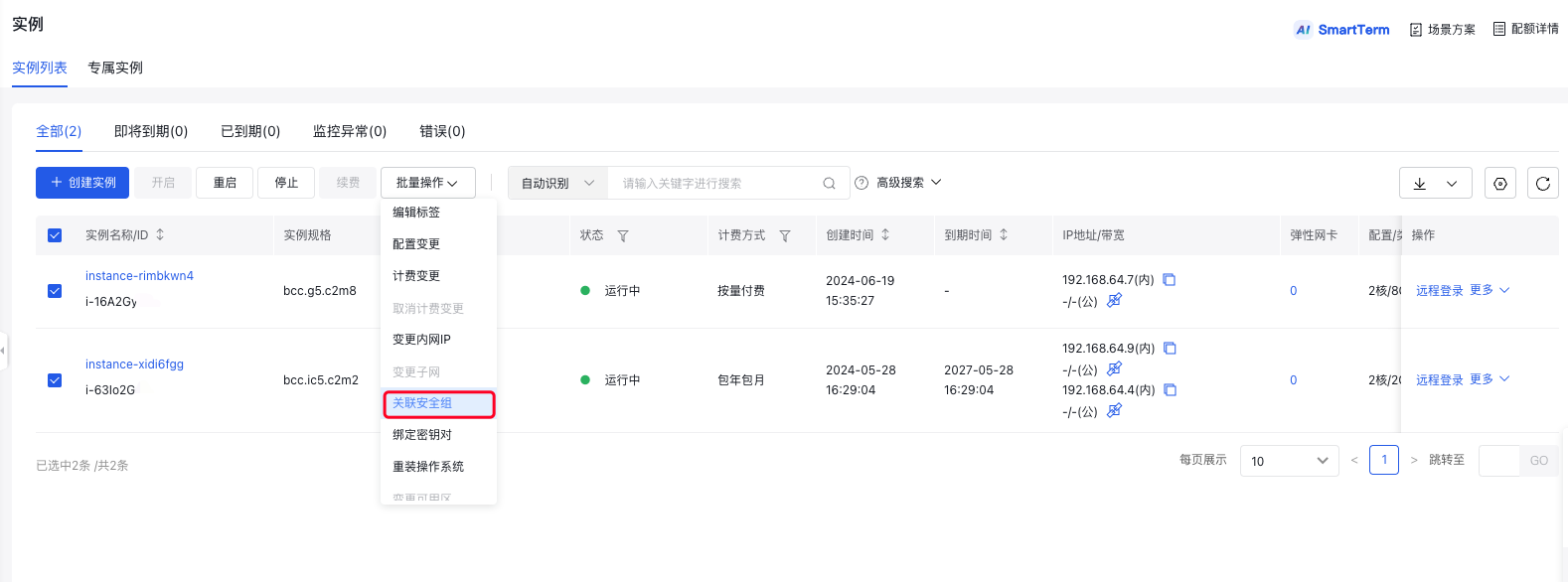
For multiple instances: Select the instances to associate, and then click Batch Operation - Associate Security Group at the top, as illustrated below.
-
- In the Associate Security Group dialog, check the security group to be associated.
- Click OK to finish associating the cloud server instance with the security group.
Description:
- For models Standard IV and above, the security group bound to the real server will not block BLB traffic, allowing communication between BLB and BCC by default.
- For models Standard III and below, BLB traffic will be controlled by the BCC security groups.
Next steps
- If you do not want your cloud server instance to belong to one or more security groups, you can move the cloud server instance out of the security group. For specific operation, please refer to [Disassociate Security Group](BCC/Operation guide/Security/Security group/Disassociate security group.md).
- If your business no longer requires one or more security groups, you can delete the security group. When a security group is deleted, all security group rules in the group are deleted at the same time. For specific operation, please refer to [Delete Security Group](BCC/Operation guide/Security/Security group/Delete a security group.md).