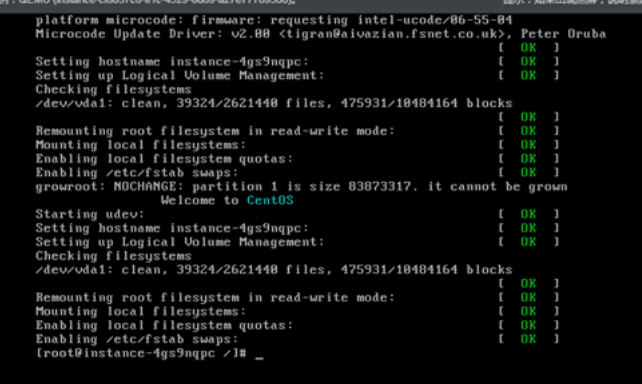
CentOS 6 Enter Single User
Updated at:2025-10-20
- After connecting to the server via VNC, click "Send Ctrl+Alt+Del" in the upper-right corner to restart the server. Once it begins rebooting, quickly press Esc to proceed to the next interface.
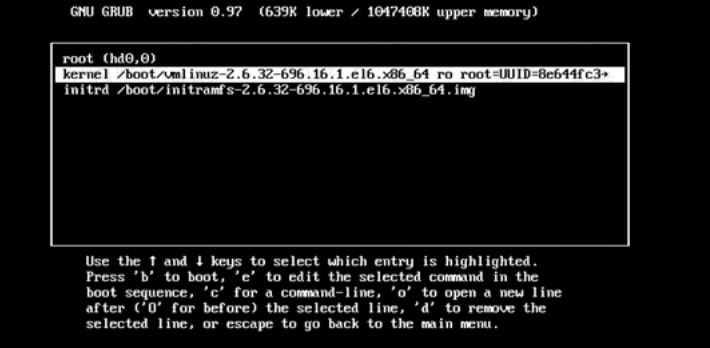
- Press Esc to access the Grub interface, then press the e key.
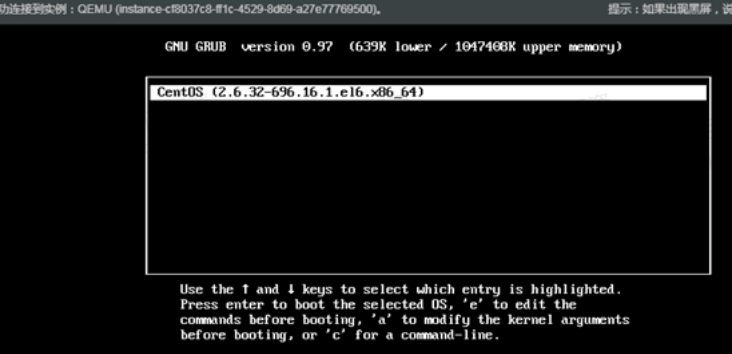
- At the following interface, use the arrow keys to select the Kernel marked in red, and press the e key.
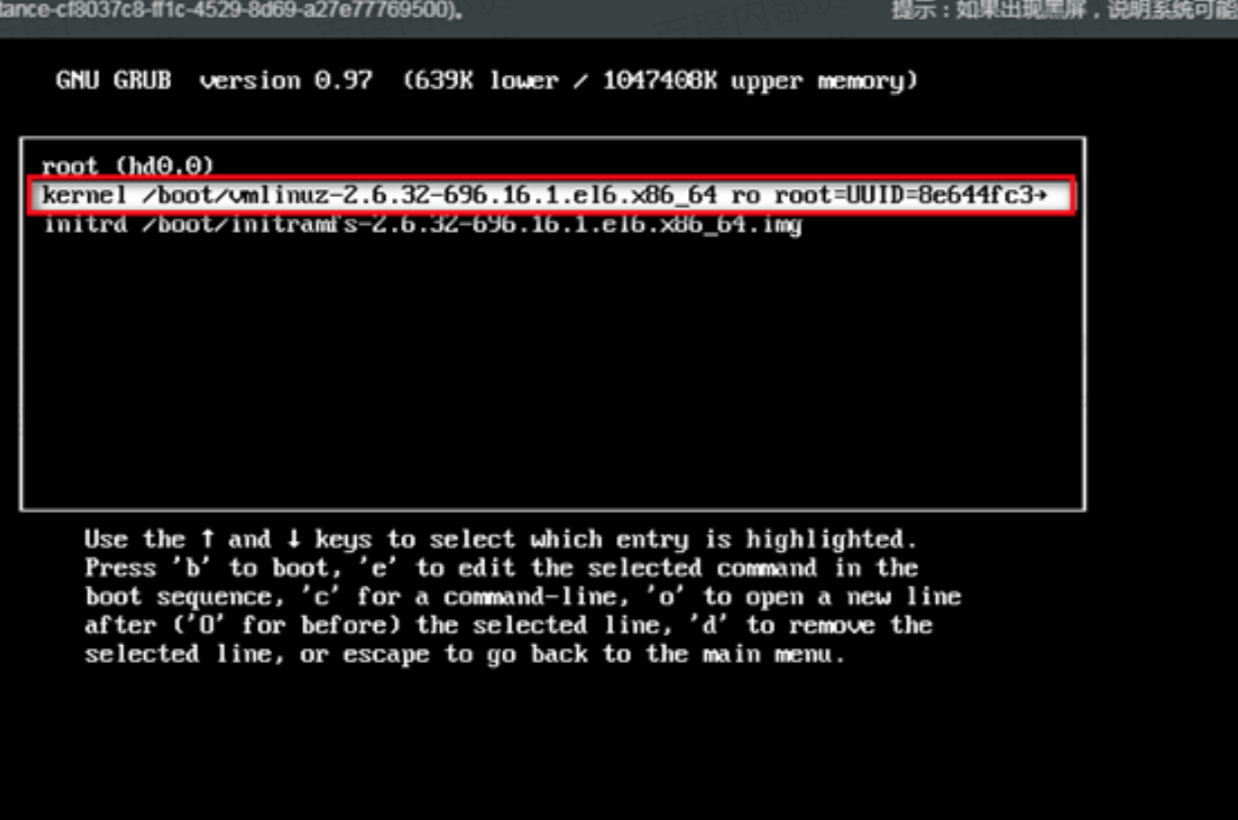
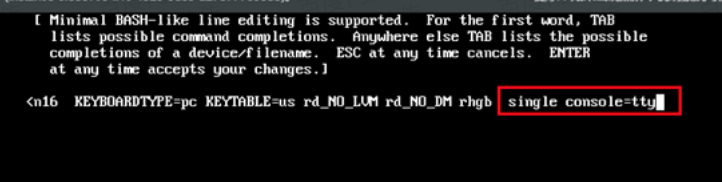
- Then, enter the following interface:
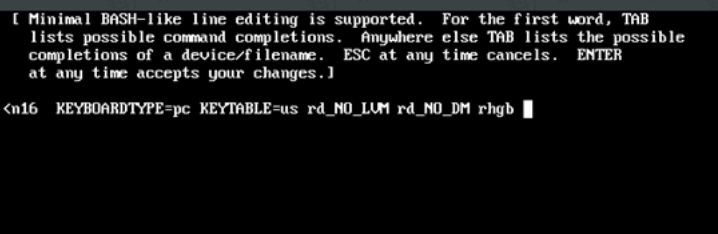
- Add the following at the end: single console=tty. After modification, it should appear as follows:
- Press the Enter key to return to the previous interface, then press the b key to begin booting.
- The system will boot into single-user mode, allowing access without requiring a password. Password modifications and other operations can be performed here.