Price Permission Control
Updated at:2025-10-20
Overview
When an IAM user is given financial query and management permissions, they can view the account discount details upon logging into the console to purchase BCC instances.
To grant an IAM user financial and BCC instance purchase permissions while restricting them from viewing discount details when accessing the console, IAM allows configuring permissions to block preferential pricing visibility. Once enabled, the IAM user will only see the standard catalog price when purchasing instances.
Note
- BCC product operation and maintenance/management permissions are exclusively assigned to IAM users. Without the financial permissions set, IAM users cannot access discount details.
- It supports configuring specific permissions to restrict IAM users or groups from viewing discounts at a detailed level.
- To manage multiple IAM users, create a new group, add the intended IAM users, and assign permissions accordingly.
- Only the root account or IAM users with system administrator permissions are authorized to perform this operation.
Operation steps
Single IAM user settings
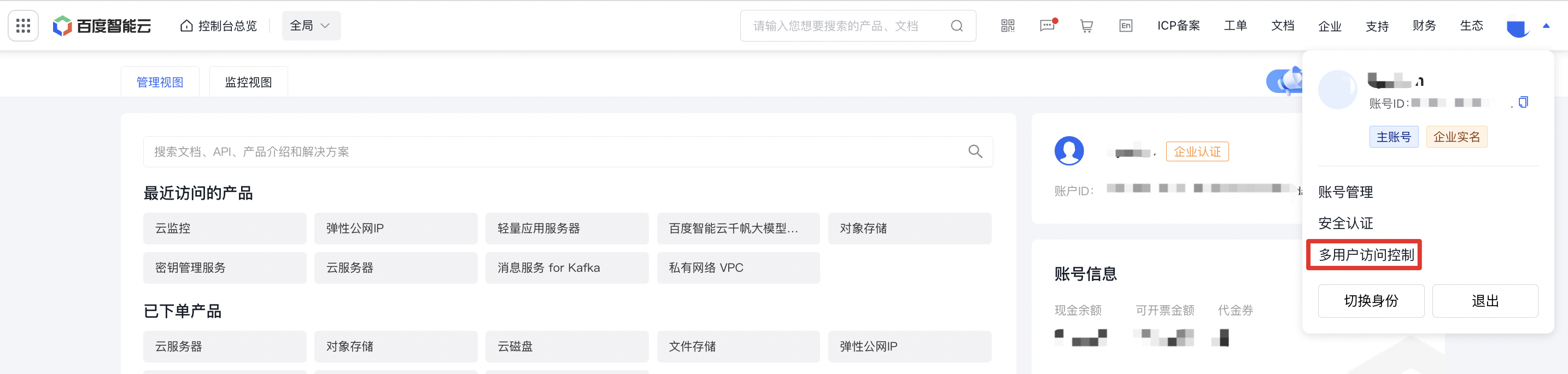
- Sign in to the console, hover over the top-right User Center, and select Identity and Access Management.
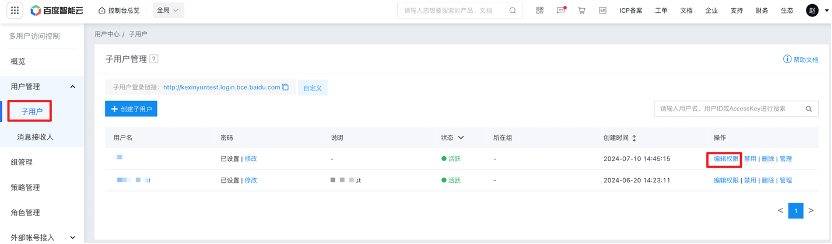
- Select User Management - IAM Users, and then click Edit Permission in the corresponding operation column.
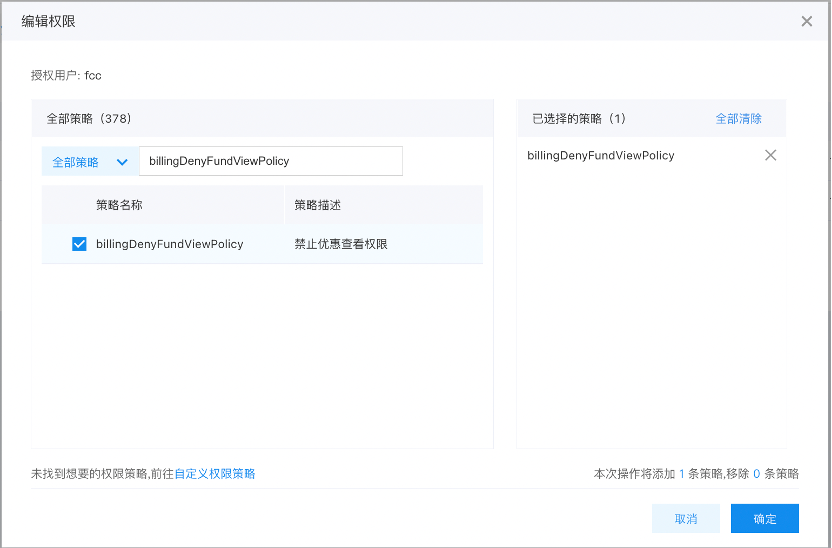
- Check billingDenyFundViewPolicy (disable discount view permission) in the policy search box, and click OK to complete the operation.
Group settings
- Sign in to the console, hover over the top-right User Center, and select Identity and Access Management.
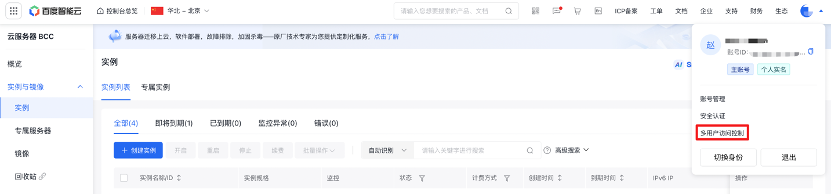
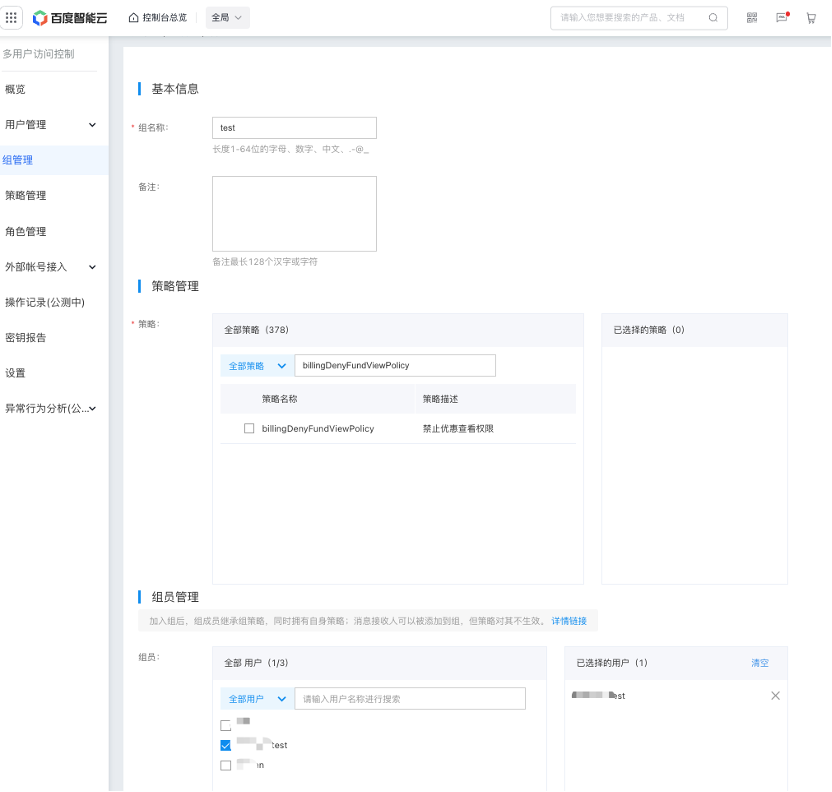
- Select Group Management, and then click Edit in the corresponding operation column.
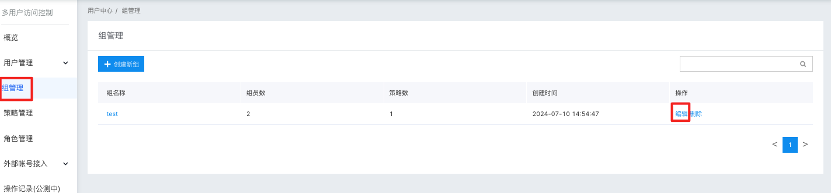
- Check billingDenyFundViewPolicy (disable discount view permission) in the policy search box, and click OK to complete the operation.