

Change VPC
Updated at:2025-10-20
This document explains how to switch a BCC instance to a different VPC. If you accidentally select the wrong VPC while creating a BCC instance or wish to reorganize your network plan, you can utilize this feature to reassign a BCC instance to the correct VPC.
Note
- If the instance has an elastic network interface, ensure you release it first.
- If the instance's primary network interface card has secondary IP addresses, make sure to release them first.
- If the instance is assigned an IPv6 address, release it before proceeding.
- Migration between subnets is currently supported only within different VPCs in the same availability zone (AZ), and not across different AZs in different VPCs.
- Changing the VPC is allowed for a single instance only and not for multiple instances in a batch operation.
Operation steps
- Sign in to BCC Console and enter the Instance List page.
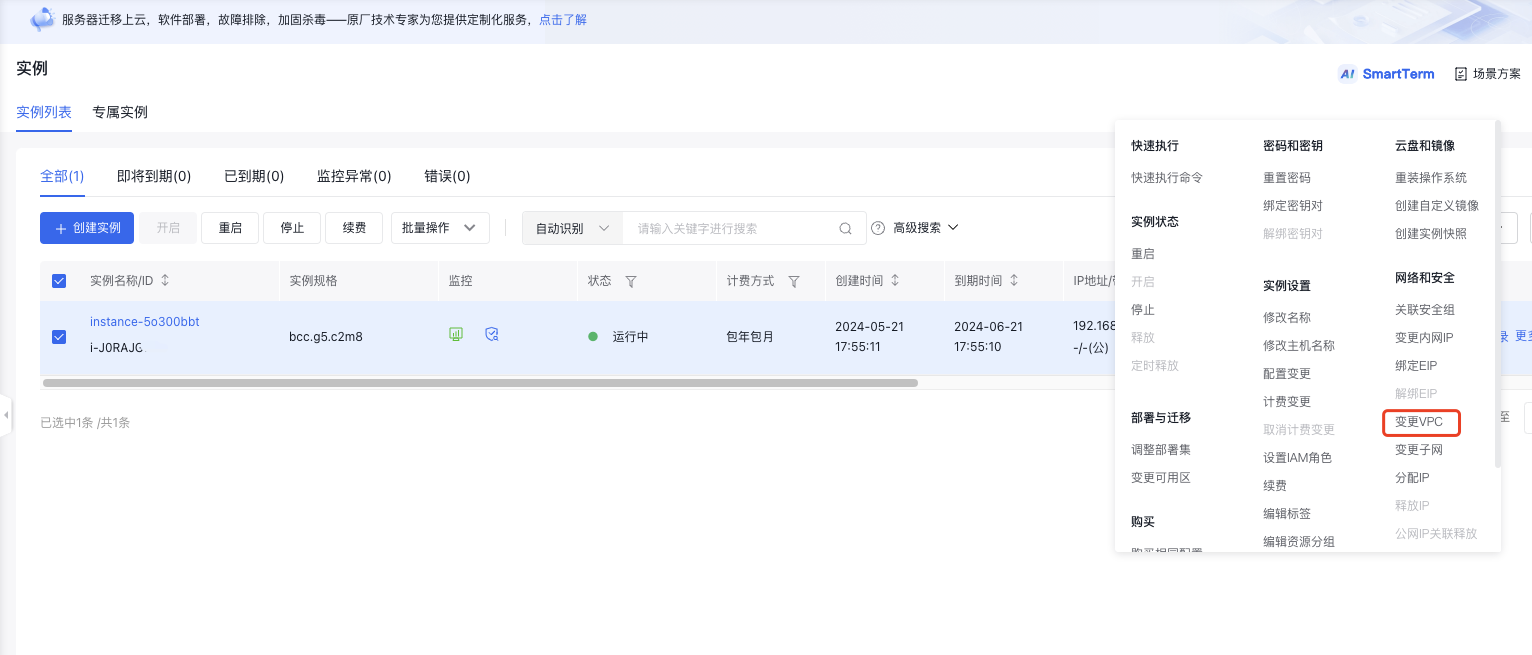
- Select the instance whose VPC you want to change, then click More > Network & Security > Change VPC in the right operation bar.
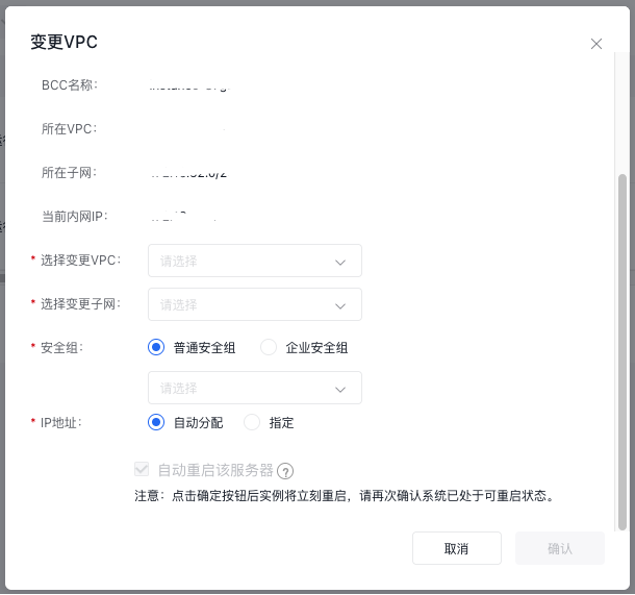
- Select the Corresponding Configuration on the Operation page, then click OK. The instance status changes to Changing VPC.
Change VPC through API
You can change VPC for a specified instance through the Change VPC interface.