Overview of elastic hyper-computing cluster
Updated at:2025-10-20
Overview of elastic hyper-computing cluster
Elastic hyper-computing cluster (EHC for short) is a computing cluster that is based on the high-performance RDMA network to interconnect multiple Baidu Cloud Computes, and the Baidu Cloud Compute instances in the EHC cluster can be interconnected at a high speed via the RDMA network, delivering high bandwidth and low latency communication capabilities to significantly accelerate the speedup of computational tasks. RDMA networks between different EHC clusters remain isolated, meeting the security requirements of multiple business departments of enterprises.
Scope of application
- EHC clusters are suitable for instances supporting high-performance RDMA networks. Refer to EHC Instance Specifications.
- The same EHC cluster supports adding instances with different specifications.
Application scenarios
- Large model training
- High-performance computing
Product features
- High-speed network communication: Instances within the same EHC cluster can communicate using a high-bandwidth network. The communication latency and overhead are significantly reduced via the RDMA protocol.
- Secure and controllable: High-performance RDMA networks between instances in separate EHC clusters are isolated, ensuring compliance with enterprise security requirements for various business departments as well as testing and production environments.
- High scalability: The EHC cluster can scale up to thousands of instances, meeting the business needs for enhanced application performance through scaling out.
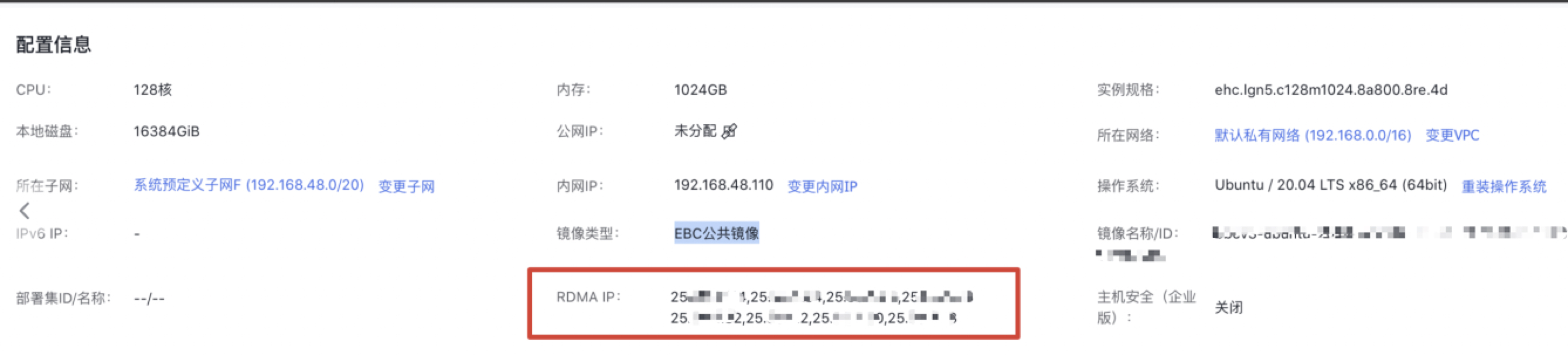
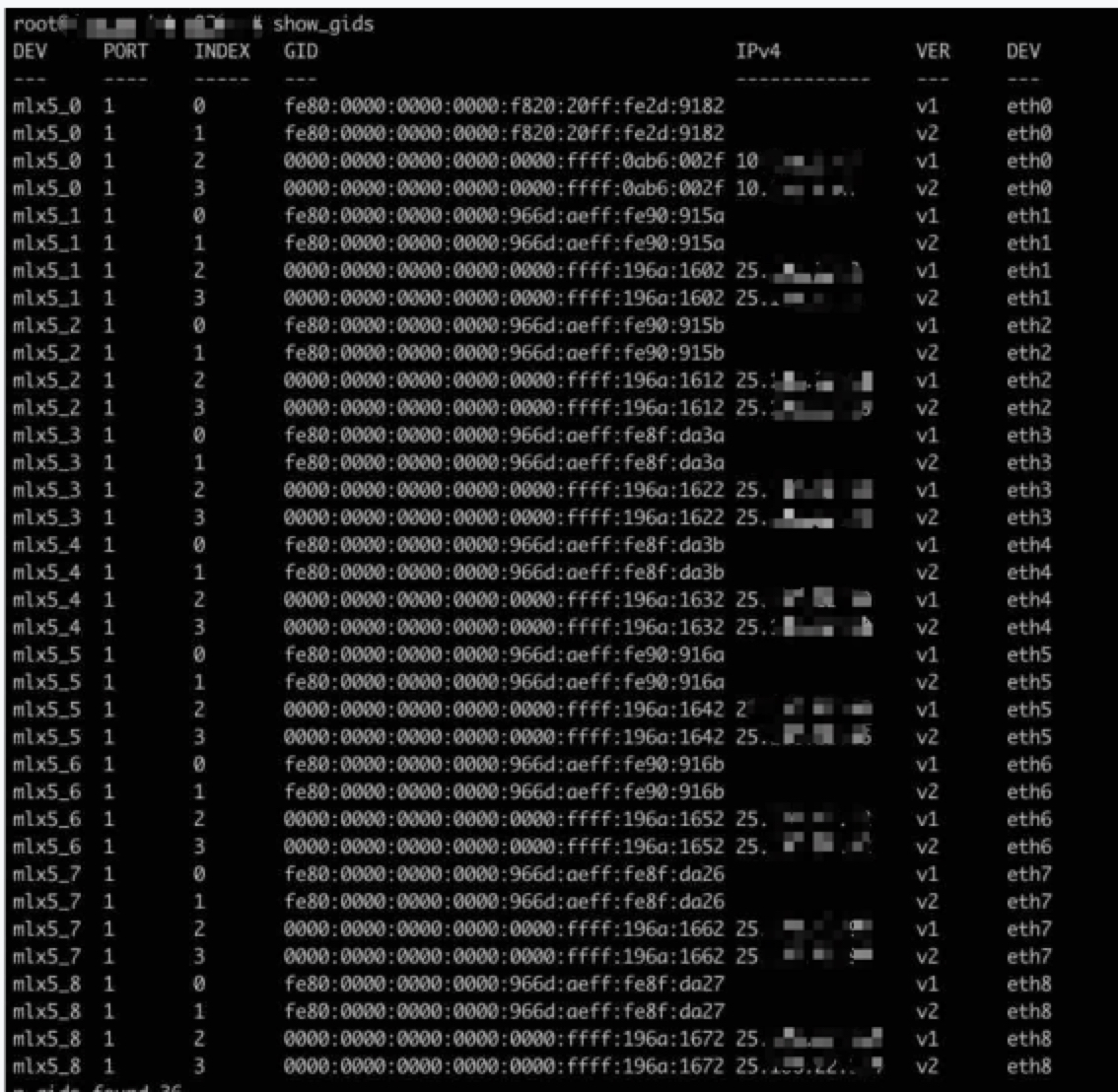
- Ready-to-use: After creating an EHC instance, Baidu AI Cloud will allocate and configure the system configurations for communication, such as IP (as shown in Figure 1, the system will allocate 25 network segments for high-performance network communication), lossless network configuration, etc. You can use the high-performance network without managing complex network operation and maintenance. You can also view the high-performance network equipment and its identity by logging in to the instance OS, as shown in Figure II.