

Elastic Baremetal Instance and Elastic High-performance Computing Cluster Instance Halt Capability Configuration Instructions
Updated at:2025-10-20
Background
- The ability to stop Elastic Baremetal Compute (EBC) instances and Elastic Hyper-computing Cluster (EHC) instances depends on whether the instances support the halt function. If halt is not supported, startup failures may occur during boot.
- The latest public images provided by EBC and EHC include integrated halt functionality. Instances created with the latest public images can utilize the stop function directly.
- For instances that do not support halt, you can manually add halt configuration to the system or use the cloud assistant to execute a command for adding the halt configuration.
- If you are using a custom image, you should recreate the custom image after adding the halt configuration to the instance. This ensures that newly created instances have proper stoppage functionality.
Operation steps
- To check if EBC or EHC instances support halt, access the instance and verify if HandlePowerKey=halt is present in /etc/systemd/logind.conf. If halt is supported, you can use the stoppage feature directly.
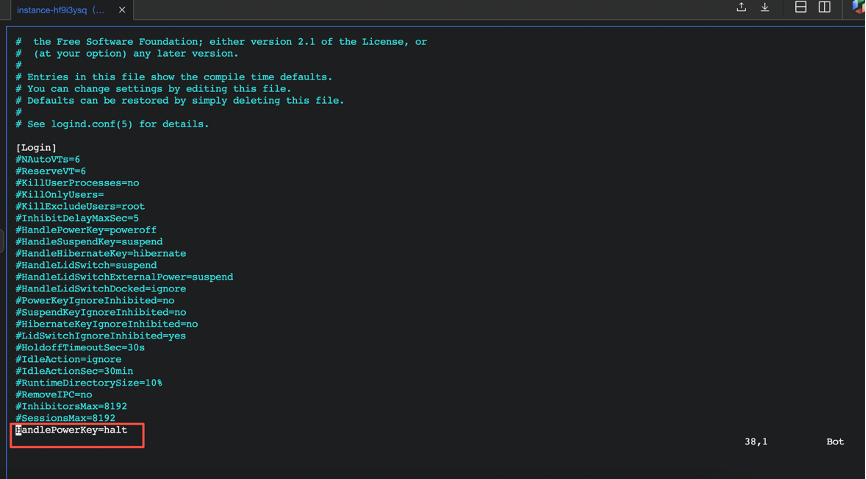
- If halt is not supported, you can directly add halt configuration in the system:
- Access the instance and execute the following commands:
echo "HandlePowerKey=halt" >> /etc/systemd/logind.conf
systemctl daemon-reload
systemctl restart systemd-logind
- The executed command takes effect immediately, enabling the halt functionality without requiring an instance reboot.
- Execute the command: adding halt configuration via cloud assistant:
- Execute the common command: adding halt via the quick-execution command feature of the assistant: you can select operation of instances in batch.
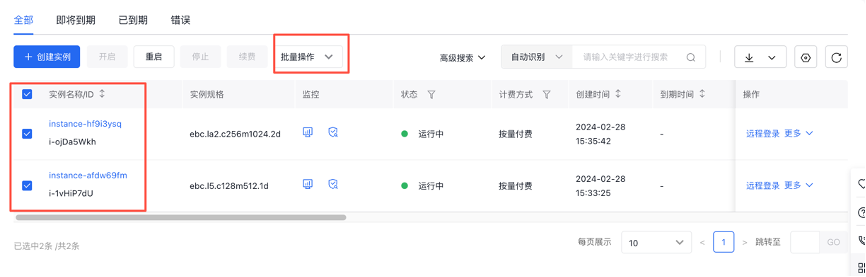
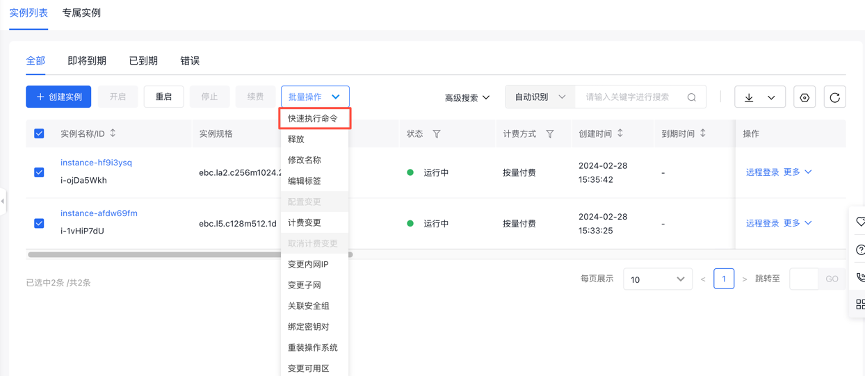
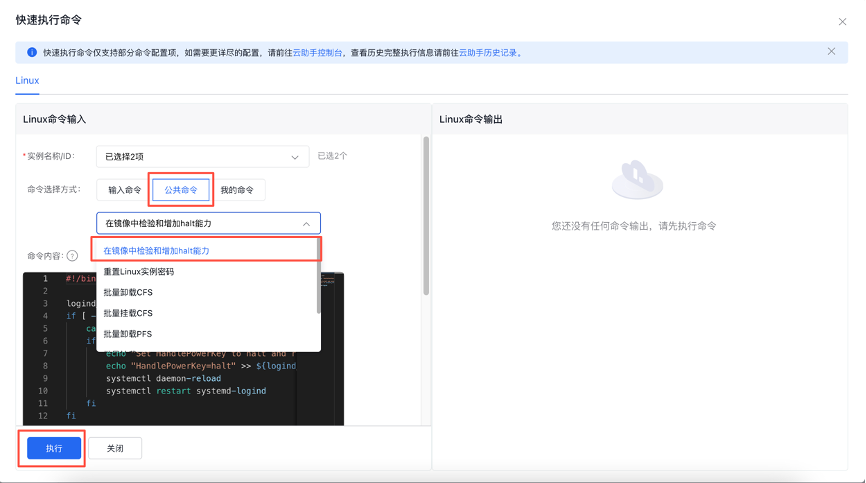
- Execute the common command. After all instances are executed successfully, exit the interface.
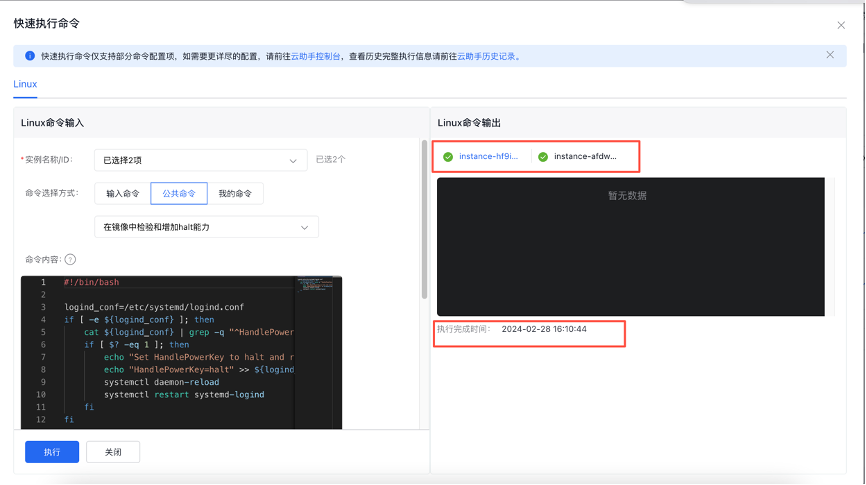
- After successful execution, no restart or additional steps are required for instance, "HandlePowerKey=halt" will be automatically added to "/etc/systemd/logind.conf".
- If you're using a custom image, recreate it by including an instance after completing the halt operation. Instances created or reinstalled using updated custom images will have normal stoppage functionality.