Copy security group
Updated at:2025-10-20
Background
You can quickly create a security group with identical rules using the Replicate Security Group function.
Note
- Replicate Security Group is unavailable once you reach the limit of 20 groups.
Operation steps
- Sign in to BCC Console and enter the Instance Inventory page.
- Click Security Group in the left navigation bar to enter the security group management page.
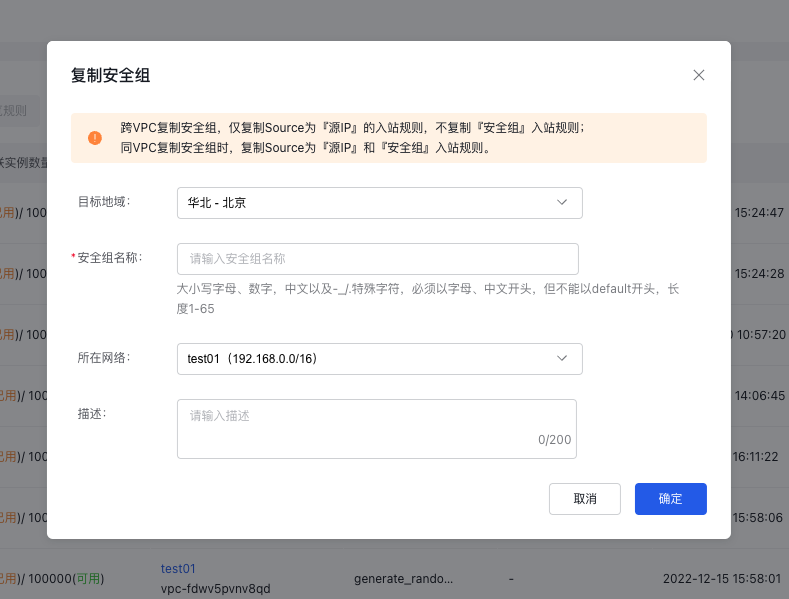
- Select the security group to be replicated, and click Replicate in the operation column on the right to enter the Replicate Security Group page.
-
You need to fill in the name and description of the new security group. After confirming the information, click OK to complete the replication of security group information.