View Resource Bill Based on Tag
Updated at:2025-10-20
The resource bill function records the lifecycle and consumption data of each resource, allowing users to view resource and product consumption data by resource dimension.
Operation step
- Sign in to BCC Management Console.
- Click Tag Management in the left navigation bar to access the Tag List page.
- Check a tag and click View Bill in the operation bar.
-
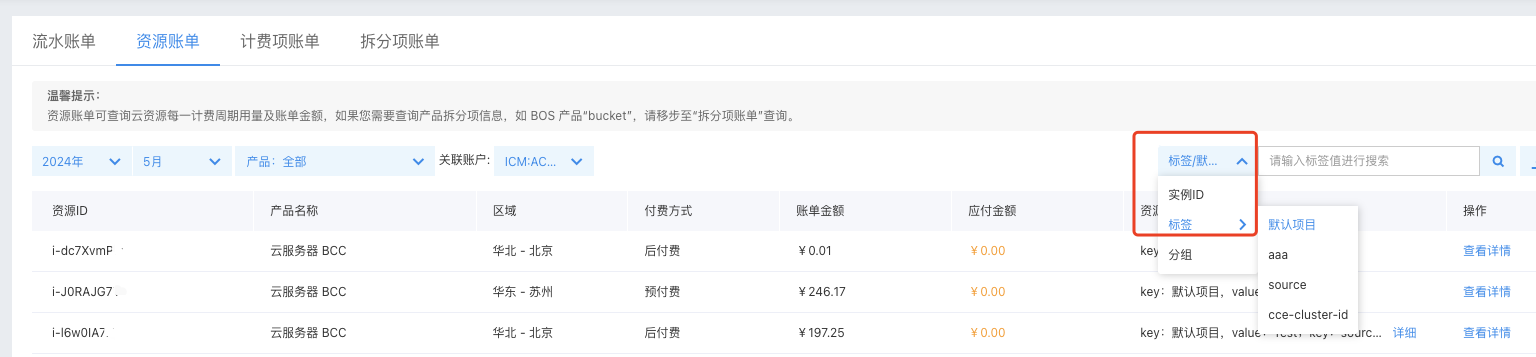
Go to the Resource Bill page and select the month you want to review. The consumption details of the currently tagged resources will be displayed.
Description:
- You can perform a tag-based search by combining filtering criteria, select the consumption details for other tags based on tag keys and values, and download the corresponding information.
- Use the instance ID for retrieval to view the consumption information of a specific instance.
-
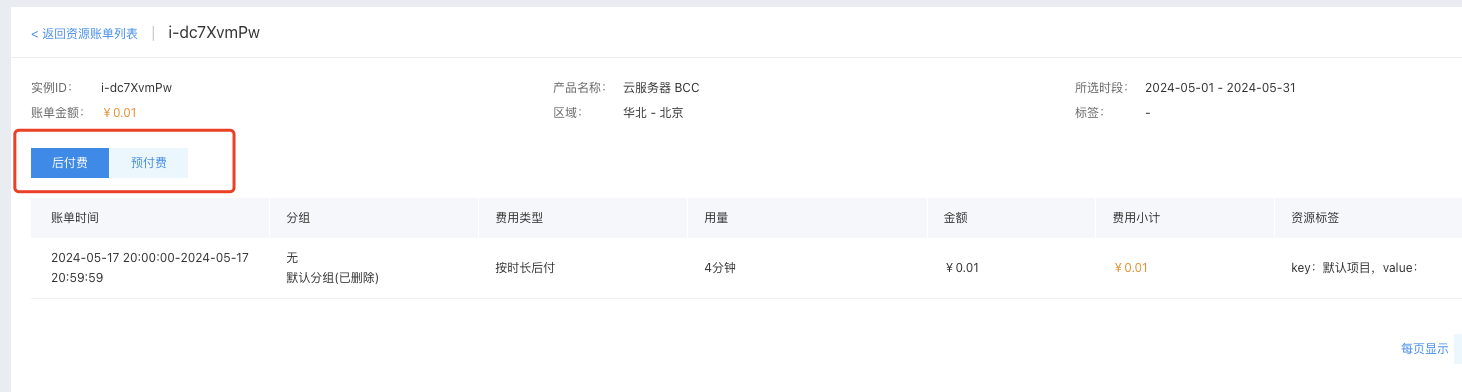
Click "View Details" to see the instance ID, product name, and bill amount.
Description:
- Since there might be both prepay and postpay instances, the postpaid and prepaid bills are displayed separately under different tabs in the View Instance Details section.
- For prepay instances, fees are deducted in a one-time transaction, so the consumption details will appear only in the creation month. For postpay instances, fees are deducted continuously, so the consumption details will be shown from the creation time to the end of usage.