

Reserved Instance Cross-Account Transfer
Updated at:2025-10-20
Function description
This document outlines how to transfer the ownership of a reserved instance to another account. The account currently owning the reserved instance can request to transfer it to the recipient account. After a successful transfer, the reserved instance will no longer apply to the initiator’s billing, resource reservations, or charge deductions. Instead, it will continue to function for the recipient’s account with the same attributes, including:
- Reserved instance name/ID.
- Effective time and expiration time.
- Payment type of the reserved instance.
- Specifications eligible for cost deduction.
- Regions and availability zones.
Prerequisites
- The reserved instances set for transfer must be zero prepaid reserved instances; transferring other payment types is currently not supported.
- Reserved instances set for transfer must be in an active state.
- The recipient's account must have permission to create zero prepaid reserved instances.
Operation steps
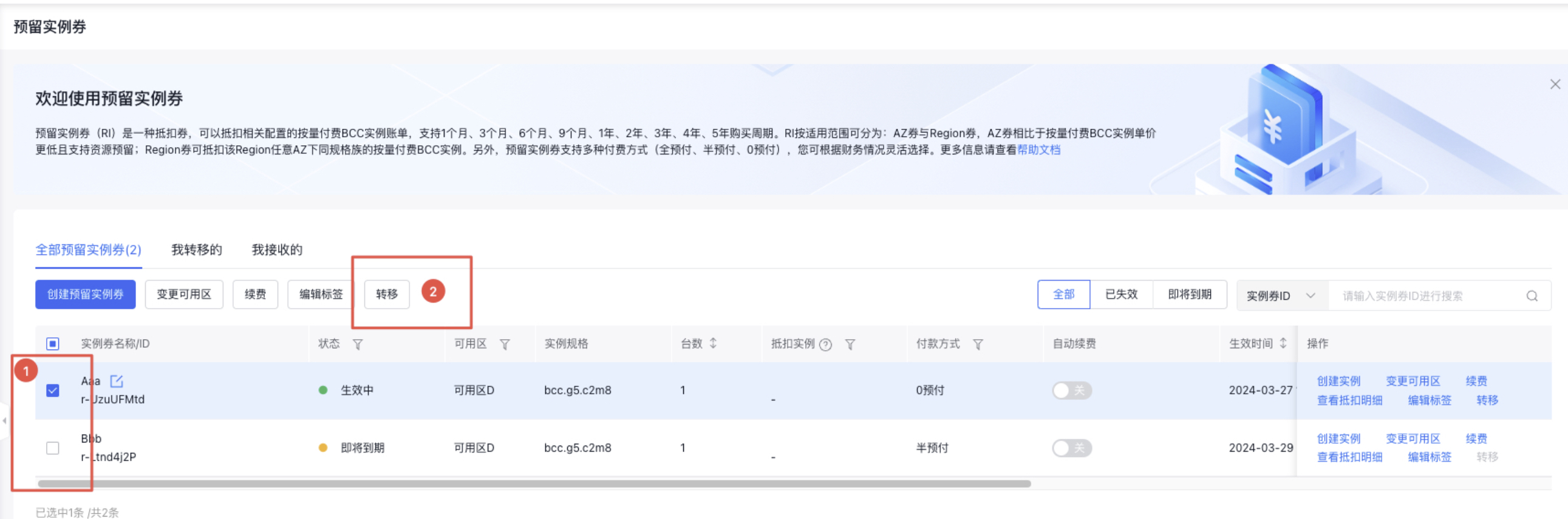
- Sign in to the console for the reserved instance, check the reserved instance to be transferred at position 1 in the figure, and click position 2 in the figure to apply for transfer.
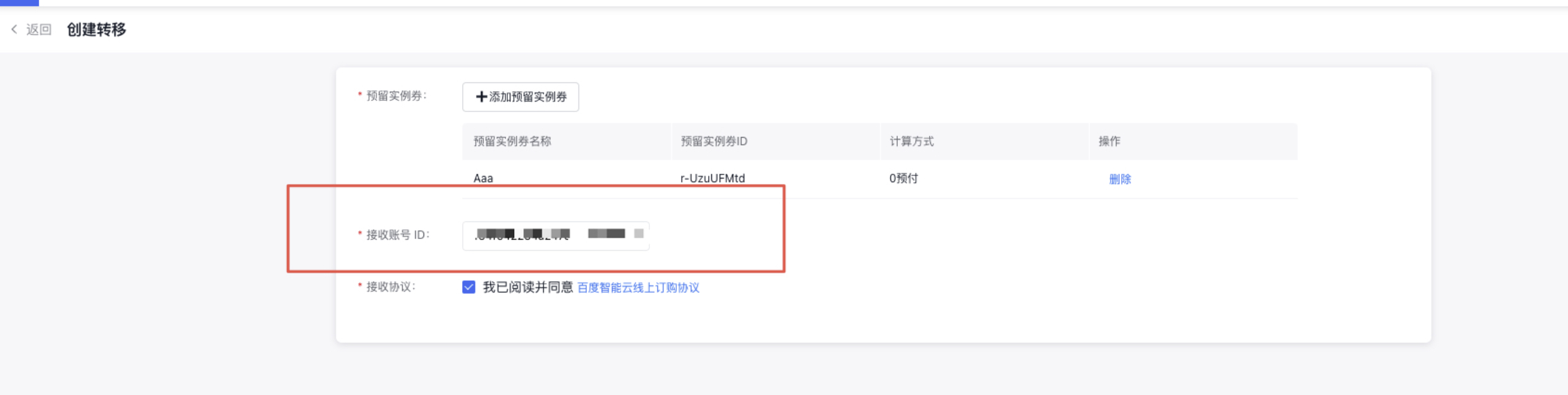
- Enter the recipient's account ID, click Confirm, and initiate the transfer.
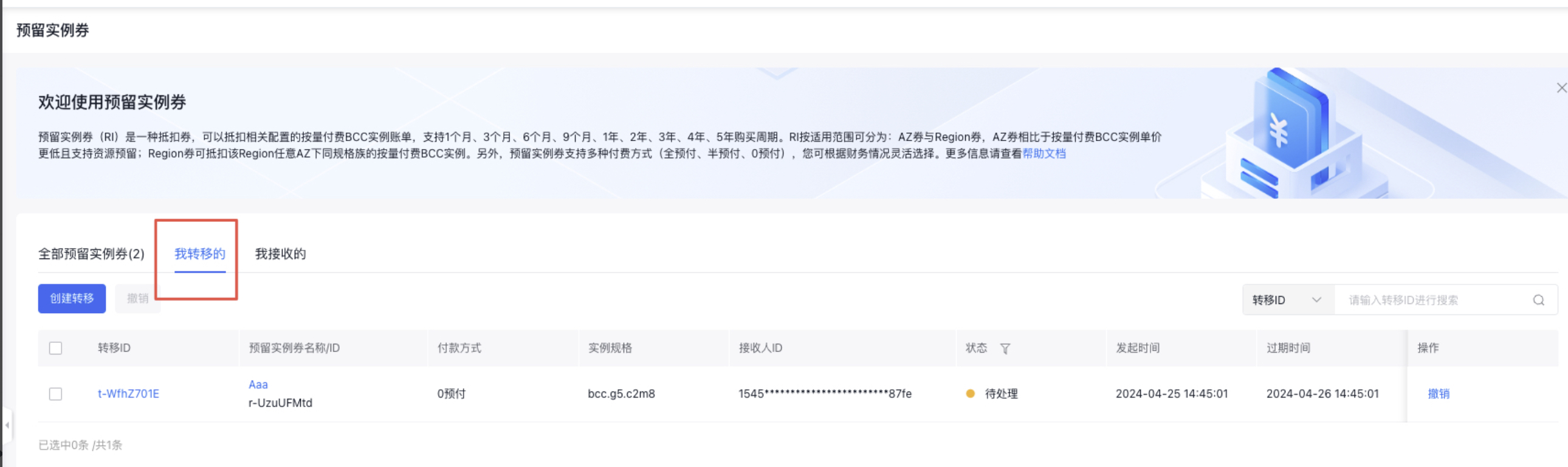
- After initiation, the transferred reserved instance will appear under My Transfers page in the initiator's account, while My Receives under the recipient's account will display Pending Reserved Instance. Note that the transfer is valid for 24 hours. If the recipient takes no action within 24 hours, the transfer will expire and become unprocessable.
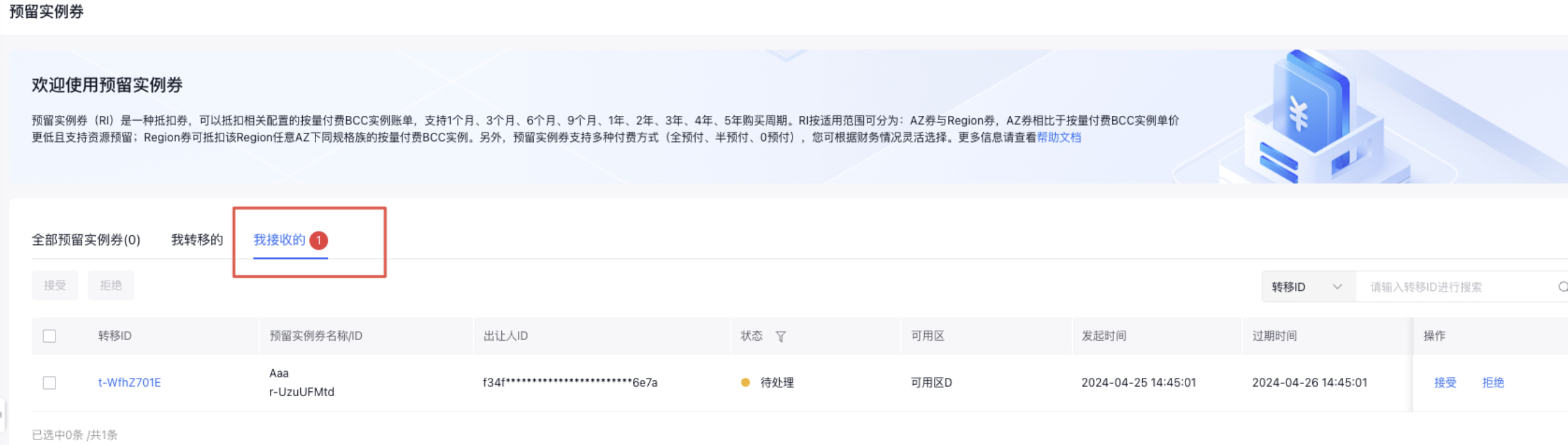
- After clicking Accept at position 1 in the figure, a Confirm popup will appear. Verify the transfer details and click Accept Transfer.
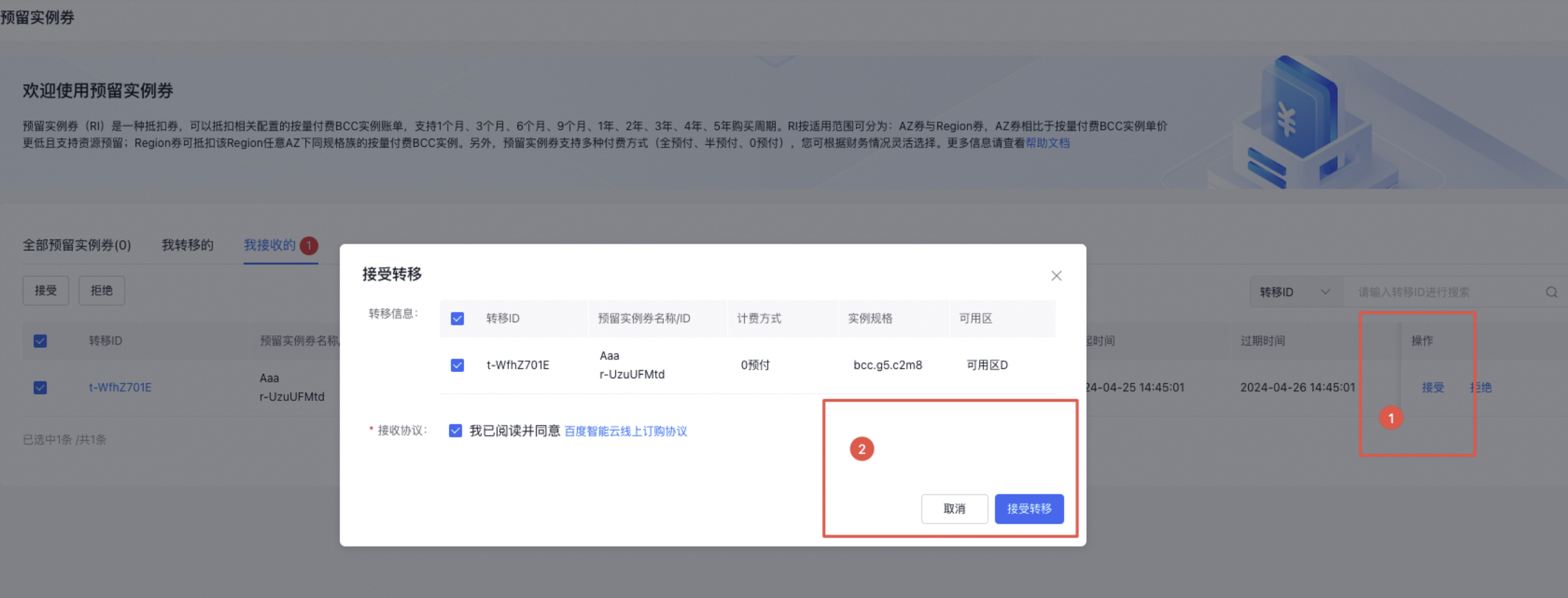
- After clicking Accept, the transferred reserved instance enters a transferring state, which typically lasts a few seconds before showing as successful. The successfully transferred reserved instance will appear in the reserved instance list of the recipient's account and will begin billing and reserved instance deduction according to the billing rules of the recipient's account.
