

Delete a snapshot
Updated at:2025-10-20
Background
Deleting a snapshot removes the backup information created for a disk at a specific moment. After deletion, you cannot perform a rollback to recover the previous system status, and the deleted snapshot cannot be restored. Please proceed with caution.
Operation steps
- Sign in to BCC Console and enter the Instance Inventory page.
- From the left navigation menu, select Snapshot -> Snapshot List to access the Snapshot List page.
-
Select one or more snapshots that need to be deleted and click Delete Selected Snapshot at the top, as shown in the following figure.
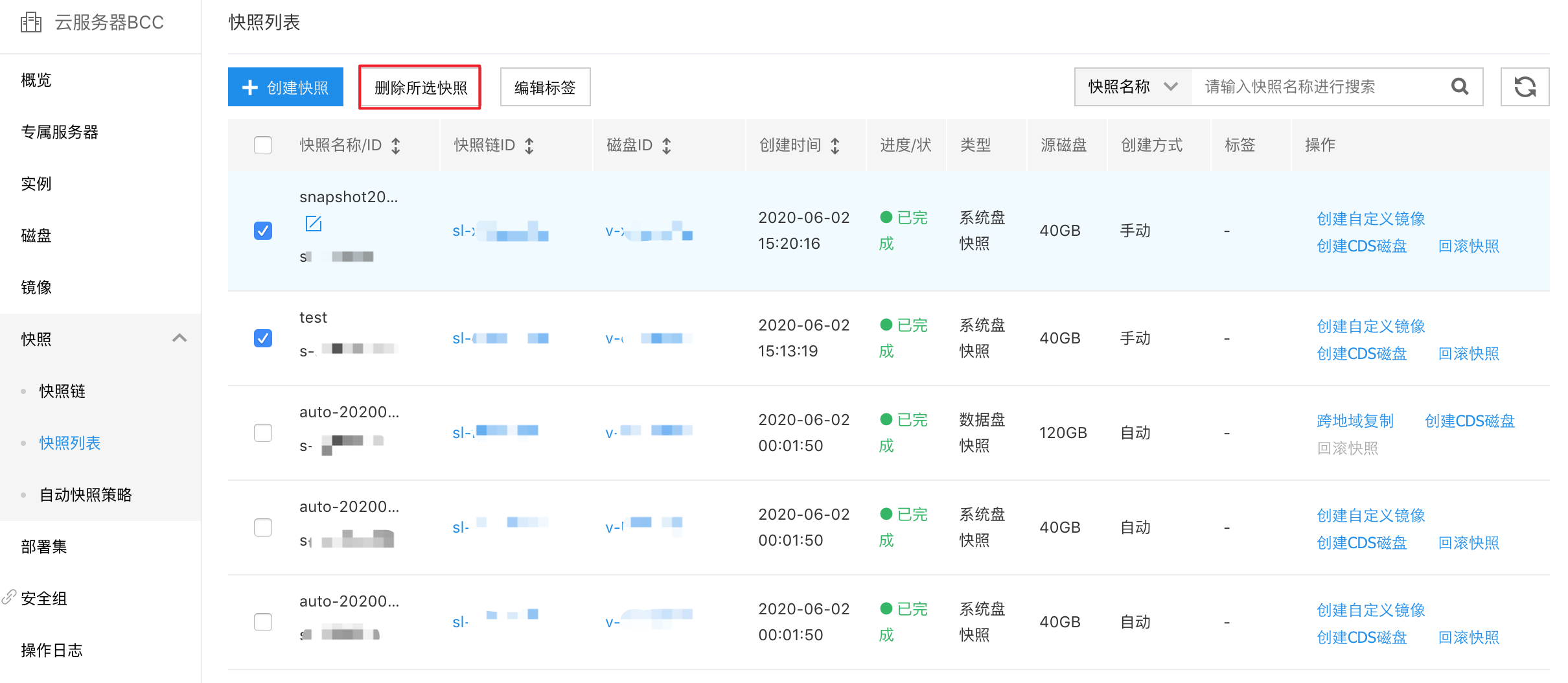
-
In the pop-up OK dialog box before deletion, click OK.
Note: Once a snapshot is deleted, it cannot be recovered. Please proceed with caution.
- In the security verification pop-up window, enter the SMS verification code and click OK to complete the snapshot deletion.
Delete a snapshot via API
You can delete a snapshot with a specified ID via[Delete Snapshot API](BCC/API Reference/Snapshot Related Interfaces/Delete a snapshot.md).