

Tutorial on Disabling Windows Firewall
Updated at:2025-10-20
This tutorial is designed for users who need to disable the built-in Windows firewall.
The tutorial takes Windows Server 2008 as an example and is divided into two steps
- Step 1: Remotely sign in to the server
- Step 2: Disable the Windows firewall
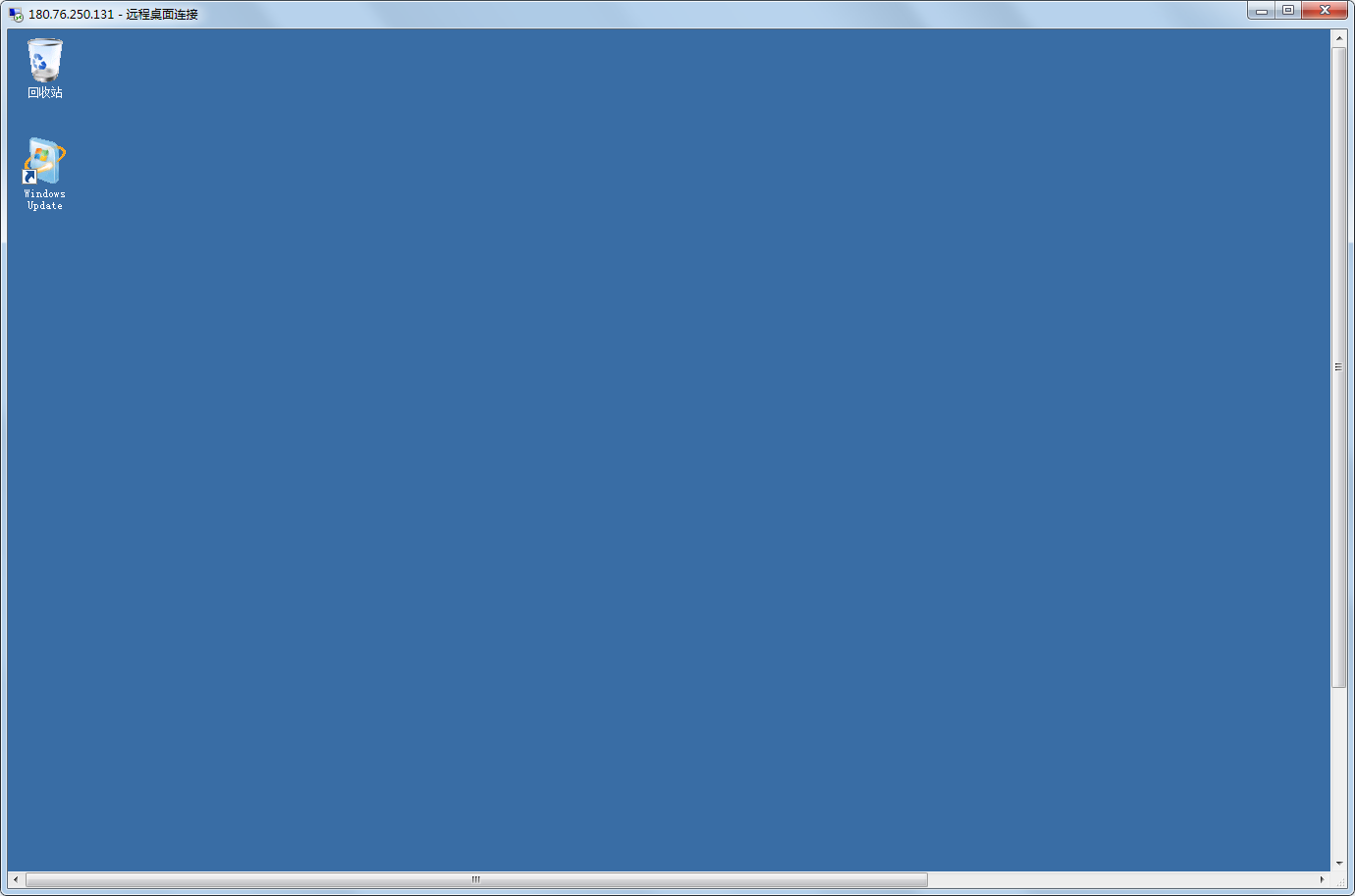
Step 3: Remotely sign in to the server
[Sign in to the server](BCC/Operation guide/Instance/Sign in to instance.md)
Step 2: Disable the Windows firewall
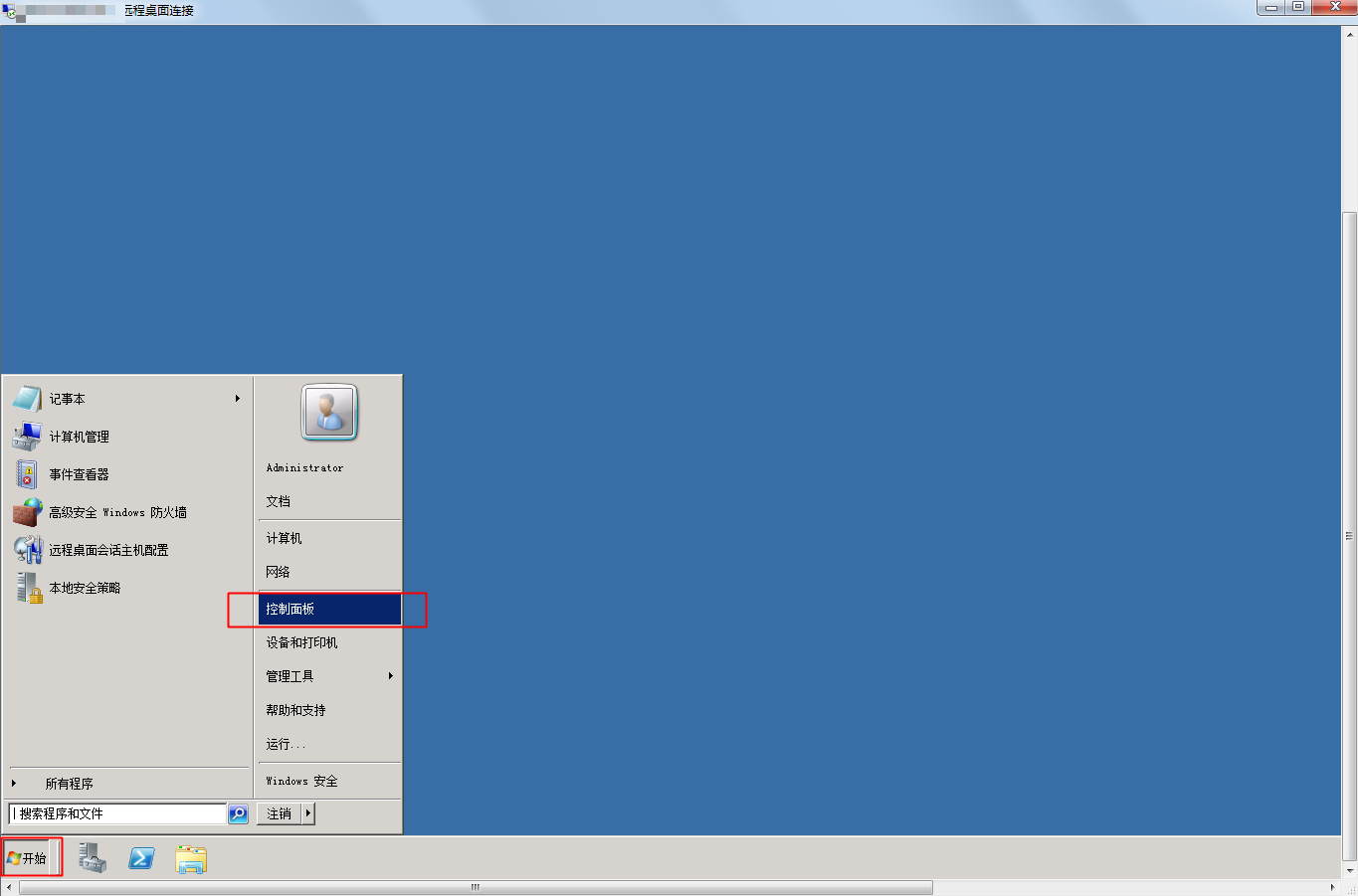
- Click Start - Control Panel
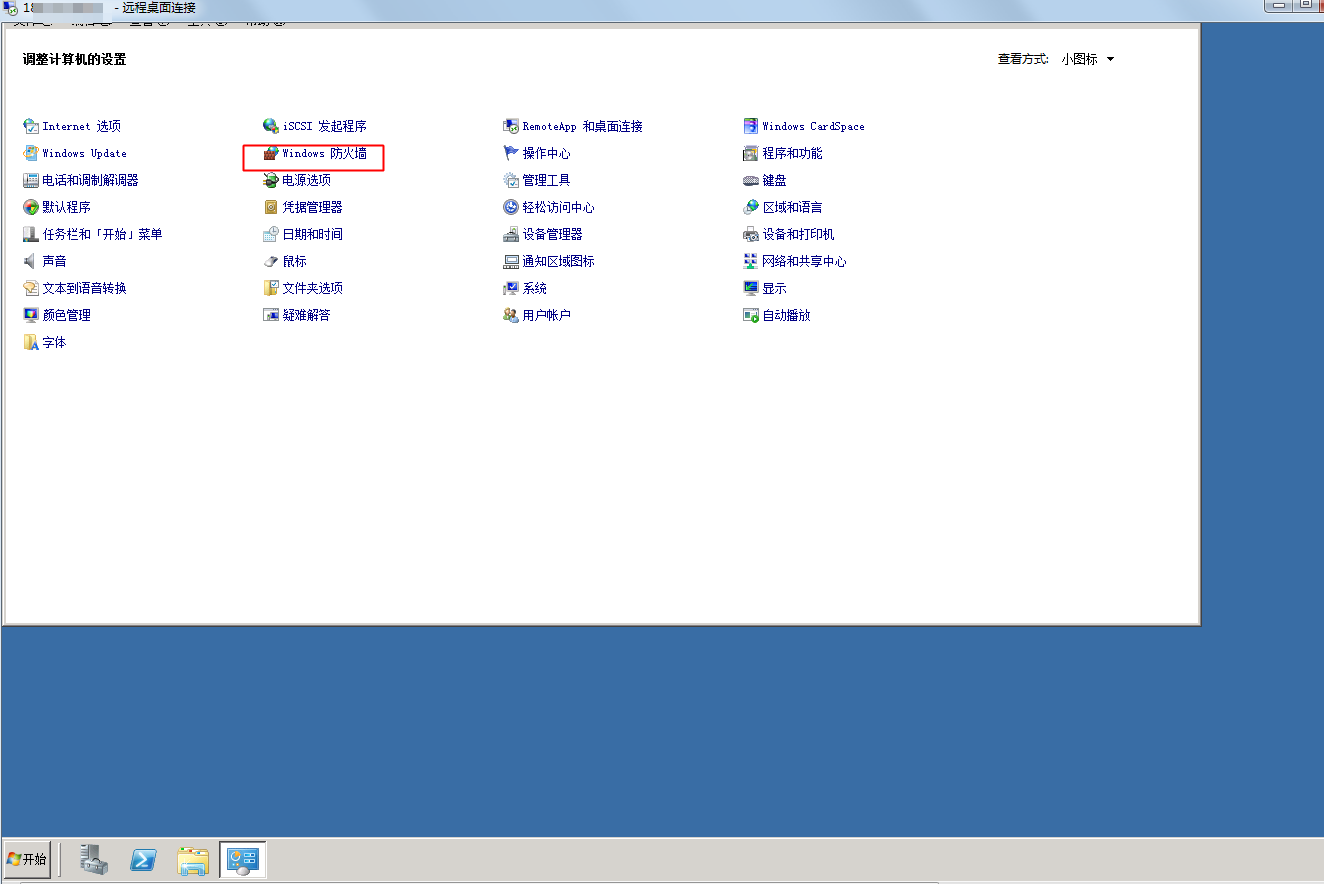
- Click Windows Firewall
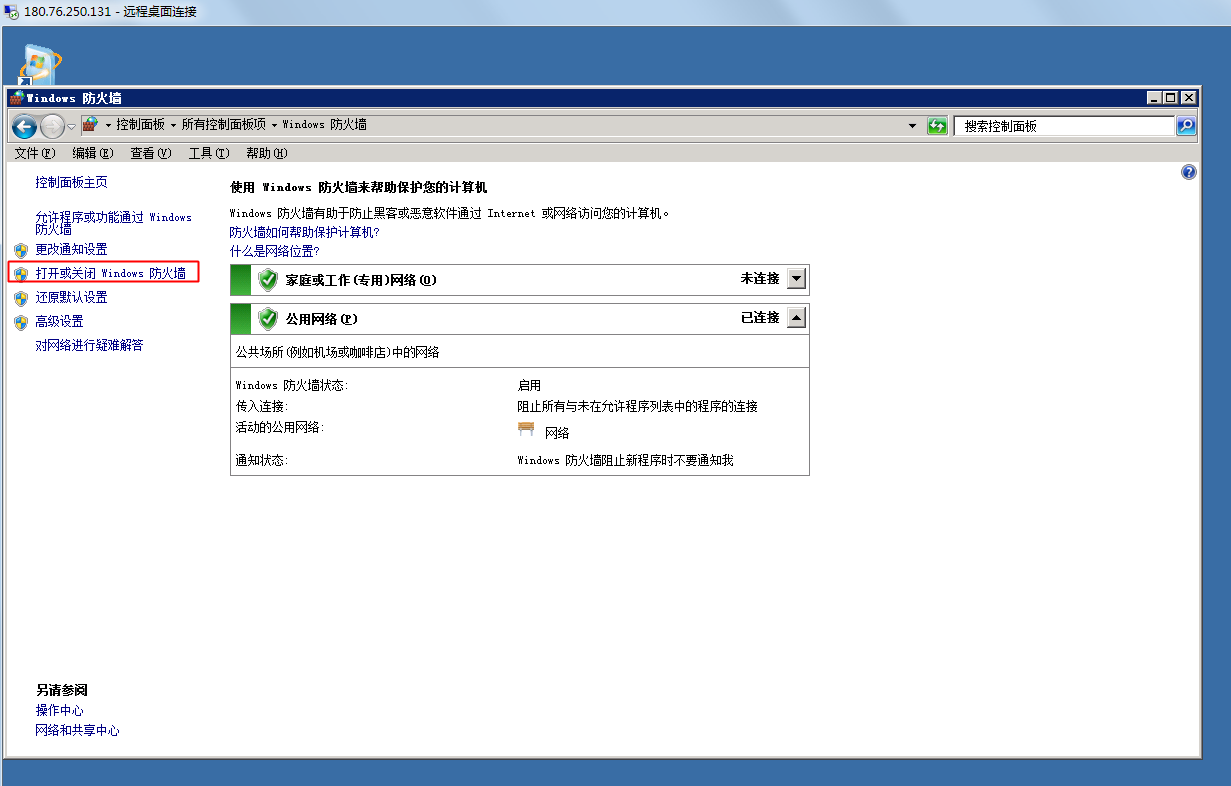
- Click Enable or Disable Firewall
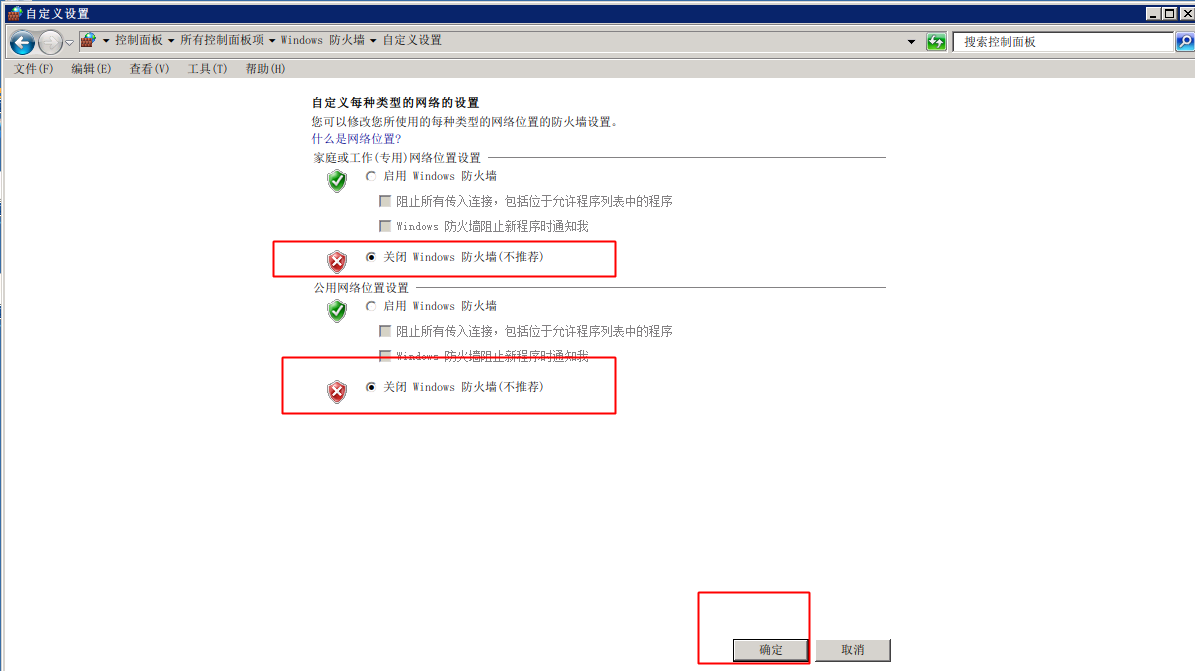
- Select Disable Windows Firewall and click OK
This concludes the tutorial. Thank you for your support of Baidu AI Cloud!