

View instance
Background
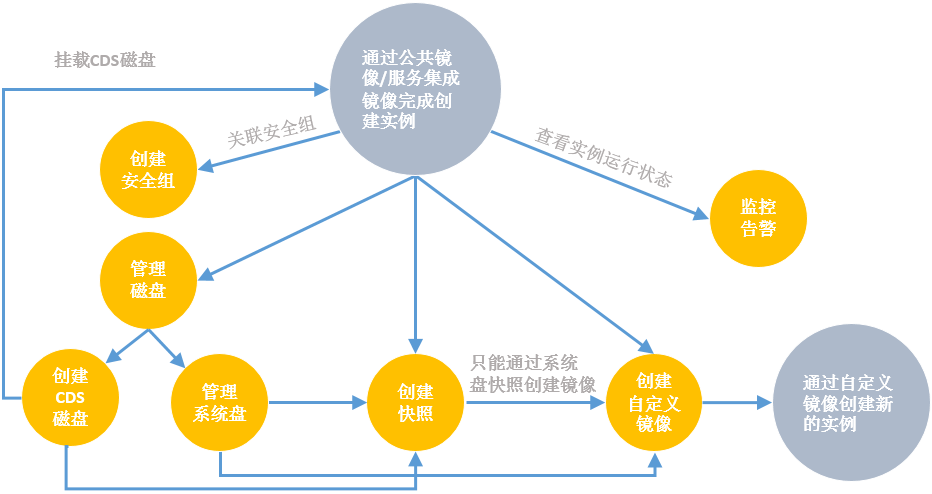
Once you complete creating a BCC instance, you can find it in the instance list and perform actions such as associating security groups, creating snapshots, and generating custom images based on your needs.
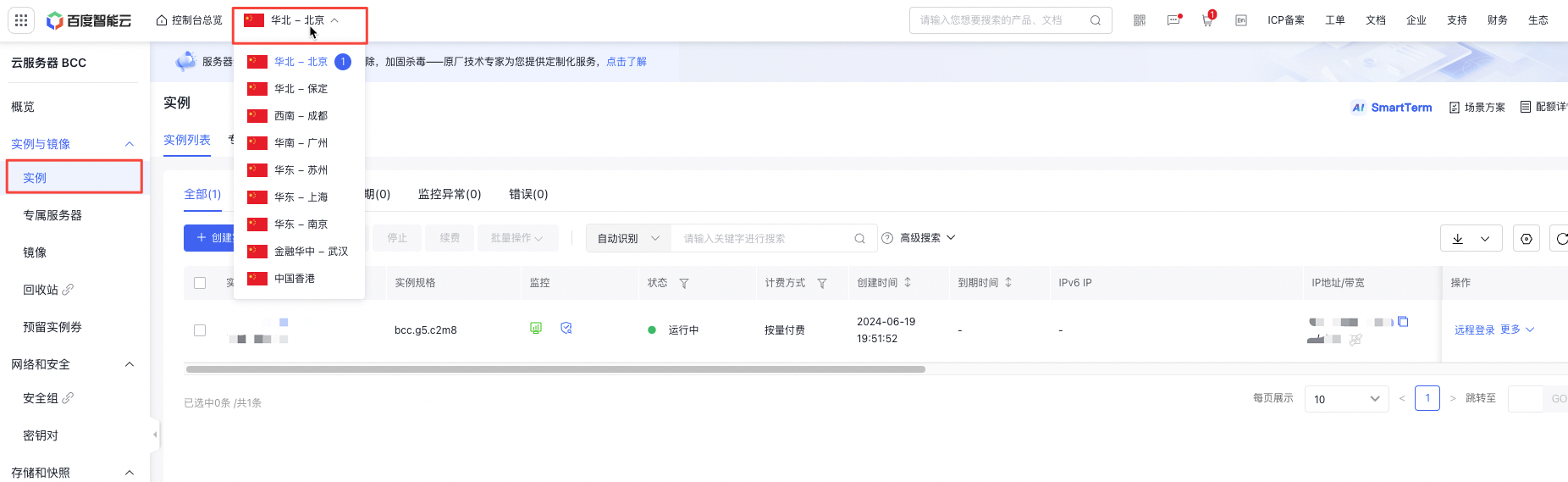
Switching between different regions allows you to view instances created in each specific region.
After creating a BCC instance for the first time using a public image or a service integration image, you can carry out extended operations like generating custom images from the instance or its snapshots.
Operation steps
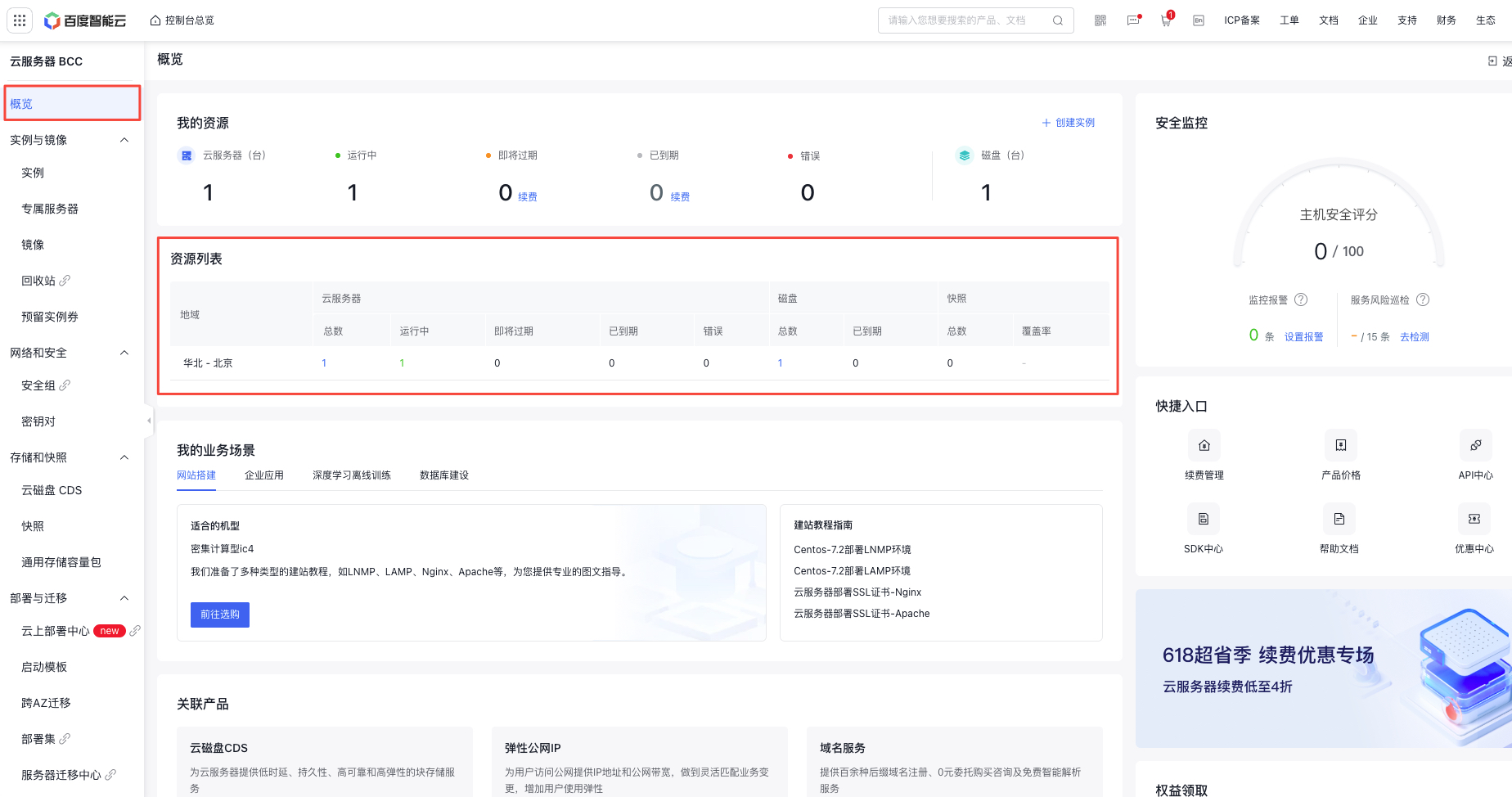
- Sign in to the Baidu Cloud Compute (BCC) Console and enter the Overview page to see the overall distribution of instances.
- Click Instance to enter the instance list and click Select Region in the top-left corner to view the count of instances in different regions.
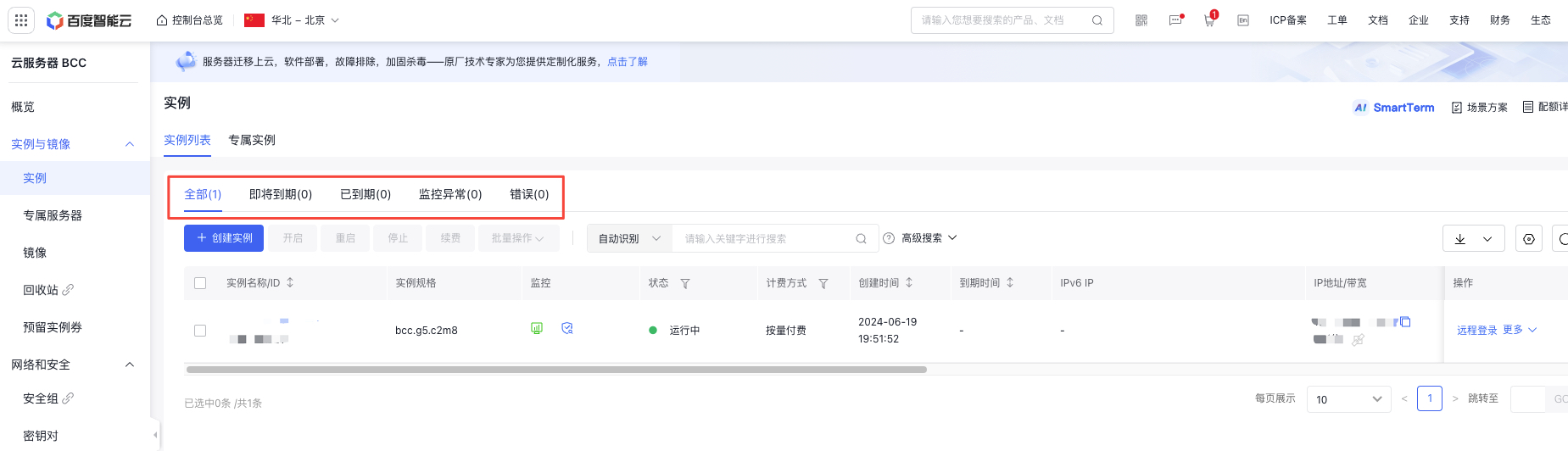
- After selecting a region, you will enter the Instance List page, where you can see the list of created cloud servers, as shown in the following figure.
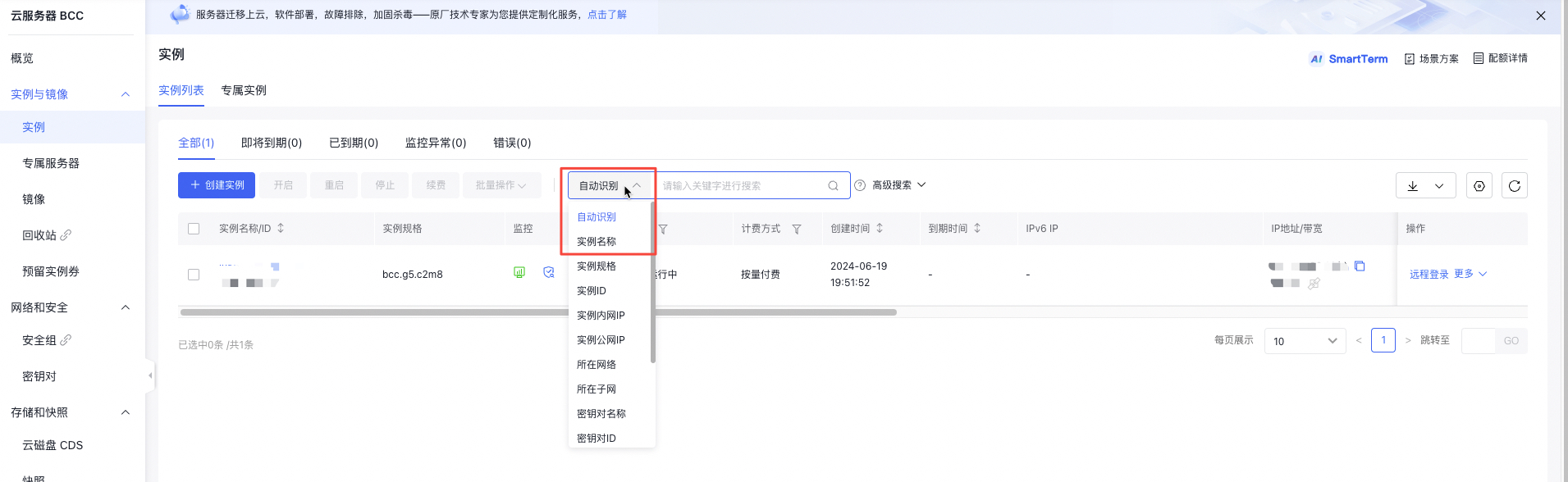
- If there are many instances, you can quickly search by Instance Name, Instance ID, Instance Intranet IP, Instance Public IP, etc., as shown in the following figure.
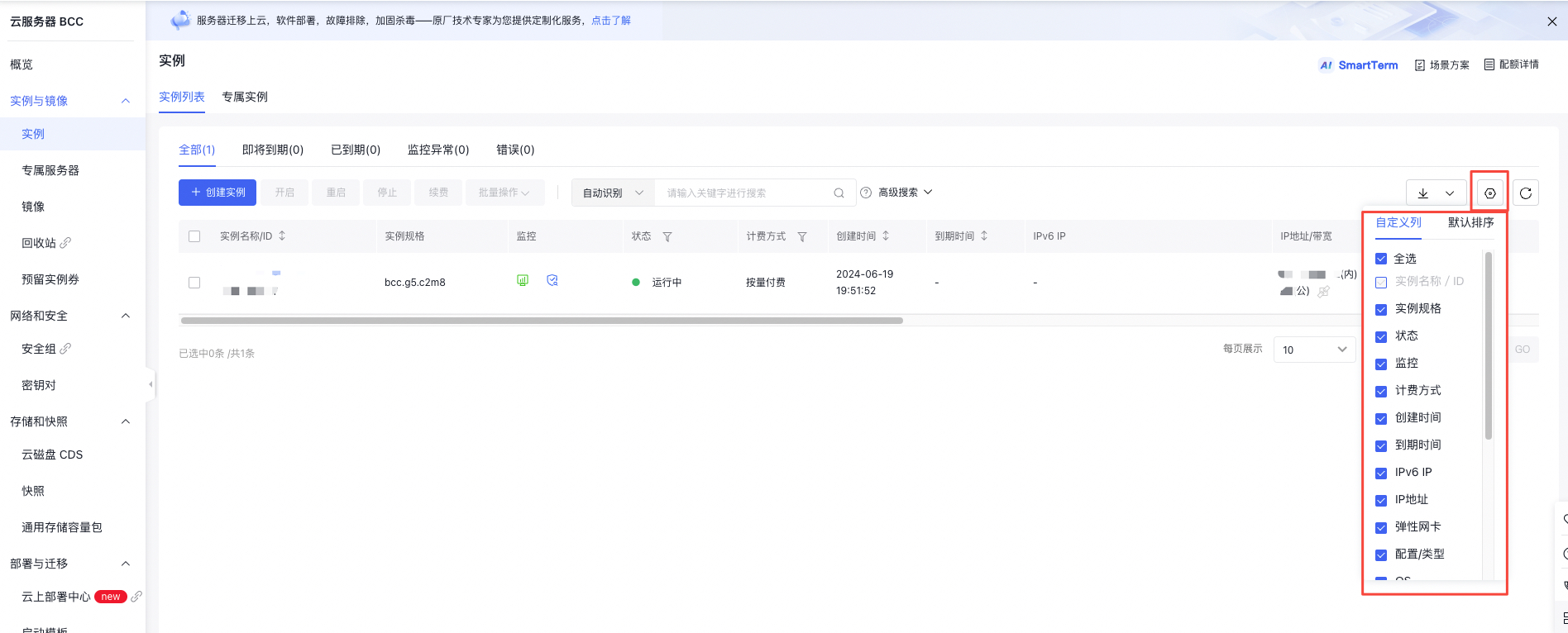
- If you need to customize the displayed instance list item, you can click the Customize Column button on the top right to customize the displayed instance list item, as shown in the following figure.
- Click on the instance name link in the Instance Name column of the cloud server list to enter the Instance Details page and view status information, as shown in the following image.
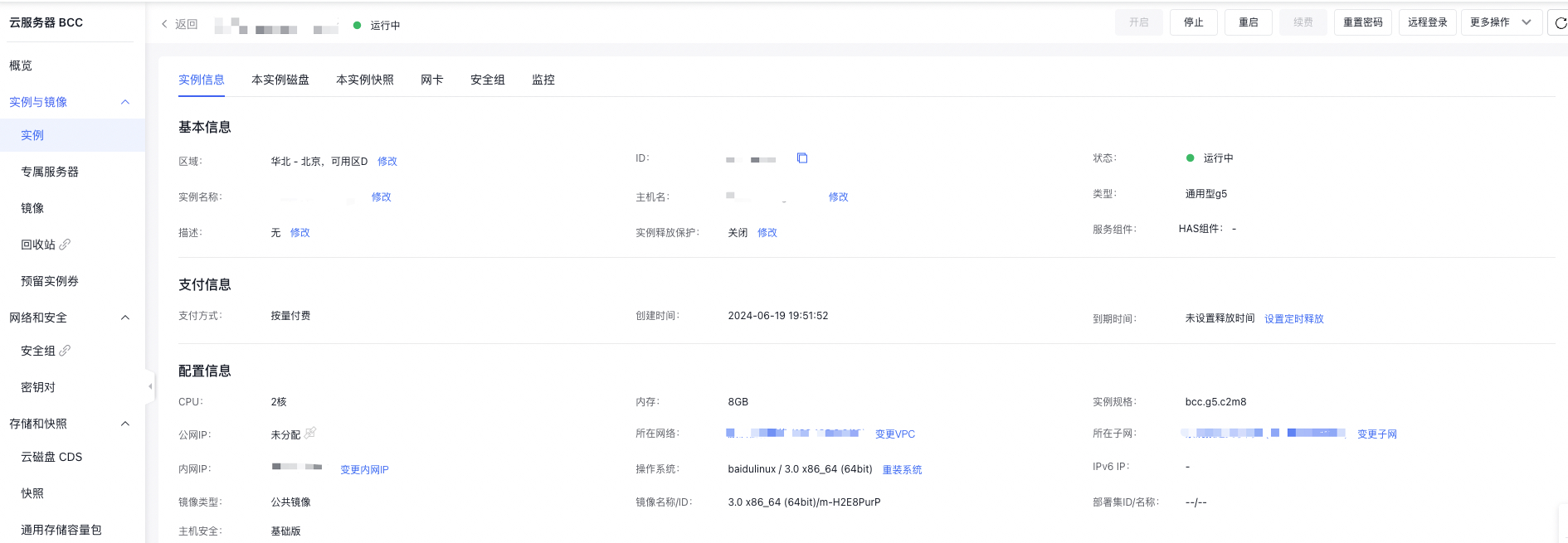
- In the Instance Details tab, you can view the basic information, billing information and configuration information of the instance. Meanwhile, you can modify instance information or upgrade configurations based on actual needs, including operations such as: changing the instance name, adding an instance description, [resetting the password](BCC/Operation guide/Instance/Reset password.md), [enabling VNC remote access](BCC/Operation guide/Instance/Sign in to instance/Login Method Overview.md), [setting scheduled release ](BCC/Operation guide/Instance/Release an instance.md#Scheduled release)(for postpaid instances), upgrading configurations,adjusting bandwidth and reinstalling OS.
Description:
A BCC instance usually comes with one public IP and one intranet IP. To deploy Internet services on BCC, bind the listener port to the intranet address or 0.0.0.0 to publish the service. Clients access such services on BCC using the public IP address.
- In the Instance Disk tab, you can view the basic information of the system disk and CDS disks attached on this BCC instance, including disk name, creation time, type, status, capacity, belonging instance/IP, etc. You can also perform operations such as [creating CDS disks](CDS/Disk Operation Guide/Basic Operations/Create cloud disks.md), [creating snapshots](BCC/Operation guide/Snapshot/Create disk snapshot.md) and [creating custom images](BCC/Operation guide/Image/Create a custom image.md). Only system disks support creating custom images.
- In the Instance Snapshot tab, you can view the snapshots that have been created for this instance. You can also perform operations such as [rolling back snapshots ](BCC/Operation guide/Snapshot/Rollback snapshot.md) and [creating snapshots ](BCC/Operation guide/Snapshot/Create disk snapshot.md) and [creating custom images](BCC/Operation guide/Image/Create a custom image.md). Only system disks support creating custom images.
- In the Security Group tab, you can view the security group rules currently applied. You can also view and edit the current security group, associate security groups, etc.
- In the Monitor tab, you can view the basic operating status of the current instance, including CPU utilization, disk IO read/write times per second/read/write volume, etc. You can set the monitor information content as needed. For details, refer to Add BCC Alarm Policies.
View instances via API
- You can query detailed information about all instances via [Query Instance List API ](BCC/API Reference/Instance Related Interfaces/Query instance list.md).
- You can query detailed information about specified instances via [Query Specified Instance Details API](BCC/API Reference/Instance Related Interfaces/Query the details of a specified instance.md).