

Change Availability Zone
Updated at:2025-10-20
Operation scenarios
When planning to upgrade the model and the required model isn't available in the current AZ, you can migrate the instance to another AZ using the cross-AZ migration feature before initiating the model upgrade.
Prerequisites
- Local disk instances do not support changing availability zones.
- If the instance has an elastic network interface, please release it first
- If the primary network interface card of the instance has secondary IP address, please release them first
- If the instance has an IPv6 IP, please release it first
- Changing the availability zone will restart the cloud server, causing it to stop for a few minutes. Please prepare a contingency plan before confirming this operation to ensure that your services are not affected
Operation steps
- Sign in to BCC Console and enter the Instance List page.
- You can select different operation types as needed to change the availability zone of an instance:
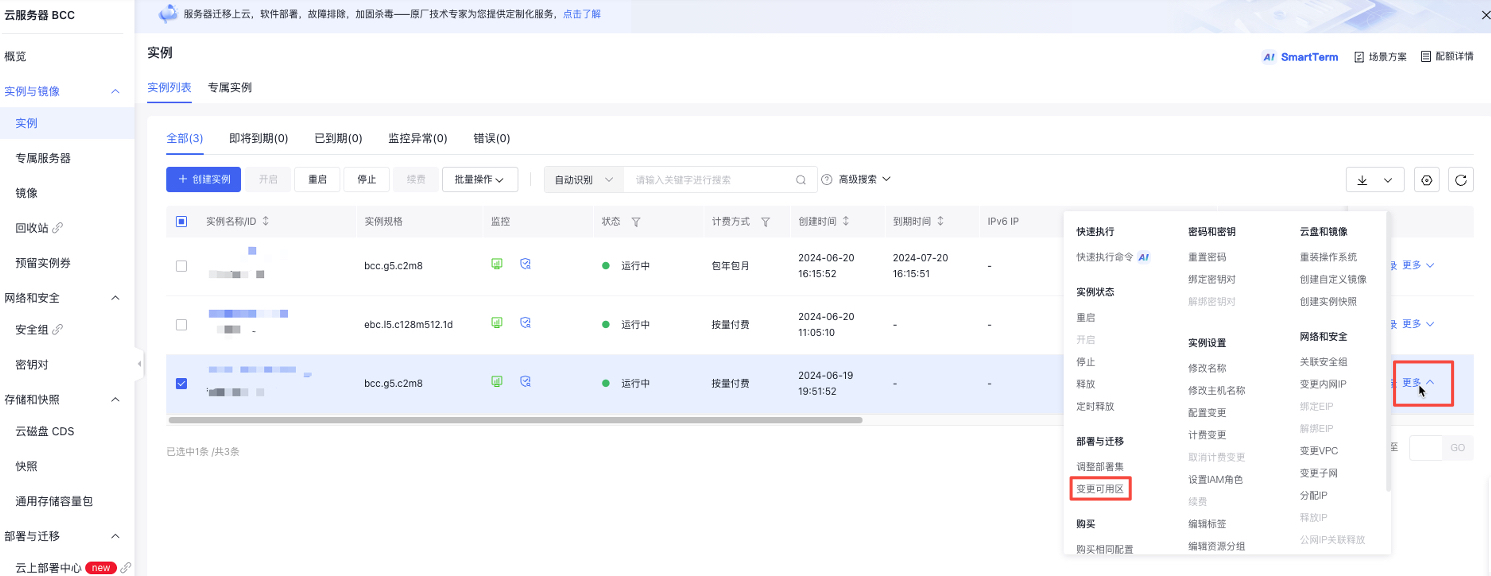
- In the right-hand operation bar, click on More - Deployment & Migration - Change Availability Zone.
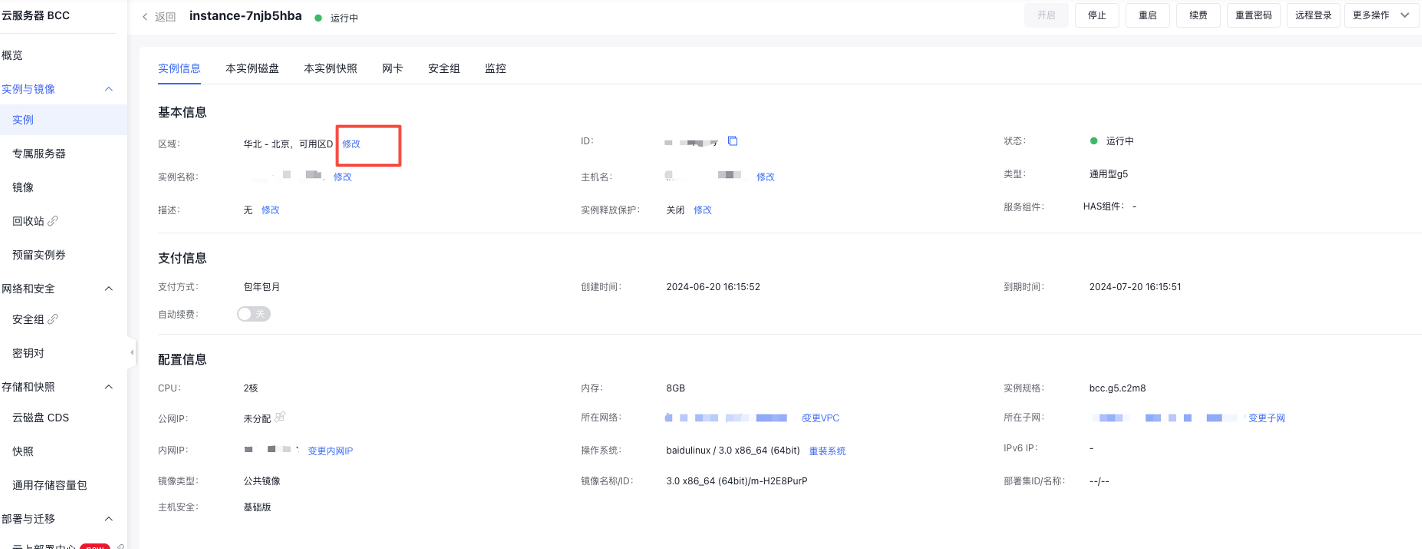
- Click on the instance name to enter the Instance Information page and click the Modify button after the region.
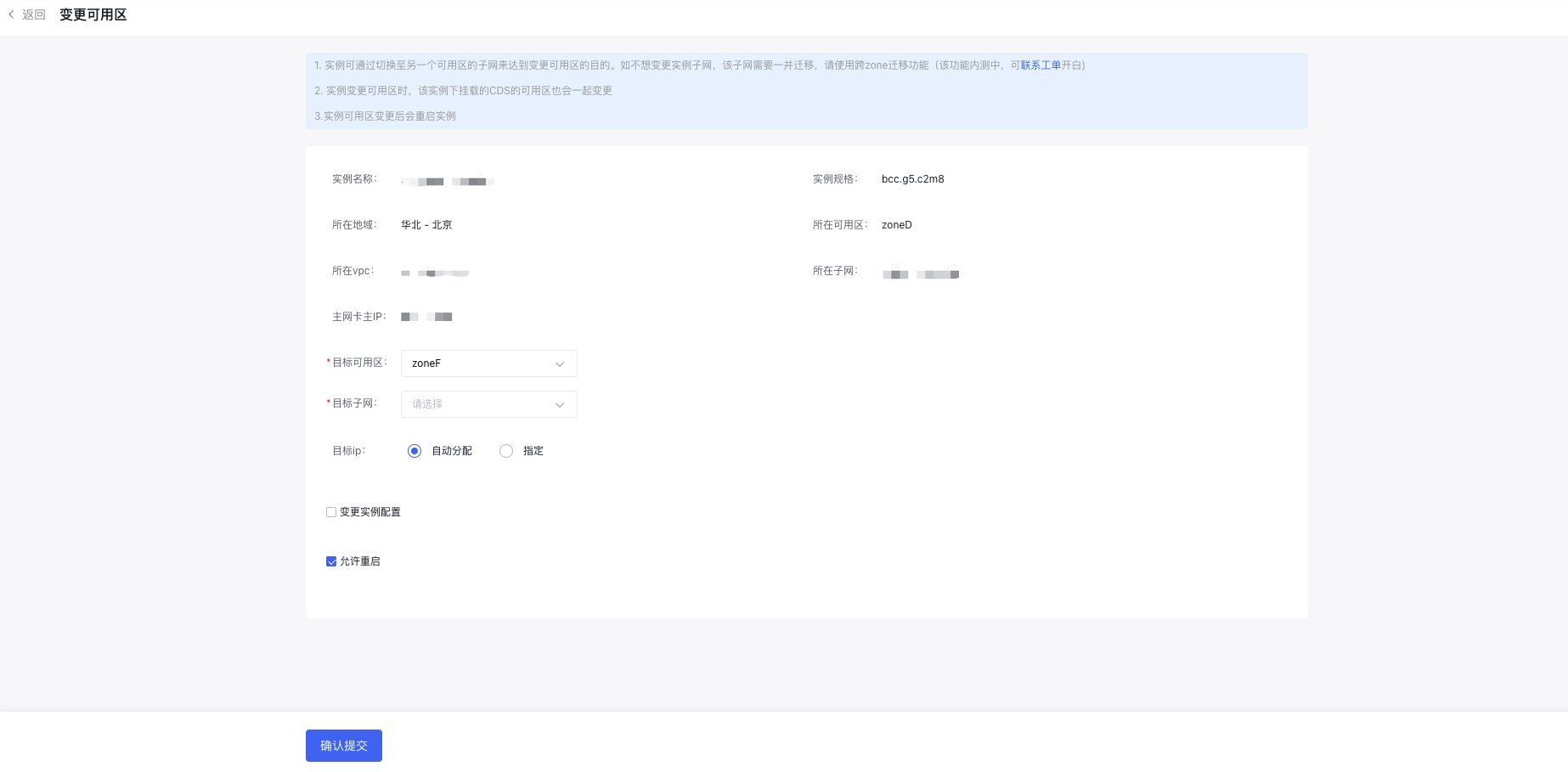
- On the operation page, select the corresponding configuration and click OK for submission. The instance will enter the migration status.
- After the migration is completed, the instance will return to the running or stopped status.