Windows CPU and Memory Full Troubleshooting Steps
Updated at:2025-10-20
This document provides troubleshooting steps for resolving internal server resource issues, using Windows Server 2012 as an example, when problems such as server lag or unexpected exits after login occur.
Step 1: Sign in to the server
Log in to the server using the built-in remote connection tool on Windows. If remote connection fails, try logging in using VNC.
Step II: View process resource usage
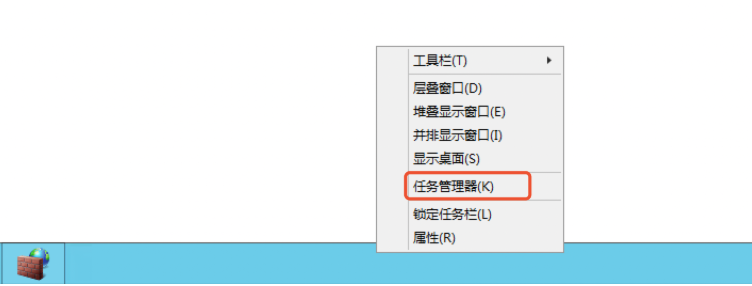
- Right-click on the taskbar and select Task Manager.
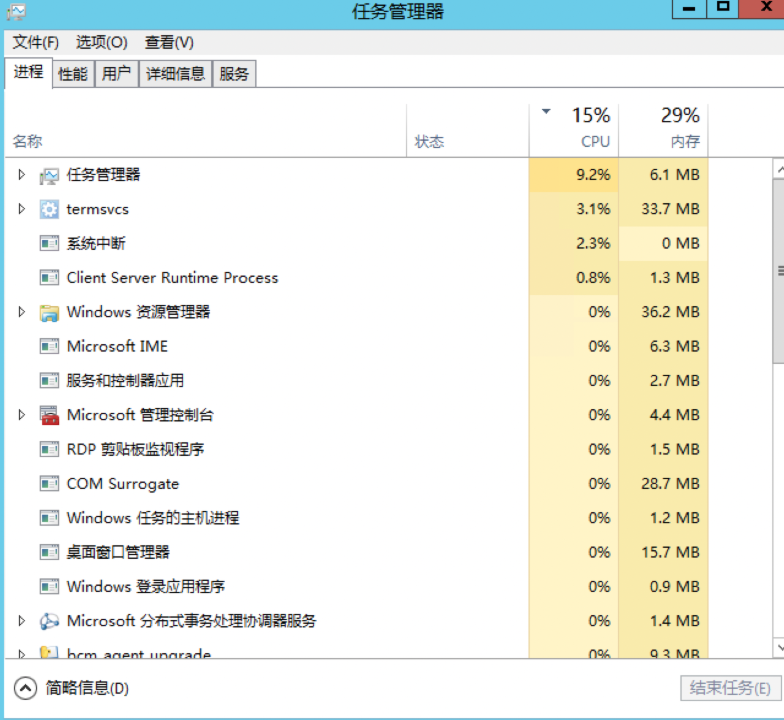
- Check the current CPU and memory usage.
If normal processes are consuming significant resources, consider upgrading CPU and memory capacity;
If abnormal processes are found, first take a snapshot, then terminate the process. Monitor whether normal operations resume after the process is terminated.