

Create Elastic High-performance Computing Cluster
Overview
This document explains how to manage Elastic Hyper-Computing (EHC) clusters using the console.
Create an EHC cluster and a BCC instance
Follow these steps to create an EHC cluster on the console:
- Sign in to Cloud Management Console, and select Product Service > Compute > Baidu Cloud Compute (BCC).
- Select the region where the Baidu Cloud Compute is located.
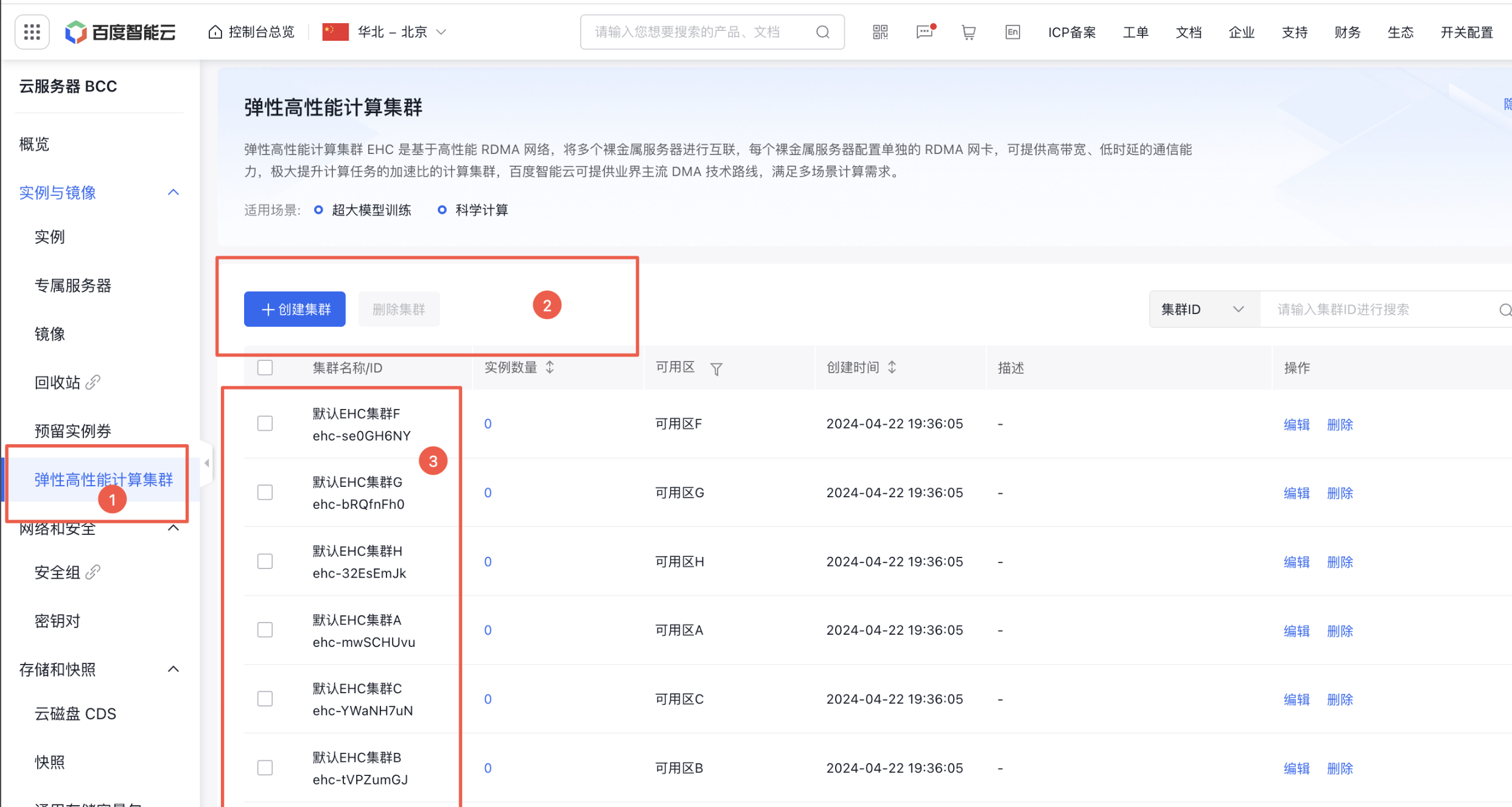
- As shown in Figure 1, select the elastic hyper-computing cluster module from the sidebar. In the list, you can see the system-default EHC cluster. If you do not need multiple EHC clusters to isolate the network, you can use the default EHC cluster. You may also click Create Instance via option 2 to create more clusters.
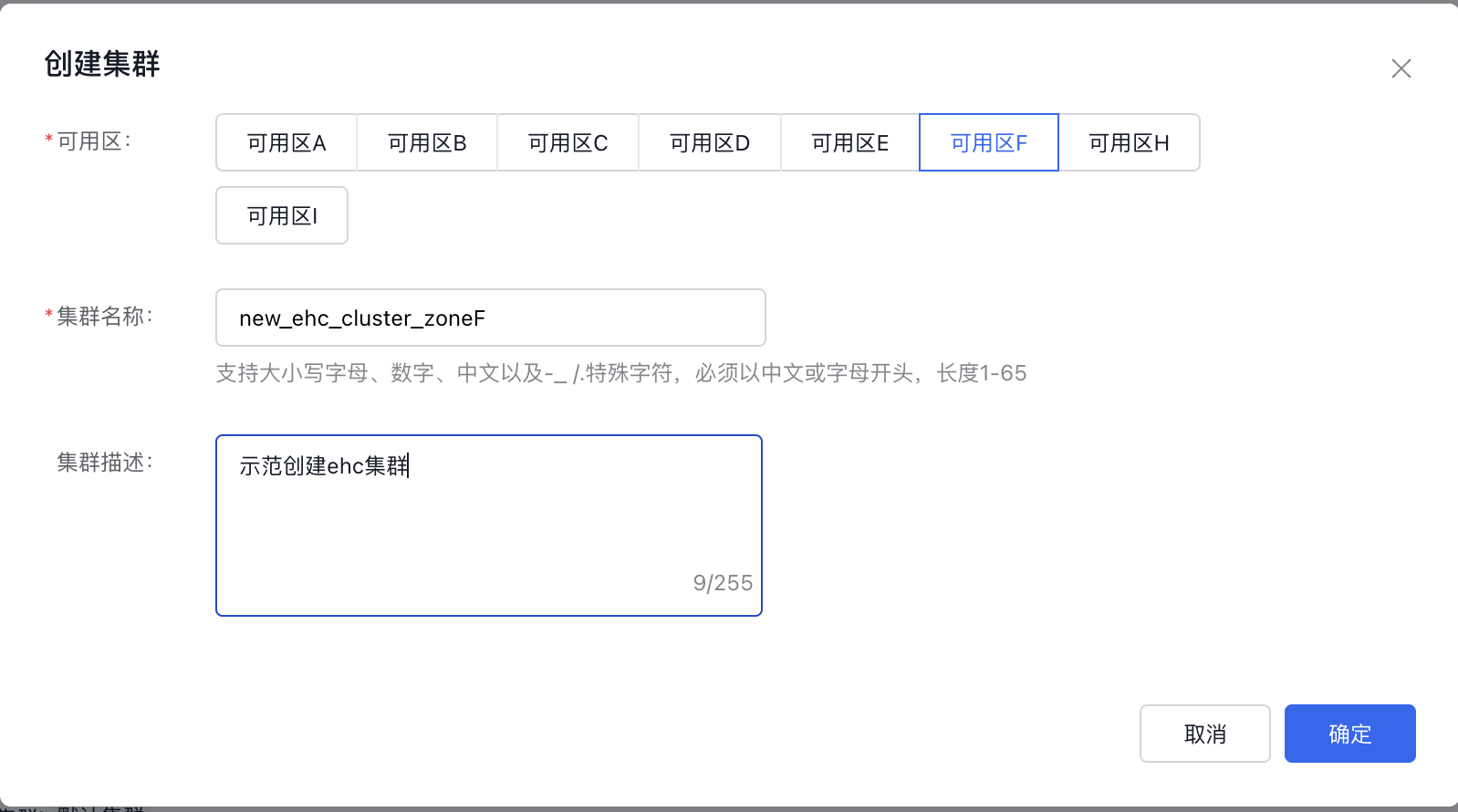
- In the pop-up window, select the availability zone, enter the cluster name and description, and then click OK.
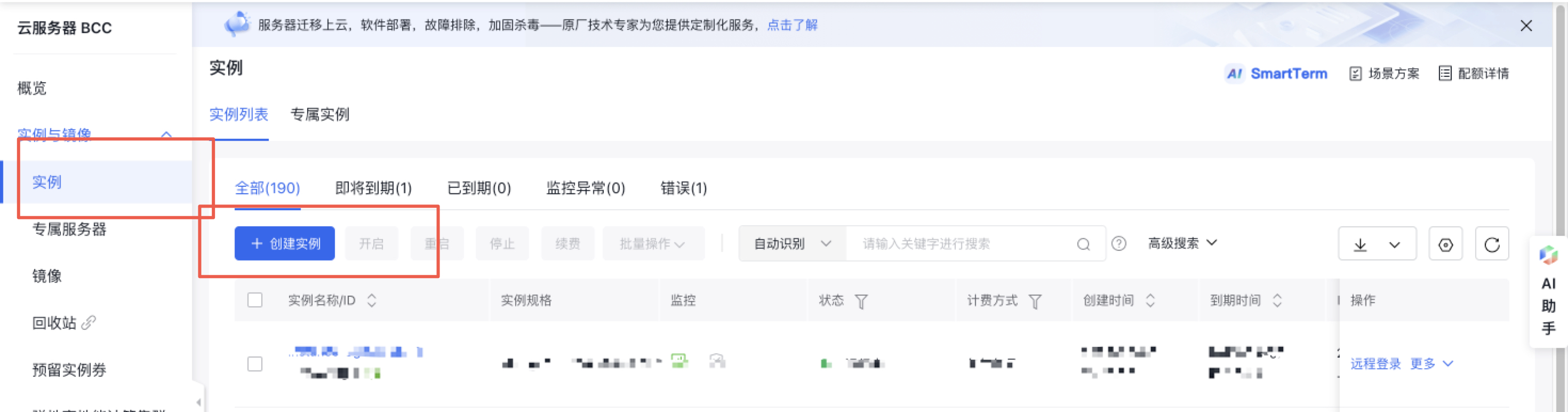
- Select Instance from the console sidebar and click Create Instance
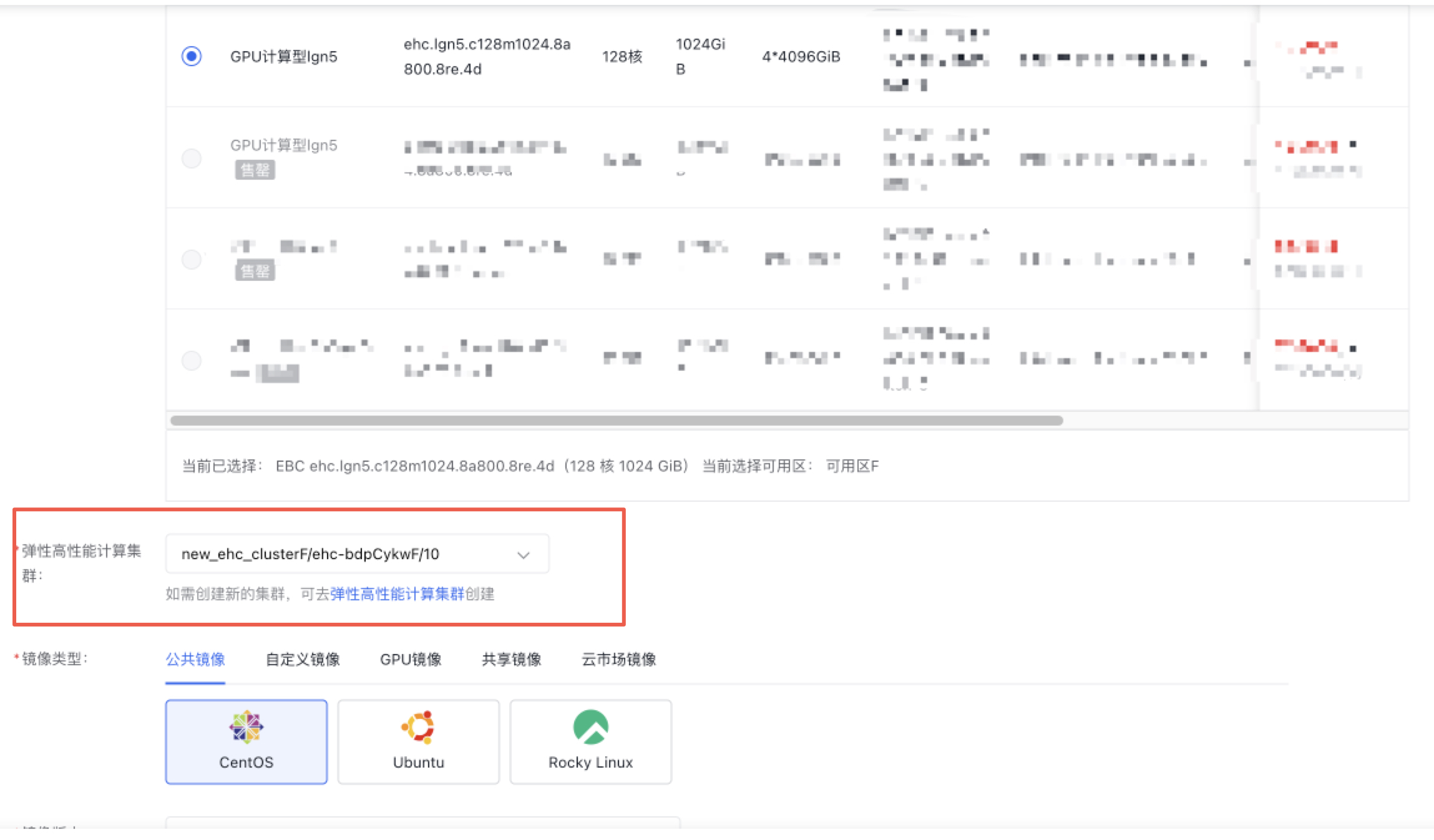
- Create an EHC package in BCC by selecting the newly created EHC cluster in the elastic hyper-computing cluster to complete the creation
Delete EHC cluster
On the EHC Cluster List page, choose Delete in the operations to remove the EHC cluster. Before deletion, ensure that no instances exist in the EHC cluster. Click the Instance Count in the list to jump to the BCC Instance List and view the instances within the cluster.
Create EHC Instance
Compared with other BCC instance specifications, you need to fill in the EHC cluster parameters to create an EHC instance. You can refer to Create Instanceto view the related operations.
Create reserved instance for EHC instances
Compared with other BCC instance specifications, you need to fill in the EHC cluster parameters to create reserved instances for EHC instances. You can refer to Create Reserved Instanceto view the related operations.