

Modify instance name
Operation scenarios
Baidu Cloud Compute allows batch renaming of instances using a prefix and a serial number. For example, in the "Modify Instance Name" dialog, input "BaiduBCC" to rename instances as BaiduBCC-1, BaiduBCC-2, BaiduBCC-3, and so on.
For easier instance management in the console, Baidu Cloud Compute (BCC) supports renaming each instance either individually or in batches.
Operation steps
Modify a single instance name
- Sign in to BCC Console and enter the Instance List page.
-
Select the Instance whose name you want to change, click the
 button at the right of the instance name, or click "More - Instance Settings - Modify Name" under the operation bar, as shown below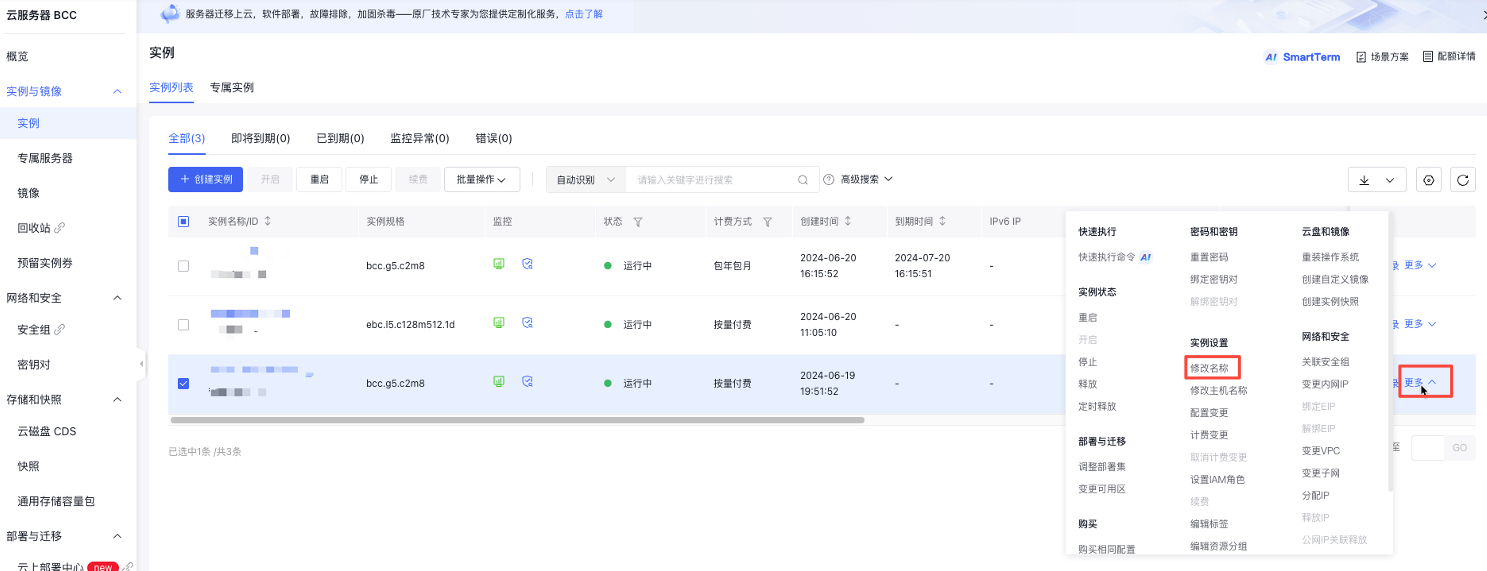
- In the Modify Instance Name dialog, input your desired instance name and click OK to apply the changes.
Batch modify instance name
- Sign in to BCC Console and enter the Instance List page.
- Select multiple instances that require name changes, then click "Batch Operation - Modify Name".
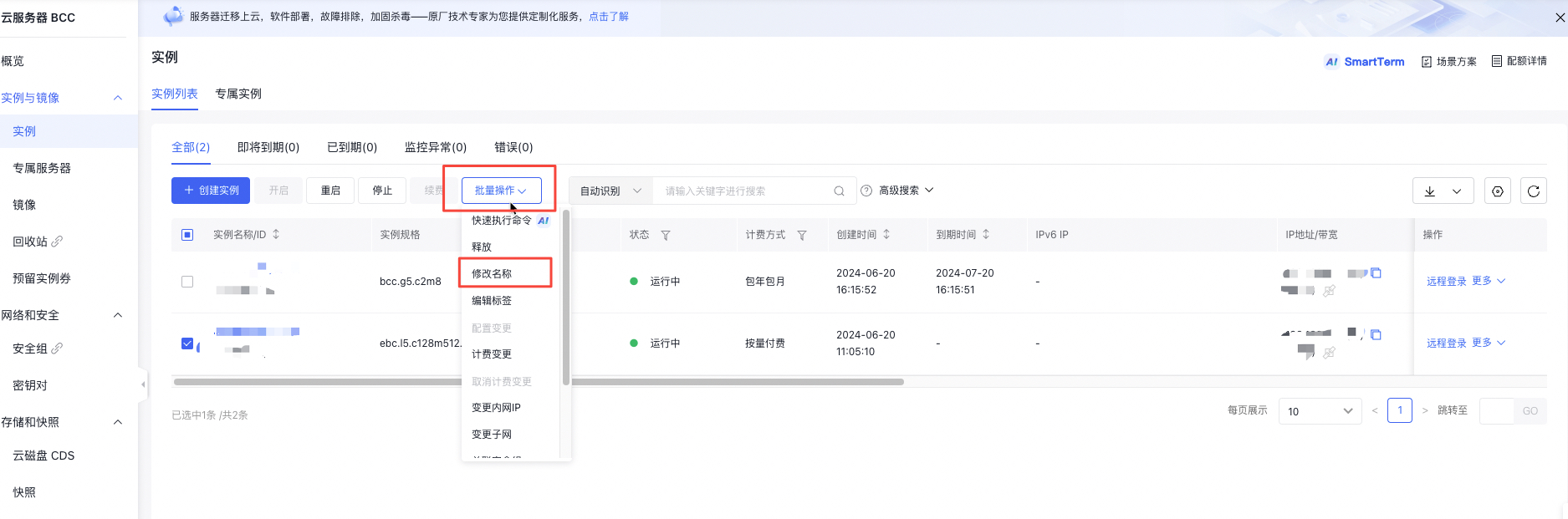
- In the Modify Instance Name dialog, input the desired instance name prefix, then click OK to apply the changes.
Note:
For batch name changes, the format used is "prefix + serial number". For example, input BaiduBCC to rename instances as BaiduBCC-1, BaiduBCC-2, BaiduBCC-3, and so forth.
Modify instance name via API
You can use [Modify Instance Attributes API](BCC/API Reference/Instance Related Interfaces/Modify instance attributes.md) to change the name of specified instance.