Change subnet
Updated at:2025-10-20
This document provides guidance on changing a BCC instance to a different subnet. If you mistakenly selected the wrong subnet during instance creation or wish to replan the network, use this feature to switch the subnet of a BCC instance.
Note
- If the instance has an elastic network interface, ensure you release it first.
- If the instance's primary network interface card has secondary IP addresses, make sure to release them first.
- If the instance is assigned an IPv6 address, release it before proceeding.
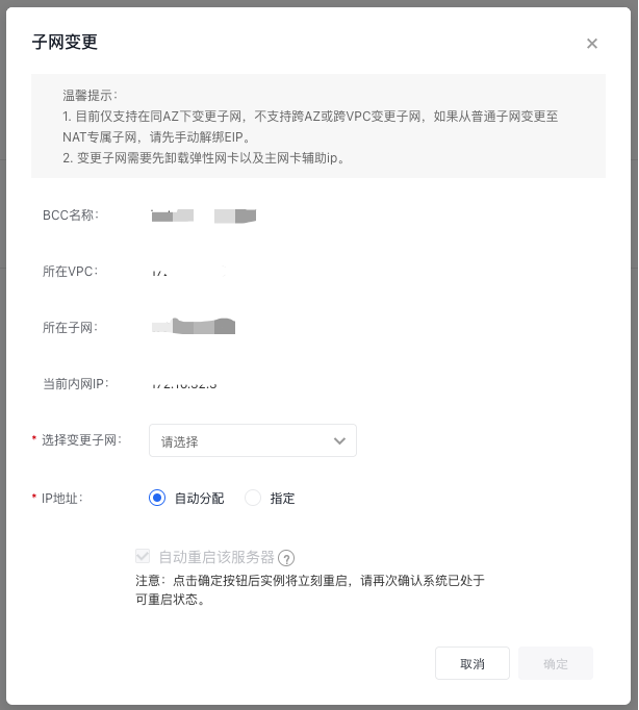
- This operation is currently supported only within the same availability zone (AZ); cross-AZ or cross-VPC changes are not supported. For switching from a standard subnet to a NAT-dedicated subnet, unbind the EIP manually beforehand.
- Changing the subnet of a machine will trigger a system reboot.
Operation steps
- Sign in to BCC Console and enter the Instance List page.
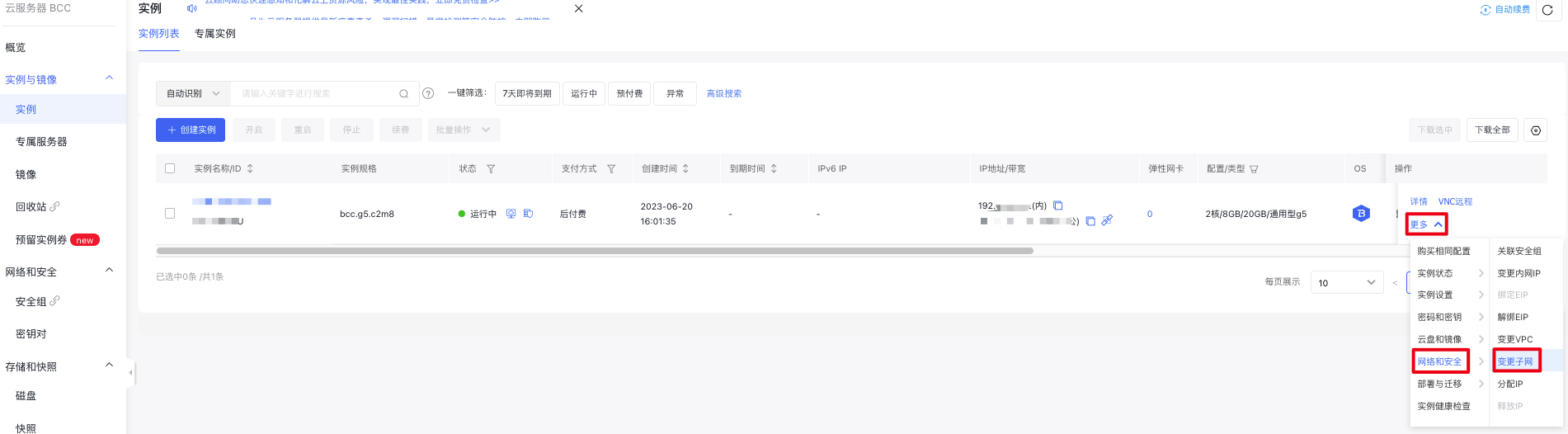
- Select the instance whose subnet you want to change, then click More > Network & Security > Change Subnet in the right operation bar.
- Select the Corresponding Configuration on the Operation page, then click OK. The instance status changes to Changing Subnet.