

Edit security group
Updated at:2025-10-20
Background
This feature can be used to modify security group rules, change the security group's name, or update its description.
Note
- To ensure system security, it is recommended that users should not modify relevant configuration of the default security group. When other security group mechanisms with different permissions are needed, [create a security group](BCC/Operation guide/Security/Security group/Create a security group.md) and bind it to the BCC instance.
- Users can modify all information related to a security group except for its ID.
Operation steps
- Sign in to BCC Console and enter the Instance List page.
- Click Security Group in the left navigation bar to enter the security group management page.
-
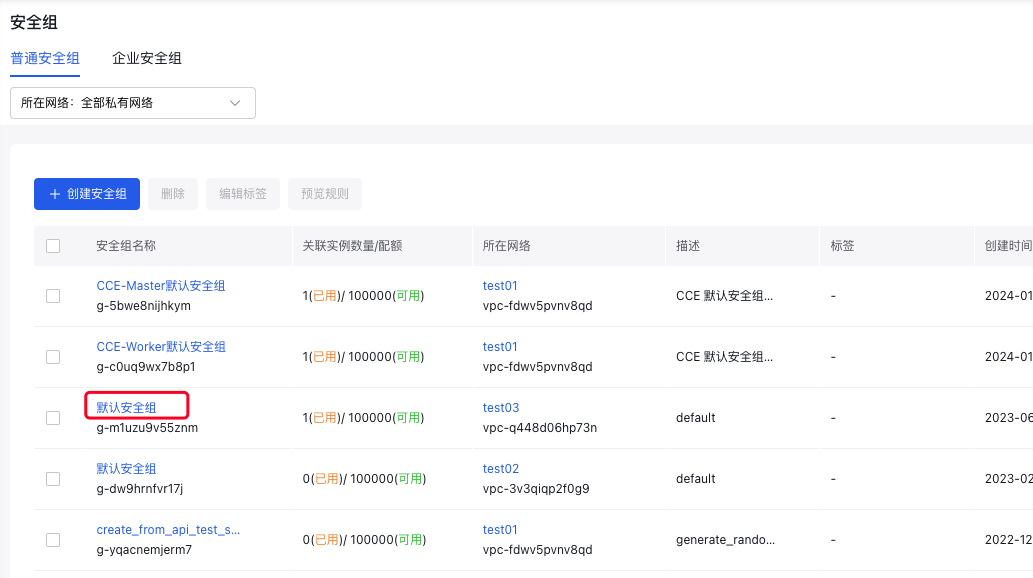
Select the desired security group to edit, then click on its name link, as shown in the illustration below.
-
For the protocol that requires rule modification, click Edit in the corresponding operation column to proceed to conduct the editing.
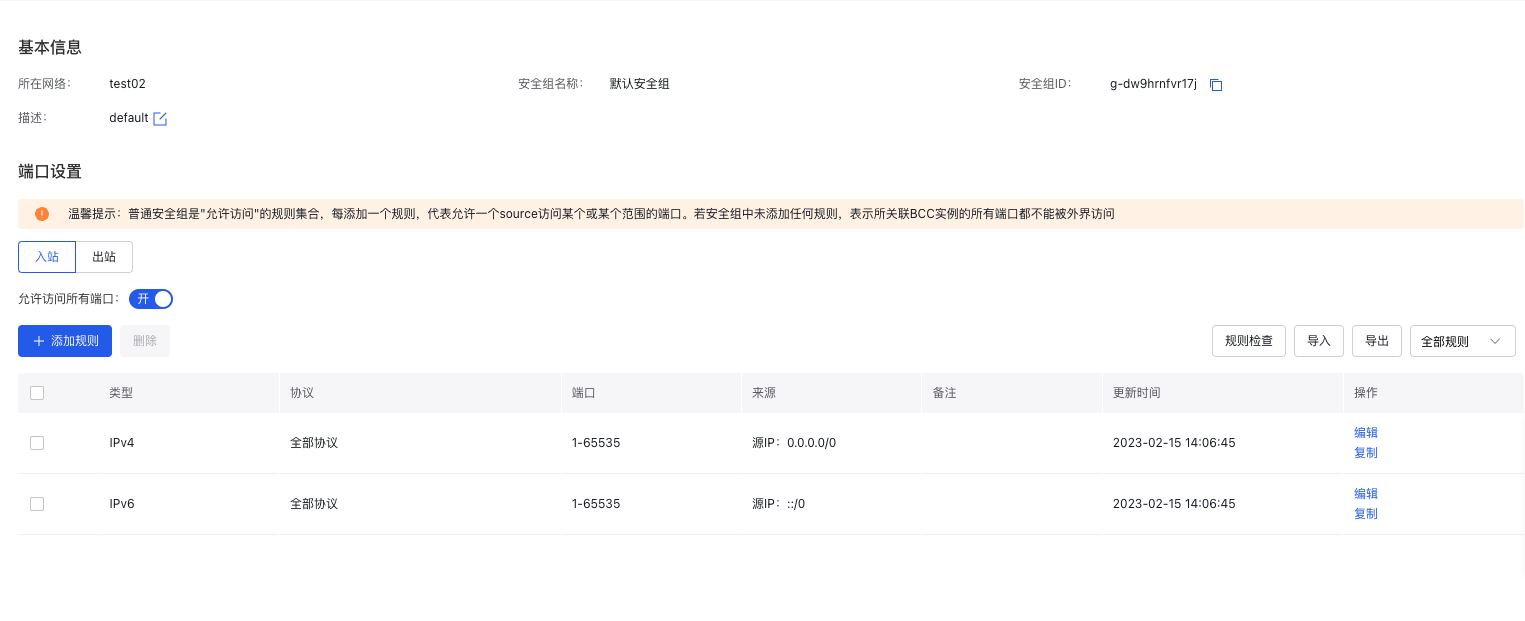
- After completing the modification, click OK to complete the modification of the security group information.
Edit security group rules via API
- You can authorize new security group rules in a security group via [Authorize Security Group Rule Interface](BCC/API Reference/Security Group Related Interfaces/Authorize security group rules.md).
- You can revoke rules in a security group via [Revoke Security Group Rule Interface](BCC/API Reference/Security Group Related Interfaces/Revoke security group rules.md).