

Configure IPv6 Address
To enable IPv6, you can use the IPv6 dual-stack method.
IPv6 dual stack
IPv6 dual-stack technology allows a host to support both IPv6 and IPv4 protocols, enabling it to communicate with hosts that support either IPv4 or IPv6 only. Currently, the IPv6 dual-stack feature is available for BCC/DCC instances across all regions.
Step 1: Configure IPv6VPC
Step 2: Assess whether additional actions are necessary based on the operating system. Details are as follows:
- The CentOS 6, CentOS 7, and CentOS 8 images provide automatic support for IPv6.
- The OpenSUSE image currently does not support IPv6.
- Other public image series (Windows/Debian/Ubuntu) require a script to enable IPv6. Here are the steps to configure the script:
Configuring IPv6 for Windows images
-
Open the CMD command prompt on the cloud server with administrator rights and run the following command to disable randomized IPv6 identifiers.
netsh interface ipv6 set global randomizeidentifiers=disabled
Plain Text1 - Verify if the last 12 characters of the Dhcpv6DUID value correspond to the MAC address. If they match, skip this step. If they don't, proceed with the instructions below:
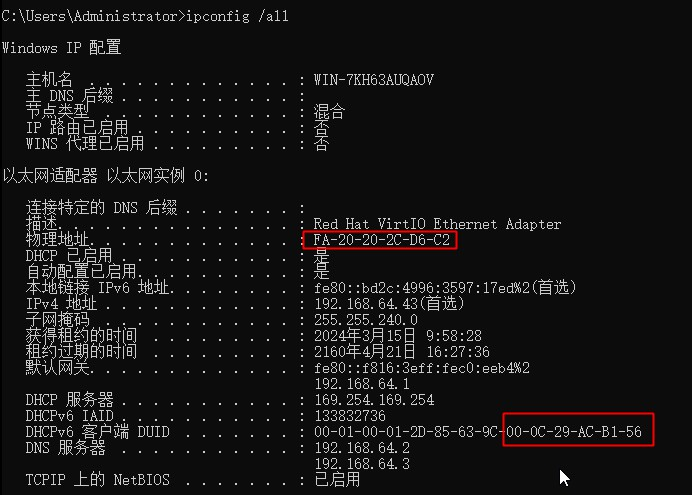
Update the Dhcpv6DUID value in the registry. Open the cmd Command Line, run the regedit command to launch the Registry Editor, and navigate to the registry path: HKEY_LOCAL_MACHINE\SYSTEM\CurrentControlSet\services\TCPIP6\Parameters.
1 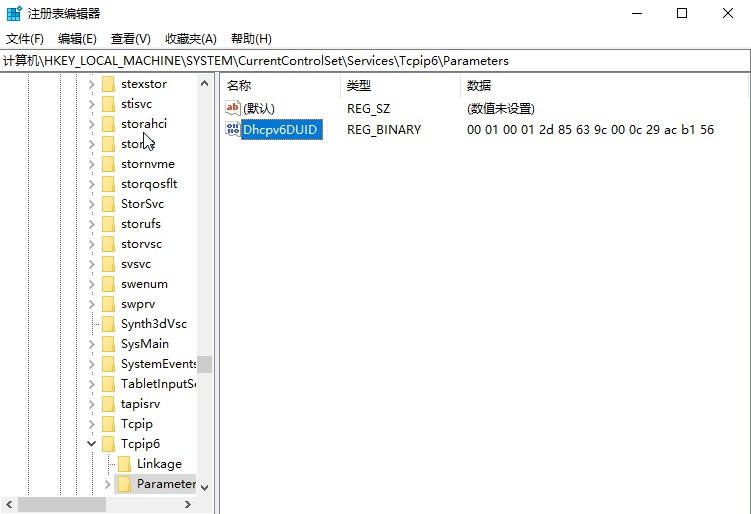Right-click on Dhcpv6DUID and edit its last 12 characters to align them with the MAC address of the interface.
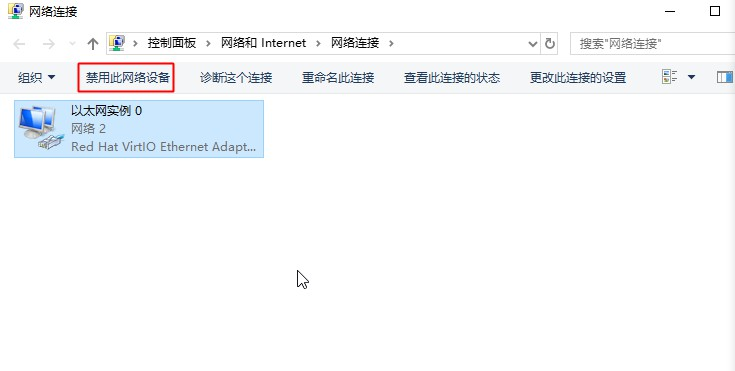
1 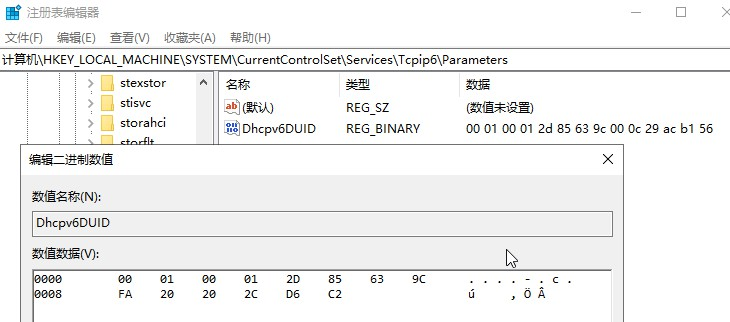- Go to the Network Connection Configuration page, select the Network interface, and click on Disable This Network Device. After successfully disabling, click on Enable This Network Device. Once re-enabled, the network interface should obtain an IPv6 address.
By running ipconfig /all in the command line, you can verify the IPv6 address. If the console displays the same IPv6 address, it confirms correctness.
1 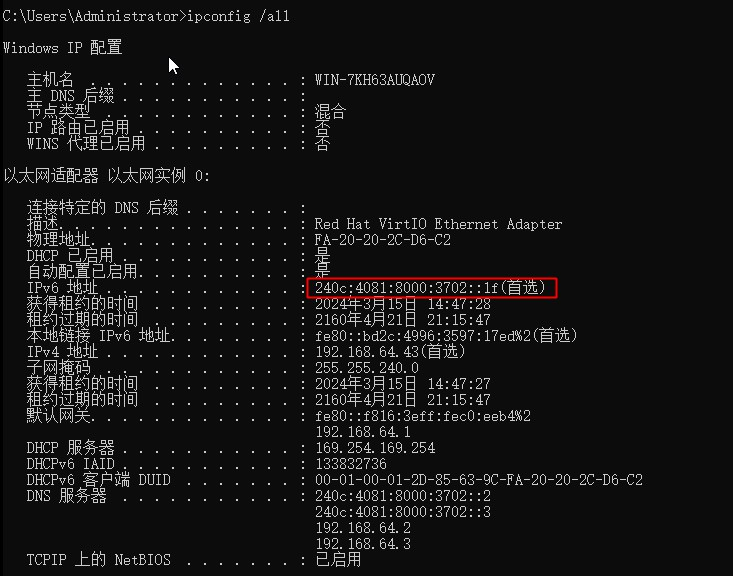
2
3 Configuring IPv6 for debian/ubuntu image
- Download the attachment script and replicate it to your cloud server.
-
Grant execution permissions to the bcc-ipv6 script file.
- chmod +x bcc-ipv6-debian
-
Run bcc-ipv6-debian in the terminal
- ./bcc-ipv6-debian --add Configure ipv6 for cloud server
- ./bcc-ipv6-debain --del Delete configured ipv6
Note: If IPv6 is only enabled for the corresponding VPC after BCC creation, the BCC will not automatically obtain an IPv6 address. You must manually run the command dhclient -6 eth0 to acquire the IPv6 address.