Kubelet Container Monitor Read-Only Port Risk Warning
Due to the risk of information leakage identified in the community Kubernetes read-only container monitor, Baidu AI Cloud Container Engine (CCE) does not enable the kubelet container monitor read-only port (10255) by default.
Risk statement
If a cluster node is breached, the default kubelet container monitor read-only port (10255) in community Kubernetes might expose partial application information, leading to a potential data leakage risk. Consequently, Baidu AI Cloud Container Engine (CCE) disables the kubelet container monitor read-only port (10255) by default.
If you use or plan to use the kubelet read-only port (10255), ensure you fully understand the associated data security risks. After acknowledging the implications, you can manually enable the read-only port (10255) by configuring the kubelet parameters according to your needs.
Manually enable kubelet read-only port (10255)`
If you use or intend to use the kubelet read-only port (10255), make sure to fully understand the data security risks. After considering the potential implications, you can manually activate the read-only port (10255) through the kubelet parameters as necessary.
Method I: Add nodes to enable kubelet read-only port
- Sign in to the Baidu AI Cloud official website and enter the Cloud Container Engine (CCE) management console.
- Click Cluster Management - Cluster List in the left navigation bar, then click the target cluster name on the Cluster List page to access the Cluster Management page.
- Select Node Management - Nodes in the left navigation bar to access the Node List page.
- Click Add Node in the node list, then set custom kubelet parameters in Advanced Settings to modify the readOnlyPort parameter value to 10255.
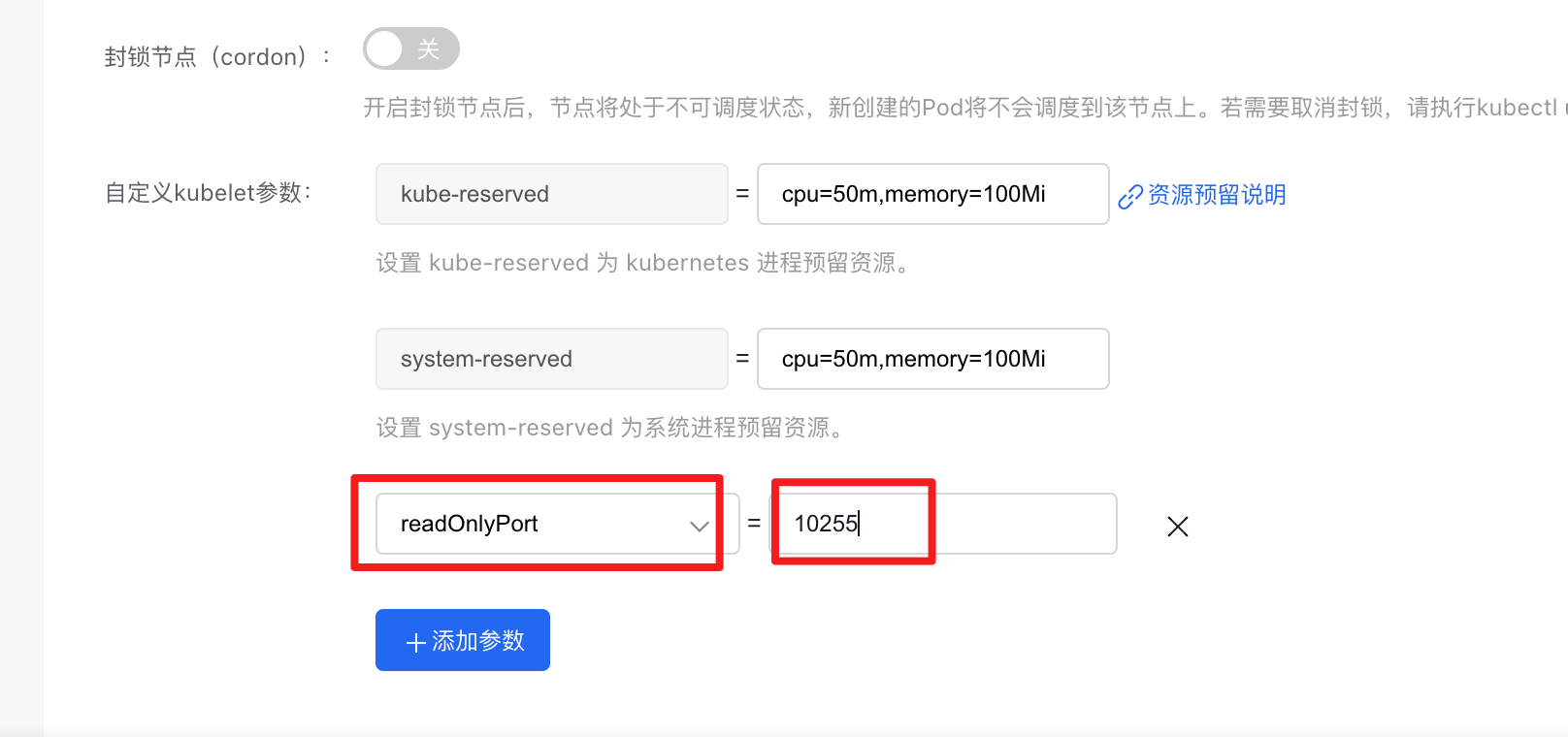
- Click OK to complete the enabling of the node’s 10255 port.
Method II: Configure kubelet in node group to enable kubelet read-only port
- Sign in to the Baidu AI Cloud official website and enter the Cloud Container Engine (CCE) management console.
- Click Cluster Management - Cluster List in the left navigation bar, then click the target cluster name on the Cluster List page to access the Cluster Management page.
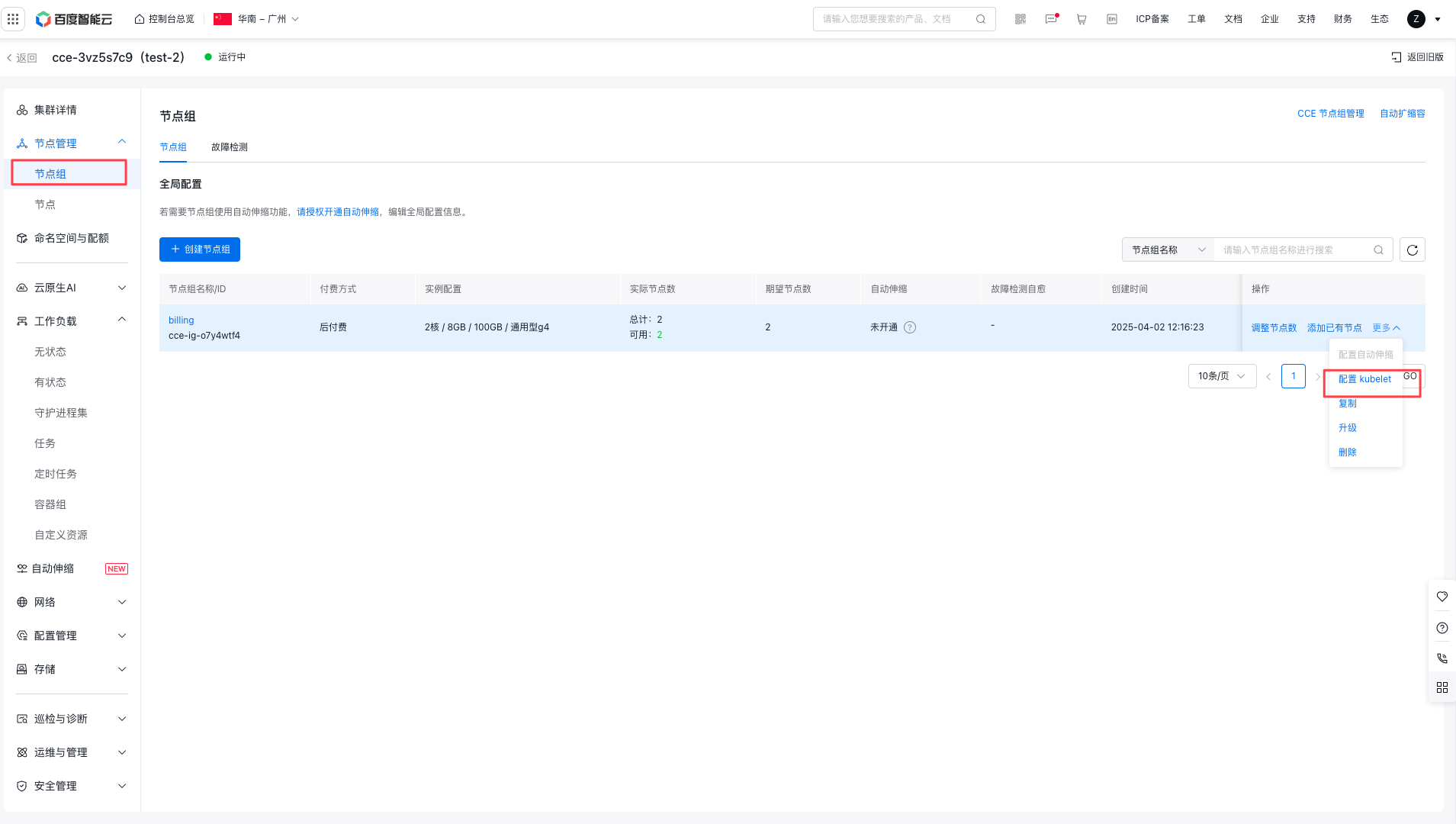
- Select Node Management - Node Group in the left navigation bar to access the Node List page.
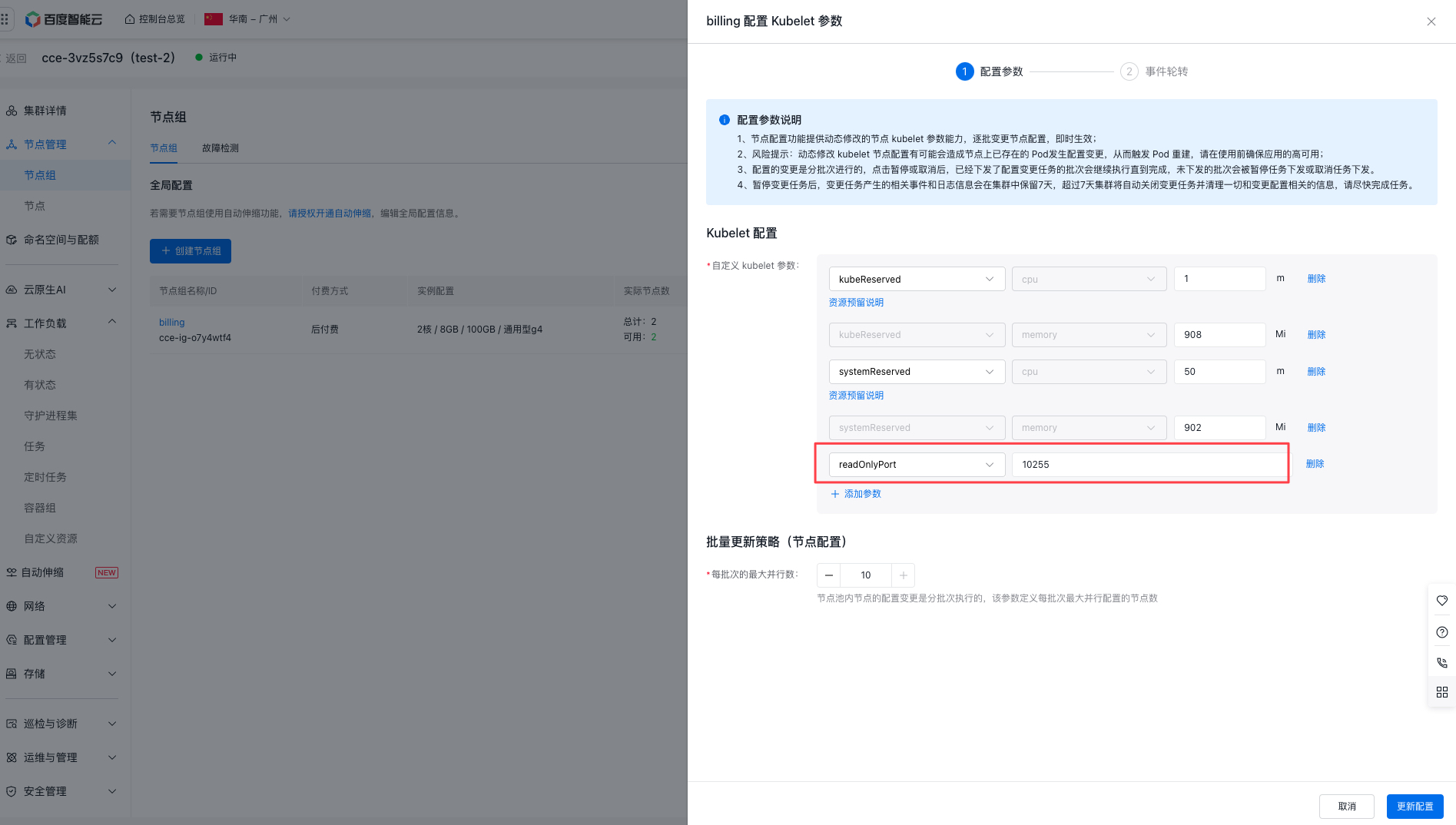
- In the node group list, select the desired node group, click More, select Configure Kubelet, set custom kubelet parameters on the configuration page, and add the parameter readOnlyPort with a value of 10255.