

Setting Node Blocking
Updated at:2025-10-27
Overview
You can manage a node’s scheduling status by setting it to cordoned mode, which determines whether pods can be scheduled onto it. When cordoned, no new pods can be scheduled onto the node. Disabling this status restores normal pod scheduling.
Operation steps
- Sign in to the Baidu AI Cloud official website and enter the management console.
- Select Product Services - Cloud Native - Cloud Container Engine (CCE) to enter Cluster Management - Cluster List.
- Click on the target cluster name in the Cluster List page to navigate to the cluster management page.
- On the left sidebar, select Node Management - Nodes to enter the Node List page.
- In the node list, select the nodes to be cordoned and click Cordon Settings.
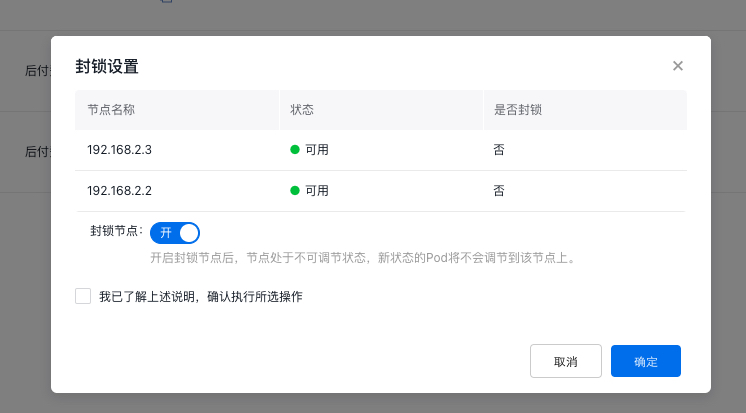
- Enable or disable cordoned node as needed, check “I have read the above instructions and confirm to execute the selected operation”, then click OK to complete the node cordoning setting.