CCE New Cluster Management Release Announcement
The new version of Baidu AI Cloud Container Engine (CCE) cluster management has been officially released. It further enhances feature completeness and service stability, enabling enterprise customers to achieve containerization of their underlying architectures and improve the efficiency of large-scale business operations.
The role of cluster management
As an automated container orchestration and maintenance system, Kubernetes facilitates the deployment, upgrade, and lifecycle management of upper-layer services. However, managing and operating Kubernetes clusters remains complex and challenging. Cloud Container Engine (CCE) cluster management is designed to help users swiftly create and efficiently manage Kubernetes clusters tailored to their business requirements.
Cluster management encompasses the entire lifecycle of clusters, including creation, configuration, access, and operation & maintenance. With features like high availability, security, flexibility, visualization, and scalability, Kubernetes cluster management becomes more cost-effective, efficient, and automated. This document provides a quick overview of the new cluster management features. For detailed usage, please refer to the “Operation Guide.”
Cluster creation
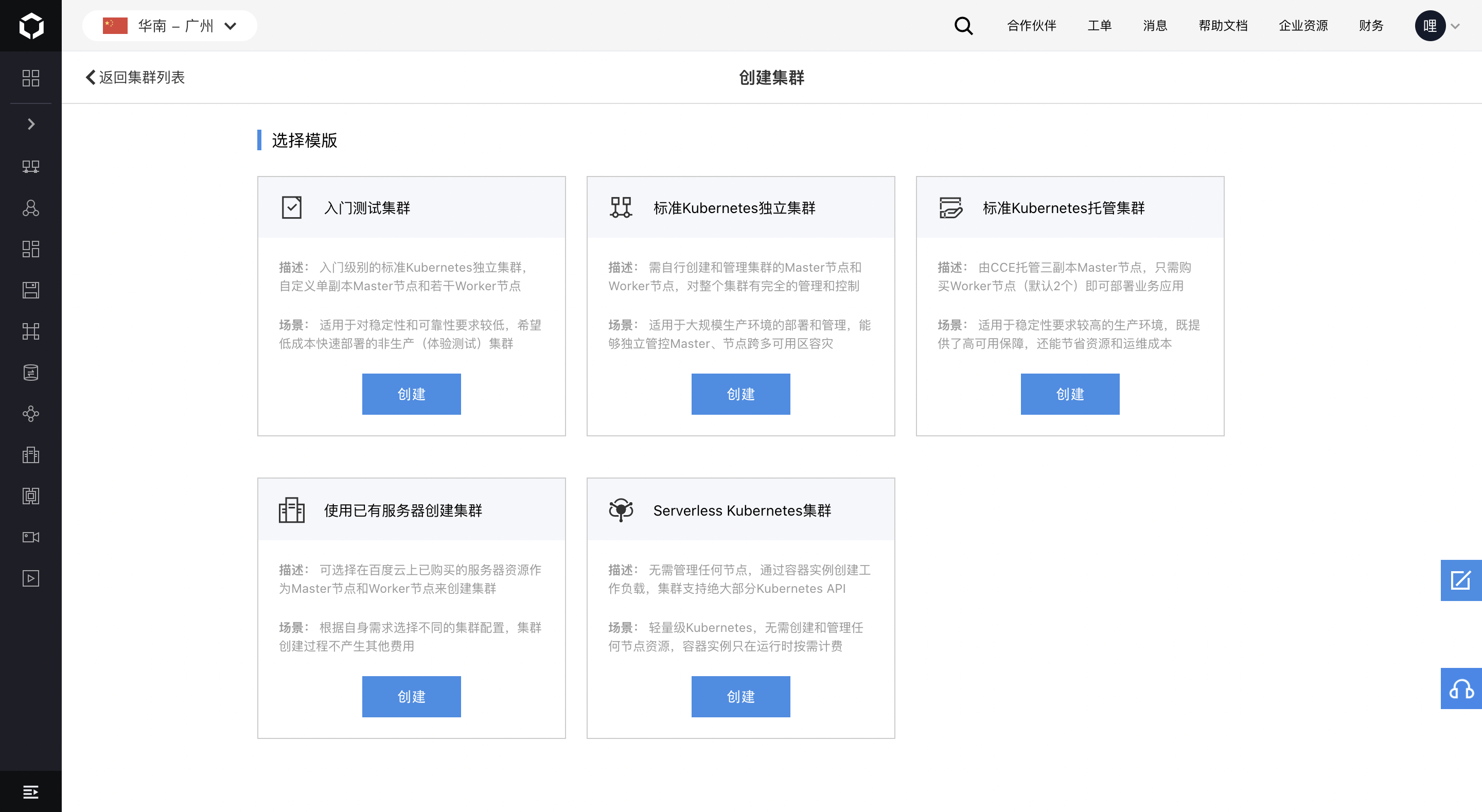
Select cluster template
- Support for selecting cluster templates based on specific business scenarios to quickly create clusters.
Currently available cluster templates include: Starter Test Cluster, Standard Kubernetes Standalone Cluster, Standard Kubernetes Managed Cluster, Cluster Creation Using Existing Servers, and Serverless Kubernetes Cluster.
More types of templates will be introduced in the future. Stay tuned.
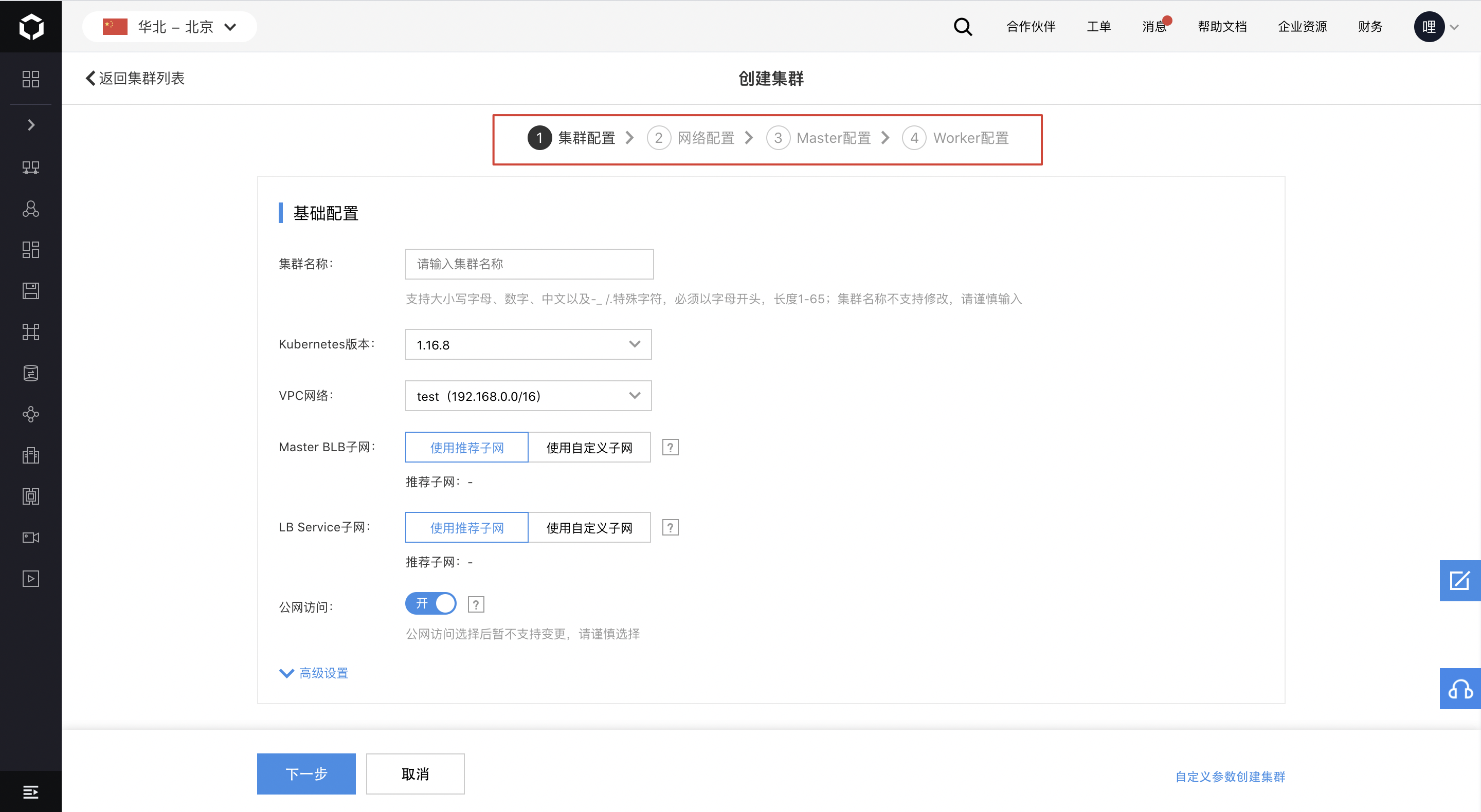
Create cluster in steps
- Support step-by-step cluster creation, allowing users to either customize configurations or quickly create clusters using default settings.
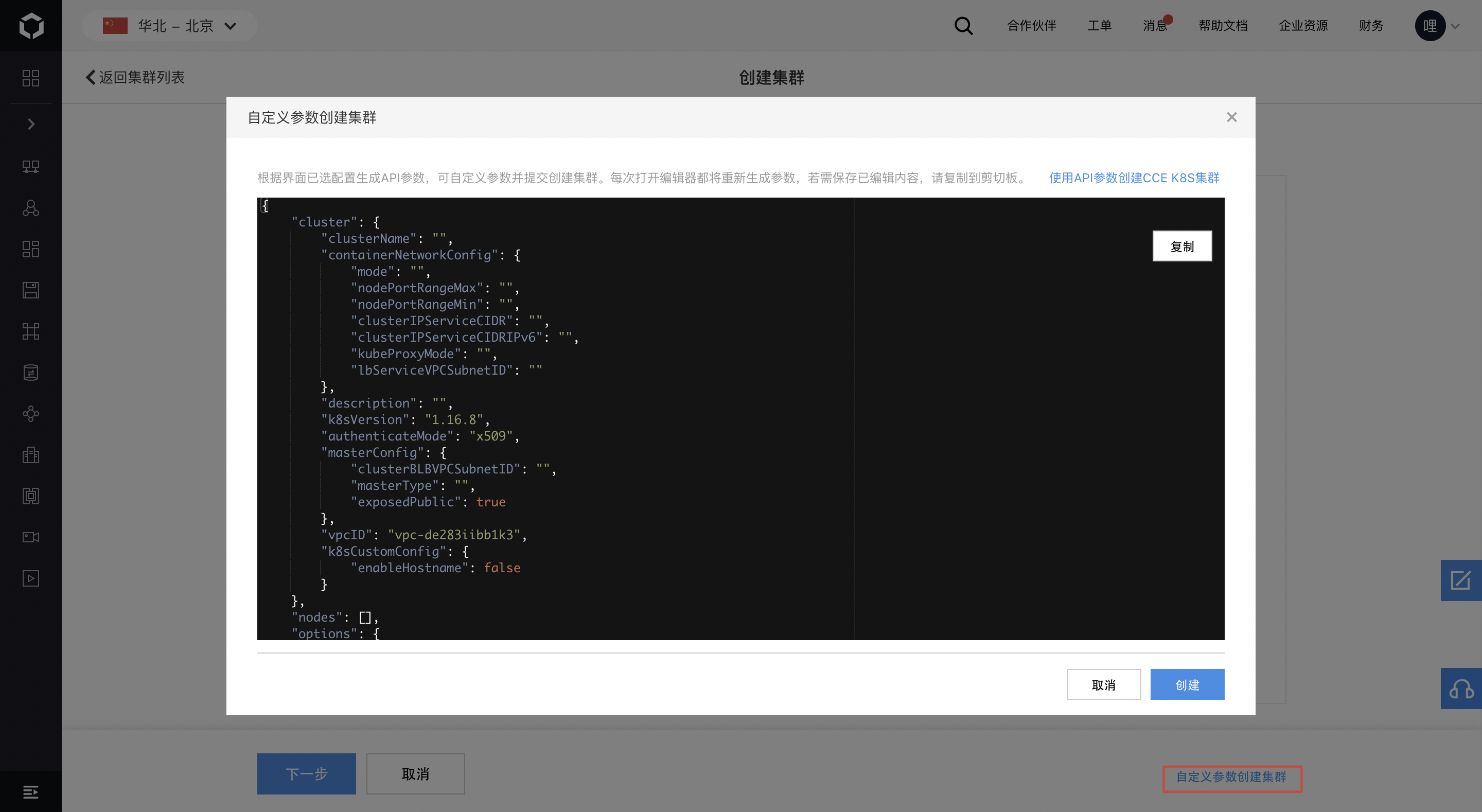
Create cluster with custom parameters
- Enable the generation of API parameters based on API configurations; custom parameters can be configured and submitted to create a cluster.
Cluster configuration
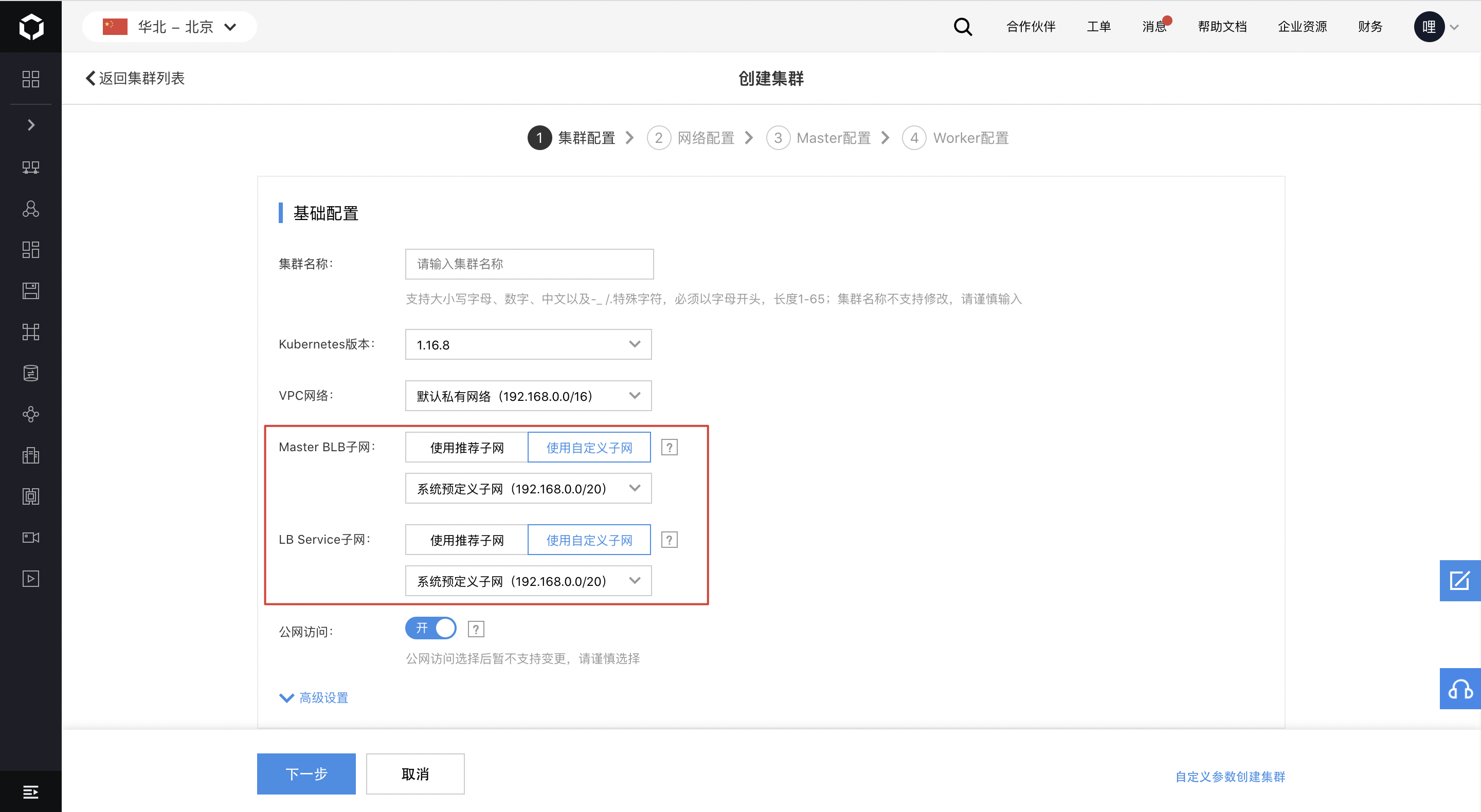
Cluster configuration
- Allow custom configuration of the VPC subnet where the specified Baidu Load Balancer (BLB) associated with Master, LB Service, and Ingress is located.
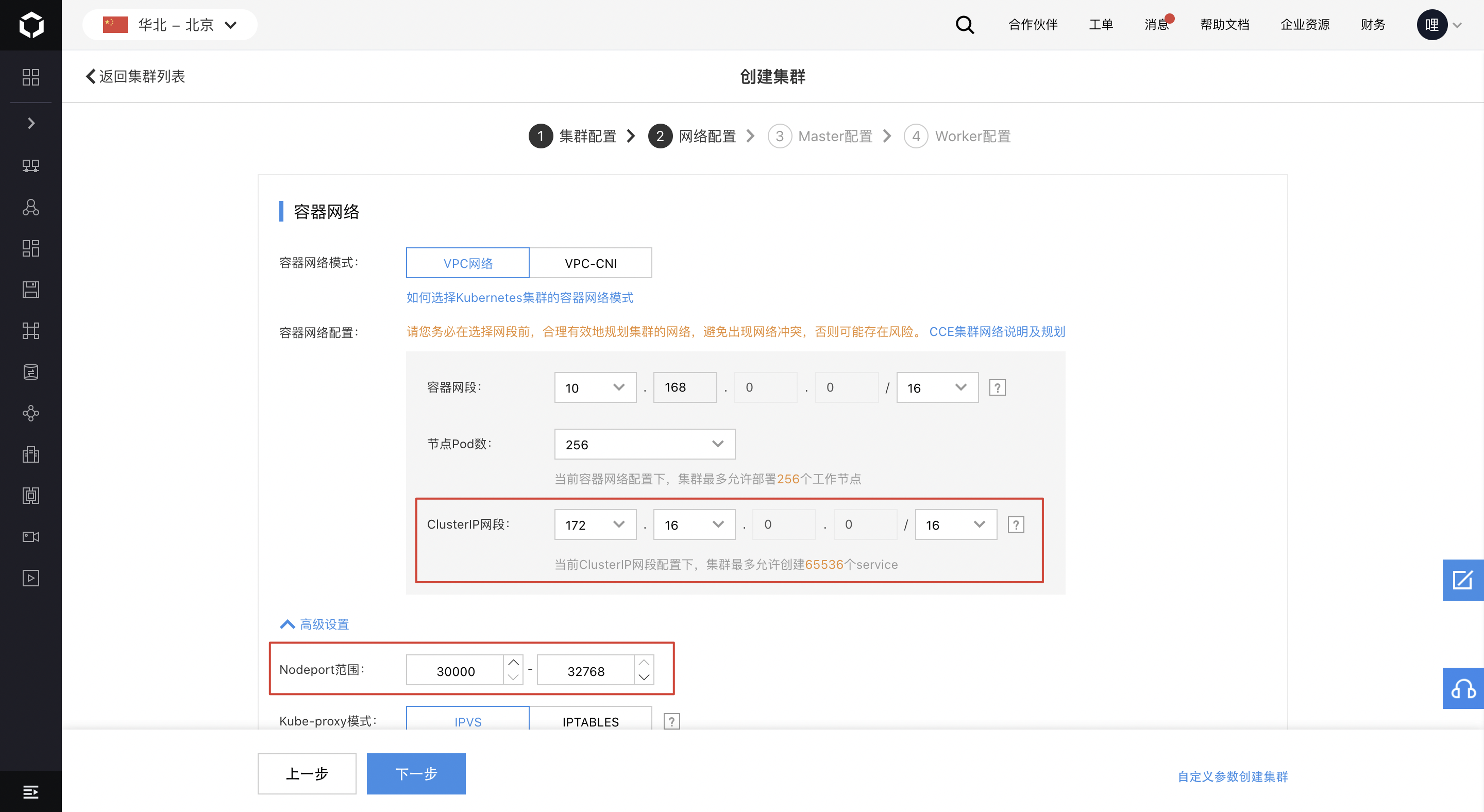
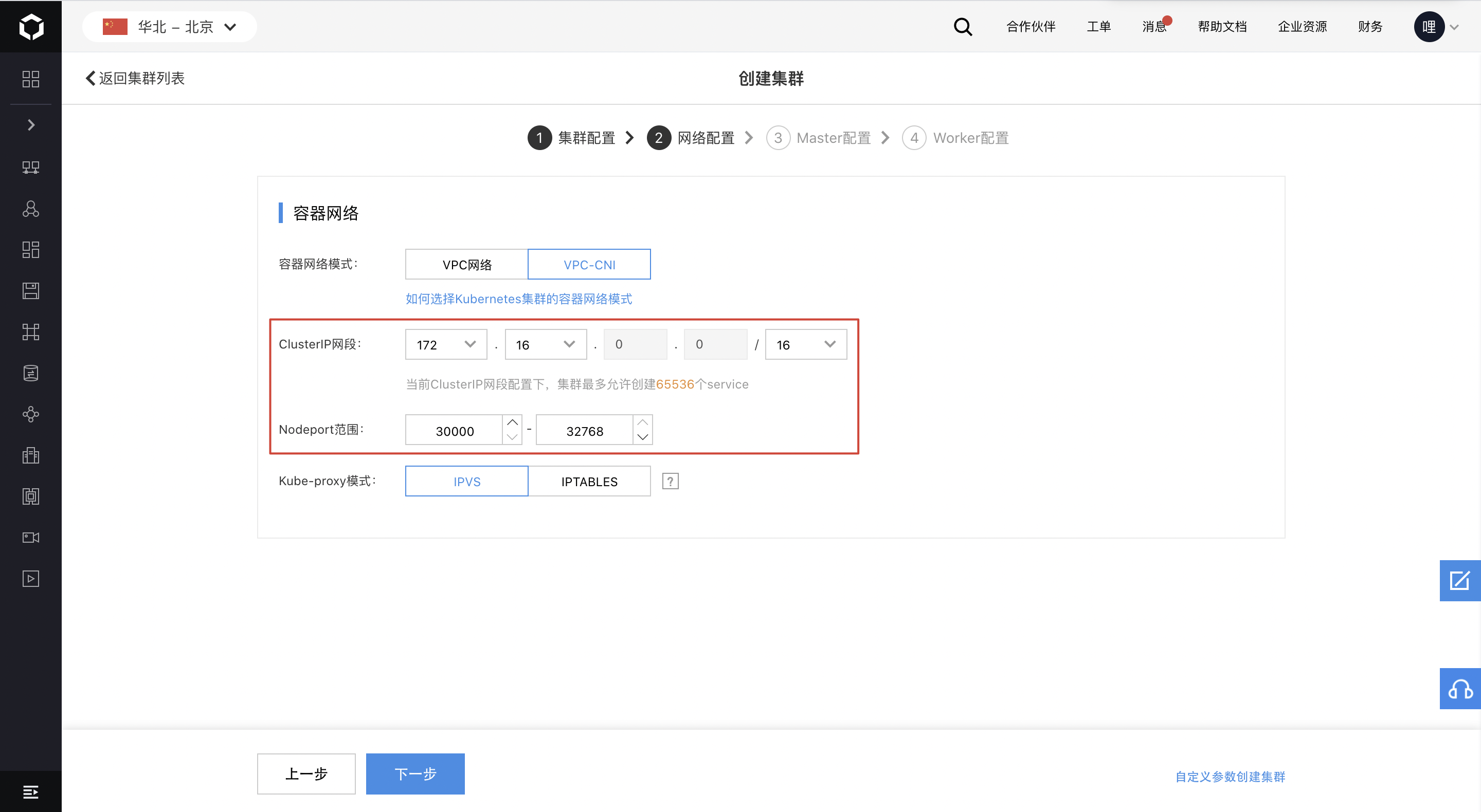
Network configuration
- Provide support for custom configuration of Service ClusterIP and Service NodePort.
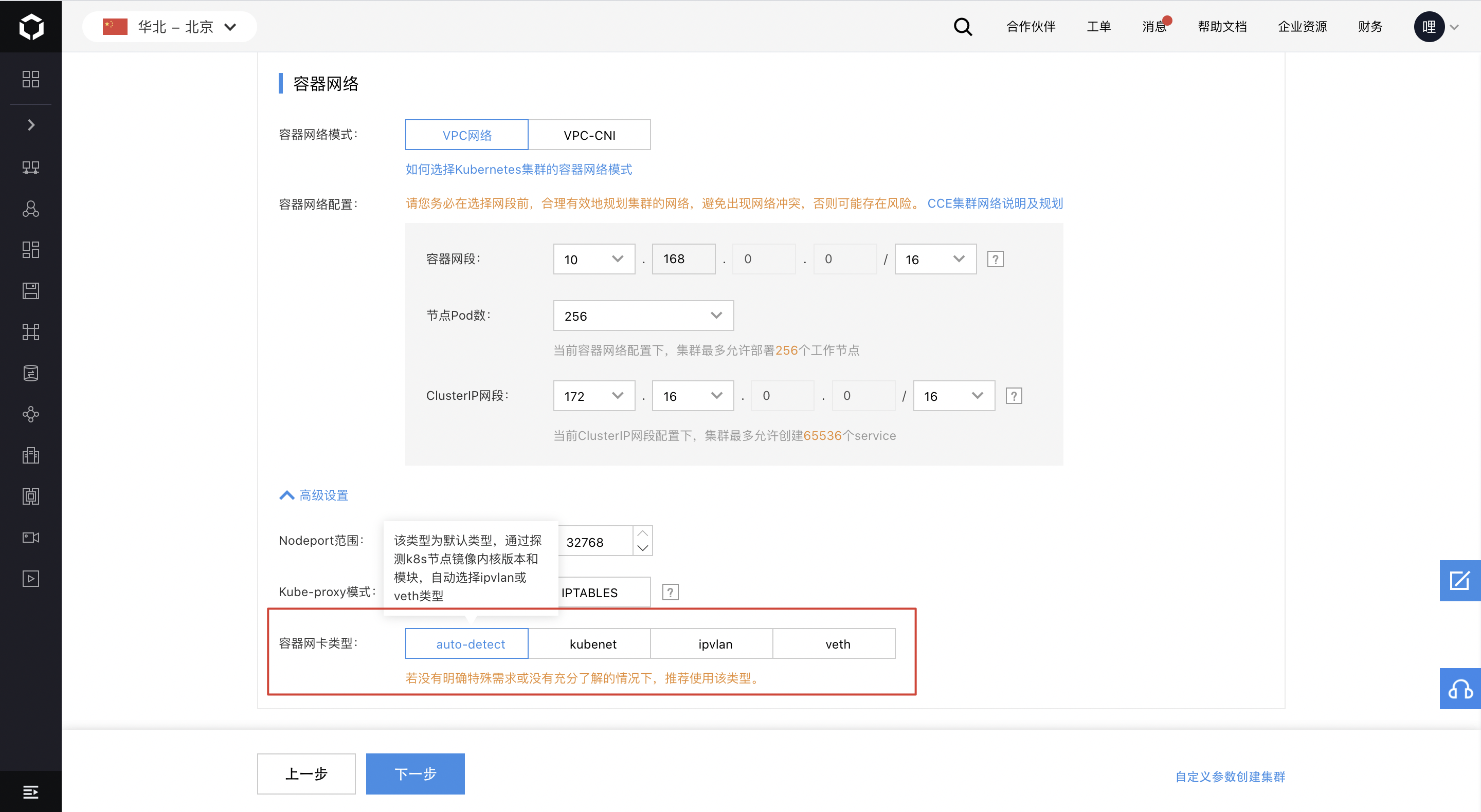
- For VPC network mode, allow custom configuration of container network interface card types (auto-detect, kubenet, ipvlan, veth).
Master configuration
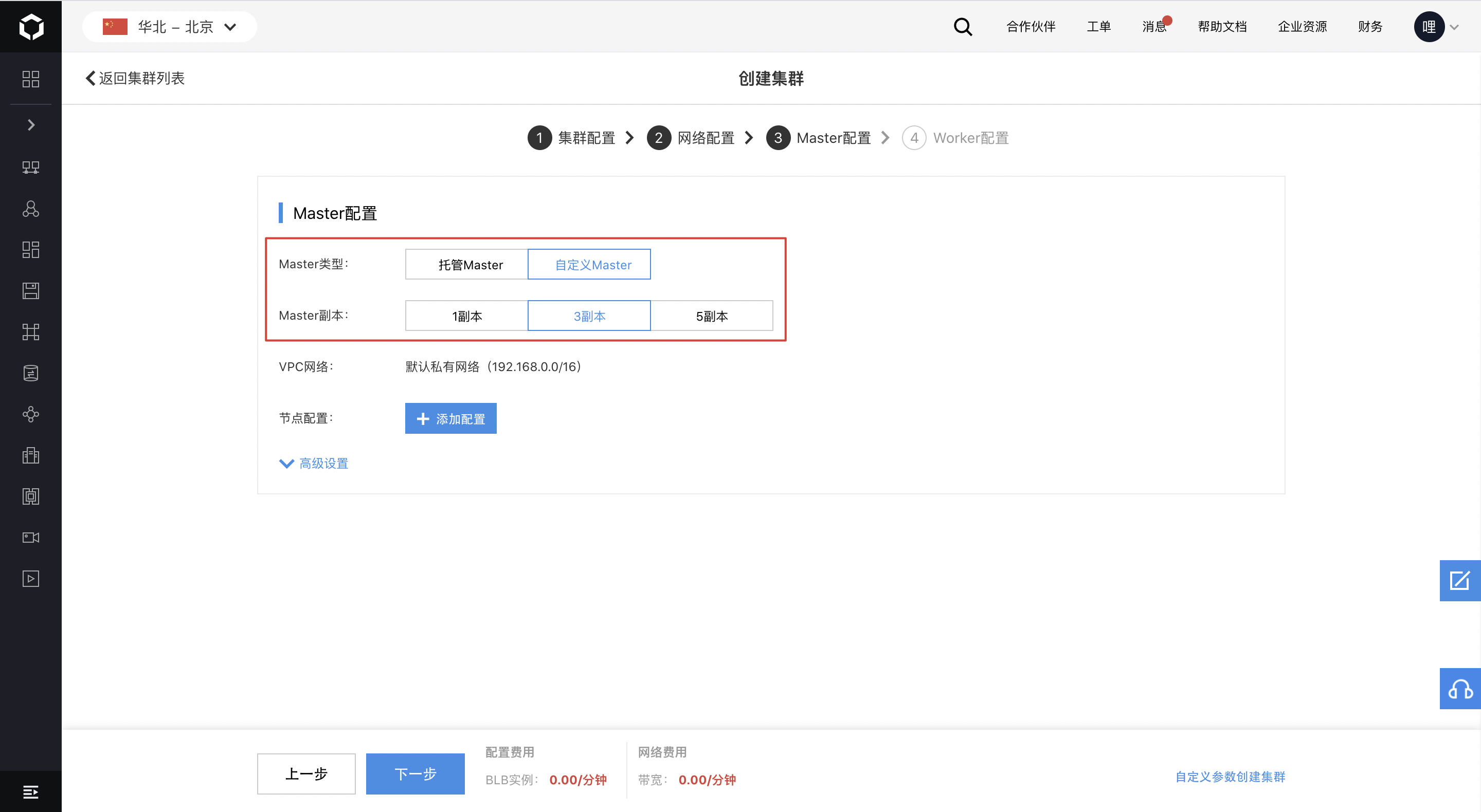
- Custom master instances support selecting multi-replica specifications and multi-availability zones to ensure high availability of the master.
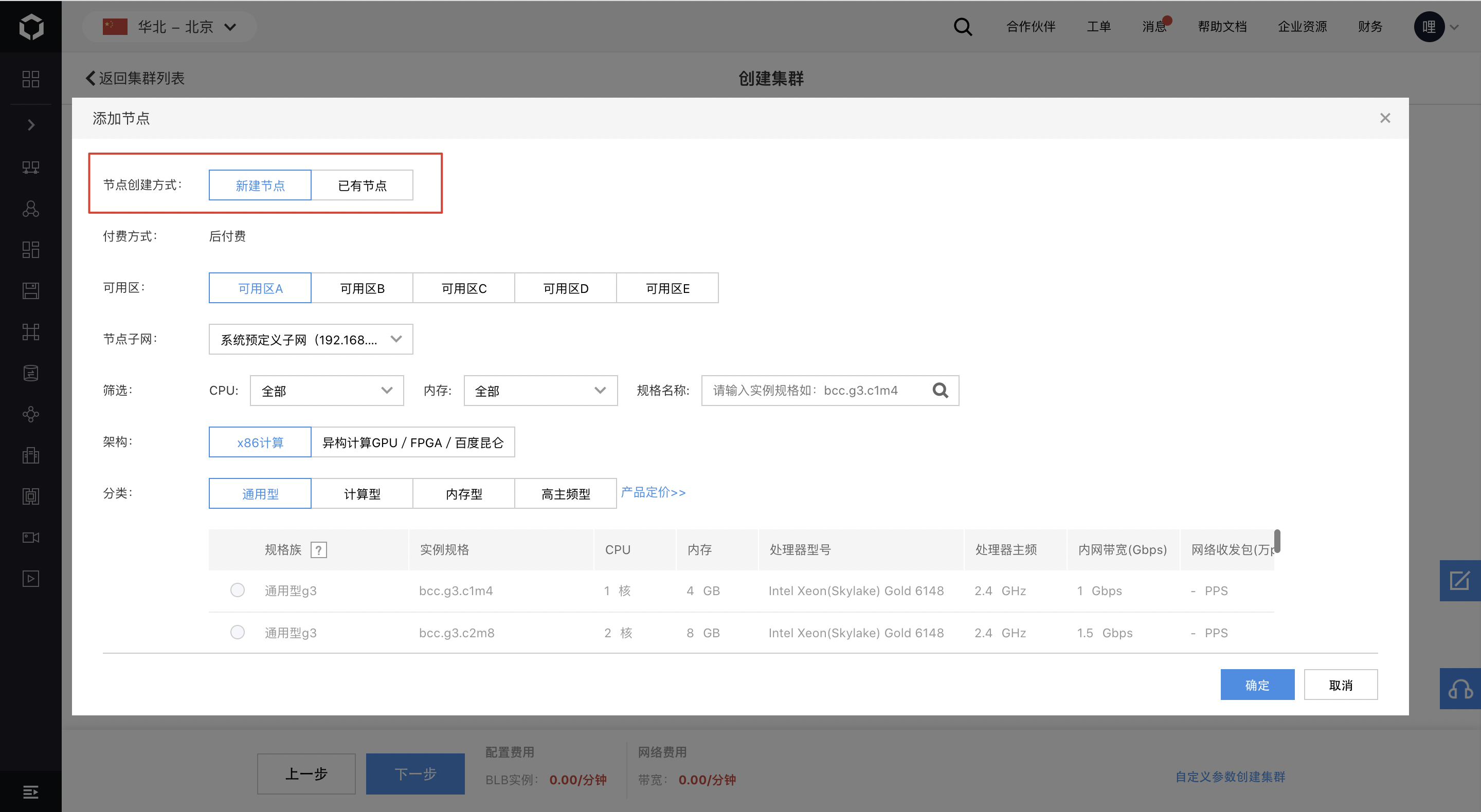
- Custom master instances support creating a master using either new nodes or existing nodes.
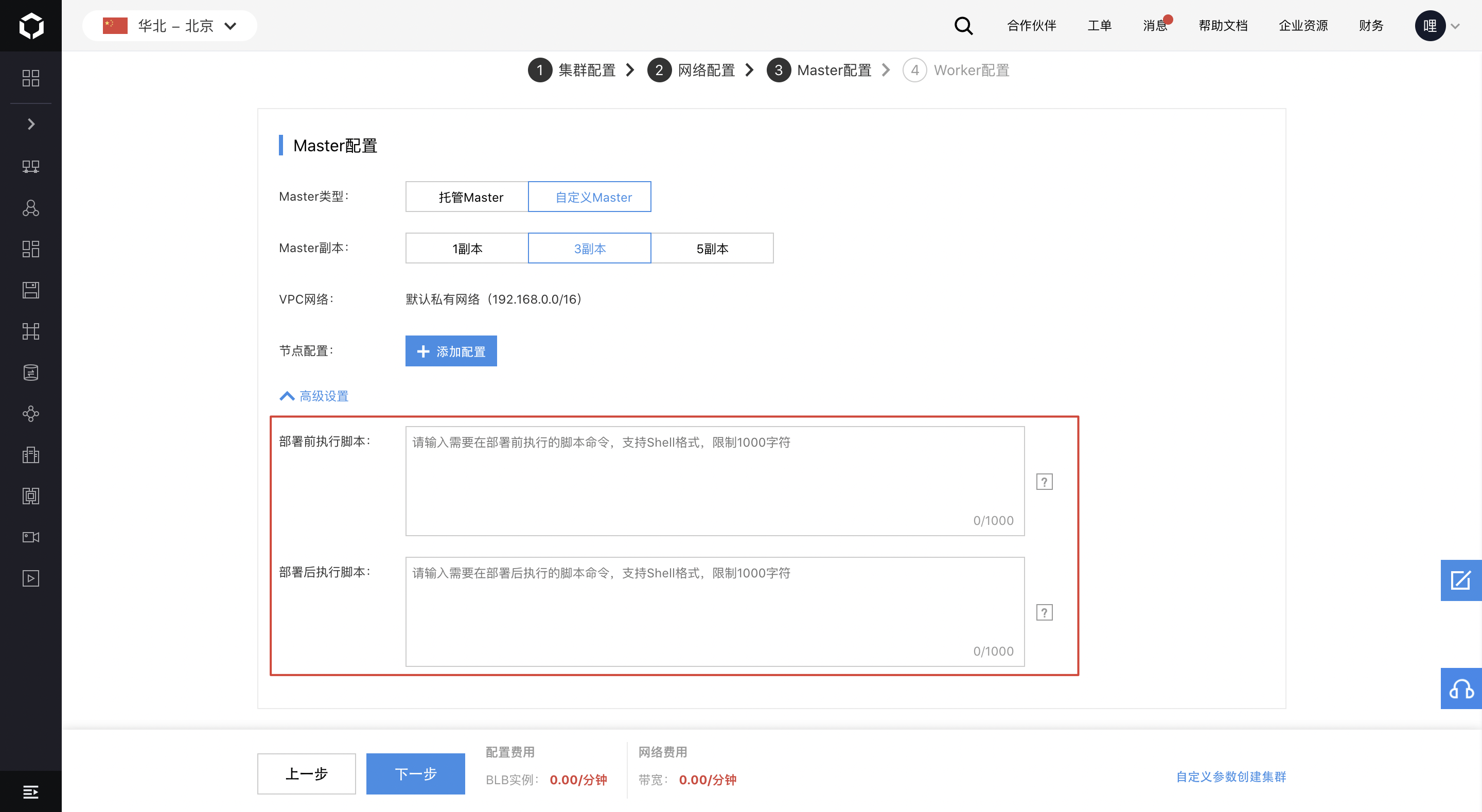
- Custom masters support deploying the master with injected custom execution scripts.
Worker configuration
- Support selecting multiple availability zones to enable cross-zone disaster recovery for nodes.
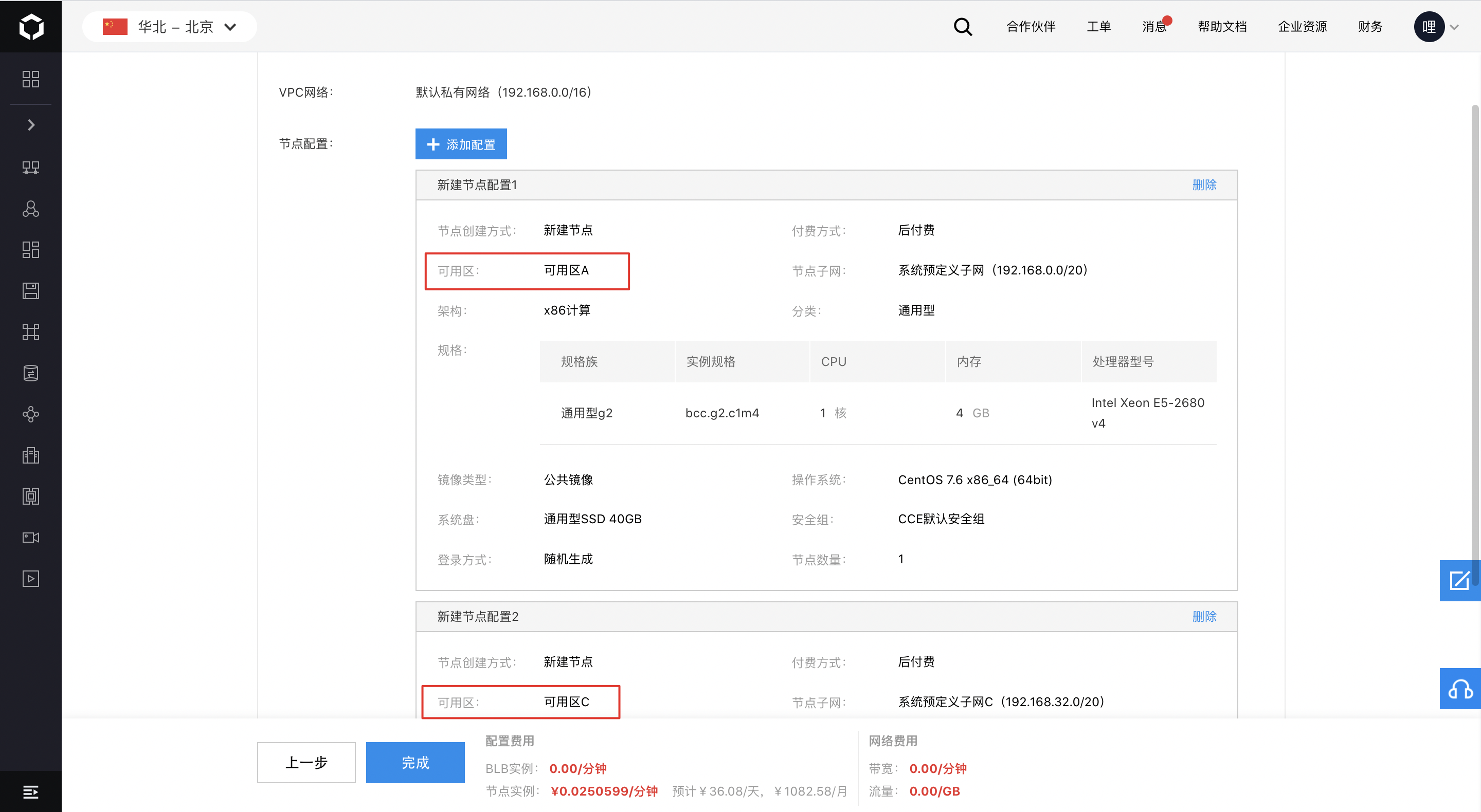
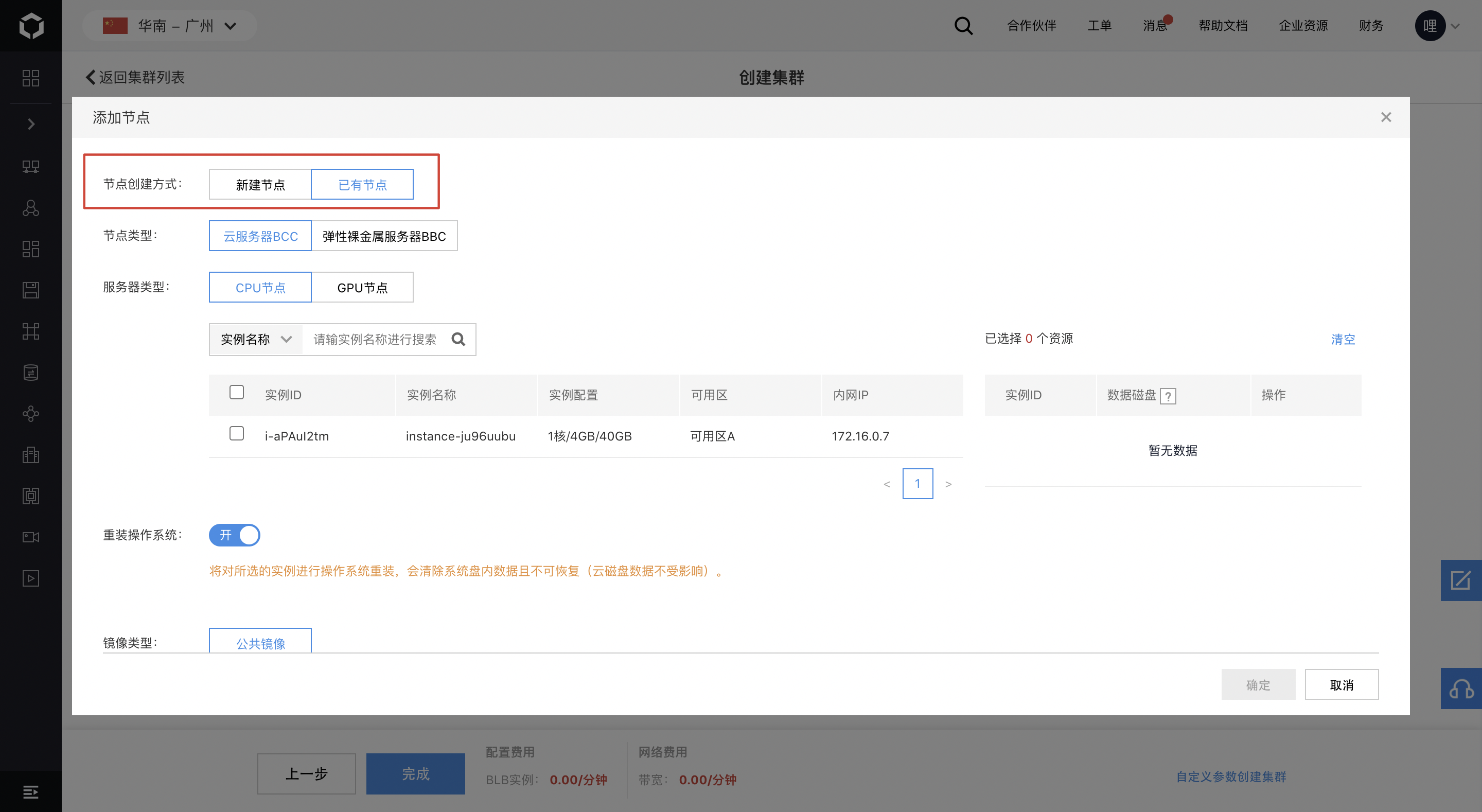
- Enable the creation of workers using either new nodes or existing nodes.
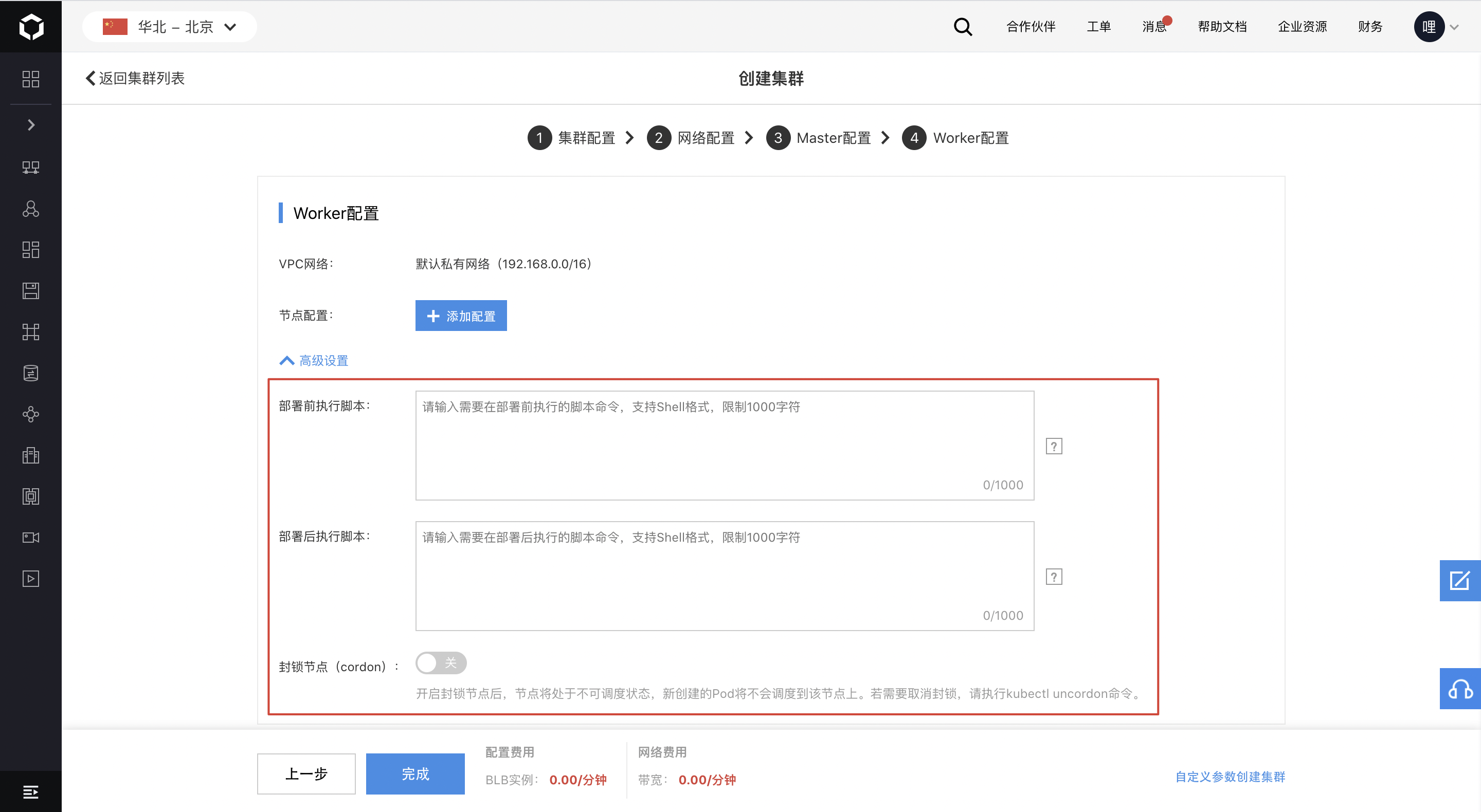
- Support deploying workers with custom execution scripts injected
- Support enabling node cordoning (cordon) to set nodes to an unschedulable state
Cluster access
Cluster OIDC authentication
- Provide support for enabling OIDC authentication alongside the default X509 certificate authentication method and allow its combination with RBAC.
CCE cluster OIDC authentication: https://cloud.baidu.com/doc/CCE/s/Nkeiey4gt
Encrypt etcd data with KMS
- Enable the use of Key Management Service (KMS) for encrypting Kubernetes Secret data stored in etcd.
Encrypt etcd data with KMS: https://cloud.baidu.com/doc/CCE/s/Hkeb5jfh5
Cluster operation & maintenance
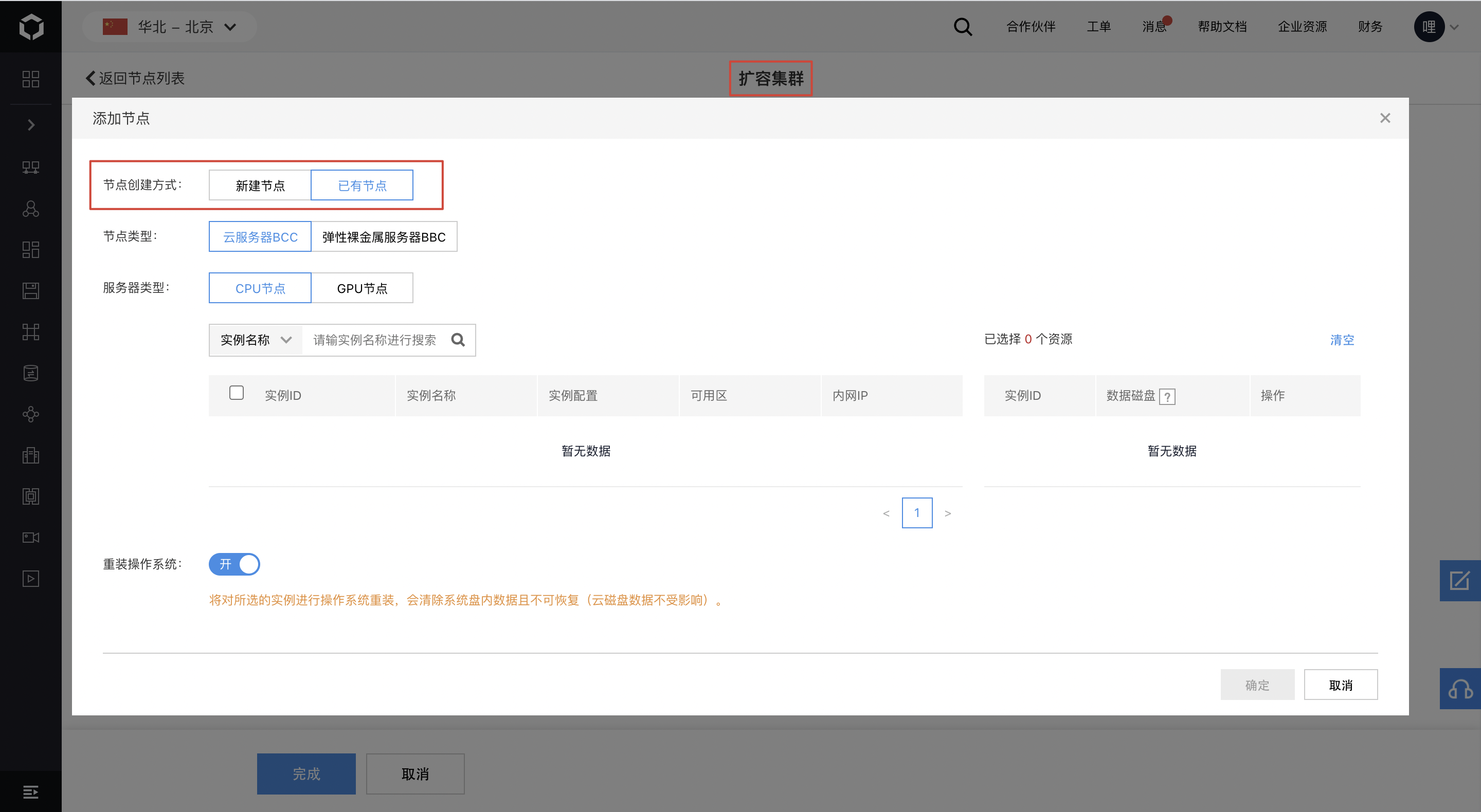
- Cluster scaling: Provide support for scaling clusters by adding new nodes or selecting existing nodes.
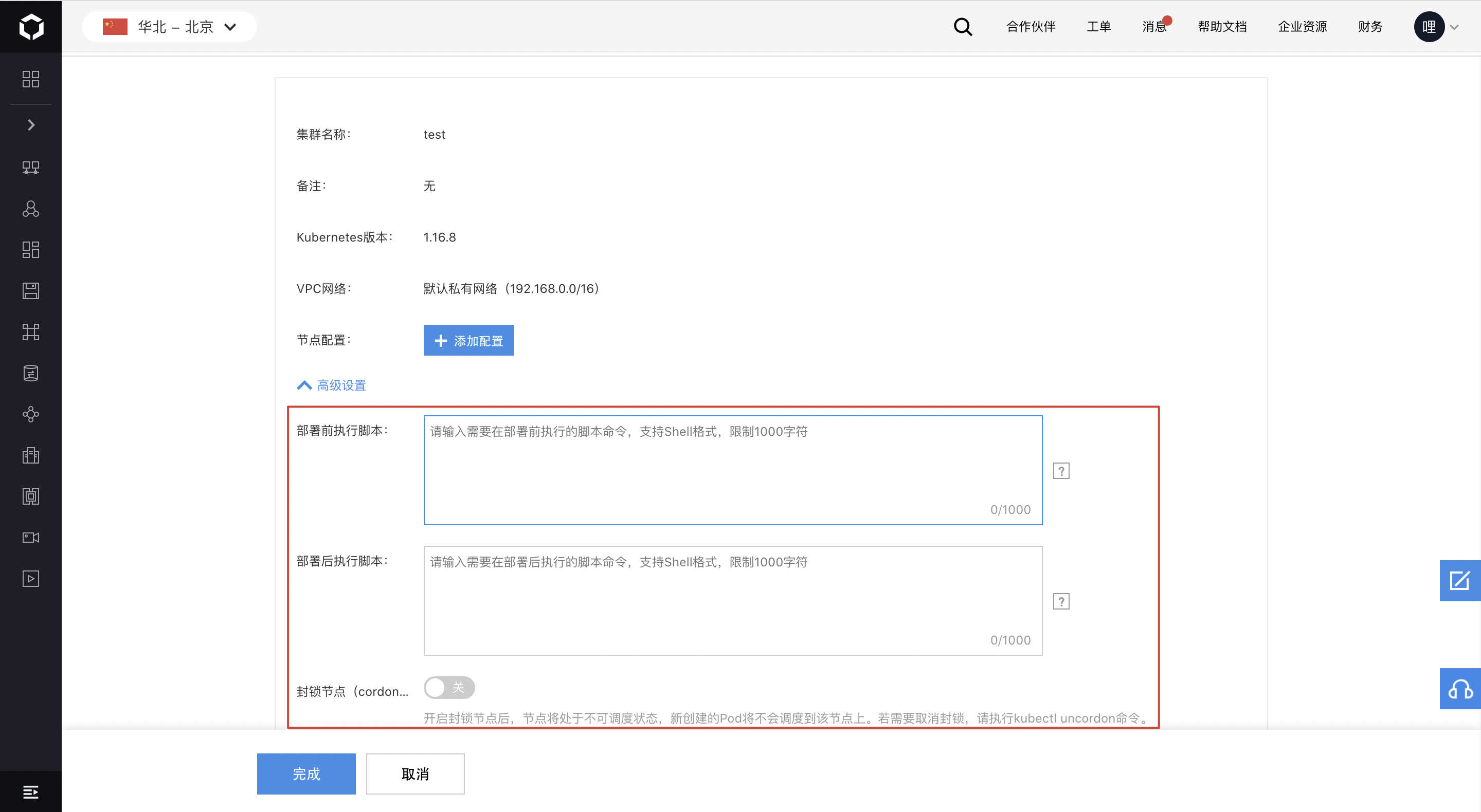
- Support injecting custom execution scripts into scaled nodes;
- Allow the activation of node cordoning (cordon) for scaled nodes.
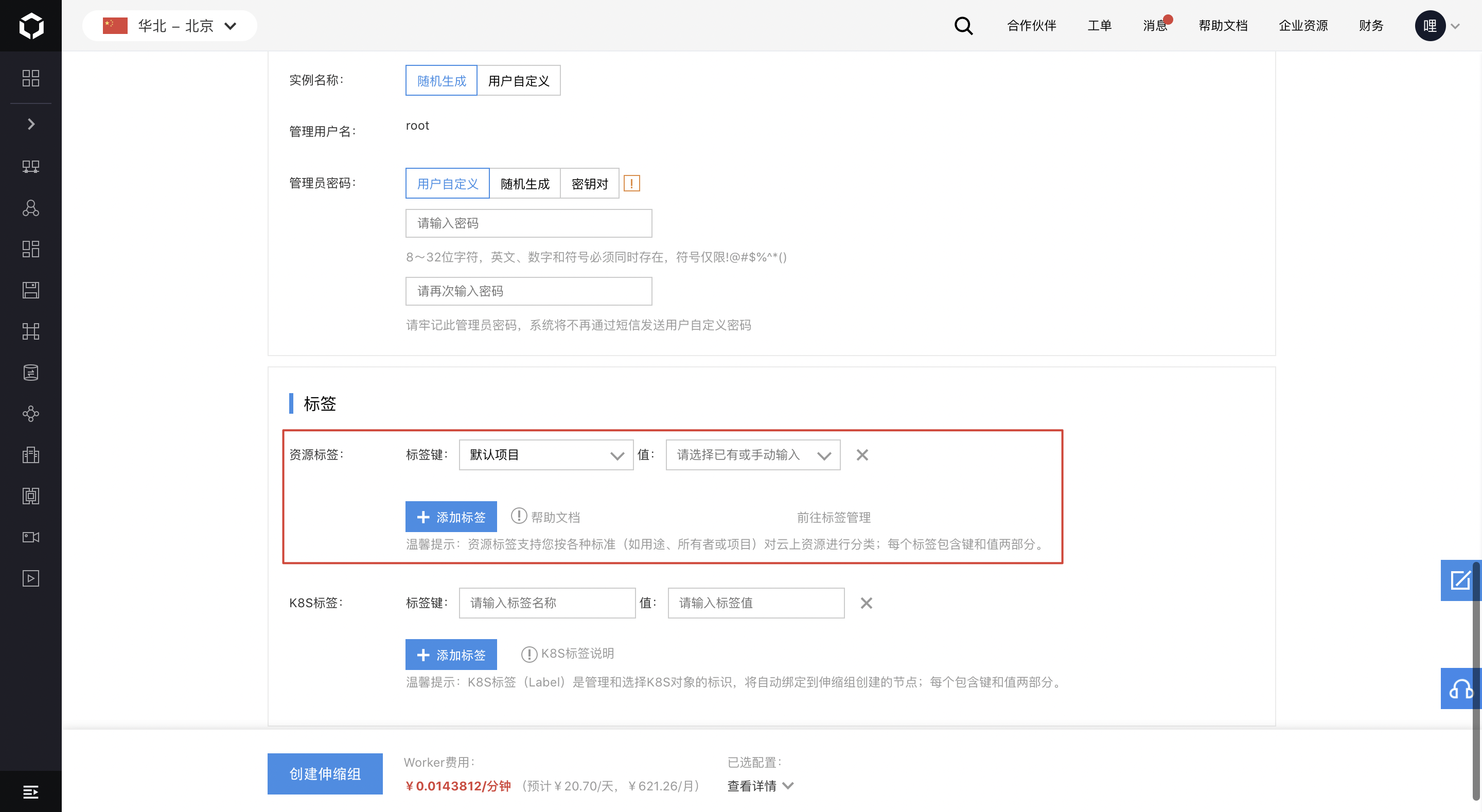
- Support configuring resource tags for scaling groups; nodes are automatically attached to the tags during auto-scaling. Resource tags refer to Baidu AI Cloud tags, and the “Kind Reminder” section clarifies their distinction from K8S labels.
Node update
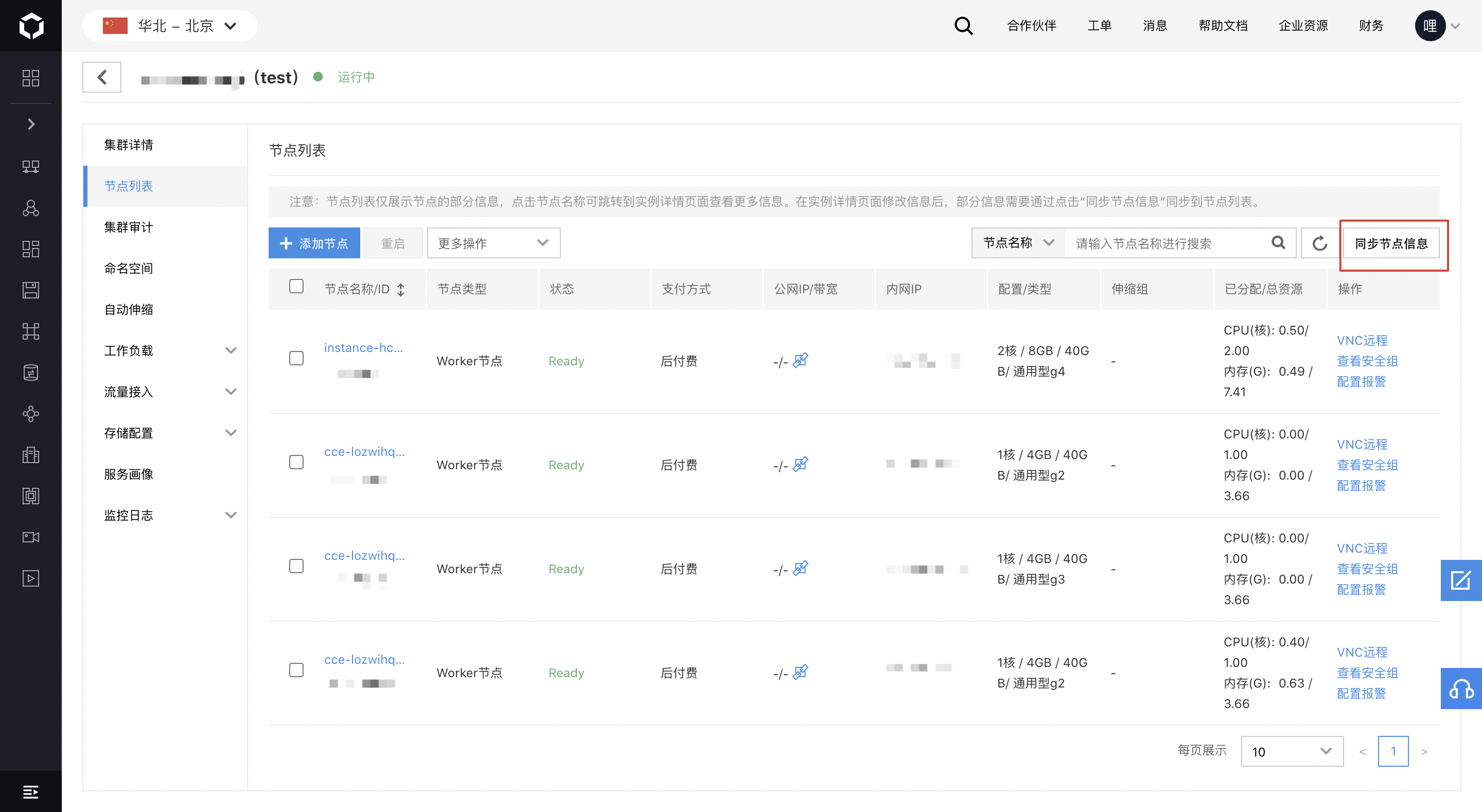
- Support manual synchronization of node information. Users can click the node name to navigate to the instance details page to modify information, and some modified details can be synchronized to the node list by clicking the Synchronize Node Information button.
Service profiling
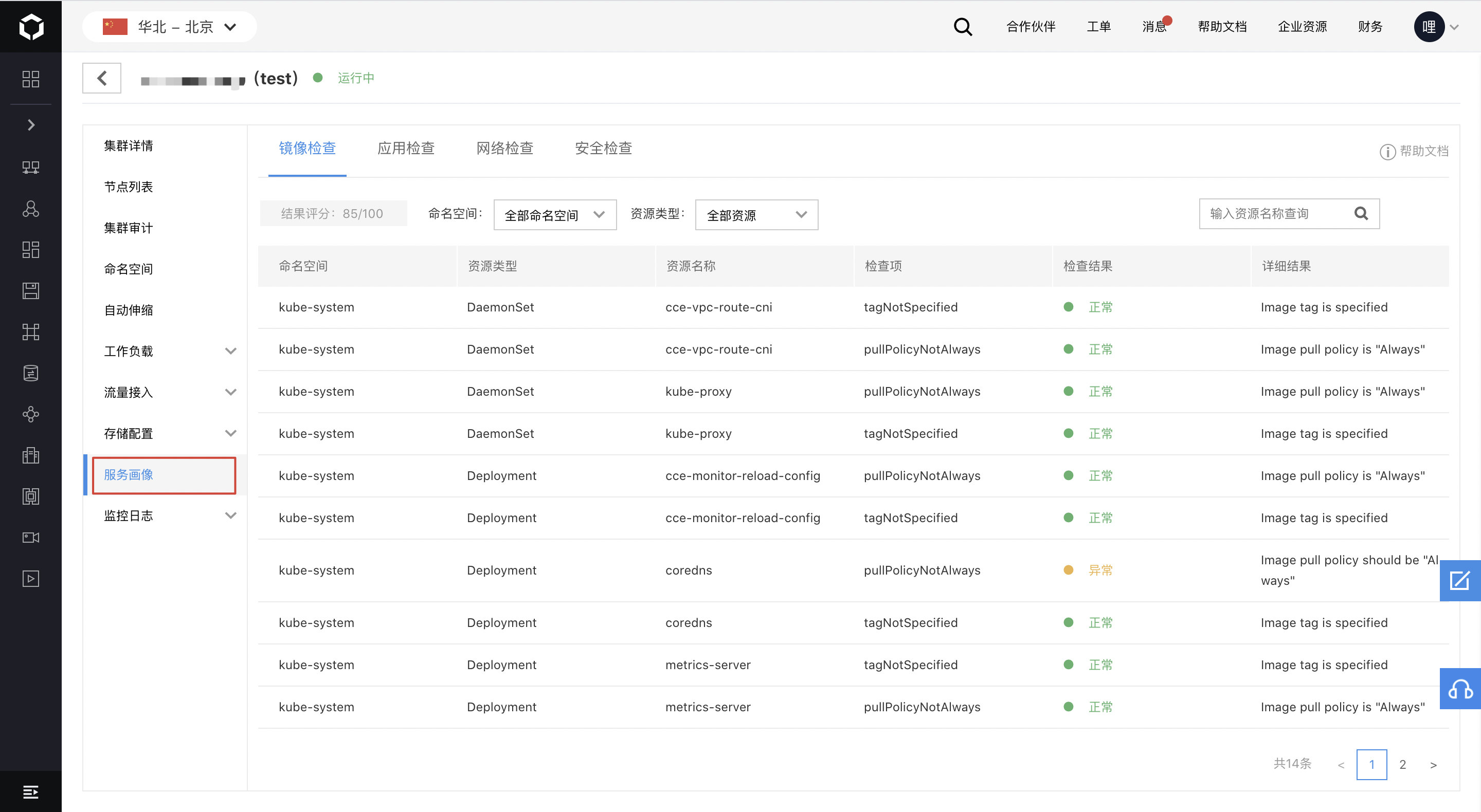
- Offer cluster service profiling, enabling users to assess the characteristics and compliance of all resources in the cluster (e.g., image checks, application checks, network checks, security checks). Detailed scores and specific content are provided to help users better understand the service status within the cluster.
CCE cluster service profiling: https://cloud.baidu.com/doc/CCE/s/dkgbne5gk
Event display & troubleshooting for common issues
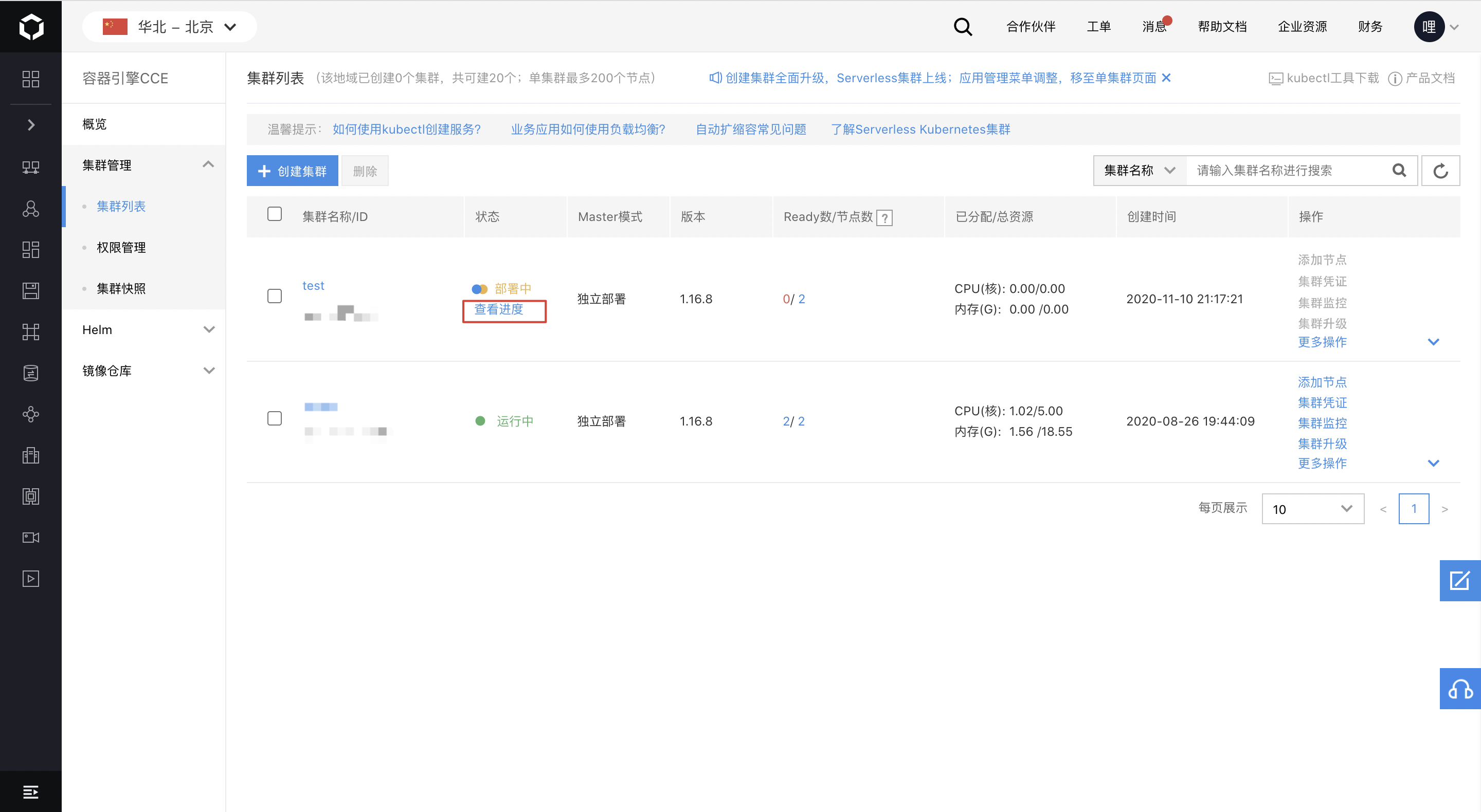
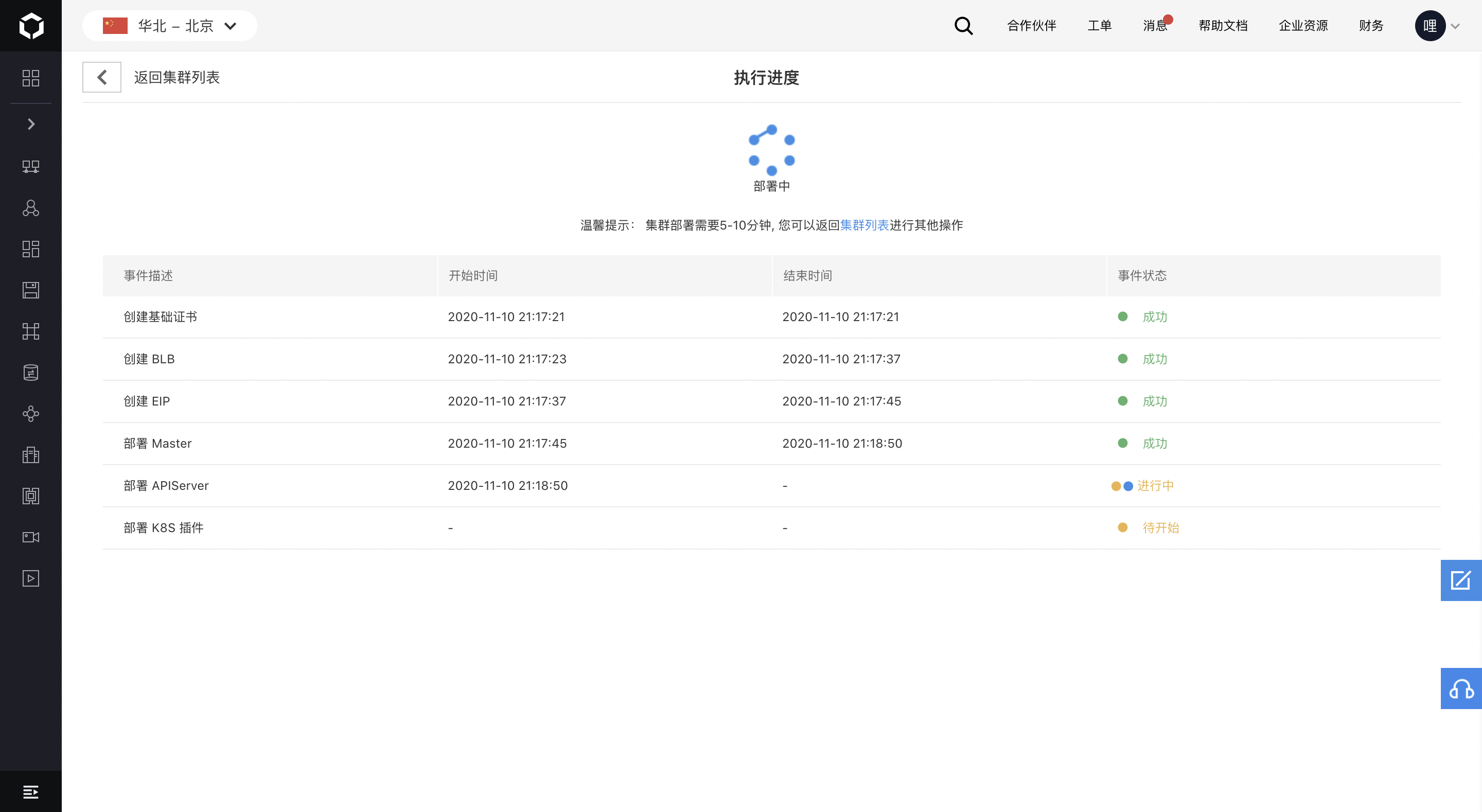
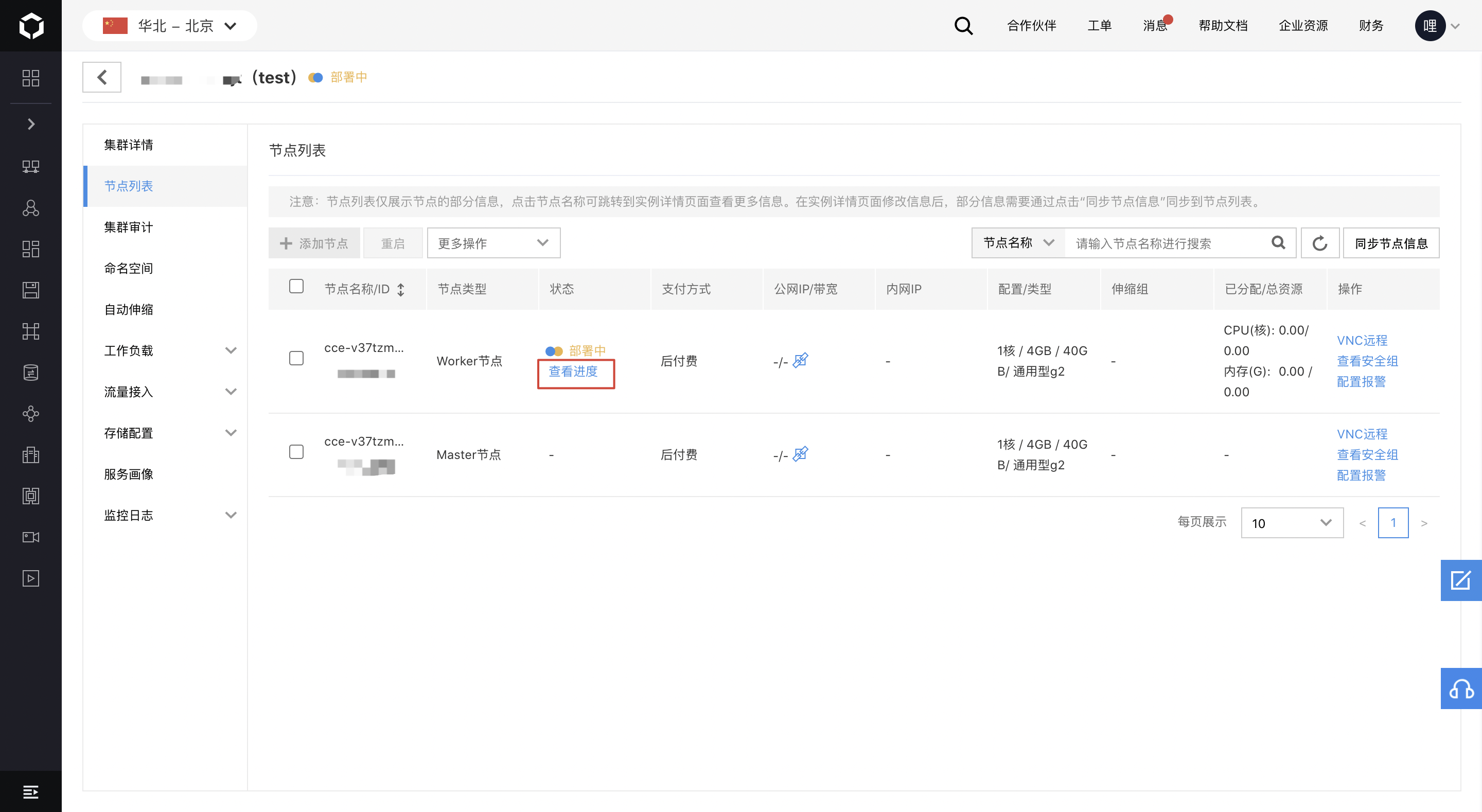
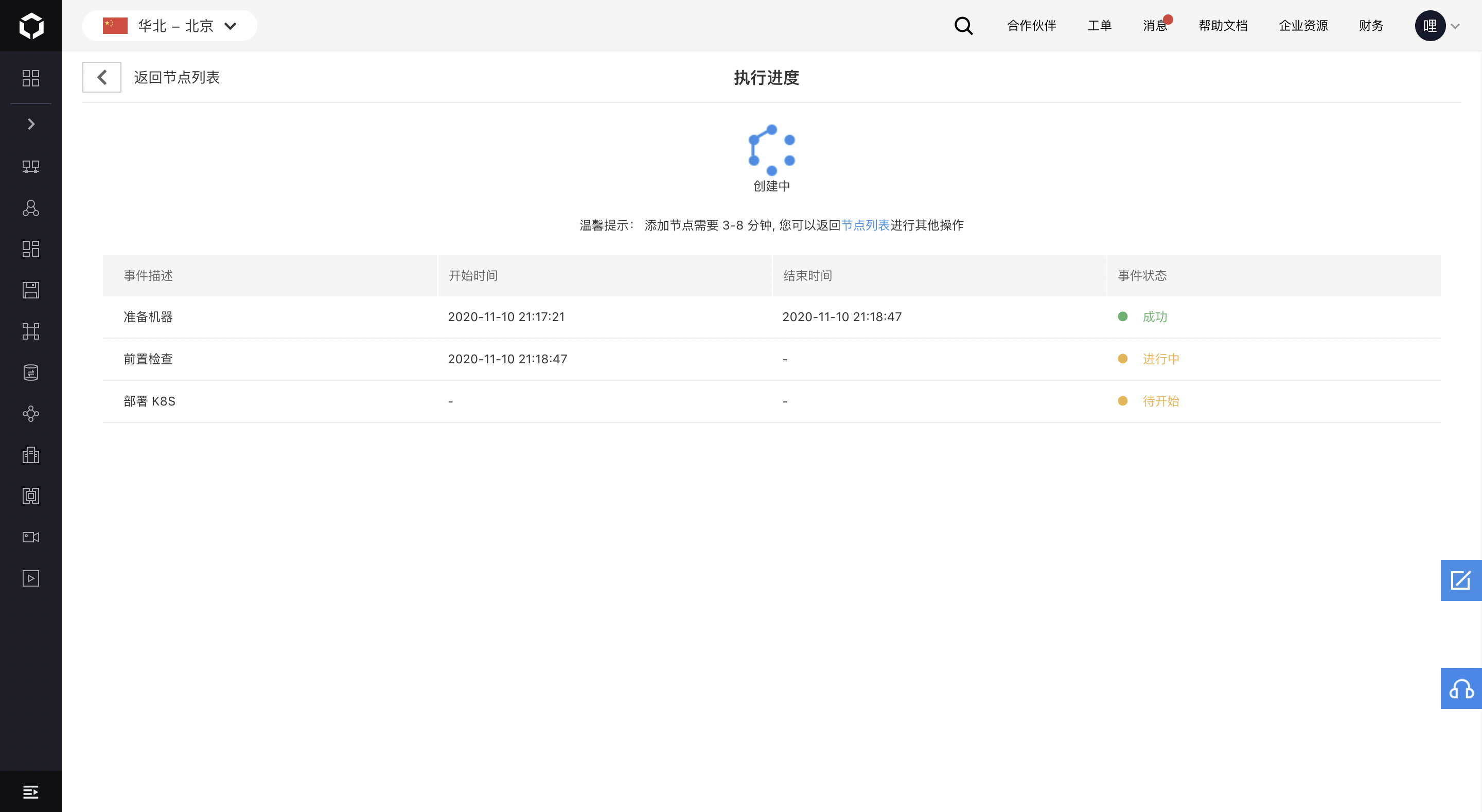
- Support displaying the progress and events of cluster/node creation/deletion
- Support quickly finding solutions by cross-referencing the error codes of failed events with the common issues document
Common issues with CCE cluster management: https://cloud.baidu.com/doc/CCE/s/lkgj1slyq
Cluster deletion
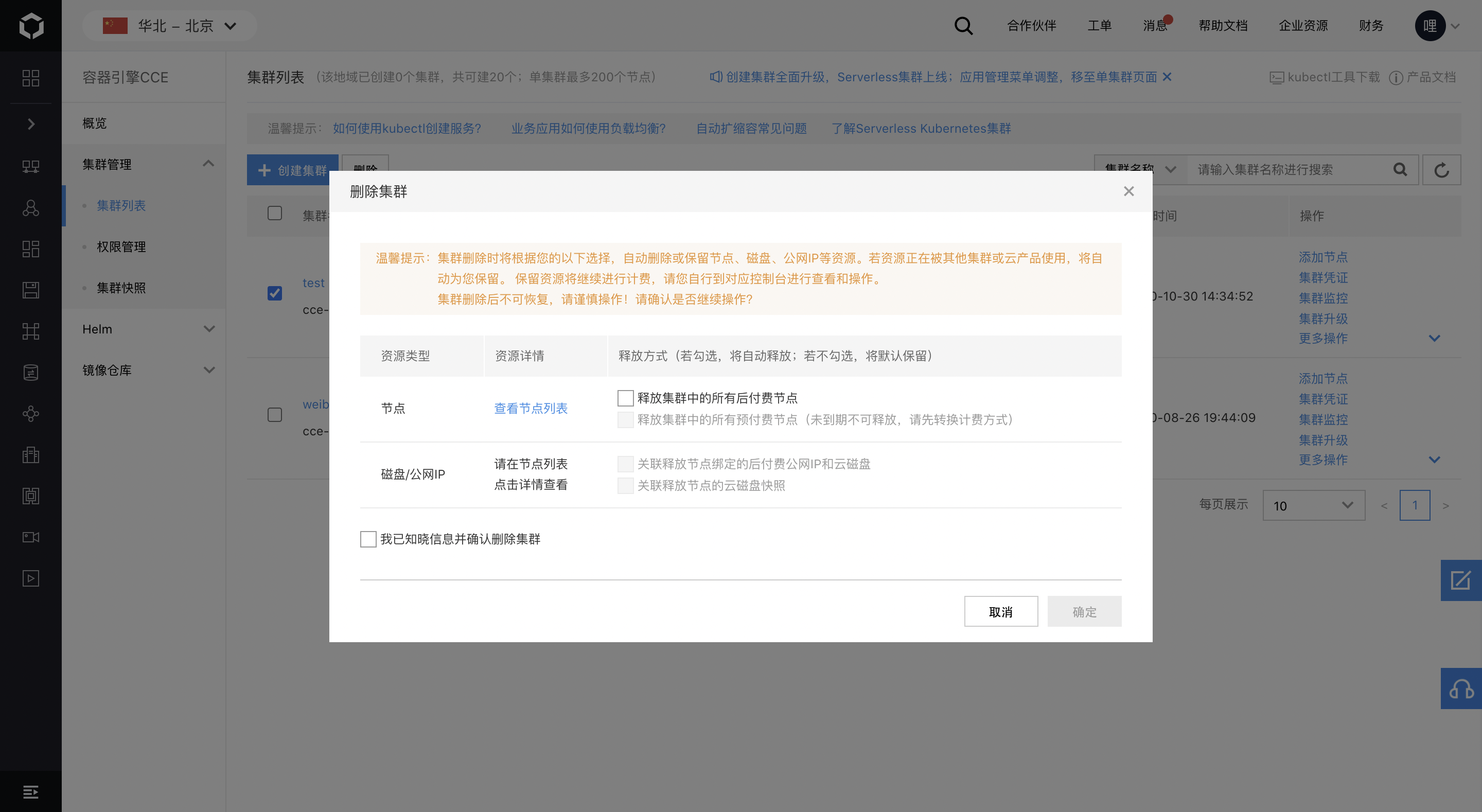
- Allow viewing of current resources when deleting a cluster, enabling users to decide whether to retain pay-as-you-go nodes and their associated resources.
User experience
New version of OpenAPI
- Launch a new version of the cluster management OpenAPI, delivering robust capabilities and flexible operations.
New version of CCE cluster management OpenAPI: https://cloud.baidu.com/doc/CCE/s/Mkgajonnp
Console upgrade
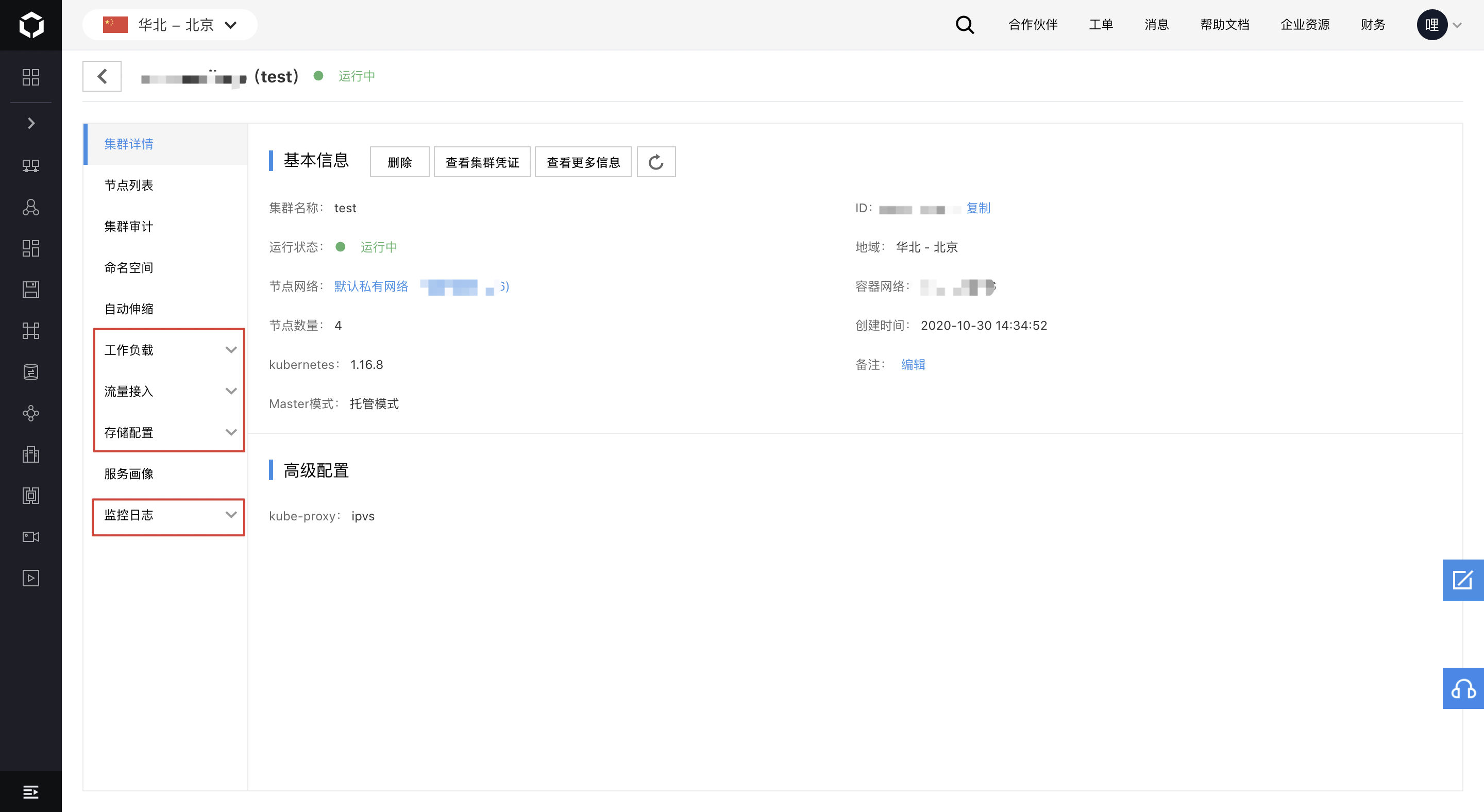
- Reorganize the menu positions of application management-related features in the console, relocating them to the single-cluster management page for simpler, smoother, and more focused management.
CCE console upgrade announcement: https://cloud.baidu.com/doc/CCE/s/Ukf6jq1cz