

View Task Information
Updated at:2025-10-27
After the task is successfully created, you can monitor its running status in the CCE console, including basic information, monitoring data, and logs.
Prerequisites
- Ensure CCE AI Job Scheduler and CCE Deep Learning Frameworks Operator components are installed successfully; otherwise, cloud-native AI functionalities will be unavailable.
- The task has been successfully created.
Operation steps
- Sign in to the Baidu AI Cloud official website and enter the management console.
- Go to Product Services - Cloud Native - Cloud Container Engine (CCE) to access the CCE management console.
- Click Cluster Management - Cluster List in the left navigation pane.
- Click on the target cluster name in the Cluster List page to navigate to the cluster management page.
- On the Cluster Management page, click Cloud-Native AI - Task Management.
- On the Task Management page, view the information list of all tasks.
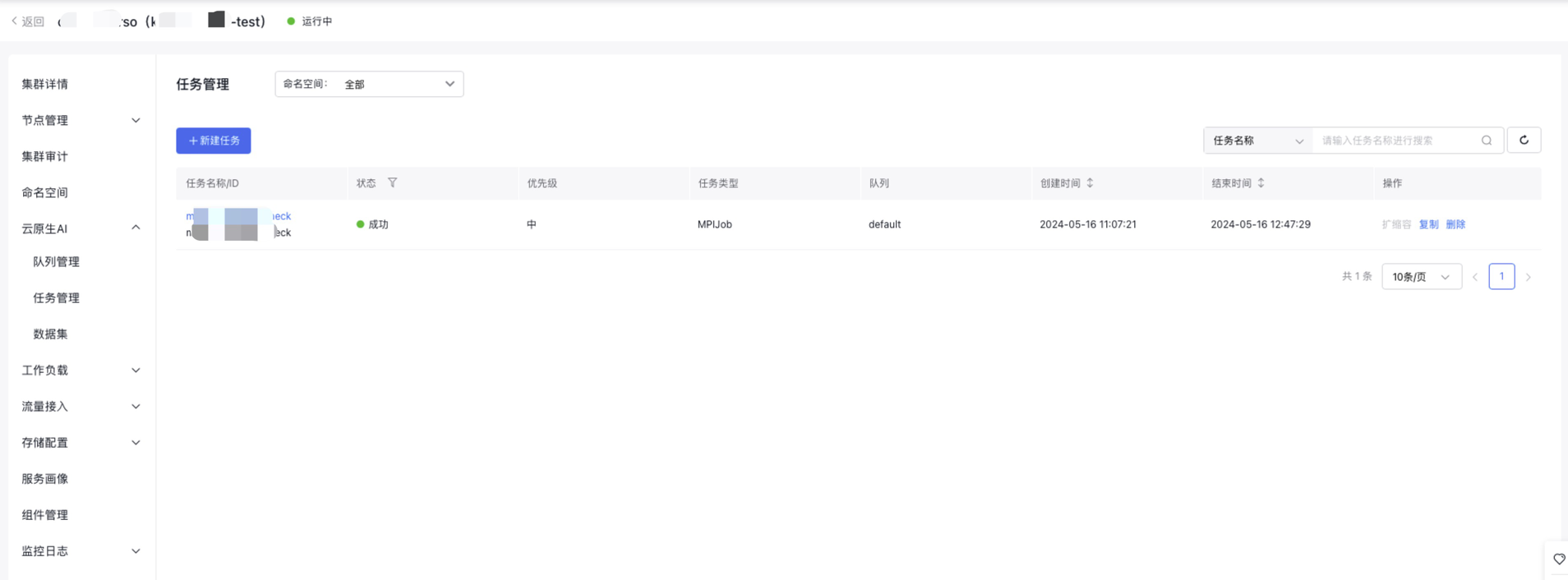
- Click the target task name to access the Task Details page, where you can check the task's basic information, data configuration, and pod group details.
- Click Task Monitoring to view the monitor information of the task and pod groups.
- Click Task Logs to view the log information of the task containers.