View Business Logs
Updated at:2025-10-27
Cloud Container Engine (CCE) facilitates the collection of container logs in the cluster via Baidu AI Cloud Log Service (BLS). You can query and analyze log data on either the BLS console or the CCE console. This document explains how to view logs using the CCE console.
Usage restrictions
Currently, only LogStore BLS is supported for storing collected logs; direct transfers to BOS, Kafka, or BES are not available. Log sources include host and container logs, with container logs supporting both stdout and internal container logs.
Prerequisites
- Log collection rules have been created. For specific operations, refer to Configuring Collection Rules on the Cloud Container Engine Console.
Operation steps
- Sign in to Cloud Container Engine (CCE) console.
- Select Cluster List in the left navigation bar.
- On the Cluster List page, click on the desired cluster to open the cluster management page.
- In the left navigation bar of the Cluster Management page, select O&M & Management - Log Center.
- Under the Service Logs tab in the log center management page, select your target logstore, enter search criteria, specify the time range, then click Search to view container logs.
Description
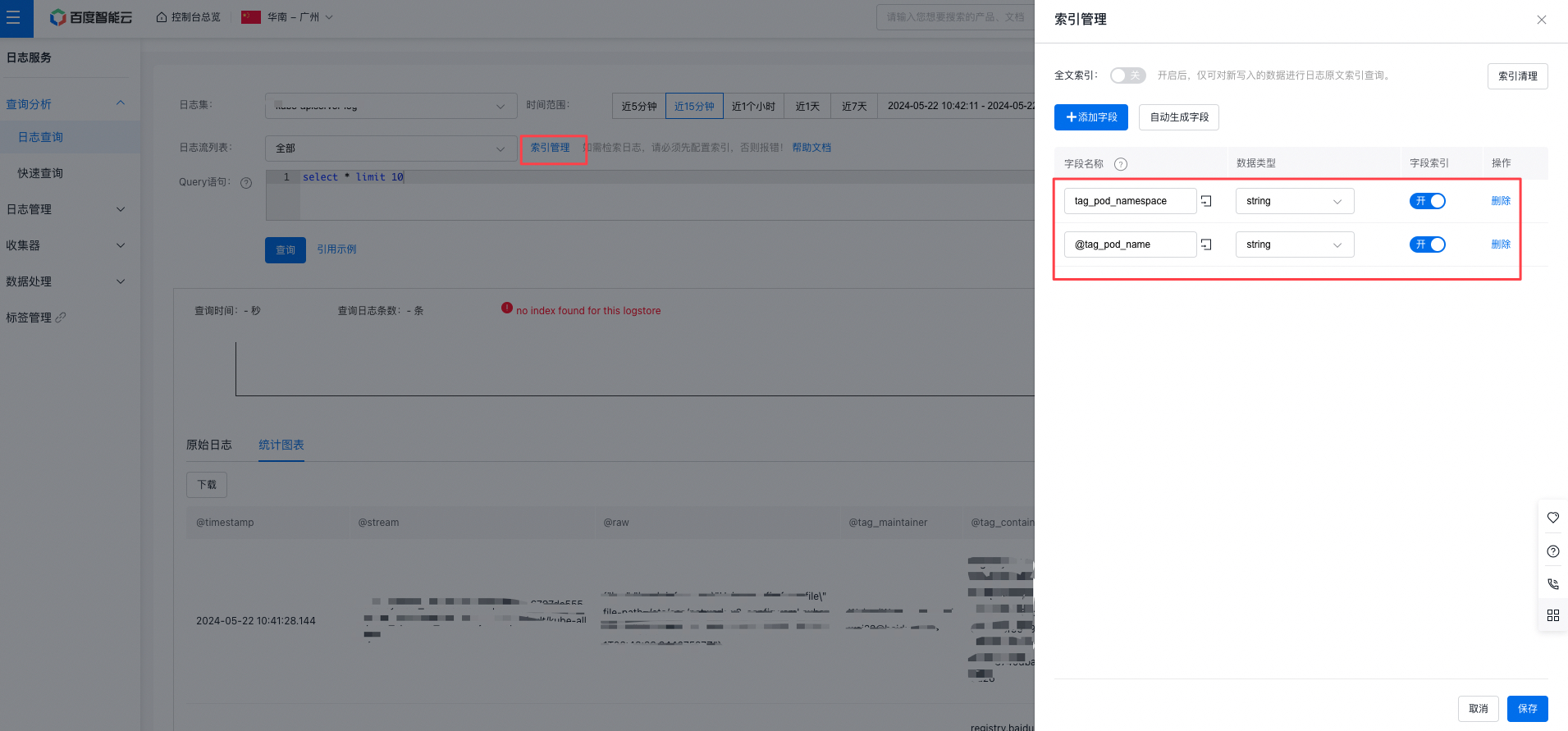
- Container services support search and query by namespace and workload, but require to configure index for the logstore. You can configure the index on the Baidu AI Cloud Log Service (BLS) console. After clicking Index Management, manually add fields and set the index field names and data types as shown in the diagram.
- Once index configuration has been enabled, avoid modifying index fields, as doing so may hinder fast keyword searches for container logs using terms like namespace and workload.