Drain node
Updated at:2025-10-27
Overview
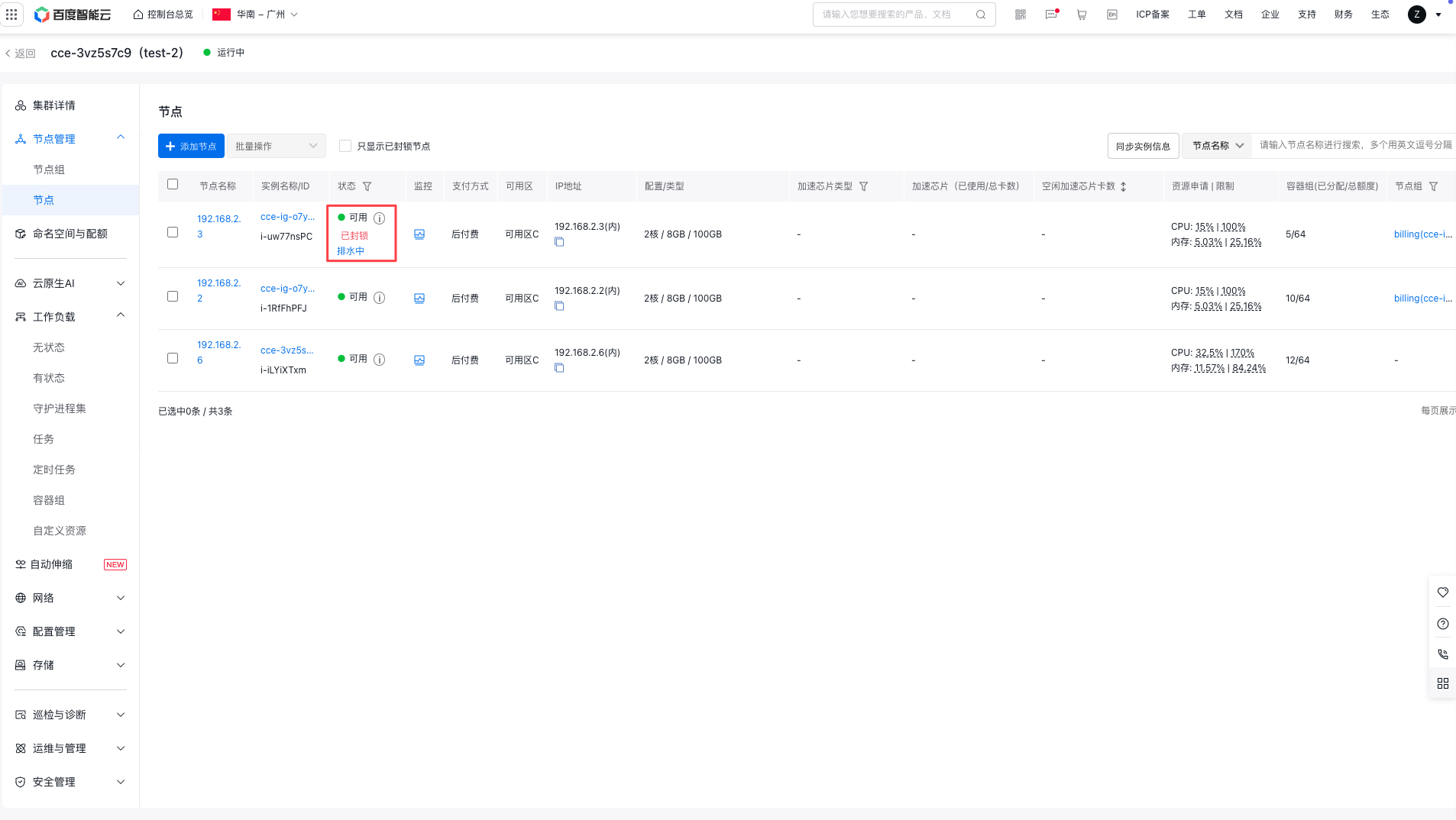
Draining a node is a Kubernetes procedure that evicts all pods from a node to safely deactivate or maintain it. This is commonly done during node maintenance or upgrades. The drain node feature can be accessed via the CCE console. During this process, the system sets the node to cordoned status and safely evicts all pods (excluding those managed by DaemonSet) from it. This guide details how to drain nodes using the CCE console.
Operation steps
Single drain node
- Sign in to the Cloud Container Engine (CCE) console, and select Cluster Management - Cluster List in the left navigation bar.
- Click the desired cluster name or ID on the Cluster List page to open the cluster details page.
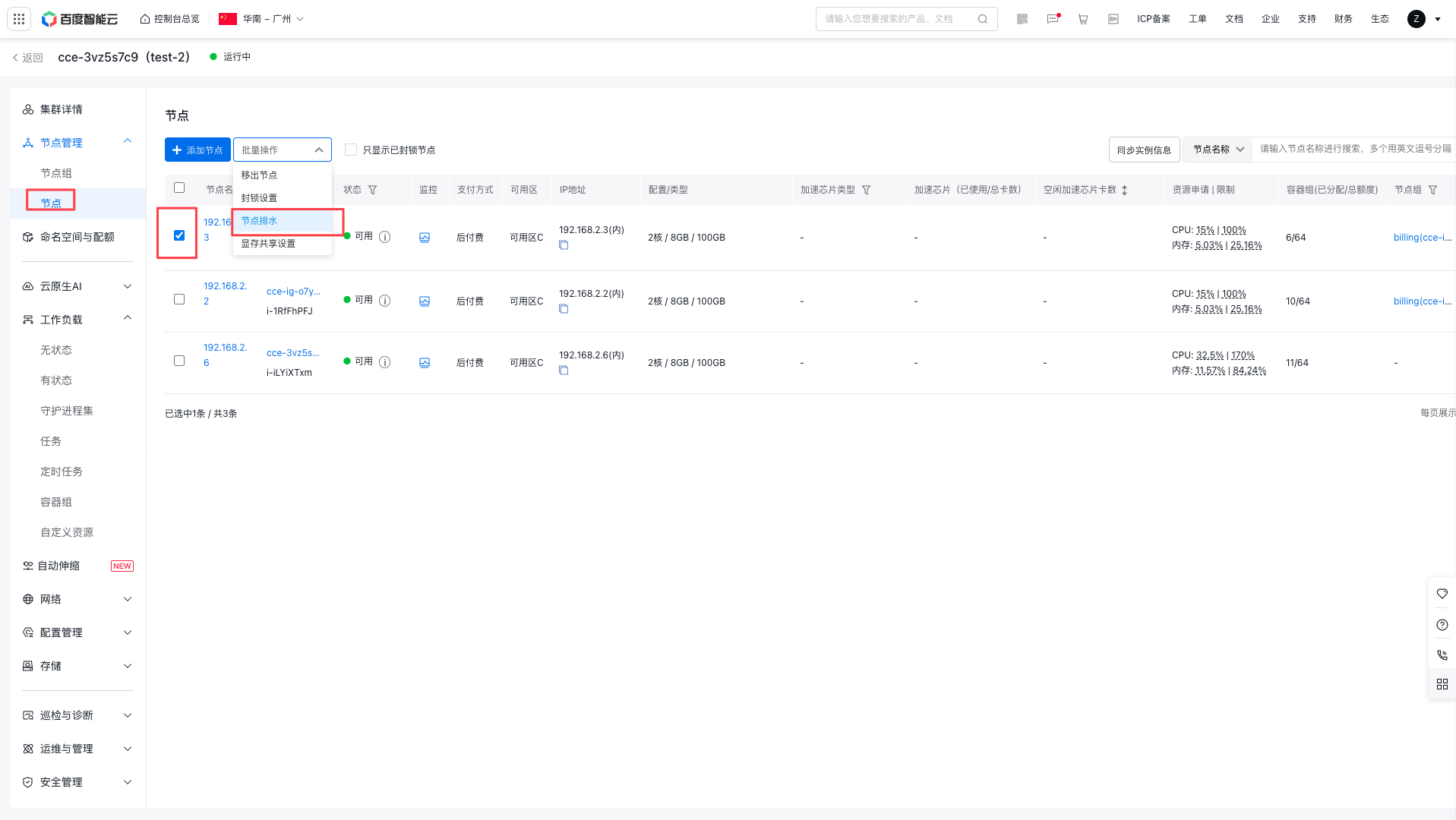
- In the left navigation bar, select Node Management - Nodes to switch to the Node List page.
- Locate the target node and click More Operations - Drain Node in the operations column.
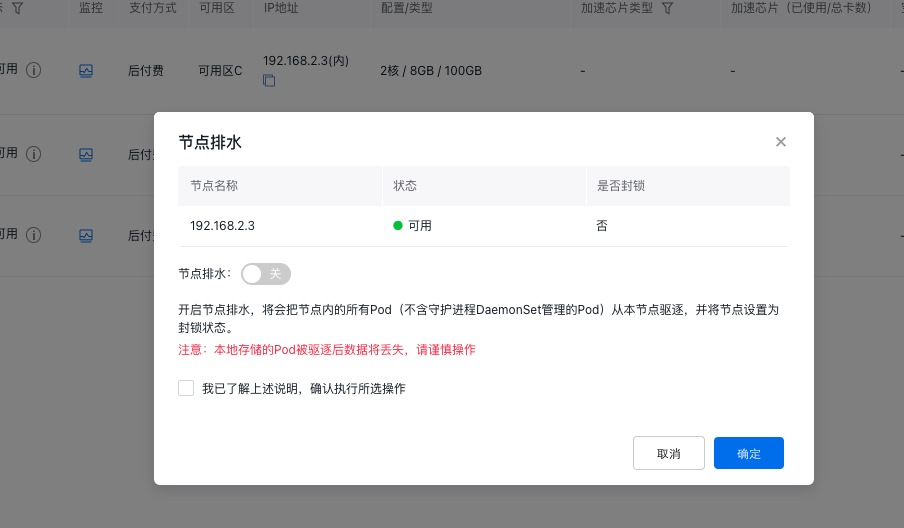
- In the Drain Node pop-up window, confirm the node name and status, set the drain node switch to ON, check “I have read the above instructions and confirm to execute the selected operation”,, and click OK to perform the drain node operation.
Note:
- When enabling drain node, all pods (excluding those managed by DaemonSet) on the current node will be evicted, and the node will be set to cordoned status.
- Locally stored pod data will be lost if they are evicted. Proceed with caution.
Multiple drain nodes
- Sign in to the Cloud Container Engine (CCE) console, and select Cluster Management - Cluster List in the left navigation bar.
- Click the desired cluster name or ID on the Cluster List page to open the cluster details page.
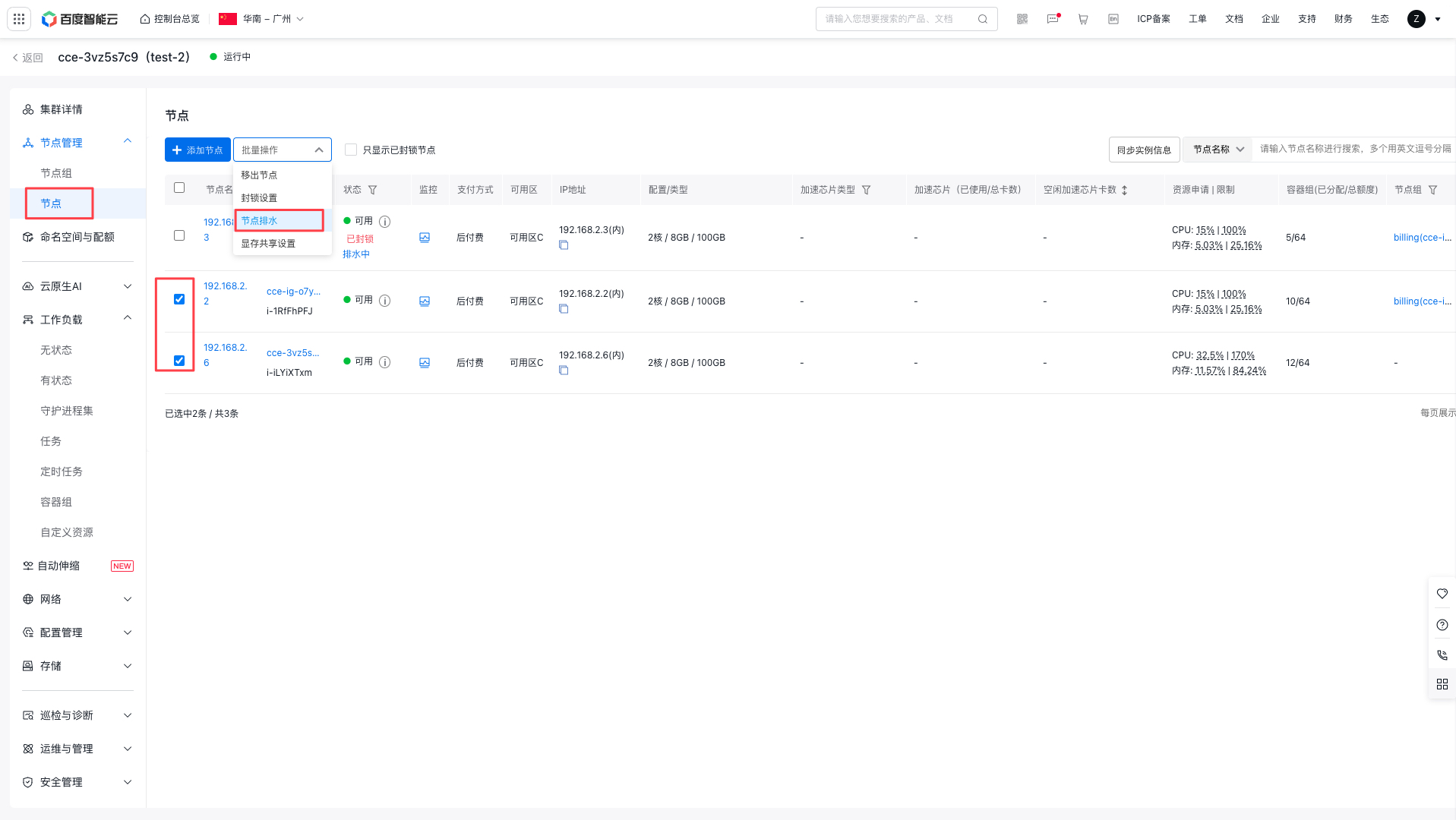
- In the left navigation bar, select Node Management - Nodes to switch to the Node List page.
- Select multiple nodes to be drained, then click More Operations - Drain Node at the top.
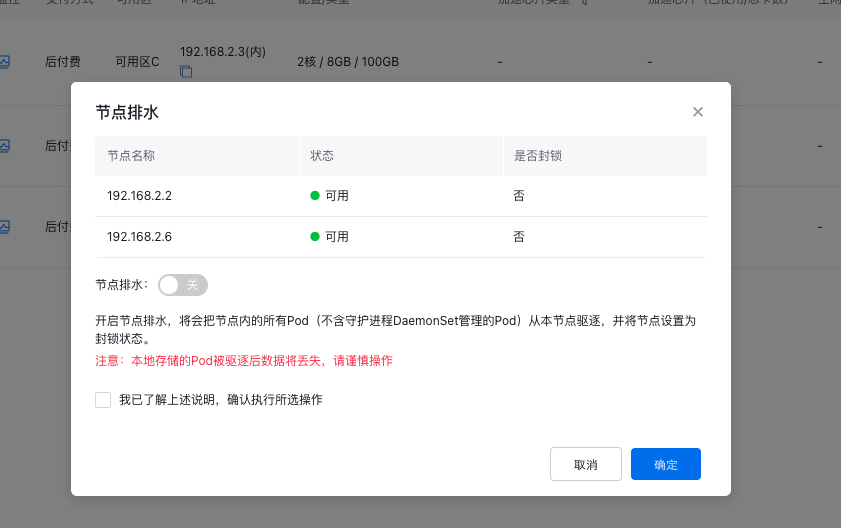
- In the drain node pop-up window, confirm the target node, set the drain node switch to ON, check “I have read the above instructions and confirm to execute the selected operation”,, and click OK to perform the drain node operation.
Note:
- Activating drain node will evict all pods (excluding those managed by DaemonSet) on the current node and set the node to cordoned status.
- Locally stored pod data will be lost if they are evicted. Proceed with caution.
Drain nodes when removing them
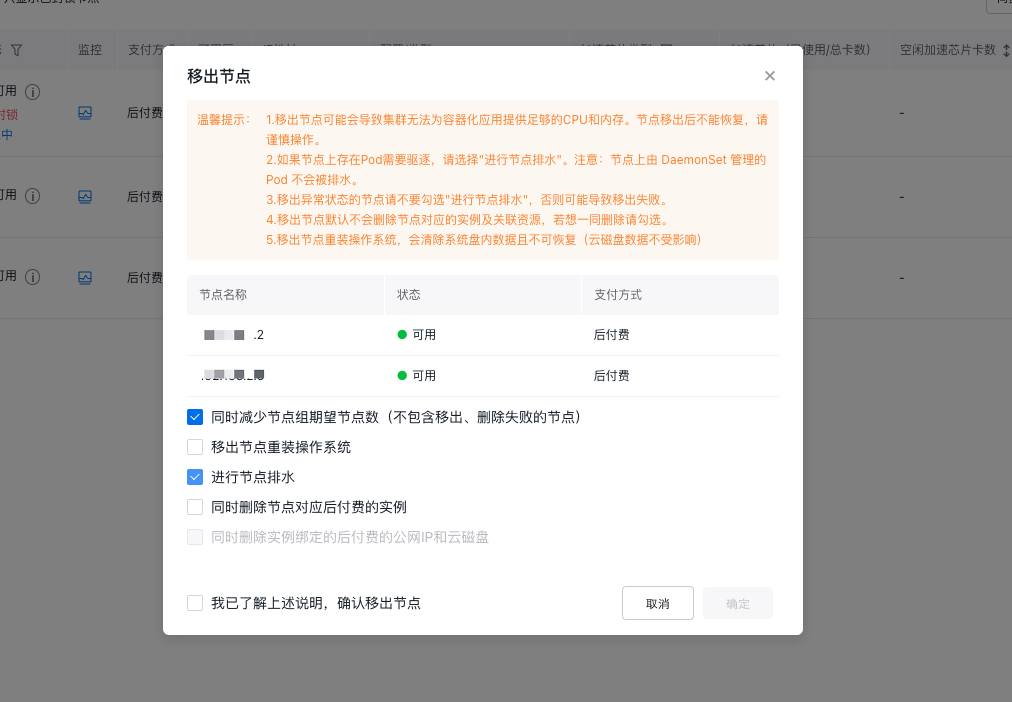
When removing nodes that host pods requiring eviction, make sure to select Drain Node simultaneously.
Note:
- Pods managed by DaemonSet on the node will not be drained.
- Avoid selecting Node Troubleshooting if the node is experiencing issues, as this can cause the removal operation to fail.