

Deploying Distributed Training Tasks Using AIAK-Training
Prerequisites
- The CCE cloud-native AI service has been successfully activated.
- CUDA 11.2, PyTorch 1.8.1, TensorFlow 2.5.0, and MxNet 1.8.0 are available. If your AI application requires other versions, please submit a support ticket.
Operation process
1. Select a training image
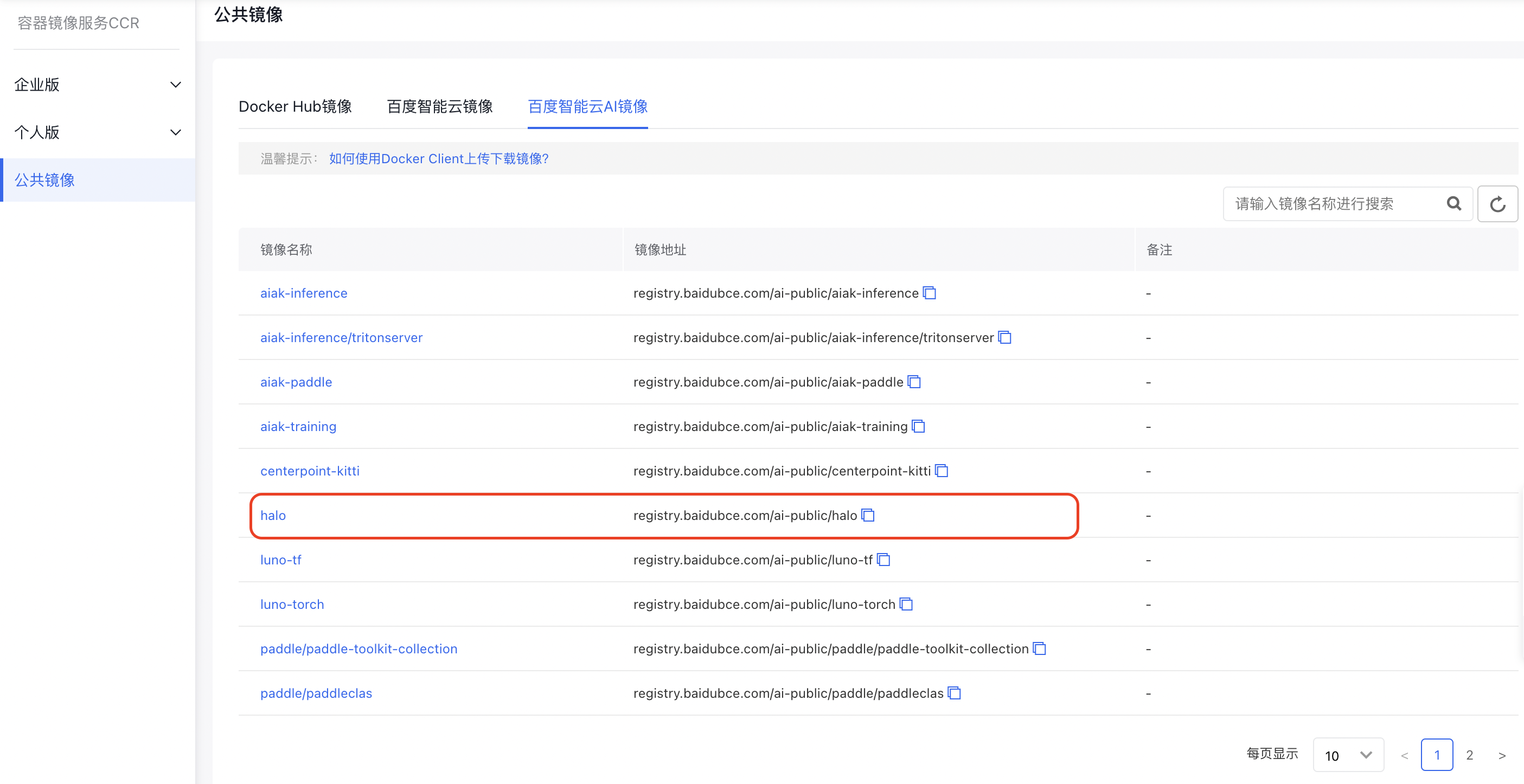
In the “Baidu AI Cloud AI Images” section of CCR public images, select the “Halo” accelerated image as the base training image. This image comes pre-installed with CUDA, Python 3, PyTorch, TensorFlow, MxNet, and AIAK-Training acceleration software.
2. Component installation
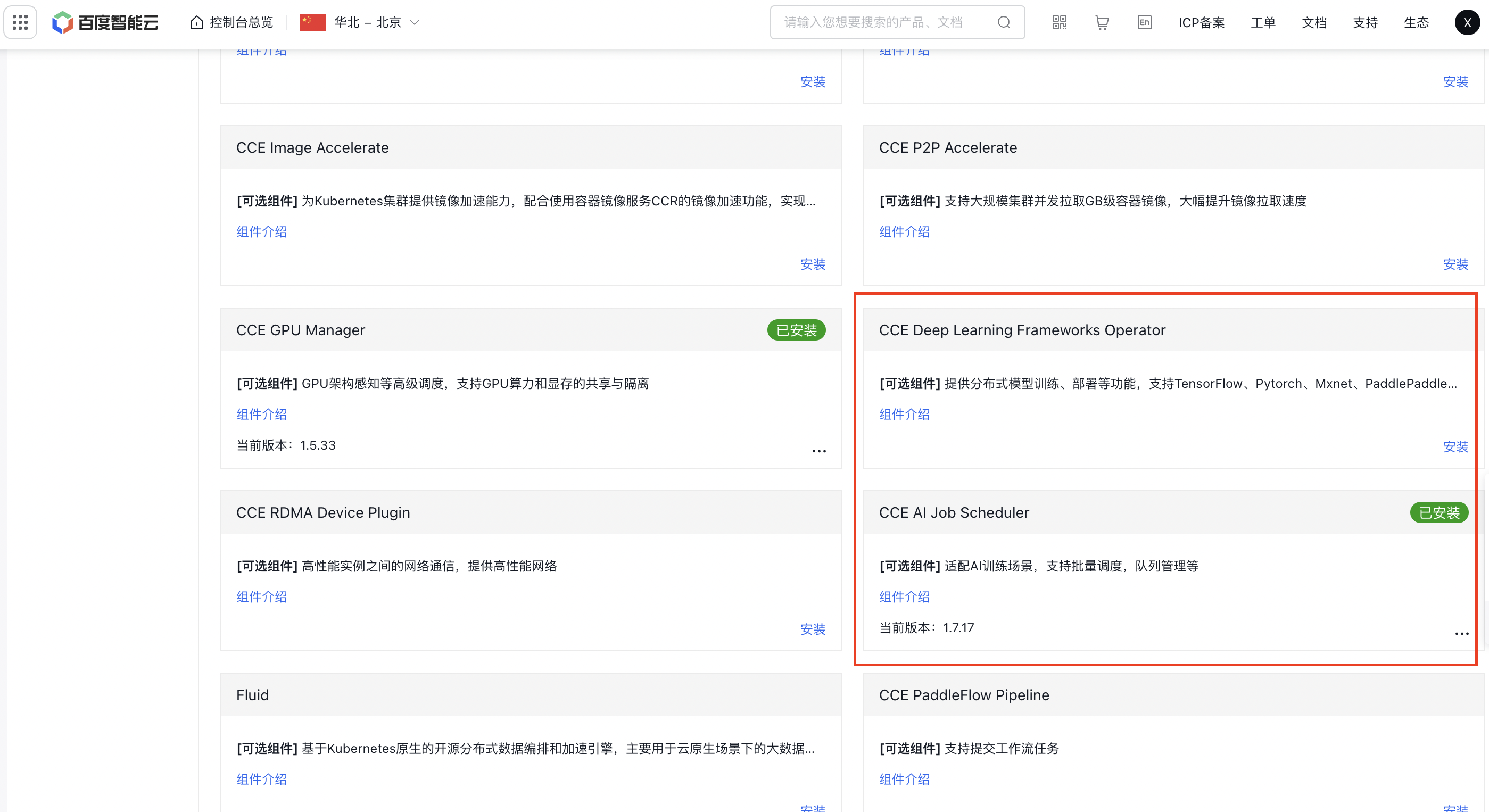
Click on the cluster name to enter the cluster page. Navigate to Component Management - Cloud-Native AI. Click to install the CCE Deep Learning Frameworks Operator component and CCE AI Job Scheduler, then click OK.
3. Task submission
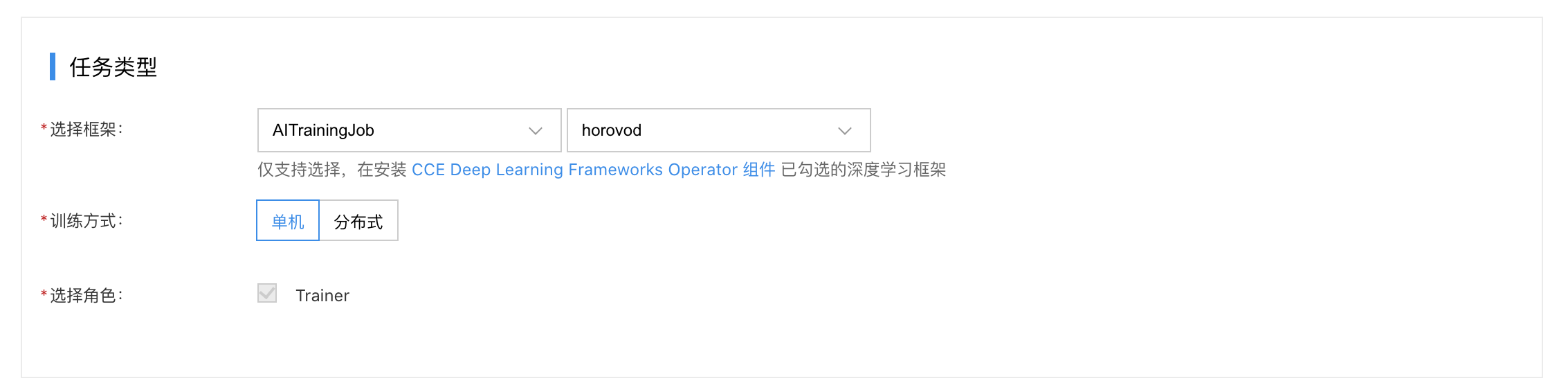
Go to Cloud-Native AI - Task Management - Create New Task
- Select the framework: AITrainingJob or Horovod.
- Choose the training method: Distributed.
- Select the role: Choose "Launcher" and define the elastic scaling range for the pod.
- Set up the necessary configurations under Pod Group Configuration - Lifecycle - Startup Command as follows.
Enable optimized hierarchical Allreduce
1 horovodrun --nccl-hierarchical-allreduce [other-horovod-args] python [executable] [app-args]Activate this feature by adding the --nccl-hierarchical-allreduce parameter in the horovodrun command line.
Enable DGC sparse communication compression algorithm
1horovodrun --dgc \
2           --compress-ratio 0.001 \
3           --sample-ratio 0.01 \
4           --clip-grad-func norm/value\
5           --clip-grad-func-params 0.01 \
6           ... ...
7           [other-horovod-args] python [executable] [app-args]
Configurable parameters related to DGC are as follows:
| Parameters | Description | Required |
|---|---|---|
| compress_ratio | Compression rate: Float type, default value is 0.001. A smaller value means less gradient communication volume; (manual configuration is recommended) | Yes |
| sample_ratio | Sample collection rate: Float type, default value is 0.01 | No |
| strided_sample:bool | Default value is True. Indicates whether to collect samples by stride |
No |
| compress_upper_bound | Compression upper limit: Default value is 1.3 | No |
| compress_lower_bound | Compression lower limit: Default value is 0.8 | No |
| max_adaptation_iters | Maximum number of adaptive iterations | No |
| resample | Bool type, default value is True. Indicates whether to re-sample | No |
| fp16_values | Bool type, default value is False. Indicates whether to convert gradient element values to FP16 | No |
| int32_indices | Bool type, default value is False. Indicates whether to convert gradient element index to FP32 | No |
| warmup_epochs | Pre-training epoch count | No |
| warmup_coeff | Compression rate list for model pre-training phase: If there are multiple values, separate them with spaces in the command line. For example, warmup_epochs=3, warmup_coeff=[0.5, 0.6, 0.7] means: in the preheating phase, 50% of gradients are used for communication in the first step, 60% in the second step, and 70% in the third step | No |
| clip_grad_func | Gradient clipping: Optional values are norm or value, corresponding to clip_grad_norm_ and clip_grad_value_ in PyTorch, respectively |
No |
| clip_grad_func_params | Parameters for gradient clipping method | No |
| momentum_masking | Bool type, default value is True. Avoids the problem of outdated gradient updates | No |
Note: At present, the DGC compression algorithm only supports the SGD optimizer.
Enable overlap of parameter update and gradient communication
To overlap parameter updates with gradient communication, simply configure the horovodrun command line as follows.
1horovodrun --overlap-backward-and-step \
2           --clip-grad-func norm/value\
3           --clip-grad-func-params 0.01 \
4           ... ...
5 [other-horovod-args] python [executable] [app-args]- If gradient clipping is needed before parameter updates, set the clip_grad_func and clip_grad_func_params parameters. In this scenario, remove the gradient clipping calls from your code.
- If both DGC and parameter update/gradient communication overlap are enabled, and a gradient clipping method is specified, the gradient clipping will be handled within DGC, and no clipping will occur during the overlap process.
- If parameter update and gradient communication overlap is not enabled, you do not need to set gradient clipping-related parameters (setting them will have no effect).
Enable FusedOptimizer
To enable the optimizer fusion feature, simply configure the horovodrun command line as follows.
1horovodrun --fuse-optimizer
2           ... ...
3           [other-horovod-args] python [executable] [app-args]
Note: The fused optimizer feature is currently incompatible with the "parameter update and gradient communication overlap" feature.