Create Dataset
You can create a new dataset. A dataset is a collection of logically related data intended for use by the container engine.
Creating a dataset generates two types of resources simultaneously: Dataset and Runtime. The dataset configures the data source, while the runtime serves as the backend acceleration engine. Once both resources are successfully created, the dataset enters an accelerated state and establishes an accelerated PVC, which can be mounted and used by pods.
Prerequisites
- You have successfully created a Kubernetes cluster. For details, see [Create Cluster](CCE/Operation guide/Cluster management/Create cluster.md).
- You have successfully installed the CCE Fluid component; if not, this functionality will be unavailable.
- If you select the PFS type in the runtime configuration section, ensure you have installed either the "CCE CSI PFS Plugin" or the "CCE ROCE CSI PFS Plugin" component beforehand.
- Supported cluster versions for the components: 1.26.9, 1.24.4, 1.22.5, 1.20.8, 1.18.9, 1.16.3.
Operation steps
- Sign in to the Baidu AI Cloud official website and enter the management console.
- Go to Product Services - Cloud Native - Cloud Container Engine (CCE) to access the CCE management console.
- Click Cluster Management - Cluster List in the left navigation pane.
- Click on the target cluster name in the Cluster List page to navigate to the cluster management page.
- On the Cluster Management page, click Cloud-Native AI - Datasets.
- On the Dataset Management page, click Create Dataset.
- On the Create Dataset page, complete the configuration of basic dataset information and data source:
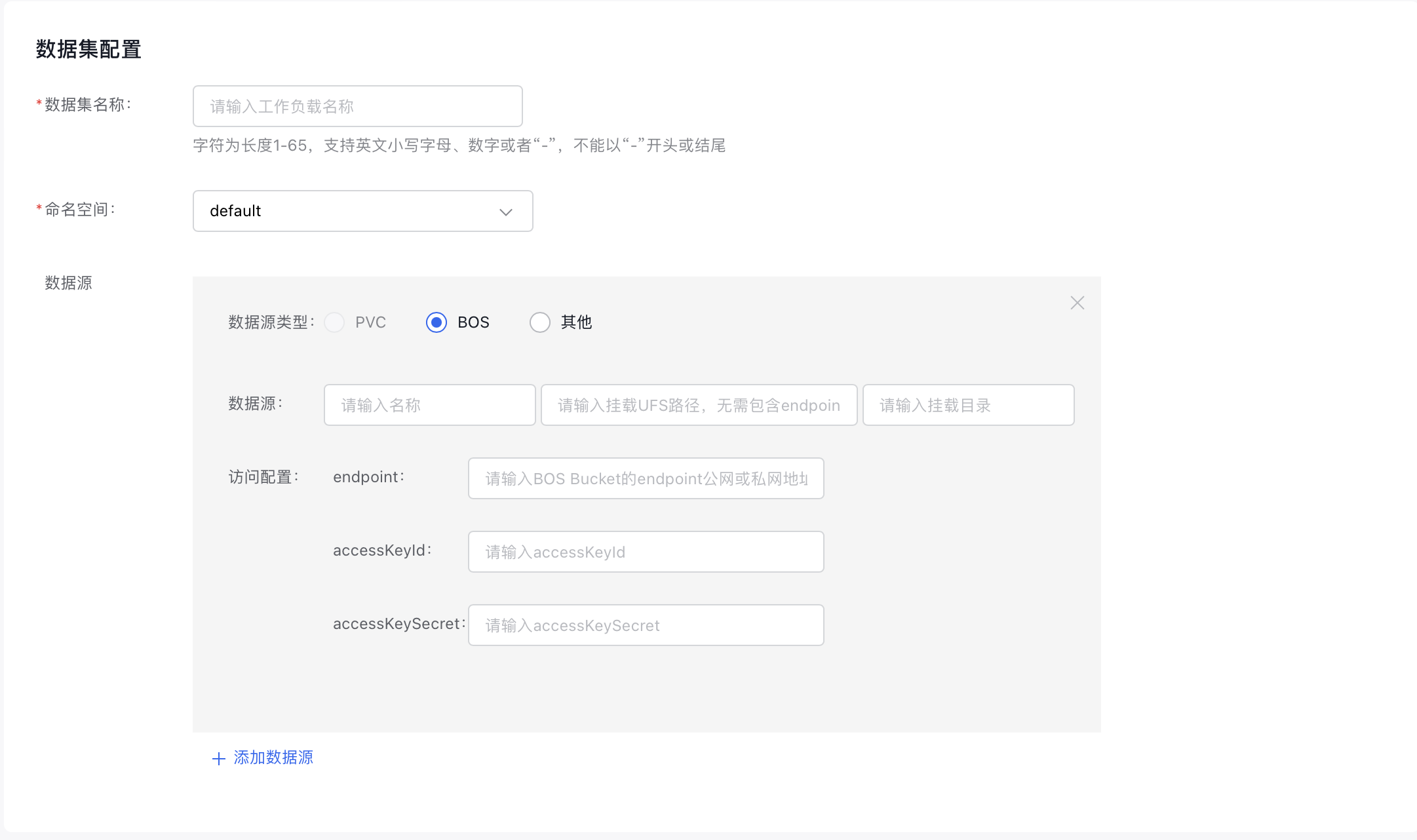
- Dataset Name: Customize the name of the queue. The name must be 1-65 characters long, only include digits, lowercase English letters, and “-”, and cannot start or end with “-”.
- Namespace: Choose an existing namespace in the cluster.
-
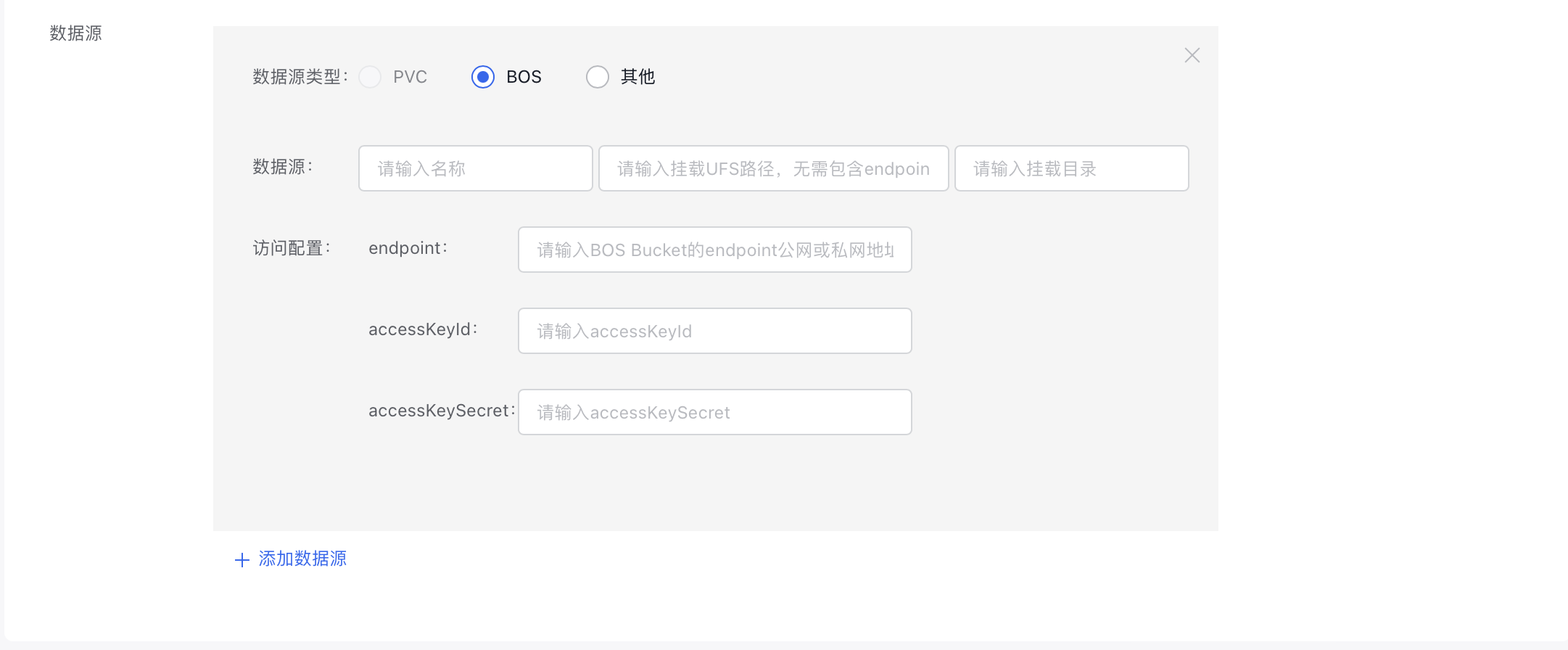
Data Source: Select the type and location of the data source, then provide the necessary access configurations. Supported data source types include "PVC", "BOS", and "Others.\
Note: The default runtime configuration type here is RapidFS. If you need an Alluxio-type runtime, select it in the “Runtime Type” section below, and specify the following information here:
- Configure scheduling information (optional):
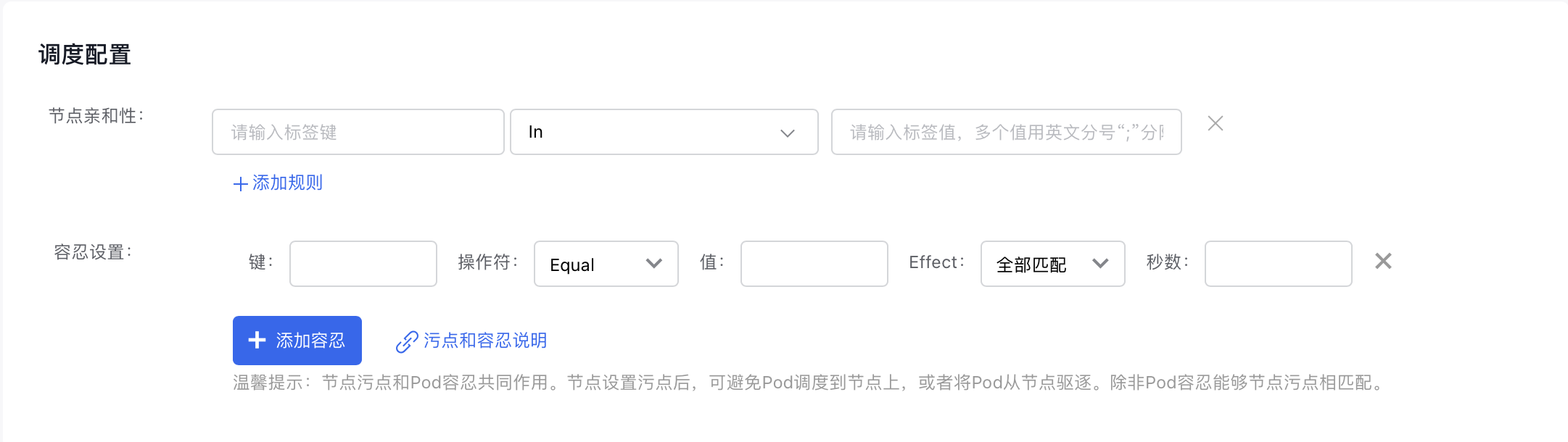
- Node Affinity: Define the pod affinity for the dataset.
- Toleration Settings: Define the pod anti-affinity for the dataset.
- Set up the runtime configuration.
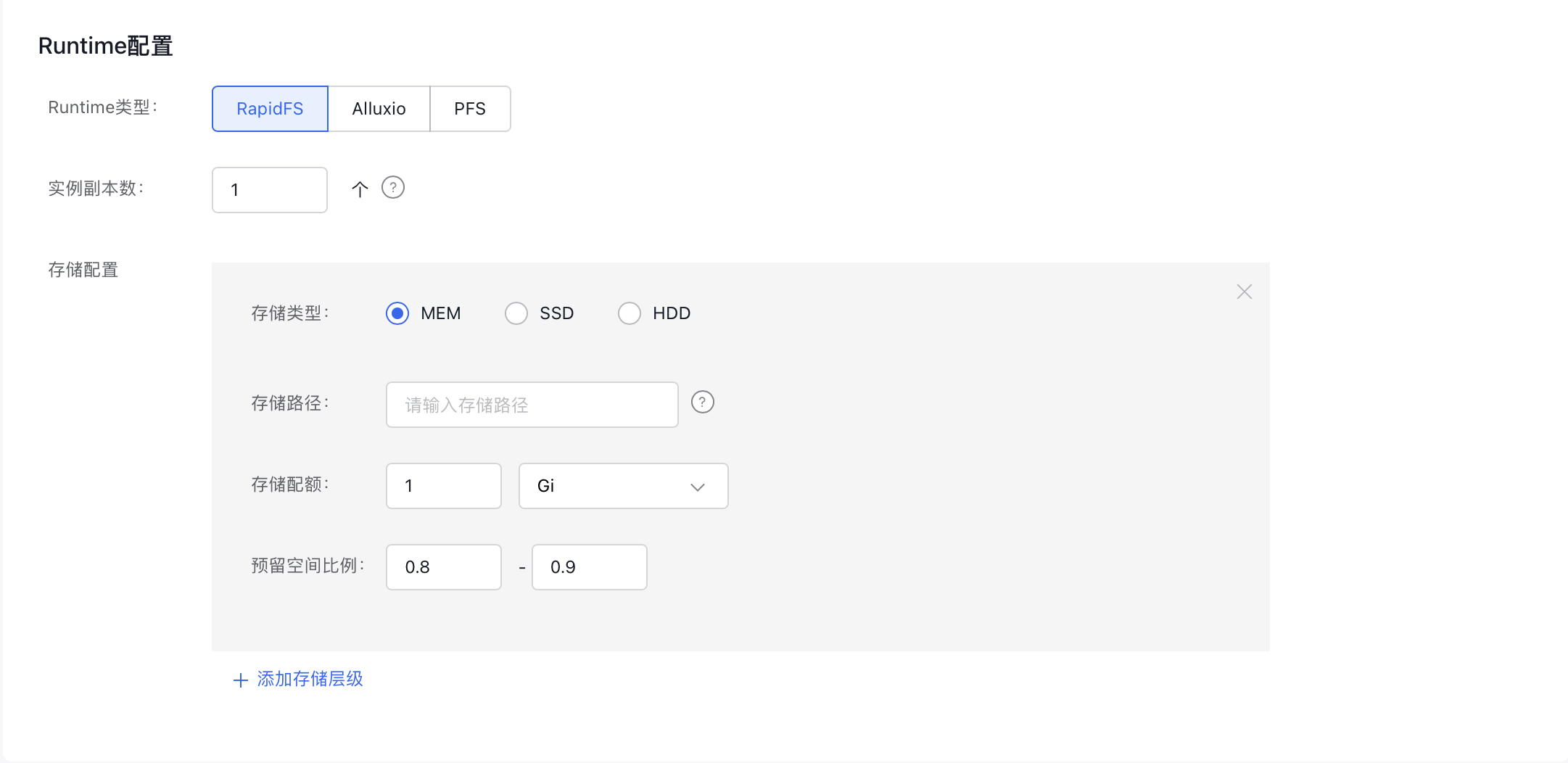
- Runtime Type: Specify the runtime type. Currently supported options include "RapidFS," "Alluxio," and "PFS." If you choose the PFS type, ensure the "CCE CSI PFS Plugin" or the "CCE ROCE CSI PFS Plugin" component is installed beforehand.
- Instance Replicas: Define the number of replicas for the runtime.
- Storage Configuration: Configure tiered storage for the runtime. You can add multiple tiers as needed.
- Click the "Create" button to complete the dataset creation.
-
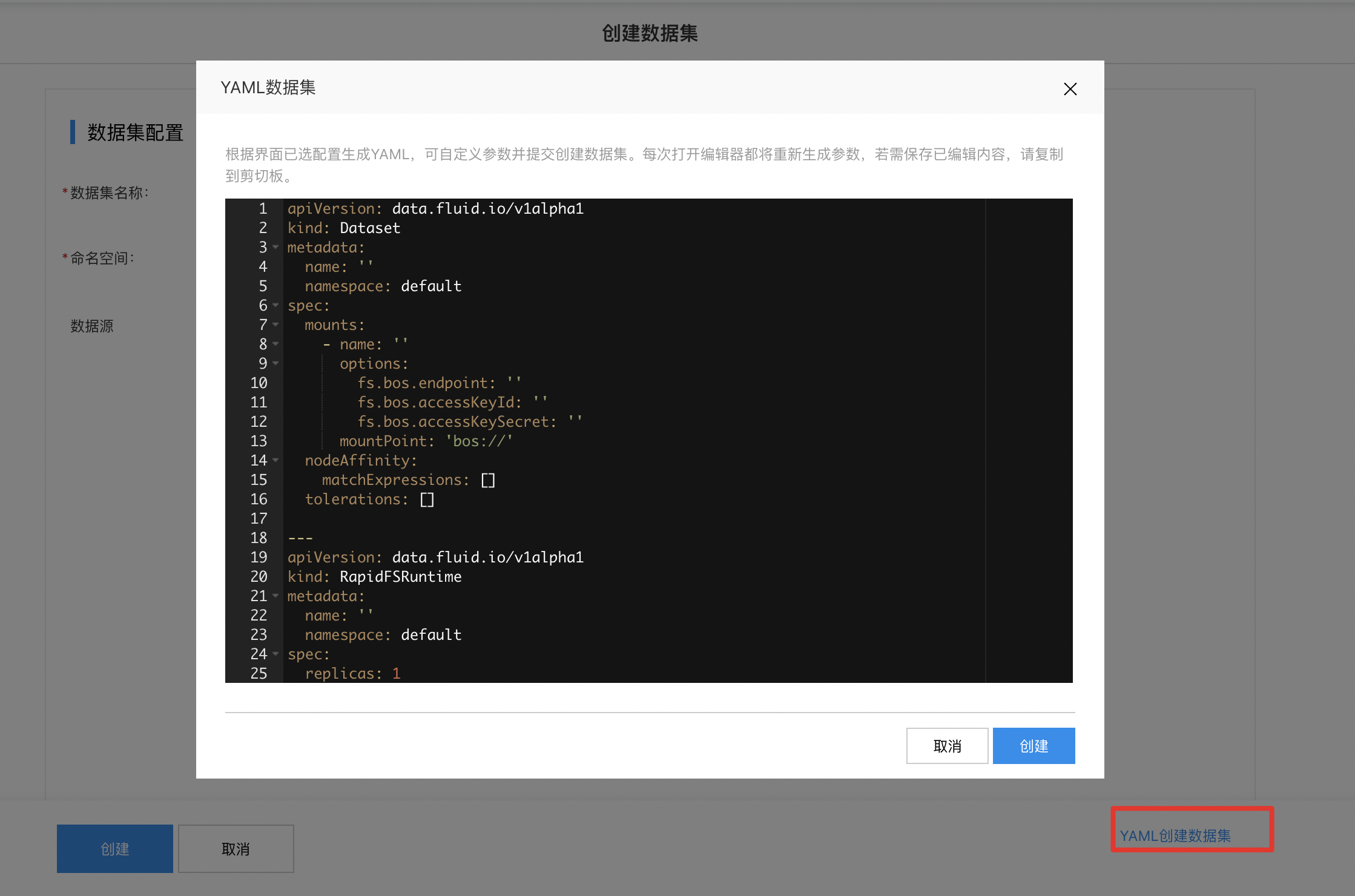
If the configurations mentioned above don't meet your resource needs, you can alternatively use YAML to create the dataset.
Note:
If you've already configured settings on the frontend page, a YAML file will be generated based on your selections. You can modify its parameters and submit it to create the dataset.
Each time you open the editor, parameters will be regenerated. To save your edits, make sure to copy the content to the clipboard.